sonic-production
 Abdulwahab Mangal
Build a Production-Ready AI Automation SaaS You are a senior SaaS architect, full-stack engineer, UI/UX designer, AI engineer, DevOps engineer, and security engineer. Build a modern, production-ready AI Automation SaaS platform that allows businesses and individuals to create, manage, and run AI-powered automations without coding. 1. Product Concept Create a SaaS platform where users can connect their favorite apps, describe an automation in natural language, and let AI build the workflow automatically. Example: “Whenever I receive a customer inquiry, analyze the message, classify the lead, save the information to my CRM, generate a personalized response, and notify me on WhatsApp.” The AI should convert this request into a visual automation workflow. Product positioning: “Describe it. Automate it. Let AI run it.” 2. Core Features AI Automation Builder Create an AI assistant that can: * Understand natural-language automation requests * Generate workflows automatically * Recommend triggers and actions * Configure workflow steps * Generate structured workflow JSON * Detect missing configuration * Explain each workflow step * Modify existing workflows through chat * Debug failed workflows * Optimize workflows * Suggest additional automations Example: User: “Every time someone fills out my website contact form, qualify the lead and send me a notification.” AI generates: Trigger: Website Form Submission ↓ AI: Analyze Lead ↓ Condition: Lead Score > 70 ↓ Action: Create CRM Contact ↓ Action: Send Notification ↓ Action: Generate Follow-up Email


Comments (0)
Sign in to leave a comment
Architecture
No Services Diagrams Yet
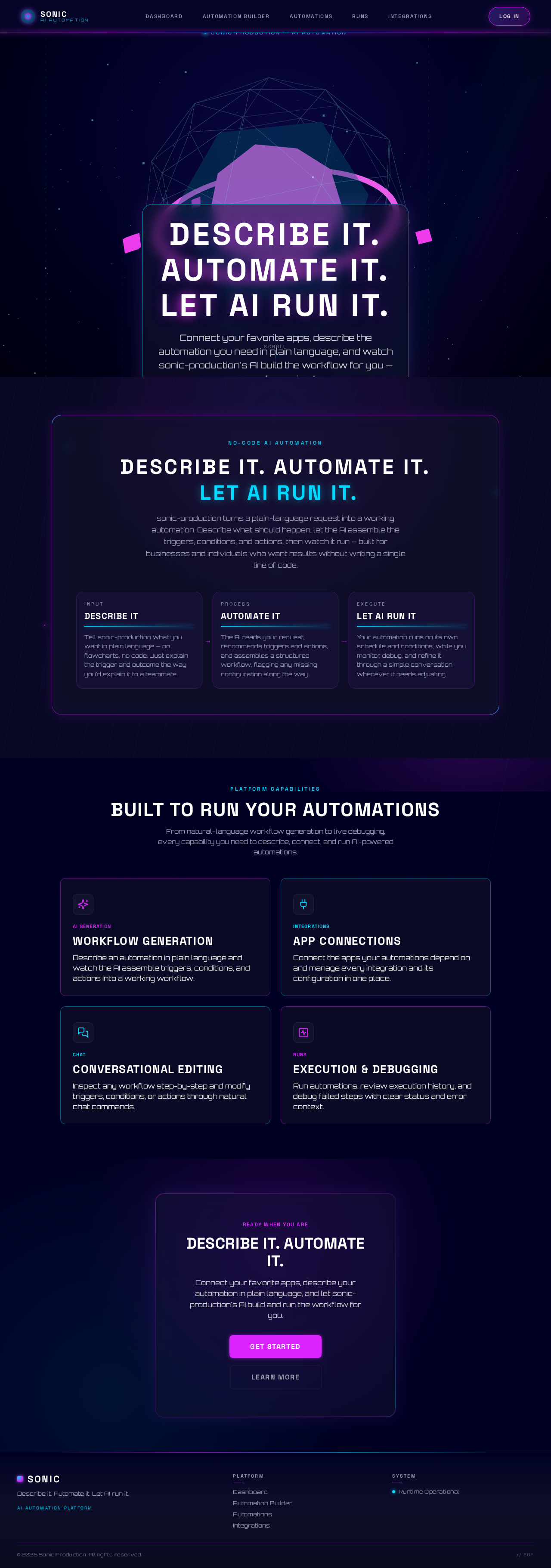
Describe it. Automate it. Let AI run it.
Connect your favorite apps, describe the automation you need in plain language, and watch sonic-production's AI build the workflow for you — no code required.
Describe it.Automate it.Let AI run it.
sonic-production turns a plain-language request into a working automation. Describe what should happen, let the AI assemble the triggers, conditions, and actions, then watch it run — built for businesses and individuals who want results without writing a single line of code.
Describe It
Tell sonic-production what you want in plain language — no flowcharts, no code. Just explain the trigger and outcome the way you'd explain it to a teammate.
Automate It
The AI reads your request, recommends triggers and actions, and assembles a structured workflow, flagging any missing configuration along the way.
Let AI Run It
Your automation runs on its own schedule and conditions, while you monitor, debug, and refine it through a simple conversation whenever it needs adjusting.
Built to Run Your Automations
From natural-language workflow generation to live debugging, every capability you need to describe, connect, and run AI-powered automations.
Workflow Generation
Describe an automation in plain language and watch the AI assemble triggers, conditions, and actions into a working workflow.
App Connections
Connect the apps your automations depend on and manage every integration and its configuration in one place.
Conversational Editing
Inspect any workflow step-by-step and modify triggers, conditions, or actions through natural chat commands.
Execution & Debugging
Run automations, review execution history, and debug failed steps with clear status and error context.
Describe It. Automate It.
Connect your favorite apps, describe your automation in plain language, and let sonic-production's AI build and run the workflow for you.
Describe it. Automate it. Let AI run it.
Connect your favorite apps, describe the automation you need in plain language, and watch sonic-production's AI build the workflow for you — no code required.
Describe it.Automate it.Let AI run it.
sonic-production turns a plain-language request into a working automation. Describe what should happen, let the AI assemble the triggers, conditions, and actions, then watch it run — built for businesses and individuals who want results without writing a single line of code.
Describe It
Tell sonic-production what you want in plain language — no flowcharts, no code. Just explain the trigger and outcome the way you'd explain it to a teammate.
Automate It
The AI reads your request, recommends triggers and actions, and assembles a structured workflow, flagging any missing configuration along the way.
Let AI Run It
Your automation runs on its own schedule and conditions, while you monitor, debug, and refine it through a simple conversation whenever it needs adjusting.
Built to Run Your Automations
From natural-language workflow generation to live debugging, every capability you need to describe, connect, and run AI-powered automations.
Workflow Generation
Describe an automation in plain language and watch the AI assemble triggers, conditions, and actions into a working workflow.
App Connections
Connect the apps your automations depend on and manage every integration and its configuration in one place.
Conversational Editing
Inspect any workflow step-by-step and modify triggers, conditions, or actions through natural chat commands.
Execution & Debugging
Run automations, review execution history, and debug failed steps with clear status and error context.
Describe It. Automate It.
Connect your favorite apps, describe your automation in plain language, and let sonic-production's AI build and run the workflow for you.
No comments yet. Be the first!