solar-player
 Swailum Zafar
i wanna make andriod app that is a player that is a combination of mx player and vlc

Comments (0)
Sign in to leave a comment
Project Tasks
1Implement MediaPlayerInterface Page
As a Frontend Developer, implement the Media Player Interface page sections (MediaPlayerHeader, MediaPlayerPlayback, MediaFileInfo, PlaylistManager) from the approved JSX/CSS design. Preserve all visible content, responsive layout, accessibility, styling, and designed interactions without inventing backend behavior. Implementation contract: - Outcome: Implement MediaPlayerInterface Page - Requirement sources: - Design page Media Player Interface - src-b2bf304c2c63abd9 - src-01cc25dc19001624 - src-7a29b313c18a880b - Owned behavior: - As a Frontend Developer, implement the Media Player Interface page sections (MediaPlayerHeader, MediaPlayerPlayback, MediaFileInfo, PlaylistManager) from the approved JSX/CSS design. Preserve all visible content, responsive layout, accessibility, styling, and designed interactions without inventing backend behavior. - Implement every supplied section from its approved JSX/CSS source. - Play media files (General Users) — trigger: User selects a media file to play; inputs: Media file; outcomes: Media file is played - Load application quickly (General Users) — trigger: User opens the application; outcomes: Application loads quickly - Manage media playback including file selection, playback state, and error handling. - Ensure application loads quickly and manages loading states. - Interfaces: - Input contract for Play media files: Media file - Provide media.playback.control: Manage media playback including file selection, playback state, and error handling. - Provide app.load.performance: Ensure application loads quickly and manages loading states. - State transitions: - When User selects a media file to play: Media file is played - When User opens the application: Application loads quickly - Failure and safety behavior: - Do not substitute undeclared backend mocks for missing runtime behavior. - If Play media files cannot complete: File cannot be played. - If Load application quickly cannot complete: Application loads slowly. Acceptance criteria: - The task-owned behavior is implemented and verified without undeclared mocks or downstream assumptions. - Every owned section renders once with its approved responsive, accessible design and interactions. - When User selects a media file to play, General Users produces Media file is played. - Play media files includes the required human touchpoint: Media player interface. - When User opens the application, General Users produces Application loads quickly. - Load application quickly includes the required human touchpoint: Application launch. - Capability media.playback.control implements Manage media playback including file selection, playback state, and error handling. and is verified through its declared interfaces. - Capability app.load.performance implements Ensure application loads quickly and manages loading states. and is verified through its declared interfaces.
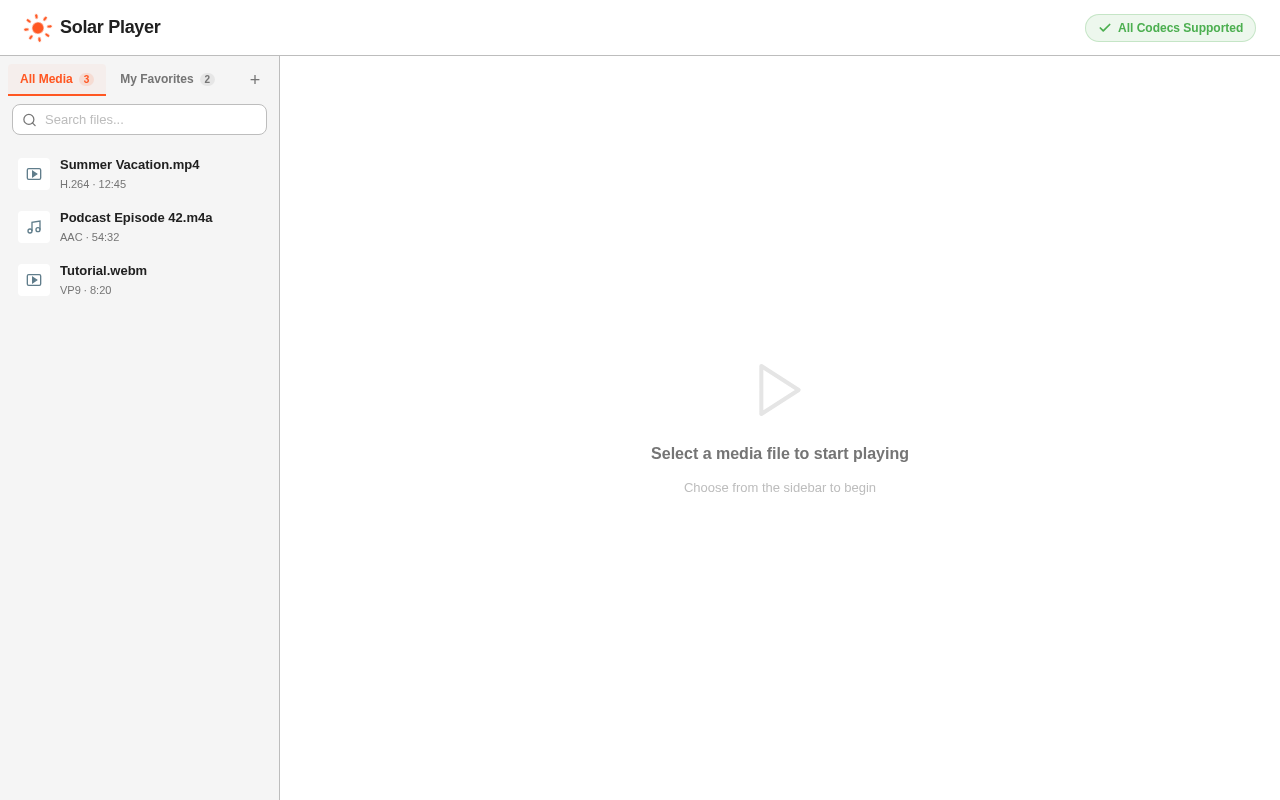
Select a media file to start playing
Choose from the sidebar to begin
Select a media file to start playing
Choose from the sidebar to begin
No comments yet. Be the first!