silver-modern
 Israel Ayomide
Build a modern, full-featured Ever Editing App for creating and editing videos, images, and social media content. Include a clean dashboard, project management, drag-and-drop media upload, timeline editor, text overlays, filters, transitions, audio editing, templates, export options, and autosave. Make the UI professional, fast, responsive, and beginner-friendly, with dark and light mode support.


Comments (0)
Sign in to leave a comment
Project Tasks
46 planning tasksGenerate system requirement document
Generate personas & user flows
Architecture
Workspace task plan
Create flow for Content Creator
Create flow for Project Manager / Organizer
Landing
Login
Sign Up
Dashboard
Editor
Export
Landing / Hero
Landing / Capability Statement
Landing / Editorial Frame
Landing / Timeline Strip
Landing / Navigation
Landing / Footer
Navigation
Footer
Fix Landing review findings: Hero headline 'EDIT LIKE YOU MEAN IT' is clipped at the… (+4 more)
Login / Navigation Slot
Login / Credential Panel
Login / Footer Slot
Sign Up / Navigation Slot
Sign Up / Enrollment Panel
Sign Up / Footer Slot
Fix Login review findings: Credential field placeholder renders the literal source… (+6 more)
Dashboard / Navigation Slot
Dashboard / Icon Rail
Dashboard / Greeting Band
Dashboard / Project Library
Dashboard / Inspector Column
Dashboard / Footer Slot
Editor / Navigation Slot
Editor / Top Rail
Editor / Media Bin
Editor / Preview Stage
Editor / Inspector Column
Editor / Timeline Band
Editor / Footer Slot
Export / Navigation Slot
Export / Option Panel
Export / Return Nav
Export / Footer Slot
Update Landing
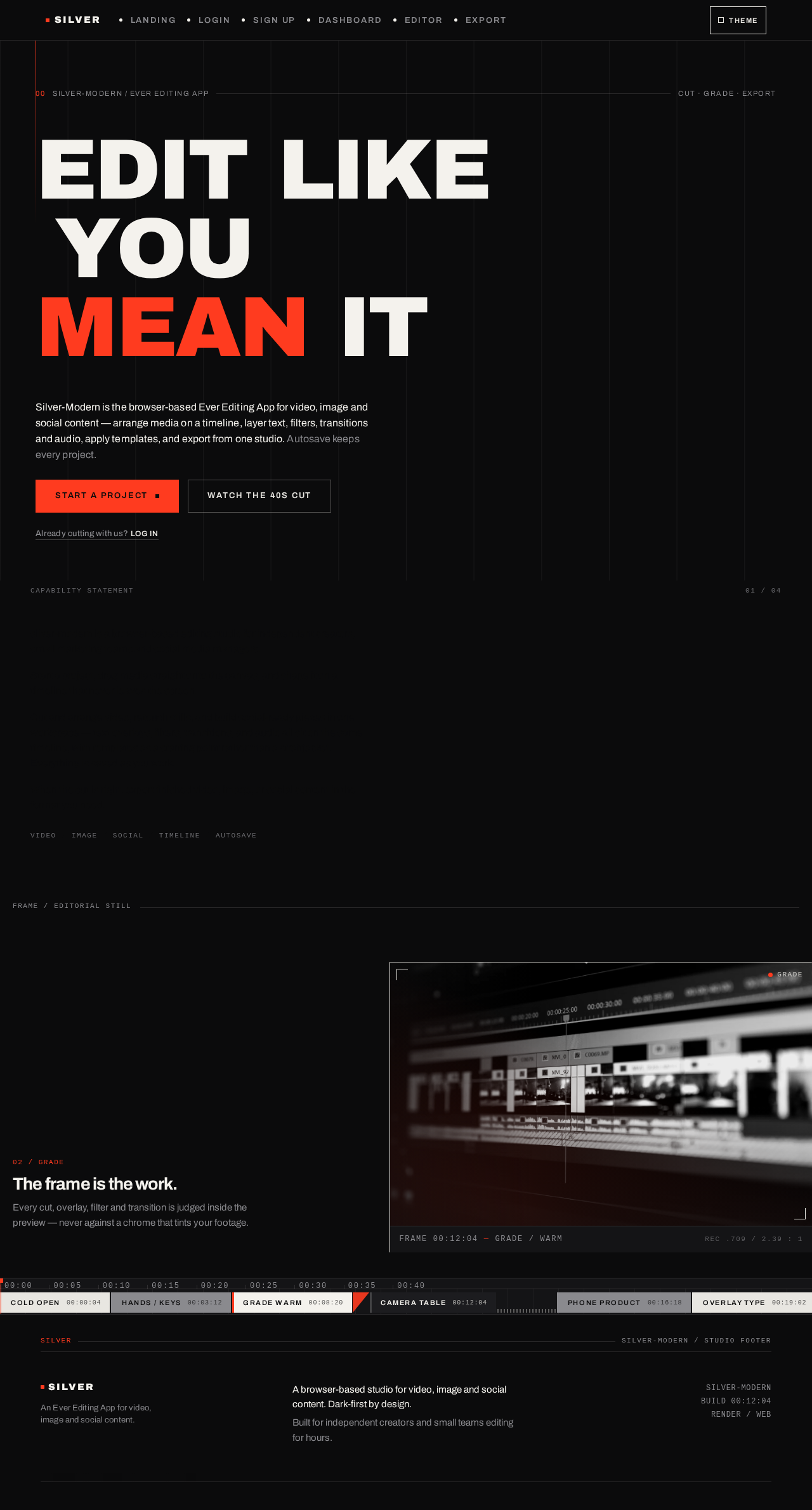
00Silver-Modern / Ever Editing App
Edit Like YouMean It
Silver-Modern is the browser-based Ever Editing App for video, image and social content — arrange media on a timeline, layer text, filters, transitions and audio, apply templates, and export from one studio. Autosave keeps every project.
Already cutting with us? Log insilver-modern capability statement
silver-modern is a browser-based editing studio for independent creators, small marketing teams and social media managers.
Start a project, drag media straight onto the canvas, and shape it on a timeline that never leaves the screen.
Cut and arrange video, retouch stills, and build social-ready pieces in one workspace — text overlays, filters, transitions, and audio all sit on the same timeline, with templates as a starting point rather than a straitjacket. Everything is saved as you work.
When the cut is right, export finished video, image, or social content in the format you need.
The frame is the work.
Every cut, overlay, filter and transition is judged inside the preview — never against a chrome that tints your footage.

FRAME 00:12:04 GRADE / WARM
00Silver-Modern / Ever Editing App
Edit Like YouMean It
Silver-Modern is the browser-based Ever Editing App for video, image and social content — arrange media on a timeline, layer text, filters, transitions and audio, apply templates, and export from one studio. Autosave keeps every project.
Already cutting with us? Log insilver-modern capability statement
silver-modern is a browser-based editing studio for independent creators, small marketing teams and social media managers.
Start a project, drag media straight onto the canvas, and shape it on a timeline that never leaves the screen.
Cut and arrange video, retouch stills, and build social-ready pieces in one workspace — text overlays, filters, transitions, and audio all sit on the same timeline, with templates as a starting point rather than a straitjacket. Everything is saved as you work.
When the cut is right, export finished video, image, or social content in the format you need.
The frame is the work.
Every cut, overlay, filter and transition is judged inside the preview — never against a chrome that tints your footage.
FRAME 00:12:04 GRADE / WARM
No comments yet. Be the first!