silent-saas
 Hemen Ashodia
build a saas application

Comments (0)
Sign in to leave a comment
Architecture
No Services Diagrams Yet
silent-saas — Business workspace
Run your business work in one precise, quiet workspace.
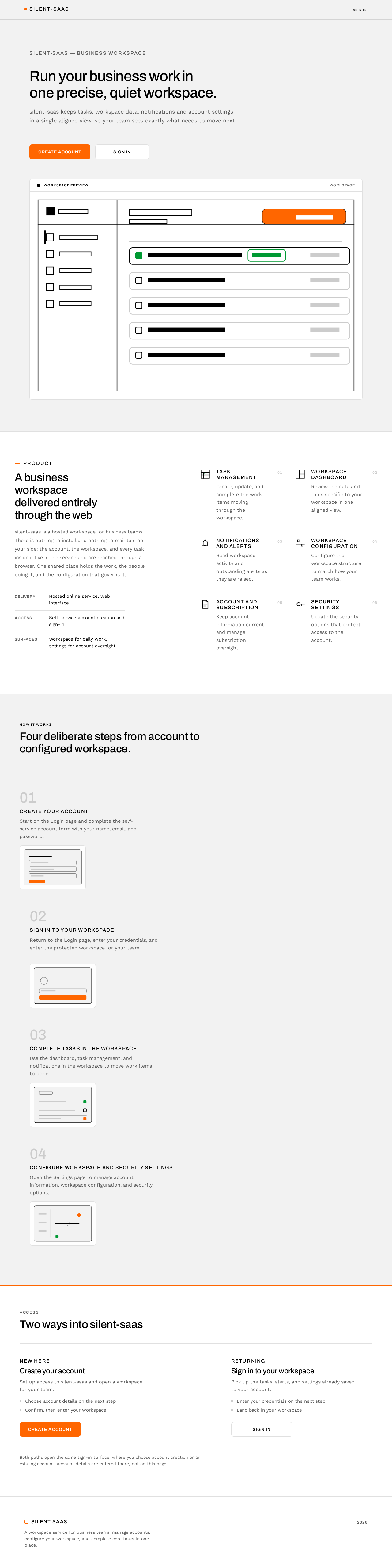
silent-saas keeps tasks, workspace data, notifications and account settings in a single aligned view, so your team sees exactly what needs to move next.
A business workspace delivered entirely through the web
silent-saas is a hosted workspace for business teams. There is nothing to install and nothing to maintain on your side: the account, the workspace, and every task inside it live in the service and are reached through a browser. One shared place holds the work, the people doing it, and the configuration that governs it.
- Delivery
- Hosted online service, web interface
- Access
- Self-service account creation and sign-in
- Surfaces
- Workspace for daily work, settings for account oversight
Task management
Create, update, and complete the work items moving through the workspace.
Workspace dashboard
Review the data and tools specific to your workspace in one aligned view.
Notifications and alerts
Read workspace activity and outstanding alerts as they are raised.
Workspace configuration
Configure the workspace structure to match how your team works.
Account and subscription
Keep account information current and manage subscription oversight.
Security settings
Update the security options that protect access to the account.
HOW IT WORKS
Four deliberate steps from account to configured workspace.
- 01
Create your account
Start on the Login page and complete the self-service account form with your name, email, and password.
- 02
Sign in to your workspace
Return to the Login page, enter your credentials, and enter the protected workspace for your team.
- 03
Complete tasks in the workspace
Use the dashboard, task management, and notifications in the workspace to move work items to done.
- 04
Configure workspace and security settings
Open the Settings page to manage account information, workspace configuration, and security options.
Access
Two ways into silent-saas
New here
Create your account
Set up access to silent-saas and open a workspace for your team.
- Choose account details on the next step
- Confirm, then enter your workspace
Returning
Sign in to your workspace
Pick up the tasks, alerts, and settings already saved to your account.
- Enter your credentials on the next step
- Land back in your workspace
Both paths open the same sign-in surface, where you choose account creation or an existing account. Account details are entered there, not on this page.
silent-saas — Business workspace
Run your business work in one precise, quiet workspace.
silent-saas keeps tasks, workspace data, notifications and account settings in a single aligned view, so your team sees exactly what needs to move next.
A business workspace delivered entirely through the web
silent-saas is a hosted workspace for business teams. There is nothing to install and nothing to maintain on your side: the account, the workspace, and every task inside it live in the service and are reached through a browser. One shared place holds the work, the people doing it, and the configuration that governs it.
- Delivery
- Hosted online service, web interface
- Access
- Self-service account creation and sign-in
- Surfaces
- Workspace for daily work, settings for account oversight
Task management
Create, update, and complete the work items moving through the workspace.
Workspace dashboard
Review the data and tools specific to your workspace in one aligned view.
Notifications and alerts
Read workspace activity and outstanding alerts as they are raised.
Workspace configuration
Configure the workspace structure to match how your team works.
Account and subscription
Keep account information current and manage subscription oversight.
Security settings
Update the security options that protect access to the account.
HOW IT WORKS
Four deliberate steps from account to configured workspace.
- 01
Create your account
Start on the Login page and complete the self-service account form with your name, email, and password.
- 02
Sign in to your workspace
Return to the Login page, enter your credentials, and enter the protected workspace for your team.
- 03
Complete tasks in the workspace
Use the dashboard, task management, and notifications in the workspace to move work items to done.
- 04
Configure workspace and security settings
Open the Settings page to manage account information, workspace configuration, and security options.
Access
Two ways into silent-saas
New here
Create your account
Set up access to silent-saas and open a workspace for your team.
- Choose account details on the next step
- Confirm, then enter your workspace
Returning
Sign in to your workspace
Pick up the tasks, alerts, and settings already saved to your account.
- Enter your credentials on the next step
- Land back in your workspace
Both paths open the same sign-in surface, where you choose account creation or an existing account. Account details are entered there, not on this page.
No comments yet. Be the first!