sharp-todo
build simple to-do with no designs just pure logic


Comments (0)
Sign in to leave a comment
System Requirements
sharp-todo System Requirements Document
Introduction
The purpose of this document is to outline the system requirements for the "sharp-todo" project, a simple to-do application focused purely on functionality. This application is designed for personal use, prioritizing usability and straightforward task management without any complex visual elements.
System Overview
The "sharp-todo" application is a basic task management tool that allows users to efficiently manage their tasks. The application will focus on core functionalities such as adding, editing, and deleting tasks. It is intended for personal use, providing a streamlined and efficient user experience without additional features like task categorization or due dates.
Functional Requirements
- As a User, I should be able to add tasks to my to-do list.
- As a User, I should be able to edit existing tasks.
- As a User, I should be able to delete tasks from my to-do list.
User Personas
- User: The primary user of the sharp-todo application, who will manage their personal tasks using the app.
Visuals Colors and Theme
Since the focus is on functionality, the application will have a minimalistic design with a simple color palette to ensure clarity and ease of use. Here is a unique color palette for the project:
- primary: #2A9D8F (Teal)
- primary_light: #A8DADC (Light Teal)
- secondary: #E76F51 (Coral)
- accent: #F4A261 (Sandy Orange)
- highlight: #E9C46A (Golden)
- bg: #F1FAEE (Off White)
- surface: rgba(233, 233, 233, 0.8) (Light Gray)
- text: #264653 (Dark Slate)
- text_muted: #8D99AE (Muted Gray)
- border: rgba(38, 70, 83, 0.2) (Subtle Slate)
Signature Design Concept
For the "sharp-todo" application, the signature design concept will be an interactive task list that feels like flipping through a personal notebook. Each task will appear as a card that users can click to flip over, revealing options to edit or delete the task. This interaction will be smooth and intuitive, providing a tactile feel to task management. The application will use framer-motion for the card flip animations, ensuring a seamless and engaging user experience.
Interaction Model & Motion Direction
The interaction model for the "sharp-todo" application will be "static" to maintain focus on task management efficiency. However, the card flip animation for task interactions will add a touch of dynamism without overwhelming the user. This approach ensures clarity and speed in managing tasks while providing a small interactive element to enhance user engagement.
Non-Functional Requirements
- The application should load quickly and perform efficiently on all modern web browsers.
- The user interface should be intuitive and require minimal learning for new users.
- The application should be responsive and work seamlessly on both desktop and mobile devices.
Tech Stack
- Frontend: React for Web
- Backend: Python with FastAPI
- Database: MySQL or MariaDB, using Alembic for migrations
Assumptions and Constraints
- The application is intended for personal use, so scalability for multiple users is not a primary concern.
- The focus is on functionality over design, so advanced visual elements are not required.
- The application will not include features like task categorization or due dates.
Glossary
- Task: An item on the to-do list that the user can add, edit, or delete.
- User: The individual using the sharp-todo application to manage their personal tasks.
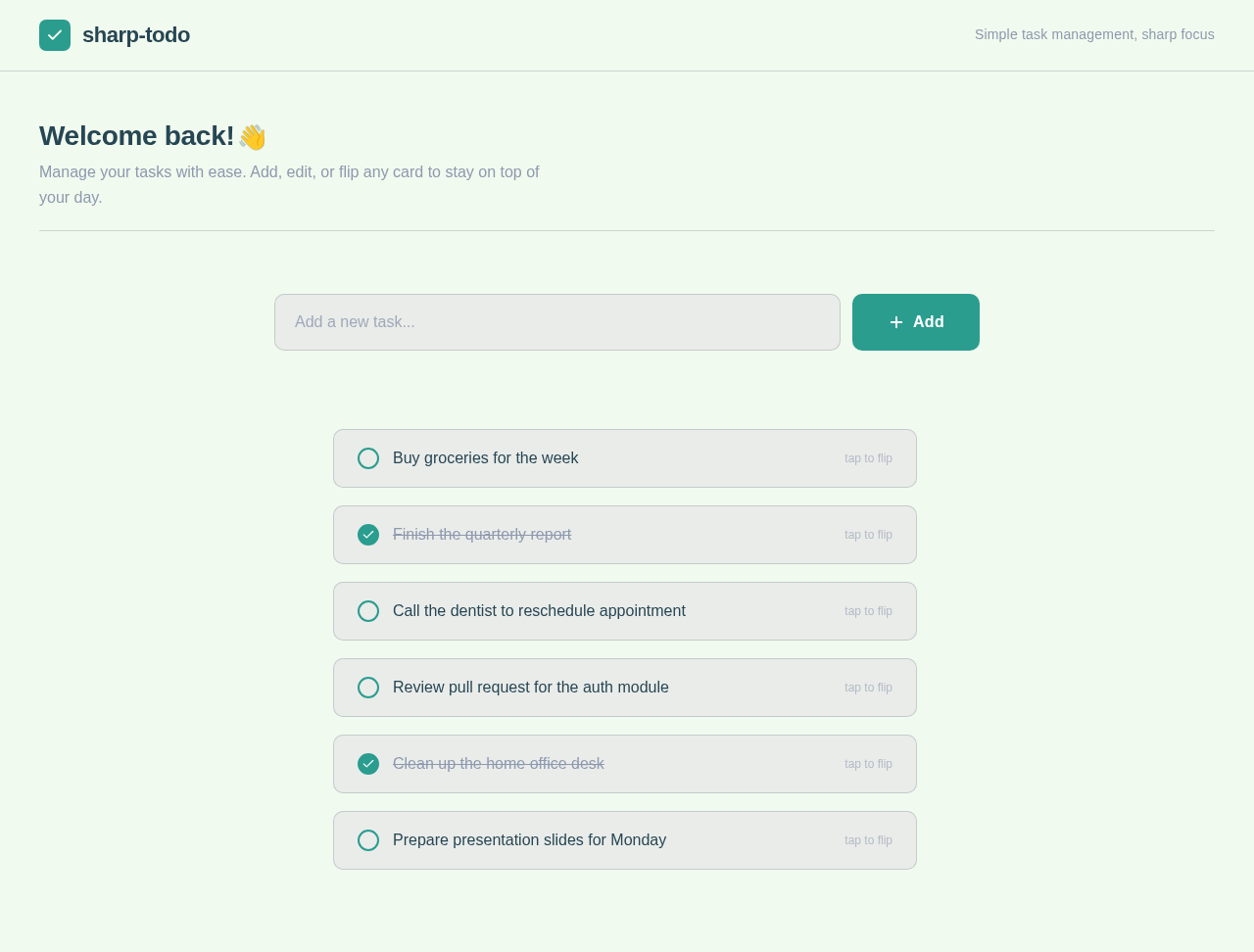
sharp-todo
Simple task management, sharp focus
Welcome back!👋
Manage your tasks with ease. Add, edit, or flip any card to stay on top of your day.
Use the input above to create your first task→
No comments yet. Be the first!