sharp-project
Create simple calculator

Comments (0)
Sign in to leave a comment
System Requirements
sharp-project System Requirements Document
Introduction
The sharp-project is a simple calculator application designed to perform basic arithmetic operations. This document outlines the system requirements for the development and implementation of the sharp-project, ensuring it meets the needs of users in India, like you, test.
System Overview
The sharp-project aims to deliver a straightforward and user-friendly calculator application that performs basic arithmetic operations such as addition, subtraction, multiplication, and division. The application will have a clean interface with intuitive buttons for each operation, making it accessible for users of all ages and technical backgrounds.
Functional Requirements
- As a User, I should be able to perform addition.
- As a User, I should be able to perform subtraction.
- As a User, I should be able to perform multiplication.
- As a User, I should be able to perform division.
User Personas
- User: An individual looking for a simple and efficient tool to perform basic arithmetic calculations.
Visuals Colors and Theme
- primary: #1A73E8 (a deep blue for the main interface elements)
- primary_light: #E8F0FE (a light blue for hover states)
- secondary: #F4B400 (a vibrant amber for headlines and emphasis)
- accent: #EA4335 (a bold red for call-to-action buttons and active states)
- highlight: #FBBC05 (a warm gold for hover states and notifications)
- bg: #FFFFFF (a clean white for the background)
- surface: rgba(240, 240, 240, 0.8) (a light grey for card/panel backgrounds)
- text: #202124 (a dark grey for primary text and headings)
- text_muted: #5F6368 (a softer grey for secondary text and labels)
- border: rgba(218, 220, 224, 0.2) (a subtle grey for borders)
Signature Design Concept
The sharp-project will feature an interactive "Calculator Grid" homepage. This grid will consist of large, tactile buttons that animate with a subtle bounce effect when pressed, using framer-motion for smooth transitions. Each button will have a unique color from the palette, creating a vibrant and engaging interface. The grid will also include a dynamic display area that highlights the current operation and result, with numbers and symbols appearing as if they are being typed in real-time. This interactive experience will make the calculator not only functional but also enjoyable to use.
Interaction Model & Motion Direction
The landing page will adopt an "animated" interaction model. The calculator buttons will have hover transitions and spring physics, providing a responsive and polished user experience. The dynamic display will update with smooth animations, ensuring clarity and engagement. Internal pages, if any, will maintain a "static" model for simplicity and ease of use.
Non-Functional Requirements
- The application should load quickly and perform calculations with minimal delay.
- The interface should be responsive and adapt to different screen sizes.
- The application should be accessible, adhering to standard accessibility guidelines.
Tech Stack
- Frontend: React for Web
- Backend: Python with FastAPI
- Database: Not applicable for this simple calculator application
- AI Models: Not applicable
- Local Orchestration: Docker
- Server-side Orchestration: Kubernetes
Assumptions and Constraints
- The application is intended for users in India, considering local preferences and usage patterns.
- The calculator will only perform basic arithmetic operations.
- The application will be web-based, accessible via modern browsers.
Glossary
- Arithmetic Operations: Basic mathematical operations including addition, subtraction, multiplication, and division.
- Responsive Design: An approach to web design that makes web pages render well on a variety of devices and window or screen sizes.
- Accessibility: The design of products, devices, services, or environments for people with disabilities.
This document serves as a comprehensive guide for the development of the sharp-project, ensuring all requirements are met for a successful implementation.
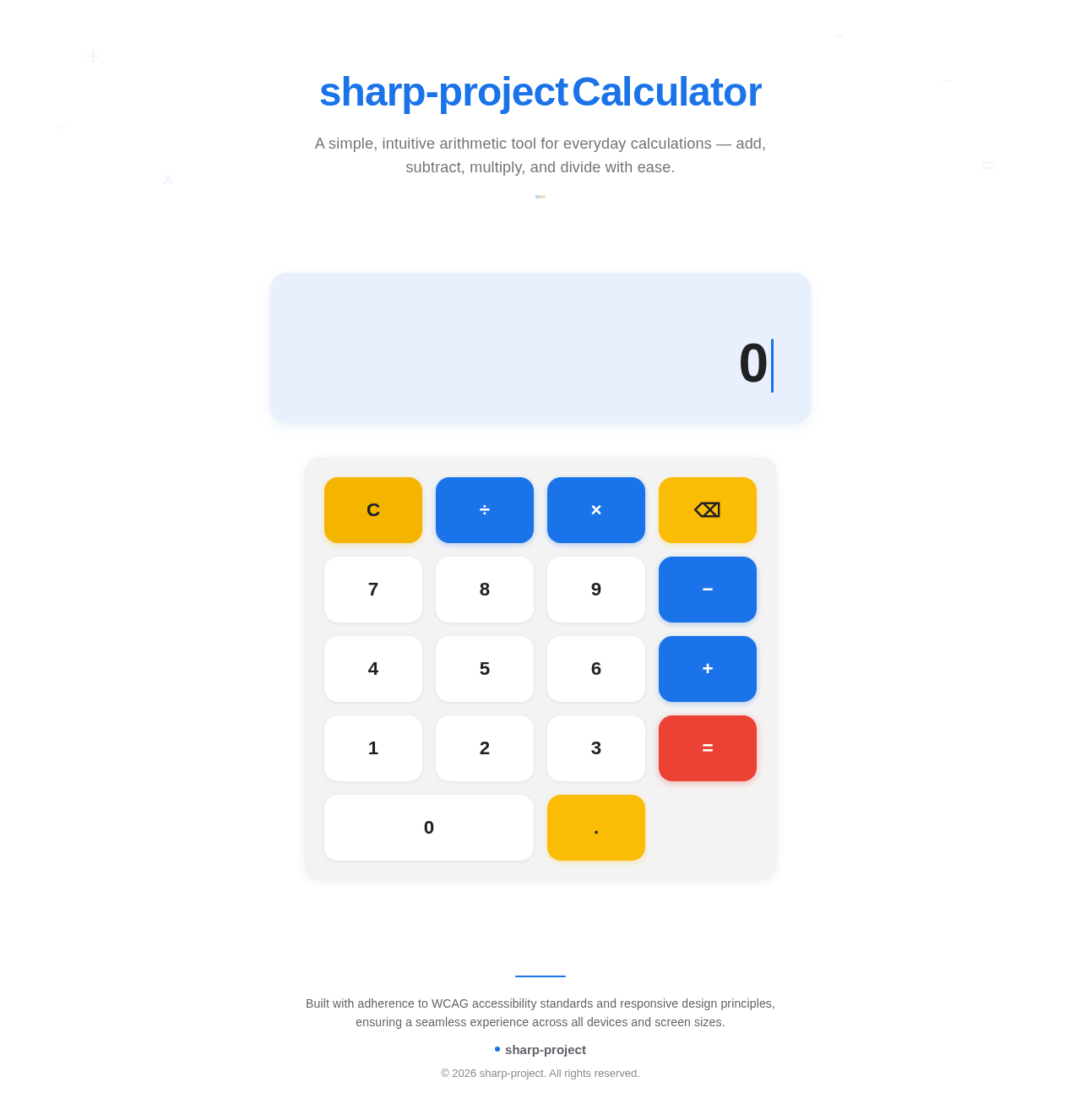
A simple, intuitive arithmetic tool for everyday calculations — add, subtract, multiply, and divide with ease.
No comments yet. Be the first!