sharp-page
want to create a prject of simple single page calculator

Comments (0)
Sign in to leave a comment
System Requirements
sharp-page System Requirements Document
Introduction
The purpose of this document is to outline the system requirements for the "sharp-page" project, which is a simple, single-page static calculator design.
System Overview
The "sharp-page" project is a straightforward web application designed to perform basic arithmetic calculations. It is intended to be a single-page application with a minimalistic design, focusing on user-friendliness and ease of use.
Functional Requirements
- As a User, I should be able to perform basic arithmetic operations such as addition, subtraction, multiplication, and division.
- As a User, I should be able to clear the current calculation to start a new one.
- As a User, I should be able to view the result of my calculation immediately after entering the operation.
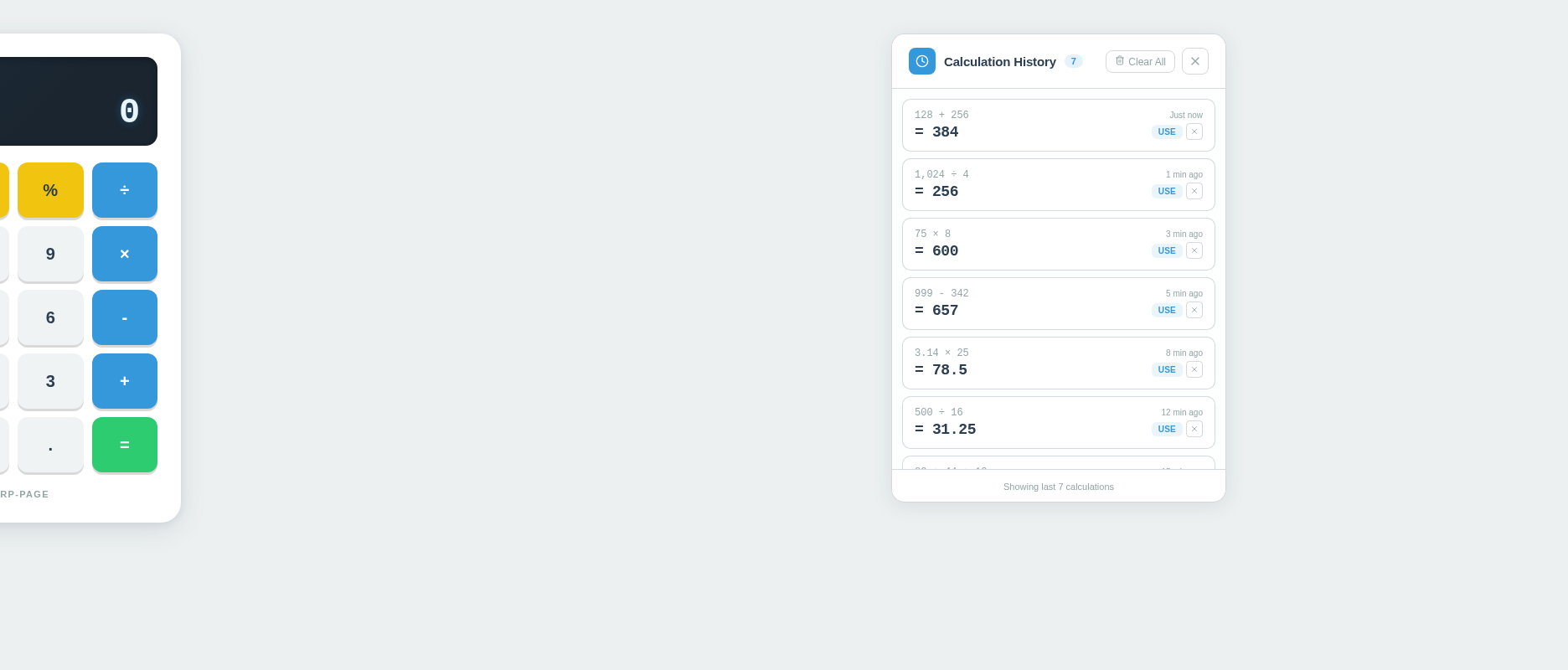
- As a User, I should be able to view a history of my calculations.
User Personas
- User: An individual who wants to perform basic arithmetic calculations quickly and efficiently on a single-page application.
Core User Flows
- User opens the calculator page -> enters numbers and selects an operation -> views the result -> clears the calculation if needed -> repeats the process as desired.
- User clicks the history button -> views the list of previous calculations.
Visuals Colors and Theme
- primary: #3498db (a calm blue for the main interface)
- primary_light: #85c1e9 (a lighter blue for hover states)
- secondary: #2ecc71 (a green hue for emphasis and active states)
- accent: #e74c3c (a vibrant red for clear button and error states)
- highlight: #f1c40f (a warm yellow for notifications or highlights)
- bg: #ecf0f1 (a light grey for the background)
- surface: rgba(255, 255, 255, 0.9) (a white surface for calculator buttons)
- text: #2c3e50 (a dark blue for primary text)
- text_muted: #95a5a6 (a softer grey for secondary text)
- border: rgba(44, 62, 80, 0.2) (a subtle border color)
Signature Design Concept
The "sharp-page" calculator will feature a unique interactive design where the calculator buttons animate with a subtle bounce effect when clicked, providing tactile feedback. The interface will have a clean, modern aesthetic with rounded buttons and a digital display that mimics a classic calculator screen. The use of vibrant colors for interactive elements will enhance the user experience, making the calculator both functional and visually appealing.
Interaction Model & Motion Direction
The interaction model for the "sharp-page" calculator will be "static" with minimal motion. The focus will be on clarity and ease of use, with subtle animations for button presses to enhance user interaction without overwhelming the simplicity of the design.
Non-Functional Requirements
- The application should load quickly and perform calculations without noticeable delay.
- The design should be responsive and accessible on various devices and screen sizes.
Tech Stack
- Frontend: React for Web
Assumptions and Constraints
- The application will be a single-page static site with no backend integration.
- The design will prioritize simplicity and ease of use over advanced features.
Glossary
- Single-page application (SPA): A web application that interacts with the user by dynamically rewriting the current page, rather than loading entire new pages from the server.
- Static site: A site that is delivered to the user's browser exactly as stored, in contrast to a dynamic web page which is generated by a web application.
No comments yet. Be the first!