shadow-calculator
create a project to build a simple single page calculator with no advance operations

Comments (0)
Sign in to leave a comment
System Requirements
Shadow-Calculator System Requirements Document
Introduction
The Shadow-Calculator project aims to develop a simple, single-page calculator application. The focus is on providing basic arithmetic operations without any advanced features, ensuring a clean and minimalist design for ease of use.
System Overview
The Shadow-Calculator is designed to be a user-friendly application that performs basic arithmetic operations such as addition, subtraction, multiplication, and division. The application will be accessible via a single-page interface, making it ideal for quick and straightforward calculations.
Functional Requirements
- As a User, I should be able to perform addition, subtraction, multiplication, and division.
- As a User, I should be able to clear the current calculation to start a new one.
- As a User, I should be able to view the result of the calculation immediately after entering the operation.
User Personas
- User: An individual looking for a quick and easy way to perform basic arithmetic calculations without the need for advanced features.
Visuals Colors and Theme
- primary: #4A90E2 (a calming blue for the main interface)
- primary_light: #A6C8FF (a lighter blue for hover states)
- secondary: #FF6F61 (a contrasting coral for emphasis)
- accent: #FFD700 (a vibrant gold for call-to-action buttons)
- highlight: #FFA500 (a warm orange for active indicators)
- bg: #F5F5F5 (a light grey for the background)
- surface: rgba(255, 255, 255, 0.9) (a soft white for panels)
- text: #333333 (a dark grey for primary text)
- text_muted: #777777 (a muted grey for secondary text)
- border: rgba(0, 0, 0, 0.1) (a subtle black for borders)
Signature Design Concept
The Shadow-Calculator will feature an interactive, minimalist design with a unique "floating keypad" concept. The keypad will appear to hover slightly above the background, casting a subtle shadow that moves dynamically as the user interacts with it. This effect will be achieved using framer-motion for smooth animations and spring physics. The buttons will respond to clicks with a gentle bounce, providing tactile feedback. The interface will be clean, with large, easy-to-read numbers and symbols, ensuring accessibility and ease of use.
Interaction Model & Motion Direction
The landing page will utilize an "animated" interaction model. The calculator's buttons will have hover transitions and spring physics to enhance user interaction. The design will focus on clarity and responsiveness, ensuring that users can perform calculations quickly and efficiently.
Non-Functional Requirements
- The application must load within 2 seconds on a standard internet connection.
- The interface should be responsive and work seamlessly on both desktop and mobile devices.
- The application should handle up to 100 concurrent users without performance degradation.
Tech Stack
- Frontend: React for Web
- Backend: None required for a single-page application
- Database: None required for a single-page application
- AI Models: None required
Assumptions and Constraints
- The calculator will not support advanced mathematical functions such as trigonometry or logarithms.
- The application will be developed to support the latest versions of major web browsers.
- No user authentication or data storage is required.
Glossary
- Single-page application: A web application that interacts with the user by dynamically rewriting the current page, rather than loading entire new pages from the server.
- Basic arithmetic operations: Mathematical operations including addition, subtraction, multiplication, and division.
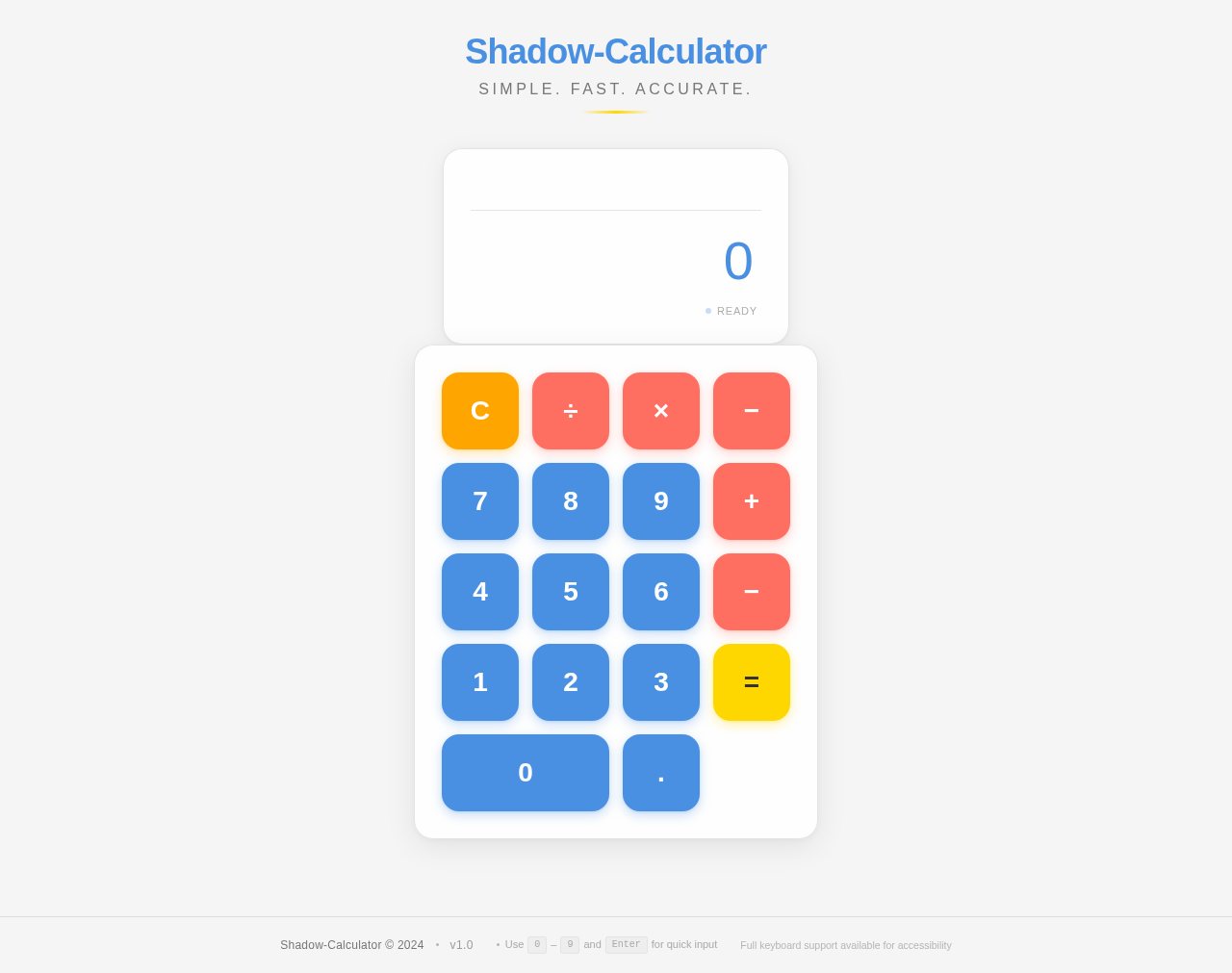
Shadow-Calculator
Simple. Fast. Accurate.
No comments yet. Be the first!