rustic-hi
 Nandu Katasani
Hi

Comments (0)
Sign in to leave a comment
Project Tasks
21 planning tasksGenerate system requirement document
Generate personas & user flows
Create flow for Personal Agent Owner
Landing
Repair Landing JSX
Repair Landing JSX
Repair Landing JSX
Landing / Navigation
Landing / Hero Band
Landing / What It Is Band
Landing / All In One Place Band
Landing / Ownership Band
Landing / Closing Ticker Band
Navigation
Login
Sign Up
Chat
Conversations
Personalization
Architecture
Workspace task plan
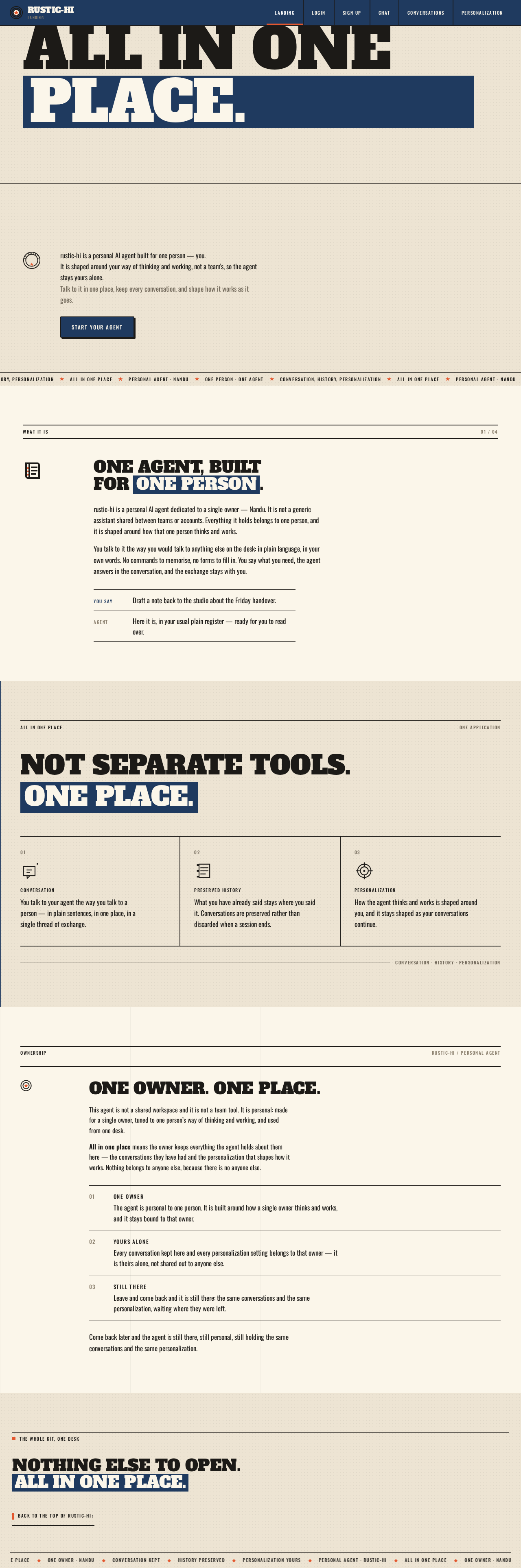
All in onePlace.
rustic-hi is a personal AI agent built for one person — you.
It is shaped around your way of thinking and working, not a team's, so the agent stays yours alone.
Talk to it in one place, keep every conversation, and shape how it works as it goes.
One agent, built for one person.
rustic-hi is a personal AI agent dedicated to a single owner — Nandu. It is not a generic assistant shared between teams or accounts. Everything it holds belongs to one person, and it is shaped around how that one person thinks and works.
You talk to it the way you would talk to anything else on the desk: in plain language, in your own words. No commands to memorise, no forms to fill in. You say what you need, the agent answers in the conversation, and the exchange stays with you.
Not separate tools. One place.
Conversation
You talk to your agent the way you talk to a person — in plain sentences, in one place, in a single thread of exchange.
Preserved History
What you have already said stays where you said it. Conversations are preserved rather than discarded when a session ends.
Personalization
How the agent thinks and works is shaped around you, and it stays shaped as your conversations continue.
One owner. One place.
This agent is not a shared workspace and it is not a team tool. It is personal: made for a single owner, tuned to one person’s way of thinking and working, and used from one desk.
All in one place means the owner keeps everything the agent holds about them here — the conversations they have had and the personalization that shapes how it works. Nothing belongs to anyone else, because there is no anyone else.
- 01One owner
The agent is personal to one person. It is built around how a single owner thinks and works, and it stays bound to that owner.
- 02Yours alone
Every conversation kept here and every personalization setting belongs to that owner — it is theirs alone, not shared out to anyone else.
- 03Still there
Leave and come back and it is still there: the same conversations and the same personalization, waiting where they were left.
Come back later and the agent is still there, still personal, still holding the same conversations and the same personalization.
Nothing else to open. All in one place.
All in onePlace.
rustic-hi is a personal AI agent built for one person — you.
It is shaped around your way of thinking and working, not a team's, so the agent stays yours alone.
Talk to it in one place, keep every conversation, and shape how it works as it goes.
One agent, built for one person.
rustic-hi is a personal AI agent dedicated to a single owner — Nandu. It is not a generic assistant shared between teams or accounts. Everything it holds belongs to one person, and it is shaped around how that one person thinks and works.
You talk to it the way you would talk to anything else on the desk: in plain language, in your own words. No commands to memorise, no forms to fill in. You say what you need, the agent answers in the conversation, and the exchange stays with you.
Not separate tools. One place.
Conversation
You talk to your agent the way you talk to a person — in plain sentences, in one place, in a single thread of exchange.
Preserved History
What you have already said stays where you said it. Conversations are preserved rather than discarded when a session ends.
Personalization
How the agent thinks and works is shaped around you, and it stays shaped as your conversations continue.
One owner. One place.
This agent is not a shared workspace and it is not a team tool. It is personal: made for a single owner, tuned to one person’s way of thinking and working, and used from one desk.
All in one place means the owner keeps everything the agent holds about them here — the conversations they have had and the personalization that shapes how it works. Nothing belongs to anyone else, because there is no anyone else.
- 01One owner
The agent is personal to one person. It is built around how a single owner thinks and works, and it stays bound to that owner.
- 02Yours alone
Every conversation kept here and every personalization setting belongs to that owner — it is theirs alone, not shared out to anyone else.
- 03Still there
Leave and come back and it is still there: the same conversations and the same personalization, waiting where they were left.
Come back later and the agent is still there, still personal, still holding the same conversations and the same personalization.
No comments yet. Be the first!