retro-pdf
 Kareena App
PRODUCT REQUIREMENTS DOCUMENT: DOCUSPHERE Version: 1.1 Date: 2026-04-21 Status: Draft (Revised) 1. EXECUTIVE SUMMARY DocuSphere is a high-performance, privacy-first PDF application designed to replace legacy tools by prioritizing: Speed: Near-instant rendering and interaction Privacy: Local-first processing with zero-knowledge defaults Usability: Seamless workflows across mobile, desktop, and web Unlike traditional PDF tools, DocuSphere minimizes reliance on cloud processing and eliminates multi-step workflows for common tasks (annotate, sign, convert). 2. PRODUCT STRATEGY 2.1 Core Differentiators Local-first architecture (default) Sub-second interaction model Cross-platform consistency (same rendering engine) Integrated workflows (no tool-switching) 2.2 Non-Goals (V1) Full PDF layout redesign tools (e.g., InDesign-level editing) Real-time multiplayer collaboration Advanced OCR pipelines (deferred to V2) 3. GOALS & SUCCESS METRICS Goals G1: 90% of common PDF actions completed within 2 seconds of file load G2: 100% of “View & Annotate” features available offline G3: Signature workflow completed in ≤ 10 seconds KPIs DAU/MAU ≥ 0.4 Crash-free sessions ≥ 99.5% Median time-to-first-interaction ≤ 800ms Free → Pro conversion ≥ 5% by Q3 Annotation usage rate ≥ 60% of active users 4. USER PERSONAS & KEY JOBS 4.1 Legal Professional (Olivia) Critical Jobs: Permanently redact sensitive data Apply standardized document markings (Bates, stamps) Non-negotiable requirement: Redaction must be irreversible at file level 4.2 Student (Alex) Critical Jobs: Annotate lecture slides without lag Read comfortably in dark environments Non-negotiable requirement: Smooth scrolling (no dropped frames) 4.3 Sales Representative (Mike) Critical Jobs: Fill forms and sign documents quickly Share mobile-friendly PDFs Non-negotiable requirement: Signature workflow must be frictionless (<10 sec) 5. FUNCTIONAL REQUIREMENTS MODULE A: CORE VIEWER & RENDERING FR-01: Rendering Performance 10MB PDF must render first page in ≤ 300ms Full document interactive in ≤ 1s Acceptance Criteria: Tested on mid-tier 5-year-old device No blocking UI thread FR-02: Text Reflow Re-wrap text for small screens without zoom Edge Cases: Multi-column layouts Tables (fallback: disable reflow) FR-03: Smart Dark Mode Invert text/background only Preserve images and charts FR-04: Navigation Table of Contents (bookmarks) Page scrubber with preview thumbnails MODULE B: ANNOTATION & MARKUP Free Tier Highlight, underline, strikethrough Freehand drawing (pressure-sensitive) Sticky notes Pro Tier Voice comments (attach to page coordinates) Stamp library (static + dynamic fields like date/user) Acceptance Criteria: Annotation latency < 50ms No frame drops during drawing MODULE C: EDITING & CREATION FR-05: Text Editing (Pro) Edit existing text inline Constraints: Preserve original font if available Fallback to closest system font Explicit Limitation: No support for complex layout reconstruction FR-06: Page Management Drag-and-drop reorder Delete, rotate, extract FR-07: Combine Files Inputs: PDF, JPG, PNG, blank pages Output: Single merged PDF FR-08: Header/Footer Add page numbers, date, custom text Batch apply across all pages MODULE D: CONVERSION (LOCAL-FIRST) User Control Toggle: Local vs Cloud processing Free HTML / Markdown → PDF Pro PDF → Word (.docx) PDF → Excel (.xlsx) with table detection PDF → Images (batch export) Acceptance Criteria: Local conversion must not exceed device memory limits Graceful fallback to cloud if enabled MODULE E: SECURITY & COMPLIANCE FR-09: Encryption AES-256 password protection FR-10: Redaction (Pro) Search + redact text patterns Critical Requirement: Remove underlying text objects from content stream Replace with black pixels (not overlays) Validation: Redacted text must not be recoverable via copy/search FR-11: e-Signature Draw, type, upload signature Snap-to-field alignment Flatten on export 6. NON-FUNCTIONAL REQUIREMENTS NFR-01: Performance Cold start ≤ 1.5s 500-page scroll ≥ 30 FPS Memory usage ≤ defined device thresholds NFR-02: Privacy Zero-knowledge by default No file upload unless explicitly enabled All processing local-first NFR-03: Platform Requirements Web (PWA) Offline support via Service Workers Max file size: 50MB Mobile Native rendering: iOS: PDFKit Android: PdfRenderer System file picker integration Desktop Batch processing support (≥100 files) Prefer Tauri over Electron (performance + size) 7. CRITICAL USER FLOW (P0) Sign & Send Document Open app Select file via system picker PDF loads (≤ 1s) Tap “Fill & Sign” Create signature (≤ 3s) Place signature (snap assist) Tap “Export” Share via system apps Success Metric: End-to-end completion ≤ 10 seconds 8. TECHNICAL ARCHITECTURE Rendering Engine: PDFium (cross-platform consistency) Optional Backend: AWS Lambda (OCR only) Local-first processing engine 9. PRICING & MONETIZATION Free Tier Limited exports (3/day) Watermarked outputs Basic annotations only Pro Tier $9.99/month or $69/year Unlimited exports Redaction, editing, voice comments No watermark 10. RISKS & MITIGATIONS Risk: Poor PDF → Word accuracy Mitigation: Set user expectation (“best effort conversion”) Offer preview before export Risk: Performance on low-end devices Mitigation: Progressive rendering Lazy loading pages Risk: Redaction liability Mitigation: Add “Verify Redaction” tool Provide warning before export 11. FUTURE ROADMAP (V2) AI summarization (local inference) Document Q&A (RAG + WebGPU) OCR pipeline for scanned PDFs What improved (and why it matters) Ambiguity removed: Engineers now know exactly what “fast” and “secure” mean Acceptance criteria added: Reduces back-and-forth during development Non-goals defined: Prevents scope creep Risk section added: Shows product maturity User flows quantified: Easier to test and optimize If you want, I can take this one step further and turn it into: a Jira-ready backlog (epics + tickets) or a system design / architecture diagram Those are usually the next bottlenecks after a PRD like this.

Comments (0)
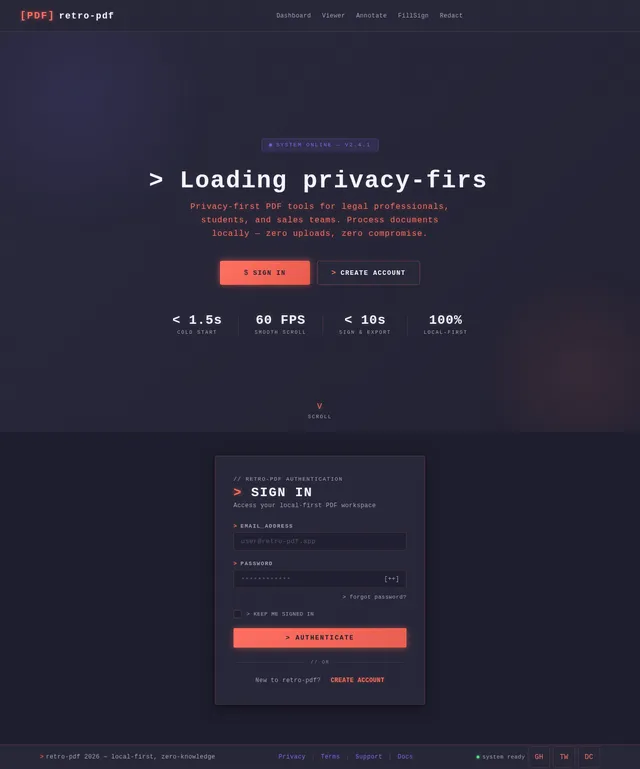
Sign in to leave a comment
Project Tasks
No tasks generated yet.
Tasks will appear here as requirements are defined.
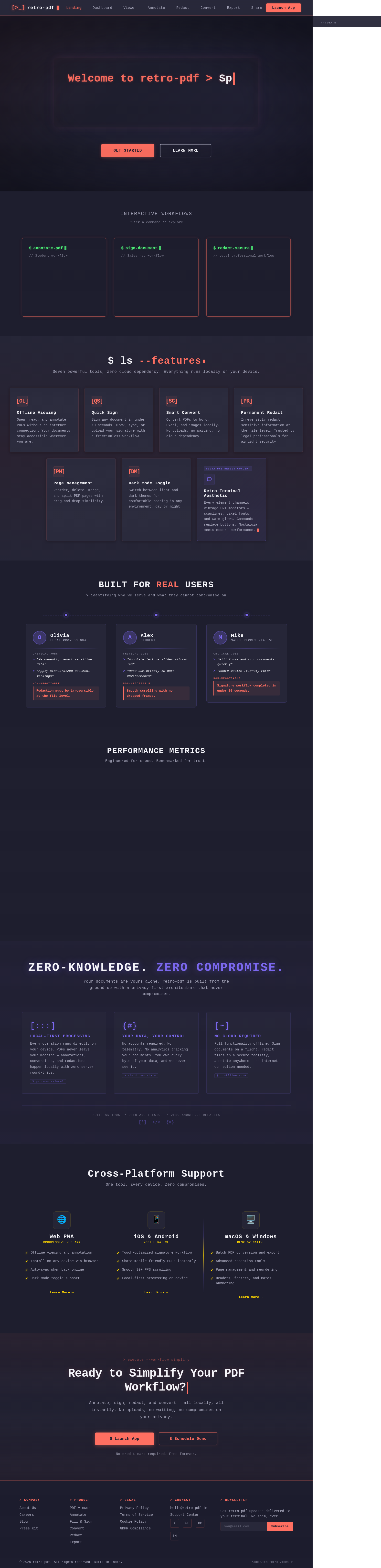
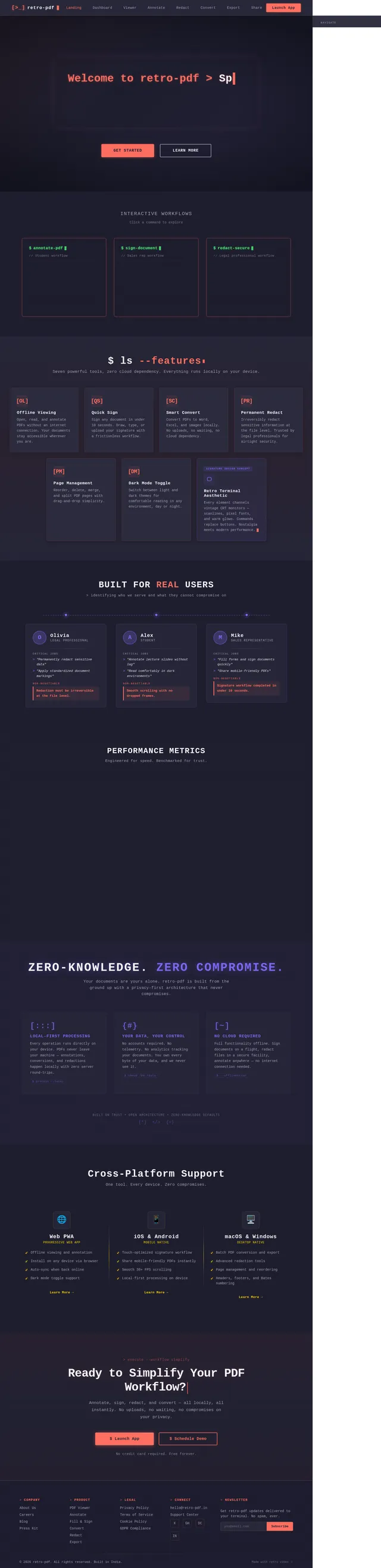
Interactive Workflows
Click a command to explore
$ ls --features
Seven powerful tools, zero cloud dependency. Everything runs locally on your device.
Built for Real Users
> identifying who we serve and what they cannot compromise on
Performance Metrics
Engineered for speed. Benchmarked for trust.
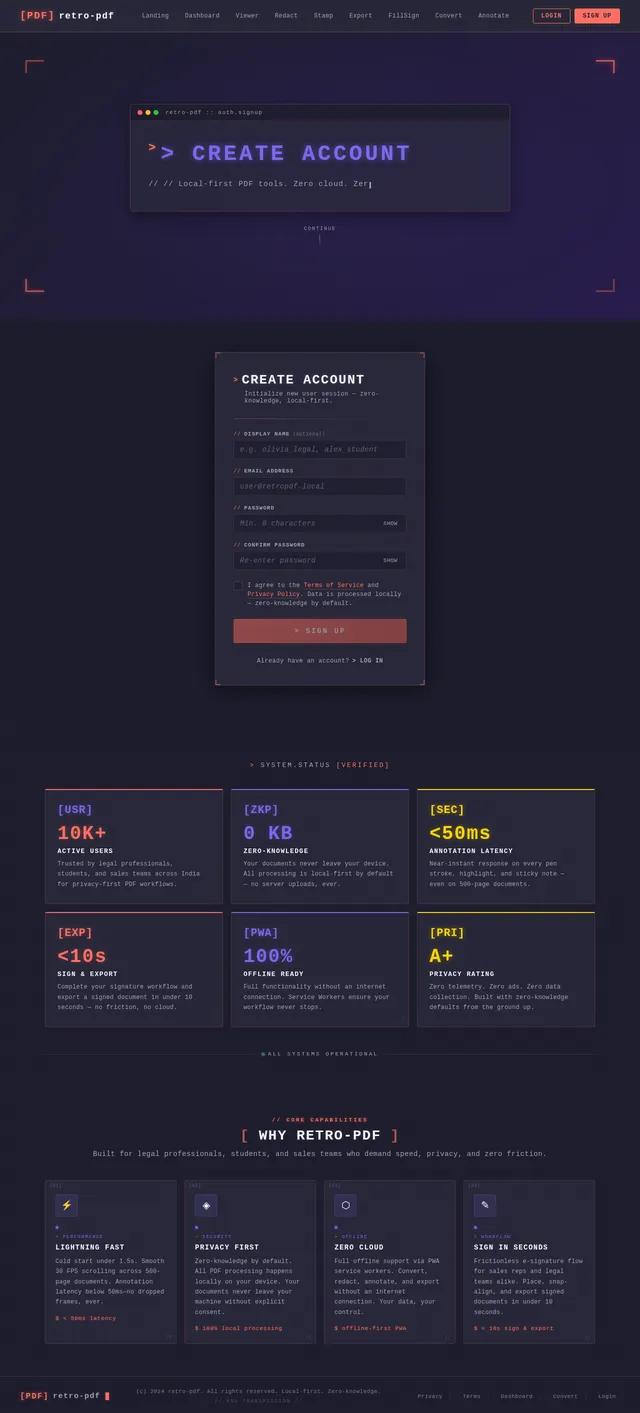
Near-instant PDF rendering on first launch, even for large documents
Butter-smooth annotation and reading with zero dropped frames
Real-time ink and highlight response for lag-free markup
Your documents never leave your device. Zero-knowledge by default
Zero-Knowledge. Zero Compromise.
Your documents are yours alone. retro-pdf is built from the ground up with a privacy-first architecture that never compromises.
Local-First Processing
Every operation runs directly on your device. PDFs never leave your machine — annotations, conversions, and redactions happen locally with zero server round-trips.
$ process --localYour Data, Your Control
No accounts required. No telemetry. No analytics tracking your documents. You own every byte of your data, and we never see it.
$ chmod 700 /dataNo Cloud Required
Full functionality offline. Sign documents on a flight, redact files in a secure facility, annotate anywhere — no internet connection needed.
$ --offline=trueCross-Platform Support
One tool. Every device. Zero compromises.
- ✓Offline viewing and annotation
- ✓Install on any device via browser
- ✓Auto-sync when back online
- ✓Dark mode toggle support
- ✓Touch-optimized signature workflow
- ✓Share mobile-friendly PDFs instantly
- ✓Smooth 30+ FPS scrolling
- ✓Local-first processing on device
- ✓Batch PDF conversion and export
- ✓Advanced redaction tools
- ✓Page management and reordering
- ✓Headers, footers, and Bates numbering
> execute --workflow simplify
Ready to Simplify Your PDF Workflow?
Annotate, sign, redact, and convert — all locally, all instantly. No uploads, no waiting, no compromises on your privacy.
No credit card required. Free forever.
No comments yet. Be the first!