retro-games

bymelanie

create a saas application that contains different retro games with proper controls

Landing
Landing

Comments (0)

No comments yet. Be the first!

Architecture

No Services Diagrams Yet

Architecture diagrams will be automatically generated when the Project Manager creates tasks for your project.

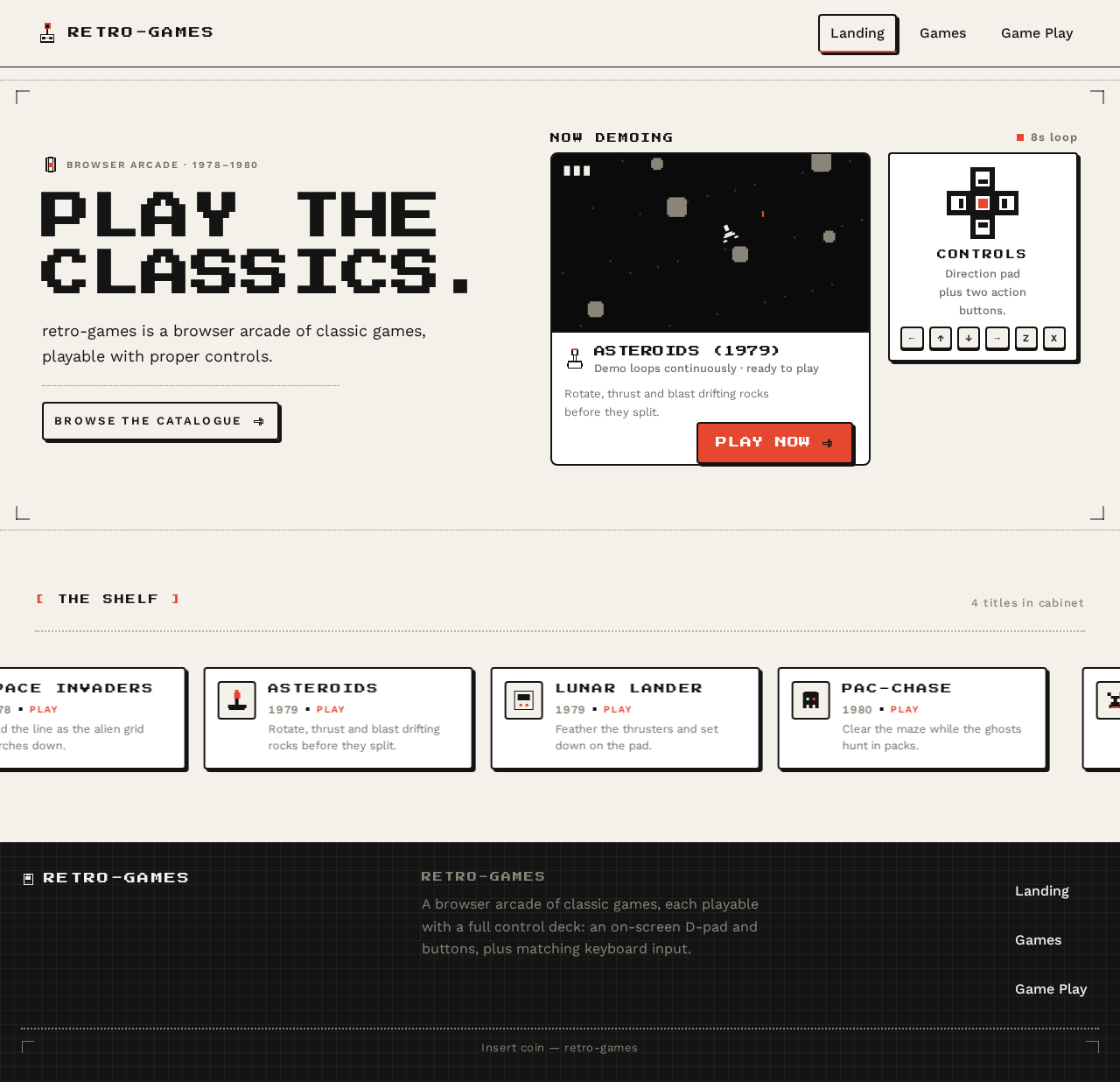
Landing design preview
Landing: Understand product
Landing: 1. Watch looping demo
Landing: 2. Try PLAY NOW
Landing: 3. See demo unavailable
Landing: 4. Browse catalogue
Landing: 5. Select marquee tile
Games: 6. Browse catalogue
Games: 7. Compare titles
Games: 8. Retry catalogue load
Games: 9. Return to Landing
Games: 10. Select PLAY tab
Game Play: 11. Press D-pad
Game Play: 12. Press action buttons
Game Play: 13. Press bound key
Game Play: 14. Read keycap legend
Game Play: 15. Read score and high score
Game Play: 16. Restart session
Game Play: 17. Exit to catalogue
Game Play: 18. Retry launch
Landing design preview
Landing: Understand product
Landing: 1. Watch looping demo
Landing: 2. Try PLAY NOW
Landing: 3. See demo unavailable
Landing: 4. Browse catalogue
Landing: 5. Select marquee tile
Games: 6. Browse catalogue
Games: 7. Compare titles
Games: 8. Retry catalogue load
Games: 9. Return to Landing
Games: 10. Select PLAY tab
Game Play: 11. Press D-pad
Game Play: 12. Press action buttons
Game Play: 13. Press bound key
Game Play: 14. Read keycap legend
Game Play: 15. Read score and high score
Game Play: 16. Restart session
Game Play: 17. Exit to catalogue
Game Play: 18. Retry launch