resellscout
 mondeko mantas
Build the first working MVP of an app called ResellScout. IMPORTANT: Do not create fake marketplace data. Do not invent prices, products, sellers or URLs. Do not use placeholder/mock search results in the actual product flow. GOAL: The app answers: "I found this item for €X. Is it worth buying and reselling?" FIRST MVP FLOW: 1. User opens Home. 2. User clicks "Scan Product". 3. User can upload/take a product photo. 4. Send the image to a server-side Gemini multimodal API. 5. Gemini must identify: - brand - product name - exact model if visible - model number / SKU / GTIN if visible - all readable text - category - identification confidence 6. After identification, search the public web using Gemini Google Search grounding. 7. Find REAL product/listing pages. 8. Extract: - exact product title - price - currency - marketplace/store - condition - seller if available - direct product URL 9. Clearly distinguish: - EXACT MATCH - SIMILAR PRODUCT 10. Show the user the verified results. CRITICAL URL RULES: Never invent URLs. Never use: - marketplace homepage - marketplace category page - generic marketplace search page - generic Alibaba homepage - generic Amazon homepage - generic eBay homepage A result is valid only when its URL points to the actual product/listing page. If a direct product URL cannot be verified, display: "Direct product link unavailable" Do not create a URL yourself. PRICE RULES: Never invent prices. Every displayed price must have a source URL. If no verified price is found, display: "No verified price found" If the product cannot be confidently identified, display: "Not enough verified data to make a confident recommendation." SEARCH STRATEGY: Use the identified product name, brand, model number, SKU, GTIN and visible text. Search multiple variations, for example: "[brand] [exact product]" "[brand] [model]" "[model number]" "[SKU]" "[GTIN]" "[exact visible product text]" Prefer exact matches over similar products. The app must show the search source and direct URL for every verified result. TECHNICAL REQUIREMENTS: Use Next.js + TypeScript. Use a server-side API route for Gemini. The Gemini API key MUST NEVER be exposed to the browser. Use environment variable: GEMINI_API_KEY Use the official Google Gemini JavaScript SDK: @google/genai Use Gemini multimodal image input. Use Gemini Google Search grounding for current web results. Create a clean modular architecture so marketplace providers such as eBay can be added later. Create these initial files if needed: app/page.tsx app/api/analyze/route.ts lib/gemini.ts lib/types.ts lib/url-validation.ts .env.example UI: Modern premium mobile-first interface. Home: - ResellScout logo/name - large "Scan Product" button - short subtitle: "Check if an item is worth buying and reselling." Analysis screen: - uploaded product image - identified product - brand - model - confidence - verified market results - price - marketplace/source - condition - direct link - exact/similar badge Keep the UI simple for now. Do NOT build authentication, payments, subscriptions, history or settings yet. FIRST PRIORITY: Make the following real flow work end-to-end: PHOTO → GEMINI VISION → PRODUCT IDENTIFICATION → GOOGLE SEARCH GROUNDING → VERIFIED WEB RESULTS → DIRECT PRODUCT URL → PRICE After implementation, tell me exactly: 1. which files you created 2. which npm packages are required 3. which environment variables I need 4. how to run the app locally 5. what I need to do next Do not claim something works if it is not actually implemented.

Comments (0)
Sign in to leave a comment
System Requirements
System Requirements Document for resellscout
1. Introduction
ResellScout is a mobile-first application designed to assist resellers in determining the resale value of items. The app enables users to upload or take a photo of a product, which is then analyzed using the Gemini multimodal API to identify the product details. The app subsequently searches the web for real product listings, providing users with verified information to decide if an item is worth buying and reselling.
2. System Overview
ResellScout is built using Next.js and TypeScript, leveraging the Gemini multimodal API for product identification and Google Search grounding for retrieving real product listings. The app is designed with a modern, premium mobile-first interface, focusing on simplicity and usability. It does not include features like authentication, payments, subscriptions, history, or settings in its MVP version.
2a. Product Interpretation and Delivery Boundary
The application is accessible anonymously, allowing users to start on the Home page without authentication. The primary user interaction involves uploading or capturing a product photo, which is processed server-side to ensure the Gemini API key remains secure. The app focuses on providing verified product information without creating or displaying fake data, prices, or URLs.
2b. Source Content Inventory
Not applicable as no content source directive was provided.
2c. Page Content and Component Coverage
Home
- Logo/Name: Displays the ResellScout logo and name.
- Scan Product Button: A large button to initiate the product scanning process.
- Subtitle: "Check if an item is worth buying and reselling."
Analysis screen
- Uploaded Product Image: Displays the image uploaded or captured by the user.
- Identified Product Details:
- Brand
- Model
- Identification Confidence
- Verified Market Results:
- Price
- Marketplace/Source
- Condition
- Direct Link (with "Direct product link unavailable" if not verified)
- Exact/Similar Badge
3. Functional Requirements
- As a Reseller, I should be able to open the Home page and see the ResellScout logo, a "Scan Product" button, and a subtitle. (explicit)
- As a Reseller, I should be able to click "Scan Product" to upload or take a photo of a product. (explicit)
- As a Reseller, I should be able to have the product photo sent to the server-side Gemini multimodal API for identification. (explicit)
- As a Reseller, I should receive identification details including brand, product name, model, SKU/GTIN, readable text, category, and confidence level. (explicit)
- As a Reseller, I should see verified product listings with exact product title, price, currency, marketplace/store, condition, seller, and direct product URL. (explicit)
- As a Reseller, I should see a distinction between exact matches and similar products. (explicit)
- As a Reseller, I should see a message if a direct product URL cannot be verified: "Direct product link unavailable." (explicit)
- As a Reseller, I should see a message if no verified price is found: "No verified price found." (explicit)
- As a Reseller, I should see a message if the product cannot be confidently identified: "Not enough verified data to make a confident recommendation." (explicit)
4. User Personas
Reseller
- Context: Uses ResellScout to evaluate the resale potential of items by uploading or capturing product photos.
- Primary Goal: To determine if a product is worth buying and reselling based on verified market data.
- Responsibilities: Upload product photos, review identification and market results, and make informed purchasing decisions.
- Interactions: Engages with the Home and Analysis screens to complete the product evaluation process.
- Success: Successfully identifies products and receives accurate market data to inform resale decisions.
5. Core User Flows
5.1 Reseller Evaluates a Product
- Start: Reseller opens the Home page.
- Action: Reseller clicks the "Scan Product" button.
- Action: Reseller uploads or captures a product photo.
- System Process: Photo is sent to the server-side Gemini multimodal API.
- System Process: Gemini identifies product details and sends them back.
- System Process: Public web search is conducted using Google Search grounding.
- System Process: Verified product listings are retrieved and displayed.
- Decision: Reseller reviews the results, including price, condition, and direct URL.
- Outcome: Reseller decides whether the item is worth buying and reselling.
6. Visuals Colors and Theme
- Muse: Tobias van Schneider
- Palette:
- Background: #FFFFFF
- Surface: #F9F9F9
- Text: #000000
- Primary: #FF453A
- Accent: #FF9500
- Muted: #D1D1D6
- Typography:
- Headings: Playfair Display — Bold
- Body: Neue Haas Grotesk Text Pro
- Scale: 1.5 modular, 60/40/24/16/14
- Shape Language: Sharp corners with minimalistic UI elements.
- Layout: Asymmetric editorial grids with full-bleed imagery.
- Imagery: Large-scale editorial photography, monochrome treatments.
7. Signature Design Concept
The Home page features a full-width headline that commands attention, with a bold red 'Scan Product' button as the focal point. The editorial-style grid layout is used for displaying search results, with full-bleed imagery cropped generously for impact. Hover effects swap images to reveal more information.
8. Interaction Model & Motion Direction
- Interaction Model: Static
- Motion Tempo: Restrained
- Hero Dimensionality: Flat
- Landing Hero Motion Brief: The Home page features a full-width headline over a monochrome background with a bold red accent for the 'Scan Product' button. The restrained motion includes slow crossfades and type reveals.
9. Non-Functional Requirements
- The application must maintain a clean modular architecture to facilitate the addition of new marketplace providers.
- The Gemini API key must be securely stored server-side and never exposed to the browser.
10. Tech Stack
- Frontend: Next.js, TypeScript
- Backend: Node.js
- API: Google Gemini JavaScript SDK (@google/genai)
- Environment Management: .env for environment variables
11. Assumptions and Constraints
- The application will not include authentication, payments, subscriptions, history, or settings in the MVP.
- All URLs and prices must be verified and sourced; no placeholders or mock data are allowed.
12. Glossary
- Gemini API: A multimodal API used for product identification.
- Google Search Grounding: A method to search the web for real product listings.
- MVP: Minimum Viable Product, the initial version of the app with core functionalities.
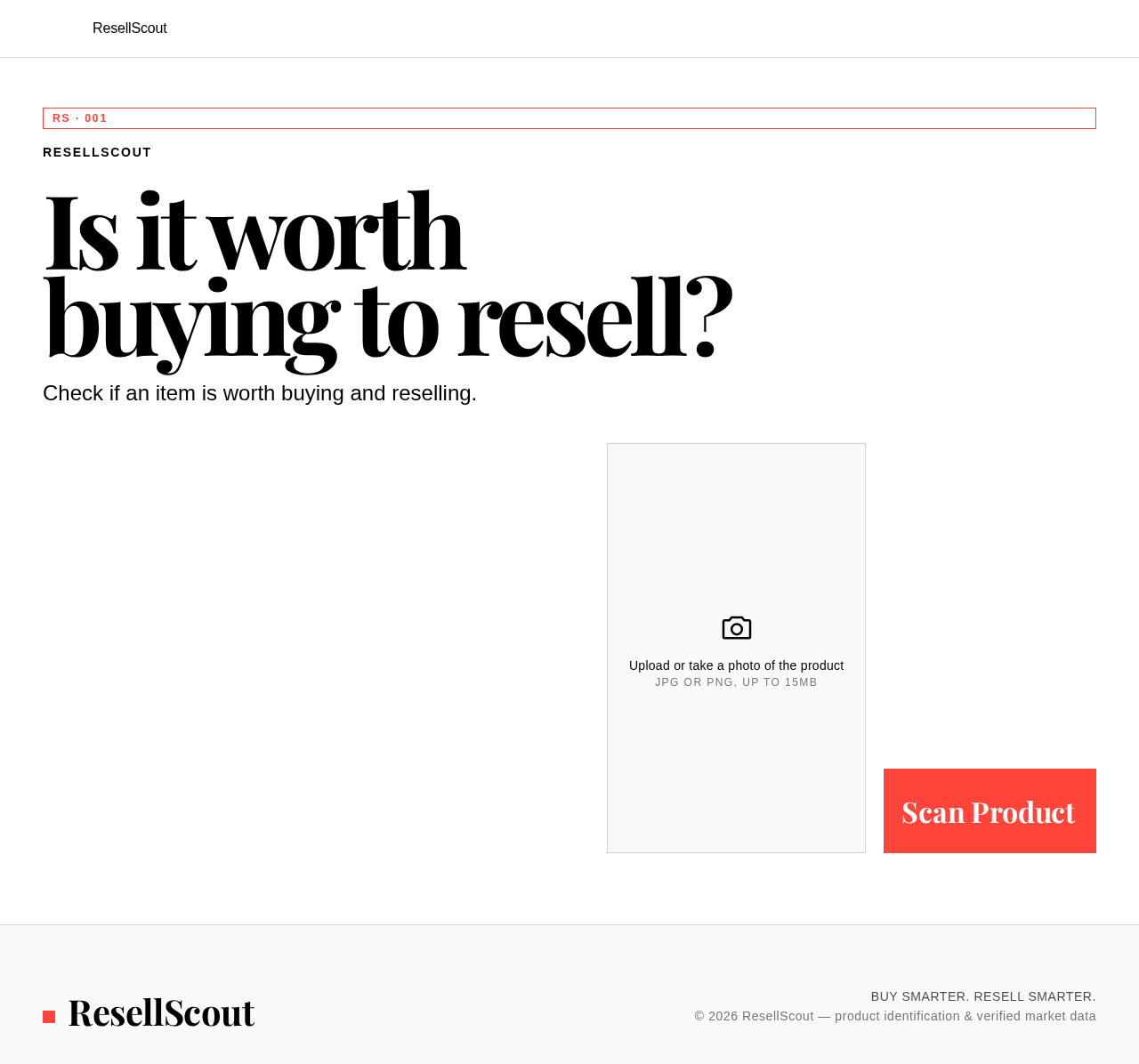
Is it worth
buying to resell?
Check if an item is worth buying and reselling.
Upload or take a photo of the product
JPG or PNG, up to 15MB
Is it worth
buying to resell?
Check if an item is worth buying and reselling.
Upload or take a photo of the product
JPG or PNG, up to 15MB
No comments yet. Be the first!