regal-calculator
by Diya Trivedi
Diya Trivedistart a project to build a simple single page design of calculator

Comments (0)
Sign in to leave a comment
Project Tasks
18 tasks#1
Generate system requirement document
0m 43s0.05 cr used
Done#2
Generate personas & user flows
0m 3s0.05 cr used
Done#7
Create flow for Calculator user
0m 3sCredits in parent
Done#8
Calculator
5m 26sCredits in subtasks
Done#17
Fix Calculator review finding: frontend/src/components/Calculator Instrument.jsx: the…
0m 30s0.02 cr used
Done#15
Fix Calculator review findings: The result text is vertically clipped on desktop and… (+2 more)
1m 30s0.02 cr used
Done#11
Fix Calculator Instrument.jsx: ✗ Build failed in 370ms
0m 8s0.02 cr used
Done#9
Calculator / Masthead
0m 16s0.85 cr used
Done#10
Calculator / Instrument
1m 11s0.85 cr used
Done#12
Fix Calculator: The result text is vertically clipped on desktop and tablet by in .
1m 47sCredits unavailable
Done#13
Fix Calculator: The initial collection load selects the seeded error record with , so the calculator…
1m 47sCredits unavailable
Done#14
Fix Calculator: The sign-toggle action writes the unsupported character into the expression with when…
1m 47sCredits unavailable
Done#16
Fix Calculator: The percent action wraps the expression in parentheses with expression: , but does not…
0m 38sCredits unavailable
Done#4
Design remaining pages
Not recorded0.05 cr needed
Done#5
Architecture
0m 14s0.05 cr used
Done#18
Create frontend_modules diagram
0m 11sCredits in parent
Done#6
Workspace task plan
0m 57s0.05 cr used
Done#19
Make the calculator compute, clear, and recover on the existing page
100 cr estimated
To Do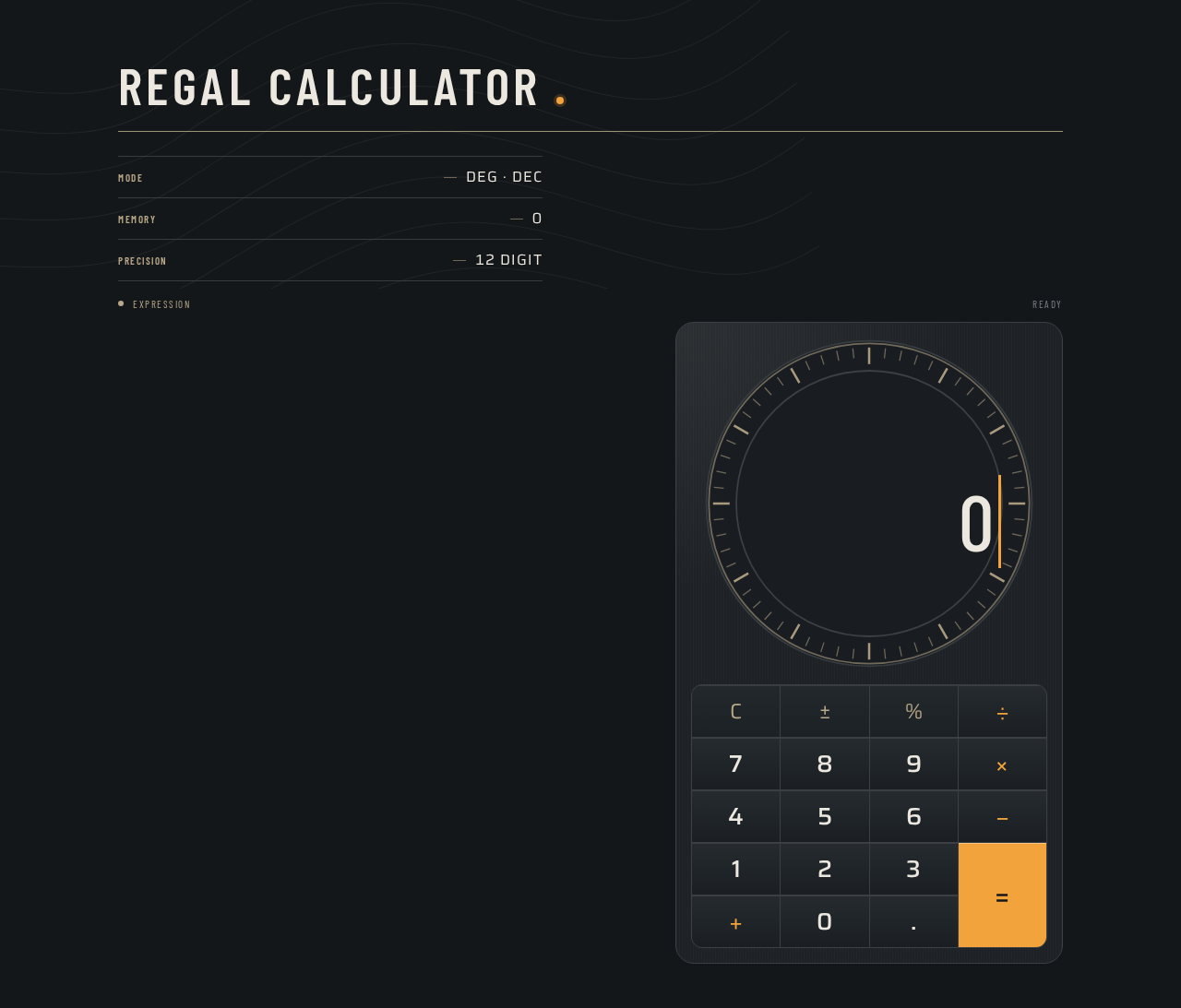
REGAL CALCULATOR
- MODE
- DEG · DEC
- MEMORY
- 0
- PRECISION
- 12 DIGIT
ExpressionREADY
0
REGAL CALCULATOR
- MODE
- DEG · DEC
- MEMORY
- 0
- PRECISION
- 12 DIGIT
ExpressionREADY
0
No comments yet. Be the first!