regal-1
 Boopathi M
1) Freight Quote Normalizer for Forwarders Product Name: QuoteFlow One-line: Normalize freight quotes from PDFs/Excel/Email into a single dashboard and flag hidden fees. Target Buyer: Freight forwarders, procurement teams, and 3PLs comparing carrier quotes. Core Pain: Teams spend ~30% of man-hours clarifying and comparing quotes; accessorial charges get missed. MVP Scope: Upload quotes (PDF, Excel, email attachments) Extract lanes, base rates, accessorials, surcharges, validity Normalize fields and currency; highlight discrepancies Export to CSV or internal TMS via API Pricing: $299–$799/month (tiered by volume of quotes) Distribution: LinkedIn outreach to ops managers; partnerships with freight broker associations; content on “how to compare LCL vs FCL quotes.” Why It Works: High time-savings, clear ROI, sticky workflow, and documented gap in reporting/integration build me this micro saas


Comments (0)
Sign in to leave a comment
System Requirements
System Requirements Document for regal-1
1. Introduction
QuoteFlow is a micro SaaS designed to normalize freight quotes from PDFs, Excel files, and email attachments into a single dashboard while flagging hidden fees. It targets freight forwarders, procurement teams, and 3PLs who compare carrier quotes. The primary goal is to reduce the time spent clarifying and comparing quotes and to ensure that accessorial charges are not missed.
2. System Overview
QuoteFlow provides a streamlined process for uploading, extracting, normalizing, and exporting freight quotes. The system is designed to handle various file formats and highlight discrepancies and hidden fees. It supports tiered pricing based on the volume of quotes processed. The application is distributed through LinkedIn outreach, partnerships, and educational content.
2a. Product Interpretation and Delivery Boundary
QuoteFlow is delivered as a web application with custom UI and application-owned identity. It requires users to establish an identity before submitting durable quote records. The system supports the upload of quotes, extraction of relevant data, normalization, and export functionalities. Access is managed through a login system, ensuring that users can return to their work and access previously uploaded and processed quotes.
2b. Source Content Inventory
Not applicable as no explicit content_source directive is provided.
2c. Page Content and Component Coverage
Landing
- Information/State: Introduction to QuoteFlow, its benefits, and features.
- Primary Actions: Navigate to Login or Quote Upload.
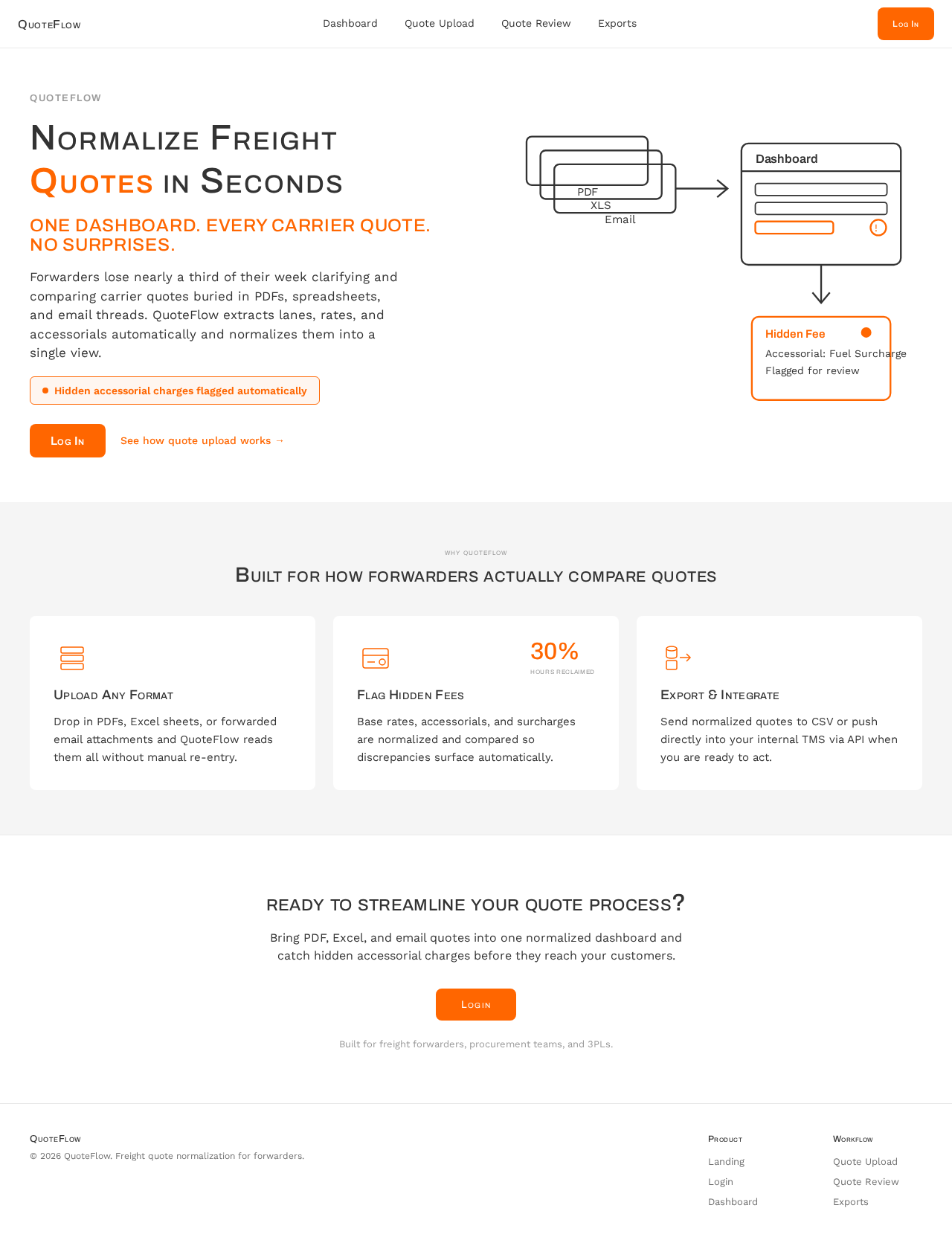
- Components: Split-screen hero with diagrammatic illustration and text overview.
Login
- Information/State: User authentication interface.
- Primary Actions: Enter credentials, submit login.
- Components: Login form with fields for username and password.
Dashboard
- Information/State: View of normalized freight quotes and comparison context.
- Primary Actions: Access quote details, navigate to Quote Review or Exports.
- Components: Data grid displaying normalized quotes, filters, and search.
Quote Upload
- Information/State: Interface for uploading quotes.
- Primary Actions: Upload PDF, Excel, or email attachments.
- Components: File upload controls, progress indicators.
Quote Review
- Information/State: Review of extracted and normalized data.
- Primary Actions: Validate data, highlight discrepancies.
- Components: Data table with extracted fields, discrepancy indicators.
Exports
- Information/State: Export options for normalized data.
- Primary Actions: Export to CSV, send to TMS via API.
- Components: Export controls, API configuration interface.
3. Functional Requirements
- As a Quote Operations Analyst, I should be able to upload freight quotes in PDF, Excel, or email attachment formats to the Quote Upload page. (explicit)
- As a Quote Operations Analyst, I should be able to view extracted lanes, base rates, accessorials, surcharges, and validity on the Quote Review page. (explicit)
- As a Quote Operations Analyst, I should be able to see normalized fields and currency discrepancies highlighted on the Dashboard. (explicit)
- As a Quote Operations Analyst, I should be able to export normalized quote data to CSV or an internal TMS via API from the Exports page. (explicit)
- As a Quote Operations Analyst, I should be able to log in to access previously uploaded and processed quotes. (required_inference)
4. User Personas
Quote Operations Analyst
The Quote Operations Analyst is responsible for managing and comparing freight quotes. Their primary goal is to streamline the quote comparison process, ensuring accuracy and efficiency. They interact with the QuoteFlow system to upload quotes, review extracted data, and export normalized information. Success is measured by the reduction in time spent on quote clarification and the ability to identify hidden fees.
5. Core User Flows
-
Upload Quotes
- Starting Context: User is logged in and on the Quote Upload page.
- Action: User uploads a PDF, Excel, or email attachment.
- Result: Quote is processed, and extracted data is prepared for review.
- Next Step: User navigates to the Quote Review page.
-
Review Extracted Data
- Starting Context: User is on the Quote Review page.
- Action: User reviews extracted lanes, rates, and surcharges.
- Result: Discrepancies and hidden fees are highlighted.
- Next Step: User confirms data or flags issues for correction.
-
Export Data
- Starting Context: User is on the Exports page.
- Action: User selects export format (CSV or API).
- Result: Data is exported to the chosen format.
- Next Step: User can return to the Dashboard or log out.
6. Visuals Colors and Theme
- Muse: Dieter Rams
- Palette:
- Background: #F5F5F5
- Surface: #FFFFFF
- Text: #333333
- Primary: #FF6600
- Accent: #66CC33
- Muted: #999999
- Typography:
- Headings: Archivo, Medium weight, small caps
- Body: Work Sans
- Scale: 1.25 modular
- Shape Language: Rounded-rectangle controls, strict modular grid
- Layout: Dense but ordered, clear separation of data types
7. Signature Design Concept
The Landing page features a split-screen hero with a diagrammatic illustration on one side and a concise text overview on the other. The design emphasizes functional clarity and efficiency, with highlighted call-to-action elements in orange.
8. Interaction Model & Motion Direction
- Interaction Model: Static
- Motion Tempo: Restrained
- Hero Dimensionality: Flat
- Landing Hero Motion Brief: The hero section features a split-screen layout with instant feedback animations for user interactions, ensuring clarity and efficiency in data presentation.
9. Non-Functional Requirements
- The system must support high-volume quote processing with tiered pricing.
- The application should provide instant feedback for user actions to enhance usability.
- The design must adhere to the principles of functional clarity and structured presentation.
10. Tech Stack
- Frontend: React
- Backend: Python/FastAPI
- Storage: Appropriate database solution for quote data
- Deployment: Docker, Kubernetes (if required for scaling)
11. Assumptions and Constraints
- The application will be used by freight forwarders, procurement teams, and 3PLs.
- Pricing is fixed at $299–$799/month, tiered by volume.
- The MVP focuses solely on quote normalization, comparison, hidden-fee detection, and export.
12. Glossary
- 3PL: Third-Party Logistics provider.
- Accessorials: Additional charges applied to the base freight rate.
- LCL: Less than Container Load.
- FCL: Full Container Load.
- TMS: Transportation Management System.
Normalize Freight Quotes in Seconds
One dashboard. Every carrier quote. No surprises.
Forwarders lose nearly a third of their week clarifying and comparing carrier quotes buried in PDFs, spreadsheets, and email threads. QuoteFlow extracts lanes, rates, and accessorials automatically and normalizes them into a single view.
Built for how forwarders actually compare quotes
Upload Any Format
Drop in PDFs, Excel sheets, or forwarded email attachments and QuoteFlow reads them all without manual re-entry.
Flag Hidden Fees
Base rates, accessorials, and surcharges are normalized and compared so discrepancies surface automatically.
Export & Integrate
Send normalized quotes to CSV or push directly into your internal TMS via API when you are ready to act.
Ready to Streamline Your Quote Process?
Bring PDF, Excel, and email quotes into one normalized dashboard and catch hidden accessorial charges before they reach your customers.
Built for freight forwarders, procurement teams, and 3PLs.
Normalize Freight Quotes in Seconds
One dashboard. Every carrier quote. No surprises.
Forwarders lose nearly a third of their week clarifying and comparing carrier quotes buried in PDFs, spreadsheets, and email threads. QuoteFlow extracts lanes, rates, and accessorials automatically and normalizes them into a single view.
Built for how forwarders actually compare quotes
Upload Any Format
Drop in PDFs, Excel sheets, or forwarded email attachments and QuoteFlow reads them all without manual re-entry.
Flag Hidden Fees
Base rates, accessorials, and surcharges are normalized and compared so discrepancies surface automatically.
Export & Integrate
Send normalized quotes to CSV or push directly into your internal TMS via API when you are ready to act.
Ready to Streamline Your Quote Process?
Bring PDF, Excel, and email quotes into one normalized dashboard and catch hidden accessorial charges before they reach your customers.
Built for freight forwarders, procurement teams, and 3PLs.
No comments yet. Be the first!