reallymysingingmonsters-test

byGabza

test

LandingSign Up
Landing

Comments (0)

No comments yet. Be the first!

Architecture

No Services Diagrams Yet

Architecture diagrams will be automatically generated when the Project Manager creates tasks for your project.

Live
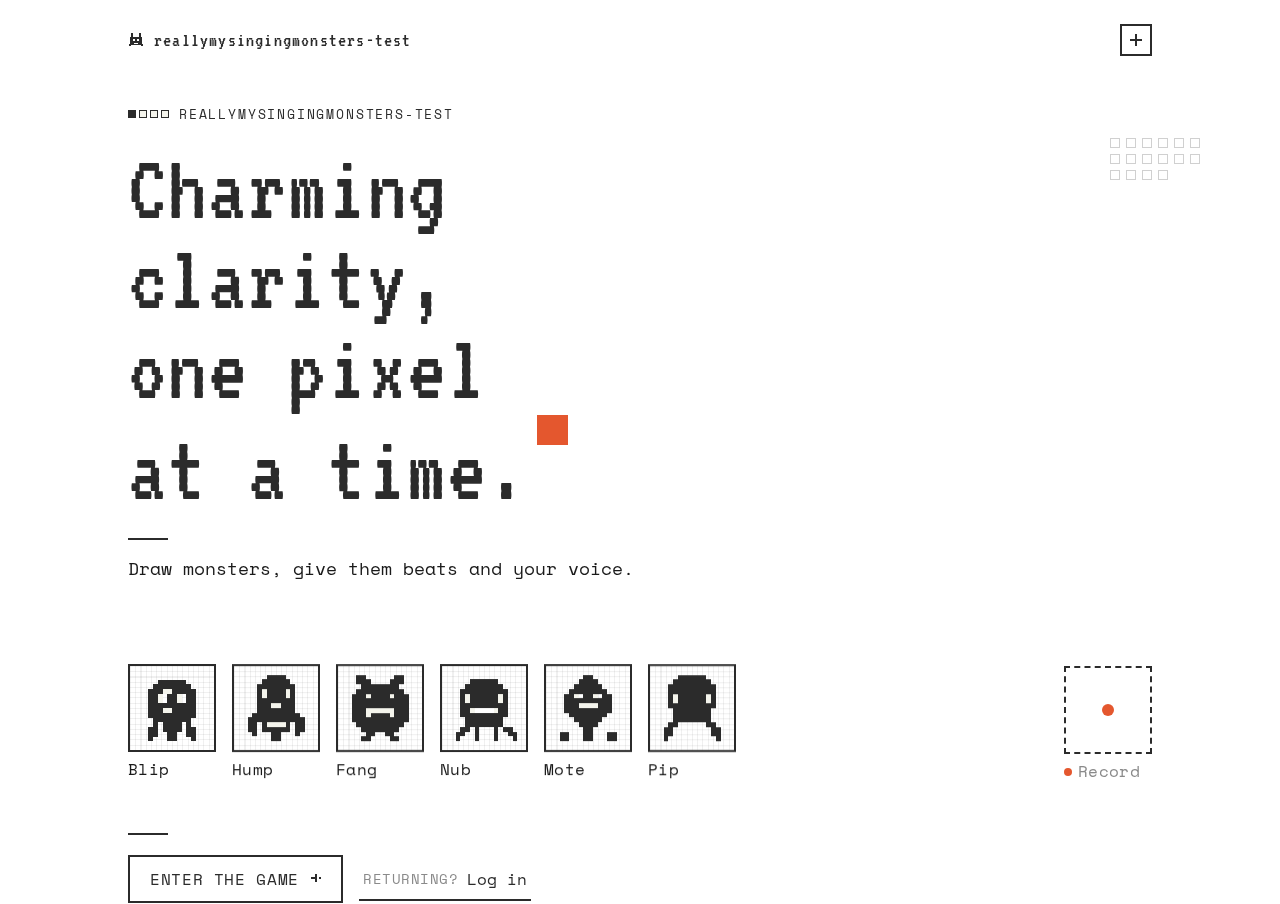
Landing design preview
Landing: Read headline and tiles
Sign Up: 1. Enter identity and submit
Sign Up: 2. Correct field and resubmit
Monster Studio: 1. Select monster tile
Music Maker: 2. Toggle sequencer cells
Music Maker: 3. Start and stop playback
Music Maker: 4. Record voice take
Music Maker: 5. Grant microphone and retry
Music Maker: 6. Retry failed upload
Music Maker: 7. Set pitch and volume
Music Maker: 8. Retry saving settings
Music Maker: 9. Convert recording to note
Music Maker: 10. Retry failed conversion
Music Maker: 11. Save beat and note
Monster Studio: 12. View retained beat and note
Monster Studio: 13. Select another monster
Landing: 14. Choose Login
Login: 15. Enter identity and submit
Login: 16. Retry after wrong credentials
Monster Studio: 17. Resume saved work
Music Maker: Continue saved beat and note
Live
Landing design preview
Landing: Read headline and tiles
Sign Up: 1. Enter identity and submit
Sign Up: 2. Correct field and resubmit
Monster Studio: 1. Select monster tile
Music Maker: 2. Toggle sequencer cells
Music Maker: 3. Start and stop playback
Music Maker: 4. Record voice take
Music Maker: 5. Grant microphone and retry
Music Maker: 6. Retry failed upload
Music Maker: 7. Set pitch and volume
Music Maker: 8. Retry saving settings
Music Maker: 9. Convert recording to note
Music Maker: 10. Retry failed conversion
Music Maker: 11. Save beat and note
Monster Studio: 12. View retained beat and note
Monster Studio: 13. Select another monster
Landing: 14. Choose Login
Login: 15. Enter identity and submit
Login: 16. Retry after wrong credentials
Monster Studio: 17. Resume saved work
Music Maker: Continue saved beat and note