rapid-mere
 Craft JPx
Mere ko ek website copy karna he or working chahiye

Comments (0)
Sign in to leave a comment
Project Tasks
19 planning tasksGenerate system requirement document
Generate personas & user flows
Create flow for Website Visitor
Landing
Fix Landing review findings: Q1 as reviewed now: frontend/src/styles/Landing.css: At… (+2 more)
Landing / Site Navigation Line
Landing / Hero Type
Landing / Wayfinding Plate
Landing / Overview Rows
Landing / Page Inventory Rows
Landing / Footer
Fix Landing: Hero grid places the map over the headline and collapses the text column; implicated…
Fix Landing: Navigation panel is positioned over the desktop hero instead of appearing as a…
Fix Landing: Map diagram content bleeds into and covers overview row text at tablet width; implicated…
Site Navigation Line
Footer
Home
Architecture
Workspace task plan
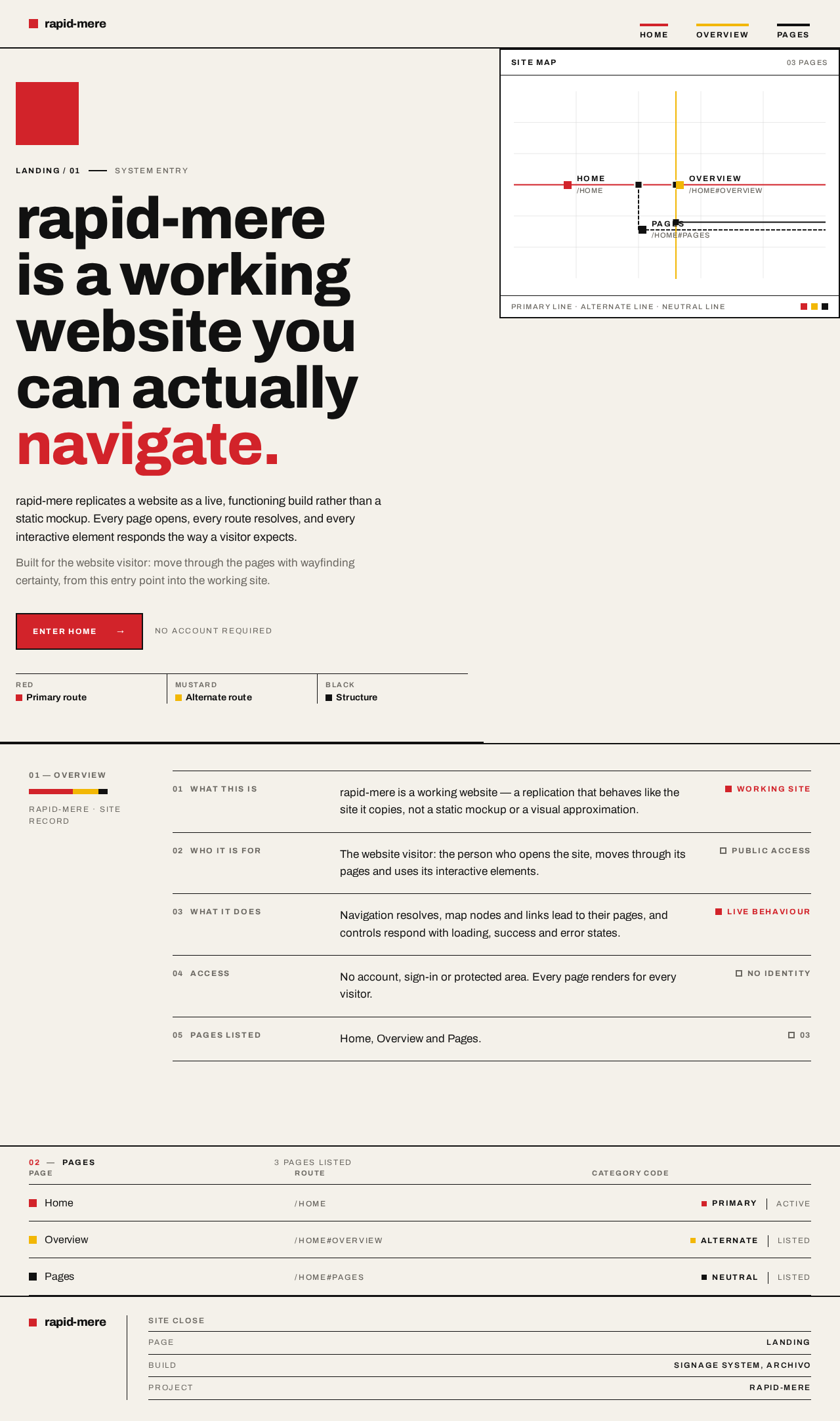
rapid-mere is a working
website you can actually
navigate.
rapid-mere replicates a website as a live, functioning build rather than a static mockup. Every page opens, every route resolves, and every interactive element responds the way a visitor expects.
Built for the website visitor: move through the pages with wayfinding certainty, from this entry point into the working site.
01 — Overview
rapid-mere · Site record
What this is
rapid-mere is a working website — a replication that behaves like the site it copies, not a static mockup or a visual approximation.
Working siteWho it is for
The website visitor: the person who opens the site, moves through its pages and uses its interactive elements.
Public accessWhat it does
Navigation resolves, map nodes and links lead to their pages, and controls respond with loading, success and error states.
Live behaviourAccess
No account, sign-in or protected area. Every page renders for every visitor.
No identityPages listed
Home, Overview and Pages.
0302Pages
3 pages listed
| Page | Route | Category code |
|---|---|---|
| Home | /home | Primaryactive |
| Overview | /home#overview | Alternatelisted |
| Pages | /home#pages | Neutrallisted |
rapid-mere is a working
website you can actually
navigate.
rapid-mere replicates a website as a live, functioning build rather than a static mockup. Every page opens, every route resolves, and every interactive element responds the way a visitor expects.
Built for the website visitor: move through the pages with wayfinding certainty, from this entry point into the working site.
01 — Overview
rapid-mere · Site record
What this is
rapid-mere is a working website — a replication that behaves like the site it copies, not a static mockup or a visual approximation.
Working siteWho it is for
The website visitor: the person who opens the site, moves through its pages and uses its interactive elements.
Public accessWhat it does
Navigation resolves, map nodes and links lead to their pages, and controls respond with loading, success and error states.
Live behaviourAccess
No account, sign-in or protected area. Every page renders for every visitor.
No identityPages listed
Home, Overview and Pages.
0302Pages
3 pages listed
| Page | Route | Category code |
|---|---|---|
| Home | /home | Primaryactive |
| Overview | /home#overview | Alternatelisted |
| Pages | /home#pages | Neutrallisted |
No comments yet. Be the first!