rapid-marketplace
 Алексей
Build a full-stack marketplace web platform for phytodesign services (plant styling, indoor landscaping, plant care specialists). The platform should function similarly to a freelance marketplace where clients can find, compare, communicate with, and hire phytodesign professionals. The system should be production-ready, scalable, and include authentication, database models, user dashboards, messaging, booking, and payments. ⸻ Platform Concept This platform connects clients who need plant design or plant maintenance services with phytodesign specialists and plant care professionals. Examples of services: • interior plant styling • office plant installation • green walls / vertical gardens • plant maintenance • plant consultation • plant rental for events • balcony or terrace greenery ⸻ User Roles Implement role-based access: 1. Guest Can: • browse specialists • search services • view profiles and portfolios Cannot: • contact specialists • place orders ⸻ 2. Client (Customer) Capabilities: • create account • search specialists • filter services • message specialists • book services • make payments • leave reviews • manage bookings • save favorite specialists ⸻ 3. Specialist (Service Provider) Capabilities: • create professional profile • add services • manage pricing • upload portfolio • manage calendar availability • receive booking requests • communicate with clients • complete jobs • receive payments • respond to reviews ⸻ 4. Admin / Moderator Capabilities: • manage users • moderate profiles • moderate reviews • manage disputes • view transactions • adjust platform commission • manage categories and tags ⸻ Core Features Authentication Implement secure authentication: • email/password signup • OAuth login (Google / Apple) • password reset • email verification • role selection during signup ⸻ Specialist Profile Each specialist profile must include: • profile photo • cover image • short bio • city and service radius • years of experience • certifications • languages • service categories • price range • availability calendar Portfolio Portfolio should support: • image gallery • project case studies • before/after comparison slider • project description • tags (office, apartment, terrace, etc.) ⸻ Services Listing Specialists can create service listings including: • title • description • price • pricing model (fixed / hourly / starting from) • duration • included services • add-on options • cancellation policy • gallery images ⸻ Search & Discovery Implement advanced search with filters: Filters: • city • distance • price range • rating • service category • tags • availability • verified specialists Sorting: • rating • price • popularity • distance • newest ⸻ Booking System Implement a full booking workflow. Booking flow: 1. Client selects service 2. Chooses date and time 3. Adds service address 4. Adds notes or photos 5. Confirms booking 6. Makes payment or deposit 7. Specialist confirms request Booking statuses: • pending • confirmed • scheduled • in progress • completed • cancelled • dispute ⸻ Messaging System Implement a real-time messaging system: Features: • private chat between client and specialist • image/file sharing • message notifications • conversation history Optional: • video consultation support ⸻ Payment System Implement marketplace payments with platform commission. Requirements: • online payments • deposit or full payment • escrow system (funds released after job completion) • automatic platform commission • payment history • invoices/receipts ⸻ Reviews & Ratings After a completed job clients can leave reviews. Review system: • rating (1–5 stars) • written feedback • photos • verified job badge Display: • average rating • review count ⸻ Trust & Verification Add trust features: • specialist identity verification • certificate upload • “verified specialist” badge • report user function • dispute resolution system ⸻ Notifications Implement notifications via: • email • in-app notifications • optional push notifications Examples: • new booking request • booking confirmation • new message • review received ⸻ Admin Dashboard Admin panel should include: User management: • approve specialists • suspend accounts Content moderation: • profile moderation • review moderation Orders management: • view bookings • manage disputes Finance: • platform commission settings • transaction overview Analytics dashboard: • users • bookings • revenue • conversion rates ⸻ Additional UX Features Include advanced UX improvements: • before/after portfolio slider • quick booking templates for common services • favorites / saved specialists • job completion photo reports • automated booking reminders • cost calculator for services • project checklist ⸻ Pages to Generate Create full website with the following pages: Public pages: • homepage • marketplace / specialists directory • specialist profile • service page • search results • how it works • blog / guides • FAQ • contact page User pages: Client dashboard • bookings • messages • favorites • account settings Specialist dashboard • profile editor • services manager • bookings manager • messages • earnings Admin dashboard Legal pages: • terms of service • privacy policy ⸻ Design Requirements Use modern marketplace UI patterns. Design should be: • clean • minimal • plant / nature aesthetic • mobile responsive • optimized for performance Color palette inspiration: • greens • natural tones • neutral backgrounds ⸻ Monetization Implement monetization options: 1. Commission on each booking 2. Premium subscription for specialists 3. Paid promoted listings ⸻ Analytics Track key platform metrics: • user registrations • bookings • revenue (GMV) • conversion rate • active specialists ⸻ Scalability & Architecture The platform should support: • modular backend architecture • scalable database schema • cloud file storage for images • API-based architecture ⸻ Goal Generate a complete working marketplace platform where clients can easily discover phytodesign specialists, communicate with them, book services, and complete payments. The platform should be ready for real users with minimal additional development.




Comments (0)
Sign in to leave a comment
Project Tasks39
Implement Theme & Design System
As a developer, I want to implement the global theme, color tokens, typography, and design system from the mock-design pages so that all pages look identical to the designed mockups. This includes setting up CSS custom properties for the dark forest green color palette (primary: #2D6A4F, primary_light: #74C69D, bg: #0A1610/0F1F17, surface, text, text_muted, border), Inter font family, glassmorphism utilities, animation keyframes, and shared component primitives (buttons, badges, cards, inputs). Remove any pages not present in the design scope. This task is independent and must be completed first.
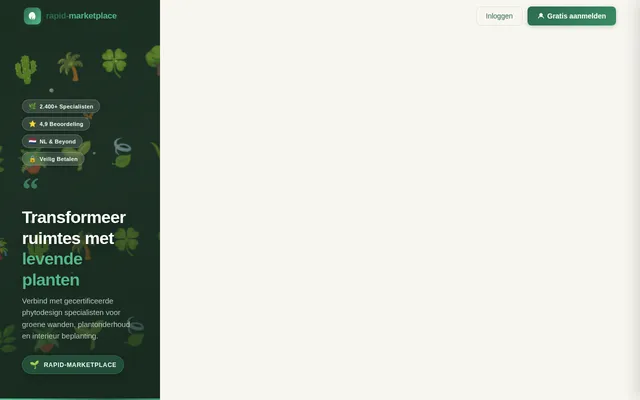
Build Homepage Page
As a guest, I want to use the frontend Homepage so that I can explore the platform, interact with the living plant wall hero, browse service categories, view featured specialists, see how it works, read testimonials, and navigate to signup or login. Implement based on the existing Homepage (v2) JSX design including: NavBar, HeroPlantWall with animated plant wall and parallax, ServiceCategoryPlants horizontal scroll, HowItWorks 3-step section, FeaturedSpecialists 3x2 grid, TrustStats counter band, Testimonials carousel, SpecialistCTA split banner, LatestPortfolioWork masonry grid, and Footer. Links to: Marketplace, Signup, Login, Specialist Profile.
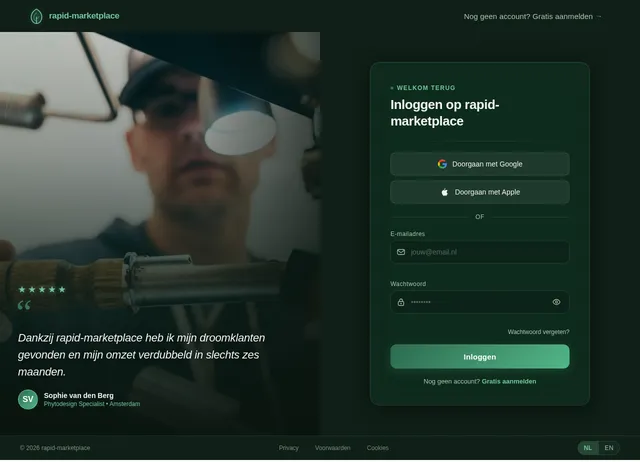
Build Login Page
As a user, I want to use the frontend Login page so that I can sign in with email/password or OAuth (Google/Apple) and be redirected to my role-specific dashboard. Implement based on Login (v2) JSX design. Includes form validation, remember me, forgot password link, OAuth buttons, and role-aware redirect logic. Links from: Homepage, Signup. Links to: Client Dashboard, Specialist Dashboard, Admin Dashboard.
Build Signup Page
As a guest, I want to use the frontend Signup page so that I can create an account, select my role (Client or Specialist), and complete email verification. Implement based on Signup (v2) JSX design. Includes role selection step, form fields, OAuth signup, email verification prompt, and terms acceptance. Links from: Homepage, Service Page. Links to: Login, Client Dashboard, Specialist Dashboard.
Build Marketplace Page
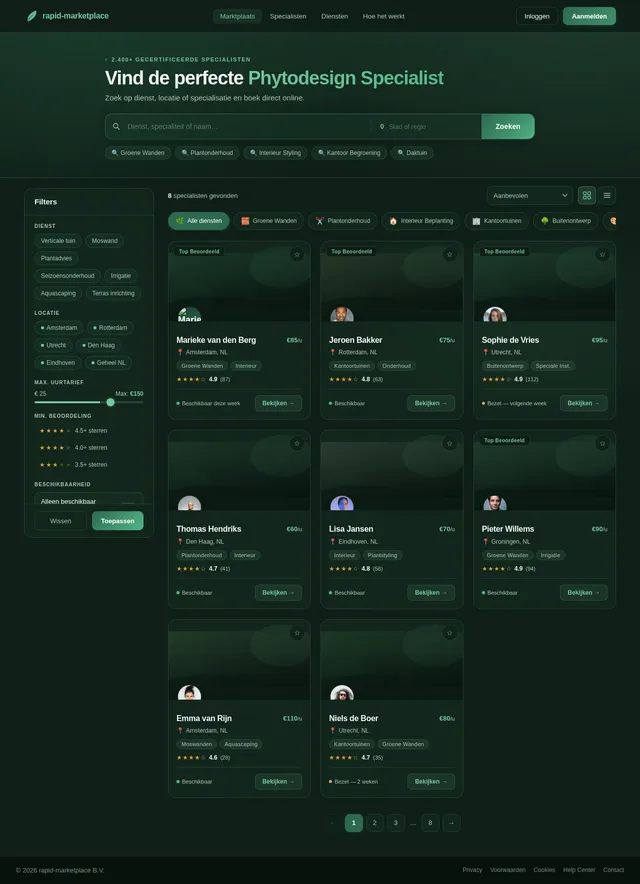
As a guest or client, I want to use the frontend Marketplace page so that I can browse and discover phytodesign specialists with filters (city, distance, price, rating, category, availability, verified) and sorting options. Implement based on Marketplace (v2) JSX design. Includes specialist card grid, filter sidebar, sort controls, and pagination. Links from: Homepage, NavBar. Links to: Specialist Profile, Search Results.
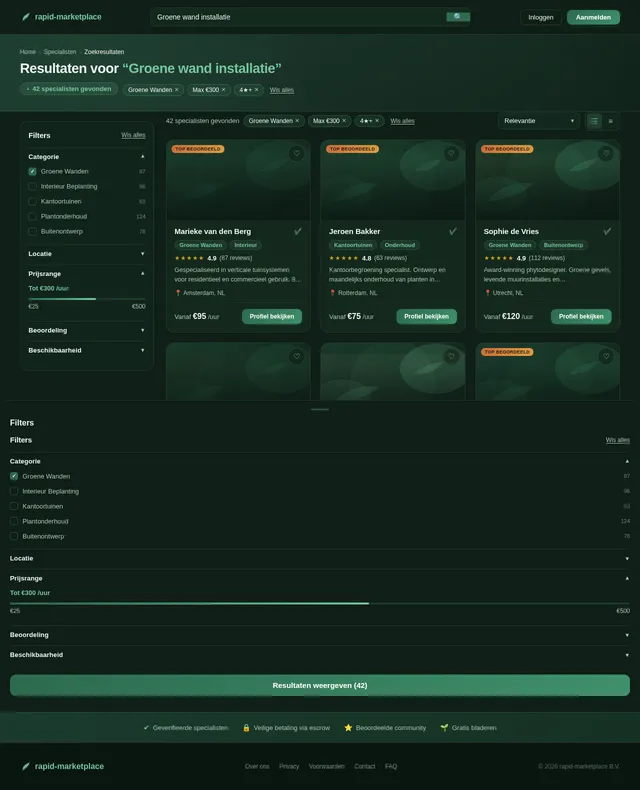
Build Search Results Page
As a guest or client, I want to use the frontend Search Results page so that I can view filtered specialist results, apply advanced filters (price range, rating, tags, service category, distance), and sort results. Implement based on Search Results (v1) JSX design. Includes results list/grid toggle, active filter chips, empty state, and loading skeleton. Links from: Marketplace, Homepage search. Links to: Specialist Profile.
Build Specialist Profile Page
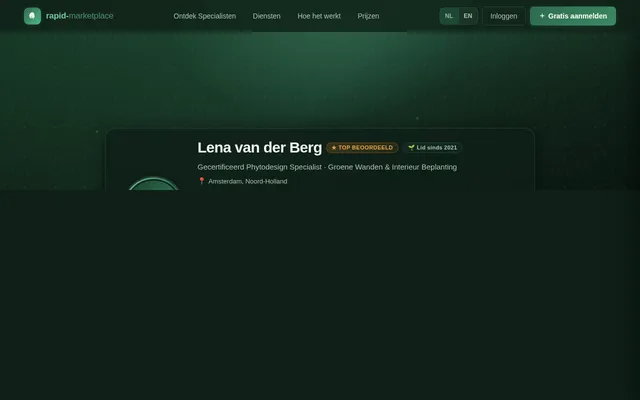
As a guest or client, I want to use the frontend Specialist Profile page so that I can view a specialist's full profile including bio, portfolio gallery, services, reviews, ratings, availability, and save them as a favorite. Implement based on Specialist Profile (v2) JSX design. Includes cover image, avatar, stats, service listings, portfolio section, before/after slider, reviews, and booking CTA. Links from: Marketplace, Search Results. Links to: Service Page, Messages, Booking.
Build Service Page
As a guest or client, I want to use the frontend Service Page so that I can view full details of a service offering including description, pricing model, duration, add-ons, gallery, cancellation policy, and initiate a booking. Implement based on Service Page (v2) JSX design. Includes pricing breakdown, add-on selector, gallery, specialist card, and Book Now CTA. Links from: Specialist Profile. Links to: Booking, Signup.
Build Booking Page
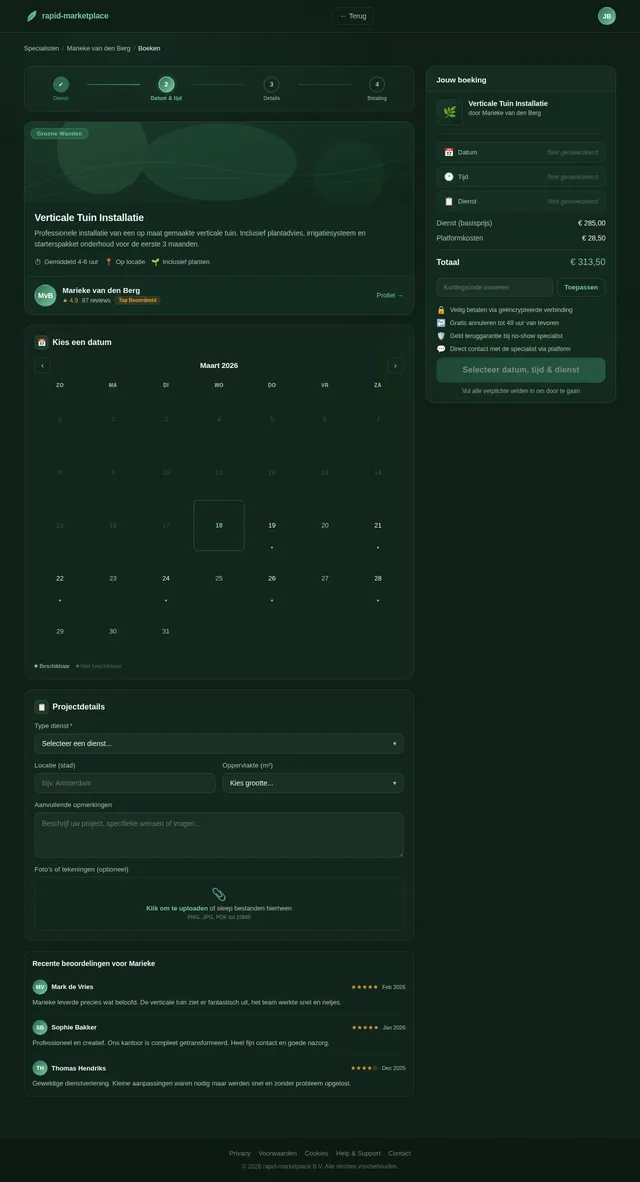
As a client, I want to use the frontend Booking page so that I can complete the full booking workflow: select date/time, enter service address, add notes or photos, review order summary, and proceed to payment. Implement based on Booking (v2) JSX design. Includes multi-step form, calendar picker, address input, notes/photos upload, cost summary, deposit vs full payment toggle. Links from: Service Page. Links to: Messages, Client Dashboard.
Build Client Dashboard Page
As a client, I want to use the frontend Client Dashboard so that I can view my active and past bookings, access messages, manage favorites, leave reviews, and access account settings. Implement based on Client Dashboard (v2) JSX design. Includes bookings summary cards, status filters, review prompt for completed bookings, favorites grid, and quick-action shortcuts. Links from: Login. Links to: Booking, Messages, Specialist Profile.
Build Messages Page
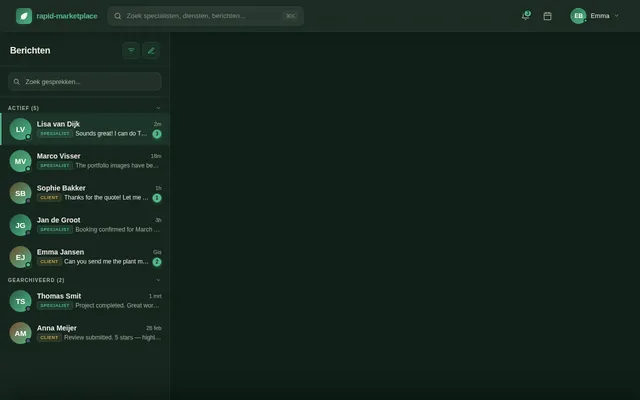
As a client or specialist, I want to use the frontend Messages page so that I can send and receive real-time messages, share images/files, and view full conversation history with all my contacts. Implement based on Messages (v2) JSX design. Includes conversation list sidebar, chat window with message bubbles, file/image attachment, message input, and notification badges. Links from: Client Dashboard, Specialist Dashboard, Booking. Links to: Specialist Profile, Booking.
Build Specialist Dashboard Page
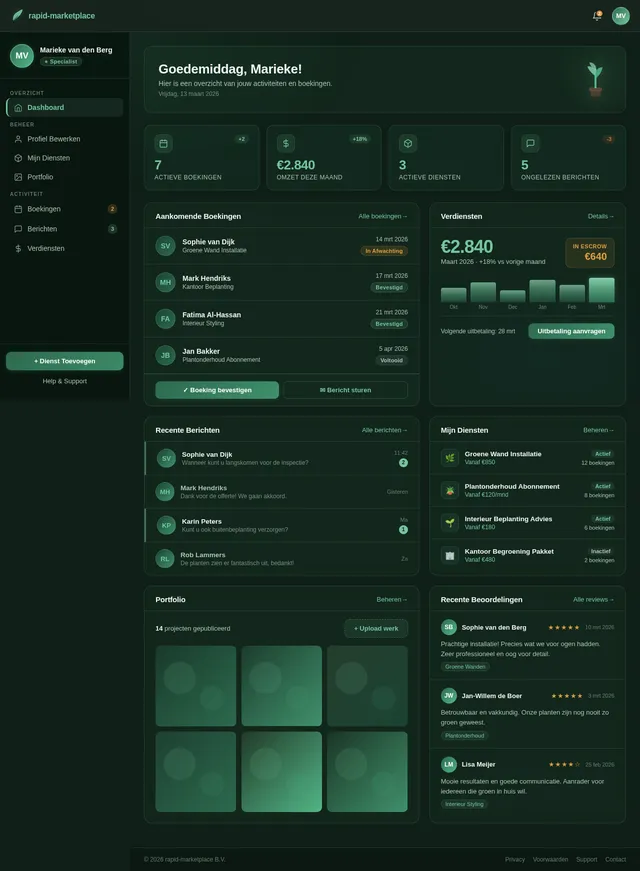
As a specialist, I want to use the frontend Specialist Dashboard so that I can view an overview of my earnings, pending bookings, messages, profile completeness, and quick stats. Implement based on Specialist Dashboard (v2) JSX design. Includes KPI stat cards, recent bookings list, earnings chart, pending actions panel, and navigation to sub-sections. Links from: Login. Links to: Profile Editor, Services Manager, Bookings Manager, Messages, Earnings.
Build Profile Editor Page
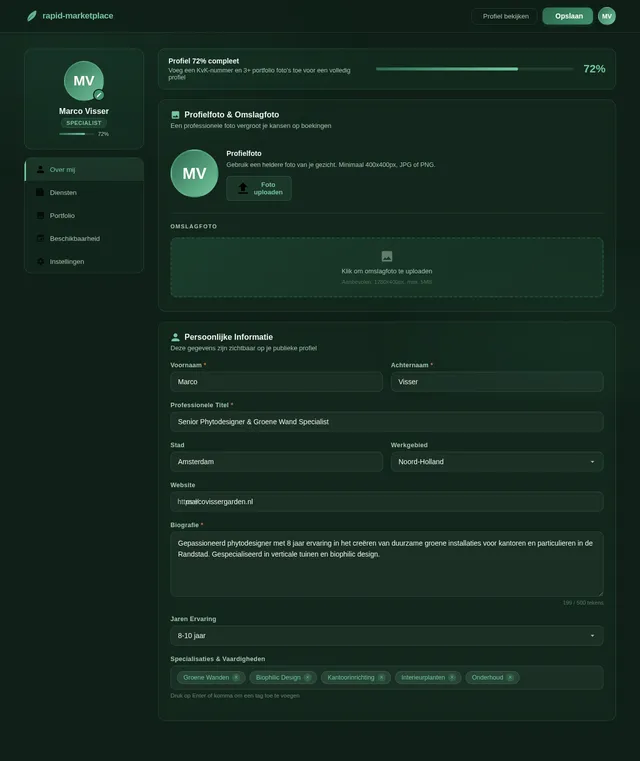
As a specialist, I want to use the frontend Profile Editor page so that I can update my professional profile including photo, bio, city, service radius, years of experience, certifications, languages, and service categories. Implement based on Profile Editor (v2) JSX design. Includes tabbed form sections, image upload, availability calendar, and save/publish controls. Links from: Specialist Dashboard. Links to: Specialist Profile (preview).
Build Services Manager Page
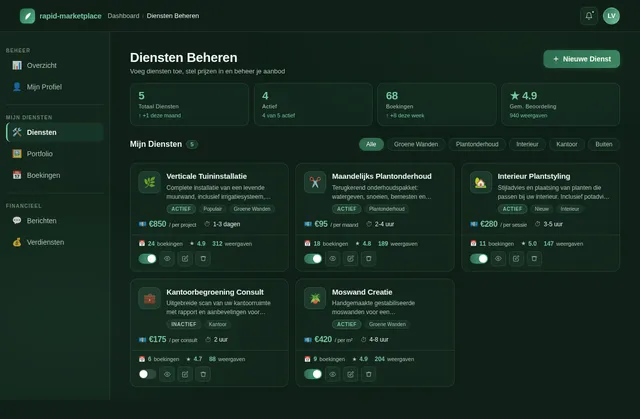
As a specialist, I want to use the frontend Services Manager page so that I can add, edit, and delete my service listings including title, description, pricing model (fixed/hourly/starting from), duration, add-ons, and gallery images. Implement based on Services Manager (v2) JSX design. Includes services list with status indicators, create/edit modal form, pricing fields, gallery upload, and add-on builder. Links from: Specialist Dashboard. Links to: Service Page (preview).
Build Portfolio Page
As a specialist, I want to use the frontend Portfolio page so that I can upload and manage portfolio images, create project case studies with before/after comparison sliders, add project descriptions, and tag projects. Implement based on Portfolio (v1) JSX design. Includes image gallery grid, project card editor, before/after slider component, tag management, and upload controls. Links from: Specialist Dashboard, Profile Editor.
Build Bookings Manager Page
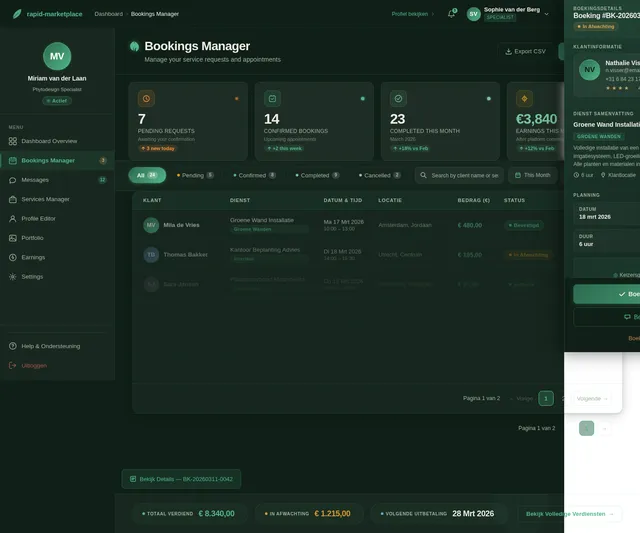
As a specialist, I want to use the frontend Bookings Manager page so that I can view all incoming booking requests, confirm or decline them, view booking details, and update booking statuses. Implement based on Bookings Manager (v2) JSX design. Includes bookings table with status filters (pending/confirmed/scheduled/completed/cancelled/dispute), detail drawer, action buttons (confirm/decline), and calendar view toggle. Links from: Specialist Dashboard. Links to: Messages.
Build Earnings Page
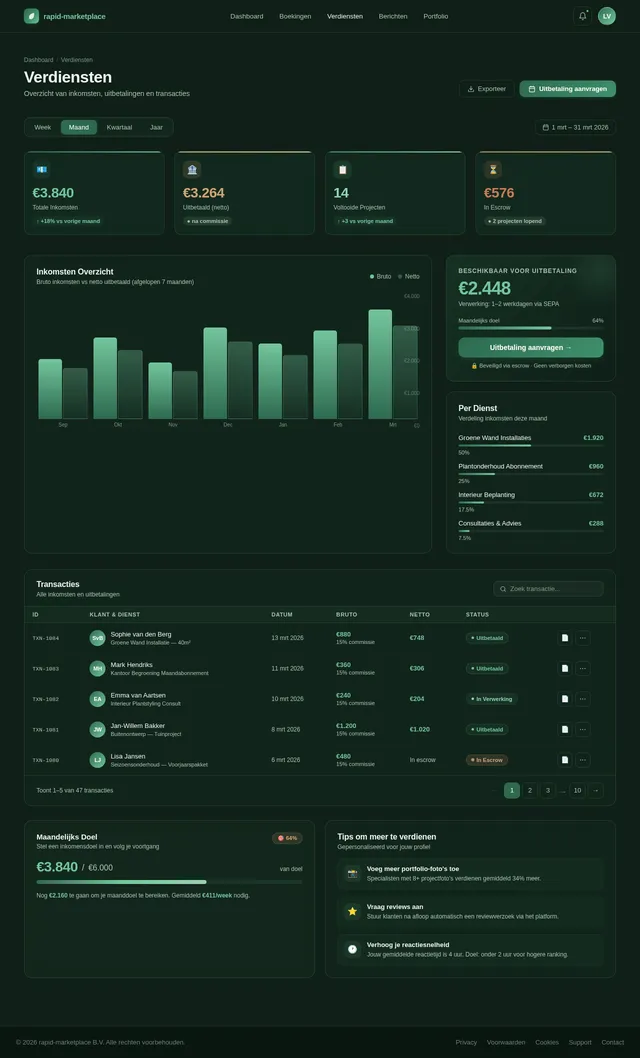
As a specialist, I want to use the frontend Earnings page so that I can view my payment history, track pending payouts, see platform commission deductions, download invoices/receipts, and monitor earnings trends. Implement based on Earnings (v2) JSX design. Includes earnings chart, transactions table with filters, payout schedule, commission breakdown, and invoice download. Links from: Specialist Dashboard.
Build Admin Dashboard Page
As an admin, I want to use the frontend Admin Dashboard page so that I can view platform analytics (users, bookings, revenue, conversion rates), see KPI stat counters, review revenue charts, and navigate to all admin sub-sections. Implement based on Admin Dashboard (v1) JSX design. Includes KPI cards with count-up animation, revenue/commission area chart, recent activity feed, user management table preview, and disputes queue preview. Links from: Login. Links to: User Management, Content Moderation, Disputes, Finance.
Build User Management Page
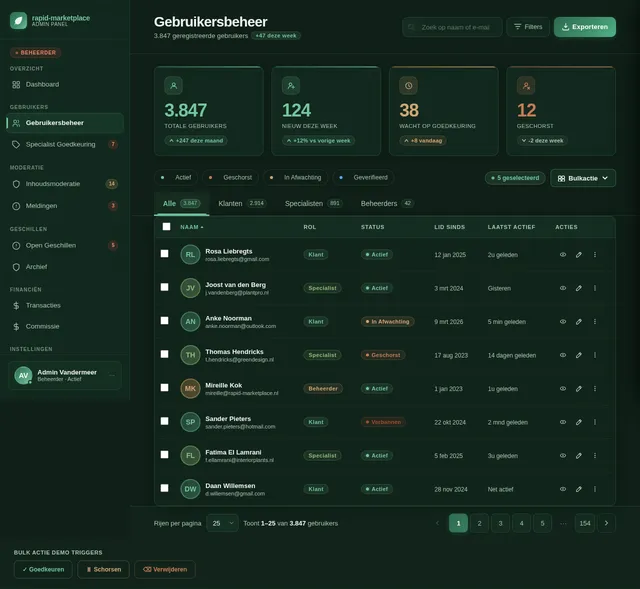
As an admin, I want to use the frontend User Management page so that I can view all users, approve specialist accounts, suspend or block accounts, filter by role/status, and search for specific users. Implement based on User Management (v2) JSX design. Includes data table with role/status filters, search, approve/suspend/delete actions, user detail drawer, and bulk action support. Links from: Admin Dashboard.
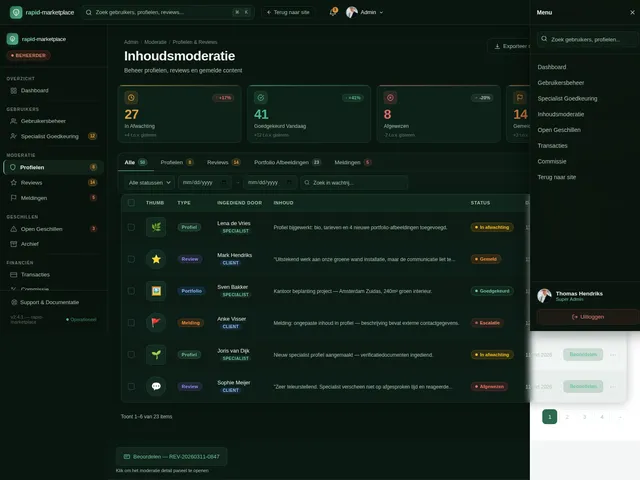
Build Content Moderation Page
As an admin, I want to use the frontend Content Moderation page so that I can review and moderate pending profiles, reviews, and portfolio images, approve or reject content, escalate items, and manage reported content. Implement based on Content Moderation (v2) JSX design. Includes AdminTopBar, AdminSidebar, ModerationHeader, ModerationStatsBar (4 KPI cards), ModerationQueueTabs (Alle/Profielen/Reviews/Portfolio/Meldingen), ModerationItemsTable with bulk actions, ModerationDetailPanel slide-in, and BulkActionsBar. Links from: Admin Dashboard.
Build Disputes Page
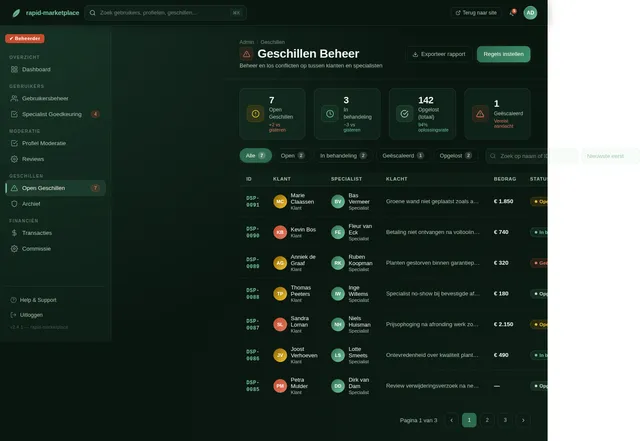
As an admin, I want to use the frontend Disputes page so that I can view all open disputes between clients and specialists, review dispute details, take resolution actions (approve refund, reject, escalate), and view resolved dispute history. Implement based on Disputes (v2) JSX design. Includes disputes list with urgency badges, detail panel with full dispute context, message thread excerpt, booking reference, and resolution action buttons. Links from: Admin Dashboard.
Build Finance Page
As an admin, I want to use the frontend Finance page so that I can view the platform's transaction overview, adjust commission rates, see payout summaries, and review financial analytics. Implement based on Finance (v2) JSX design. Includes commission rate slider with impact calculator, transaction history table, revenue breakdown chart, payout queue, and category commission overrides. Links from: Admin Dashboard.
Implement Auth & User API
As a user, I want to use the backend API for authentication so that I can register, login, reset password, verify email, select role, and manage my session securely. Implement FastAPI endpoints: POST /auth/register, POST /auth/login, POST /auth/logout, POST /auth/refresh, POST /auth/forgot-password, POST /auth/reset-password, GET /auth/verify-email. Includes JWT tokens, role-based access control, OAuth integration (Google/Apple), and bcrypt password hashing. MySQL user schema.
Implement Specialist Profile API
As a specialist, I want to use the backend API for profile management so that I can create, update, and retrieve my professional profile including bio, location, certifications, services, and availability. FastAPI endpoints: GET/PUT /specialists/{id}, POST /specialists, GET /specialists (list with filters), GET /specialists/{id}/portfolio, PUT /specialists/{id}/availability. Includes cloud storage integration for profile photos and cover images.
Implement Messaging API & WebSocket
As a client or specialist, I want to use the backend API for messaging so that I can send and receive real-time messages, share files/images, and retrieve conversation history. FastAPI WebSocket endpoint for real-time chat + REST endpoints: GET /conversations, GET /conversations/{id}/messages, POST /conversations/{id}/messages, POST /conversations (create new). MongoDB for message storage. Includes file/image upload to cloud storage.
Integrate Frontend with Auth API
As a user, I want the Login and Signup pages to be fully connected to the backend Auth API so that I can register, login, and be redirected to the correct dashboard based on my role. Integrate Login (v2) and Signup (v2) pages with POST /auth/login, POST /auth/register endpoints. Includes JWT token storage, role-based redirect, error handling, OAuth flow, and loading states.
Implement Cloud Storage Integration
As a specialist, I want to use the backend file upload API so that I can upload profile photos, portfolio images, and case study files that are stored securely in cloud storage and served via CDN. Implement S3-compatible cloud storage integration (AWS S3 or compatible). FastAPI endpoints: POST /upload/image, POST /upload/file with presigned URL generation. Includes file type validation, size limits, CDN URL generation, and cleanup for orphaned files.
Implement Search & Discovery API
As a guest or client, I want to use the backend API for search so that I can search and filter specialists by city, distance, price range, rating, service category, tags, availability, and verified status with various sort options. FastAPI endpoints: GET /search/specialists with query params for all filters and sort options. Includes geolocation distance calculation, full-text search, and filter combinations.
Implement Services & Booking API
As a client, I want to use the backend API for bookings so that I can create a booking, select date/time, add address/notes/photos, make payment/deposit, and track booking status changes. FastAPI endpoints: GET/POST /services, GET /services/{id}, POST /bookings, GET /bookings/{id}, PUT /bookings/{id}/status, GET /bookings (list with filters). Includes booking status workflow: pending → confirmed → scheduled → in progress → completed → cancelled/dispute.
Integrate Messaging with WebSocket API
As a client or specialist, I want the Messages page to be connected to the real-time backend so that I can send and receive messages instantly with file sharing support. Connect Messages (v2) page to WebSocket /ws/chat and REST conversation endpoints. Includes real-time message delivery, connection management, typing indicators, file upload to cloud storage, and notification badge updates.
Implement AI Messaging Assistant
As a user, I want to use the AI assistant in the messaging system so that I get smart reply suggestions, automated support responses, and helpful prompts when composing messages. Integrate GPT-based AI (via Litellm routing) to provide: smart reply suggestions in the Messages page, automated support chatbot for common queries, and booking inquiry assistance. FastAPI endpoint: POST /ai/suggest-reply, POST /ai/support-chat. Uses Litellm for LLM routing.
Implement Payment & Commission API
As a client, I want to use the backend API for payments so that I can make secure online payments, deposits, and have the platform automatically handle escrow and commission deductions upon job completion. FastAPI endpoints: POST /payments/initiate, POST /payments/confirm, GET /payments/history, GET /specialists/{id}/earnings, POST /payouts/request. Integrates payment gateway (Stripe), escrow logic, automatic platform commission calculation, invoice generation.
Implement Reviews & Ratings API
As a client, I want to use the backend API for reviews so that I can leave a star rating, written feedback, and photos after a completed job, and view aggregated ratings on specialist profiles. FastAPI endpoints: POST /reviews, GET /reviews/{specialistId}, PUT /reviews/{id}/response (specialist reply), GET /reviews (admin list with moderation). Includes verified job badge logic, average rating calculation.
Implement Notifications API
As a user, I want to use the backend API for notifications so that I receive in-app and email notifications for new booking requests, confirmations, new messages, and reviews. FastAPI endpoints: GET /notifications, PUT /notifications/{id}/read, PUT /notifications/read-all. Includes email notification service (SMTP/SendGrid), in-app notification storage in MySQL, and WebSocket push for real-time in-app alerts.
Implement Admin Management API
As an admin, I want to use the backend API for platform management so that I can manage users, moderate content, resolve disputes, view transactions, and adjust commission rates. FastAPI endpoints: GET/PUT/DELETE /admin/users, POST /admin/users/{id}/suspend, GET /admin/content (moderation queue), PUT /admin/content/{id}/approve|reject|escalate, GET/PUT /admin/disputes, GET /admin/transactions, GET/PUT /admin/commission-settings. Role-guard middleware for admin-only access.
Integrate Marketplace with Search API
As a guest or client, I want the Marketplace and Search Results pages to display real data from the backend so that I can search, filter, and browse specialists with live results. Connect Marketplace (v2) and Search Results (v1) pages to GET /search/specialists. Includes filter state management, debounced search input, pagination, loading skeletons, and empty states.
Integrate Booking Flow with API
As a client, I want the Service Page, Booking Page, and payment flow to be fully connected to the backend so that I can select a service, create a booking, make a payment, and receive confirmation. Connect Service Page (v2) and Booking (v2) to POST /bookings and POST /payments/initiate. Includes Stripe payment integration, booking status polling, confirmation screen, and error handling.
Integrate Admin Pages with API
As an admin, I want the Admin Dashboard, User Management, Content Moderation, Disputes, and Finance pages to display real platform data and execute management actions. Connect Admin Dashboard (v1), User Management (v2), Content Moderation (v2), Disputes (v2), and Finance (v2) pages to /admin/* API endpoints. Includes data tables, action buttons, modals, real-time stats, and form submissions for commission settings.
Integrate Specialist Pages with API
As a specialist, I want the Profile Editor, Services Manager, Portfolio, Bookings Manager, and Earnings pages to be connected to the backend so that I can manage my full specialist workflow. Connect Profile Editor (v2), Services Manager (v2), Portfolio (v1), Bookings Manager (v2), and Earnings (v2) pages to specialist API endpoints. Includes image upload, form validation, booking status updates, and earnings chart data.
No comments yet. Be the first!