project-f92029b8
 Akhilesh
This is a comprehensive specification for a fully offline-first translation app. Building this with Flutter and on-device AI models is an ambitious but achievable project. The key challenge is balancing model size (storage) with performance (speed/RAM) while ensuring true offline functionality. Below is a technical roadmap and implementation guide to build this app, focusing on the Offline-First Architecture you described. 1. Technology Stack & Model Selection To achieve true offline capability, we cannot rely on standard API calls. We must use ONNX Runtime or TensorFlow Lite to run models directly on the device. FeatureRecommended TechModel/EngineNotesFrameworkFlutterN/ACross-platform (iOS/Android).TranslationONNX RuntimeNLLB-200 (Distilled) or MarianMTNLLB supports 200+ languages. Distilled versions are smaller for mobile.Speech-to-Textflutter_whisper or onnxruntime_whisperWhisper-tiny or base"Tiny" is ~75MB, fast enough for mobile.Text-to-Speechflutter_ttsPlatform NativeUses Android/iOS built-in TTS (no model download needed).OCRgoogle_mlkit_text_recognitionML KitWorks fully offline on device.Databasesqflite / driftSQLiteLocal storage for history, favorites, user data.Bluetoothflutter_blue_plusN/AFor P2P messaging.State ManagementRiverpodN/ARobust state management for complex flows. 2. Project Structure Organize your lib/ folder to handle the complexity of offline models and multiple features. text Copy lib/ ├── main.dart ├── app.dart ├── core/ │ ├── constants/ (app colors, strings) │ ├── utils/ (helpers, formatters) │ └── theme/ ├── features/ │ ├── translation/ │ │ ├── services/ (translation_engine, ocr_service, speech_service) │ │ ├── widgets/ (input_field, result_card) │ │ └── screens/ (text_translate_screen.dart) │ ├── conversation/ │ │ └── screens/ (conversation_mode_screen.dart) │ ├── camera/ │ │ └── screens/ (camera_translate_screen.dart) │ ├── dictionary/ │ │ └── services/ (offline_dictionary_service) │ ├── emergency/ │ │ └── screens/ (emergency_mode_screen.dart) │ └── settings/ │ └── screens/ (download_models_screen.dart) ├── data/ │ ├── database/ (db_helper, tables) │ ├── models/ (user, translation_history, favorite) │ └── repositories/ (local_translation_repo) ├── providers/ (Riverpod providers for state) └── widgets/ (shared UI components) 3. Core Implementation Details A. Offline Translation Engine (NLLB/Marian) You cannot simply "call" a model; you must convert it to ONNX format and bundle it with the app (or download it once). Step 1: Convert Model Use Python to convert a HuggingFace model (e.g., facebook/nllb-200-distilled-600M) to ONNX. Note: For a mobile app, you might need to quantize the model (int8) to reduce size from ~500MB to ~100MB. Step 2: Flutter Integration Use onnxruntime_flutter (or a similar package). dart Copy // lib/features/translation/services/translation_service.dart import 'package:onnxruntime/onnxruntime.dart'; import 'package:flutter/services.dart'; class OfflineTranslationService { late OrtSession _session; bool _isInitialized = false; Future<void> init() async { if (_isInitialized) return; // Load the model from assets final bytes = await rootBundle.load('assets/models/nllb_distilled.onnx'); final buffer = bytes.buffer.asUint8List(); final options = OrtSessionOptions(); // Enable CPU optimizations options.setIntraOpNumThreads(4); options.setGraphOptimizationLevel(GraphOptimizationLevel.ORT_ENABLE_ALL); _session = await OrtSession.create(buffer, options); _isInitialized = true; } Future<String> translate(String text, String sourceLang, String targetLang) async { if (!_isInitialized) await init(); // 1. Preprocess: Tokenize text (requires a tokenizer bundle) // 2. Create input tensor // 3. Run session // 4. Postprocess: Detokenize to string // Pseudo-code for the actual inference // final outputs = await _session.run(inputs); // return decode(outputs); return "Translated Text"; // Placeholder } } B. Voice & Conversation Mode Use flutter_whisper for STT and flutter_tts for TTS. dart Copy // lib/features/conversation/services/speech_service.dart import 'package:flutter_whisper/flutter_whisper.dart'; class SpeechService { final FlutterWhisper _whisper = FlutterWhisper(); Future<String> recognizeSpeech() async { // Records audio and returns text return await _whisper.transcribe(); } Future<void> speak(String text) async { // Uses native platform TTS await FlutterTts().speak(text); } } C. Camera Translation (OCR + Overlay) Use google_mlkit_text_recognition for OCR. The "Overlay" requires camera package and custom_paint. Capture: Take image via camera plugin. OCR: Run ML Kit text recognition. Translate: Pass extracted text to OfflineTranslationService. Render: Use Stack widget to draw original text (transparent) and translated text (on top). D. Bluetooth Messaging (Offline P2P) Use flutter_blue_plus to create a simple chat. Mode: Device A acts as Peripheral, Device B as Central (or vice versa). Flow: Scan for devices. Connect. Send raw text string. Receive text -> Auto-translate -> Display. E. Emergency Mode A dedicated screen with hardcoded, high-priority phrases. Data: Store these in a local JSON file or constant list. No model inference needed for speed. UI: Large, high-contrast buttons. Action: Tap button -> Speak phrase immediately via TTS. 4. Database Schema (SQLite) Use drift (Moor) or sqflite to manage local data. sql Copy -- Users Table CREATE TABLE users ( id INTEGER PRIMARY KEY, name TEXT, email TEXT, guest_mode BOOLEAN DEFAULT 1 ); -- Translation History CREATE TABLE history ( id INTEGER PRIMARY KEY AUTOINCREMENT, source_text TEXT, target_text TEXT, source_lang TEXT, target_lang TEXT, timestamp DATETIME DEFAULT CURRENT_TIMESTAMP ); -- Saved Phrases / Favorites CREATE TABLE favorites ( id INTEGER PRIMARY KEY AUTOINCREMENT, phrase TEXT, category TEXT, -- 'Hospital', 'Airport', etc. lang TEXT ); -- Downloaded Models CREATE TABLE models ( lang_pair TEXT PRIMARY KEY, file_path TEXT, size_mb REAL, is_downloaded BOOLEAN ); 5. Development Roadmap Phase 1: Core Offline Engine (MVP) Set up Flutter project. Convert NLLB or Marian model to ONNX and bundle it. Implement OfflineTranslationService (Text -> Text). Build Home Screen with language selection. Implement Text Translation screen. Phase 2: Voice & Camera Integrate flutter_whisper (Whisper-tiny). Integrate google_mlkit_text_recognition. Build Conversation Mode (Turn-taking UI). Build Camera Translation (OCR + Overlay). Phase 3: Advanced Features Dictionary: Build a local JSON dictionary for "Offline Dictionary" feature. Emergency Mode: Hardcoded UI flow. Bluetooth: Implement flutter_blue_plus for P2P chat. QR Chat: Use qr_flutter to generate QR codes containing text; scan with mobile_scanner. Phase 4: Optimization & Polish Model Quantization: Reduce model size for faster loading. Performance: Ensure translation < 1s for common phrases. UI/UX: Add animations, dark mode, and "Saved Phrases" categories. Testing: Test on low-end Android devices (critical for offline apps). 6. Critical Challenges & Solutions ChallengeSolutionApp SizeModels are large. Use App Bundle to download models on first run (optional) or provide a "Lite" version with only 5 languages.RAM LimitsLoad models lazily. Unload unused models from memory. Use int8 quantization.Battery DrainOptimize loop rates. Do not run OCR or Speech recognition in the background unless necessary.Language DetectionUse flutter_language_detector (on-device) or a small NLP model for auto-detection. 7. Next Steps to Start Coding Initialize Project: bash Copy flutter create offline_translator cd offline_translator flutter pub add flutter_tts flutter_whisper google_mlkit_text_recognition qr_flutter mobile_scanner flutter_blue_plus sqflite drift riverpod onnxruntime Get the Model: Download a distilled NLLB model from HuggingFace. Convert to ONNX using optimum library in Python. Place model.onnx in assets/models/. Build the Shell: Create the splash screen and language selection. Implement the "Text Translate" screen first. build this fully offline androde workable app


Comments (0)
Sign in to leave a comment
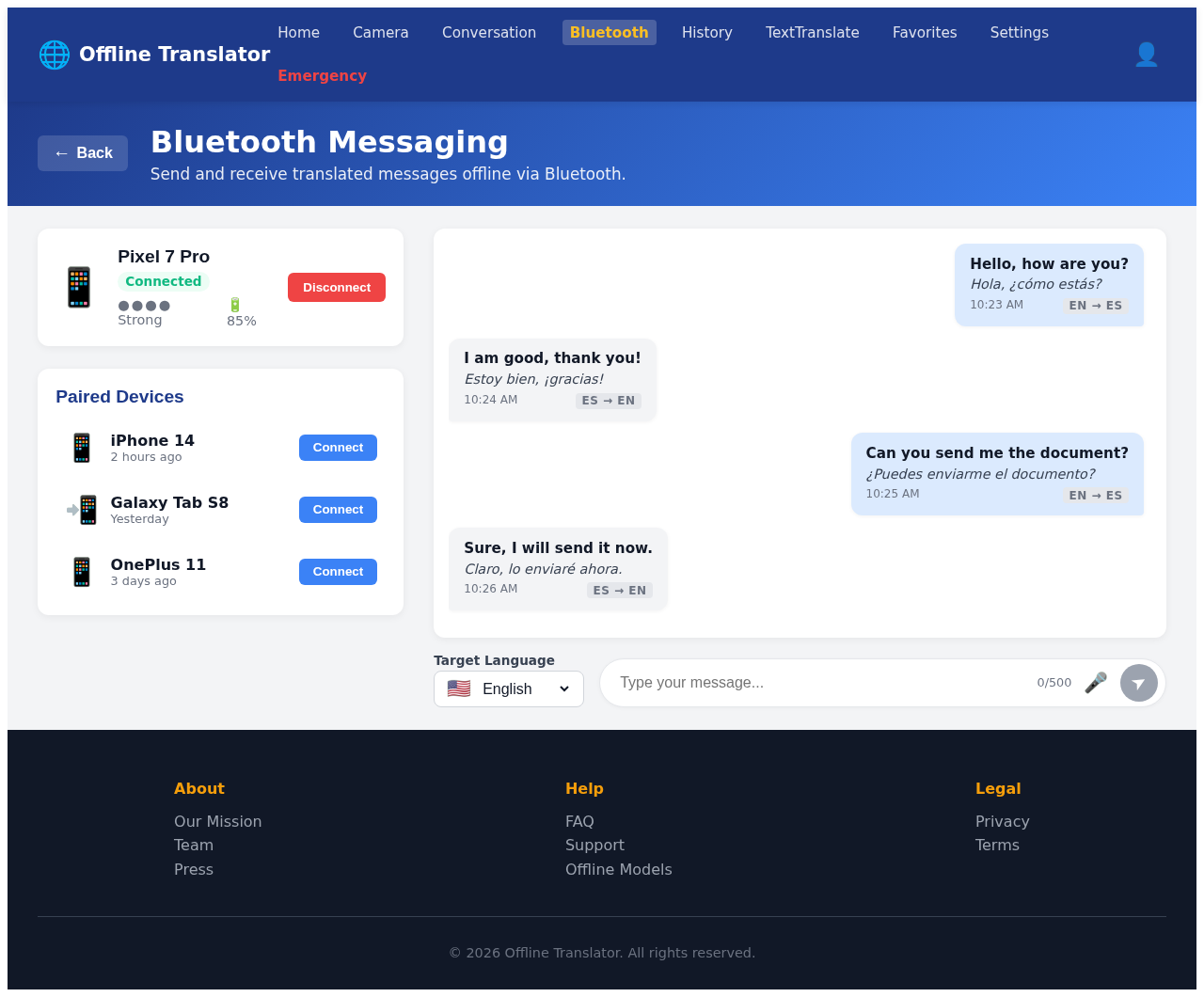
Bluetooth Messaging
Send and receive translated messages offline via Bluetooth.
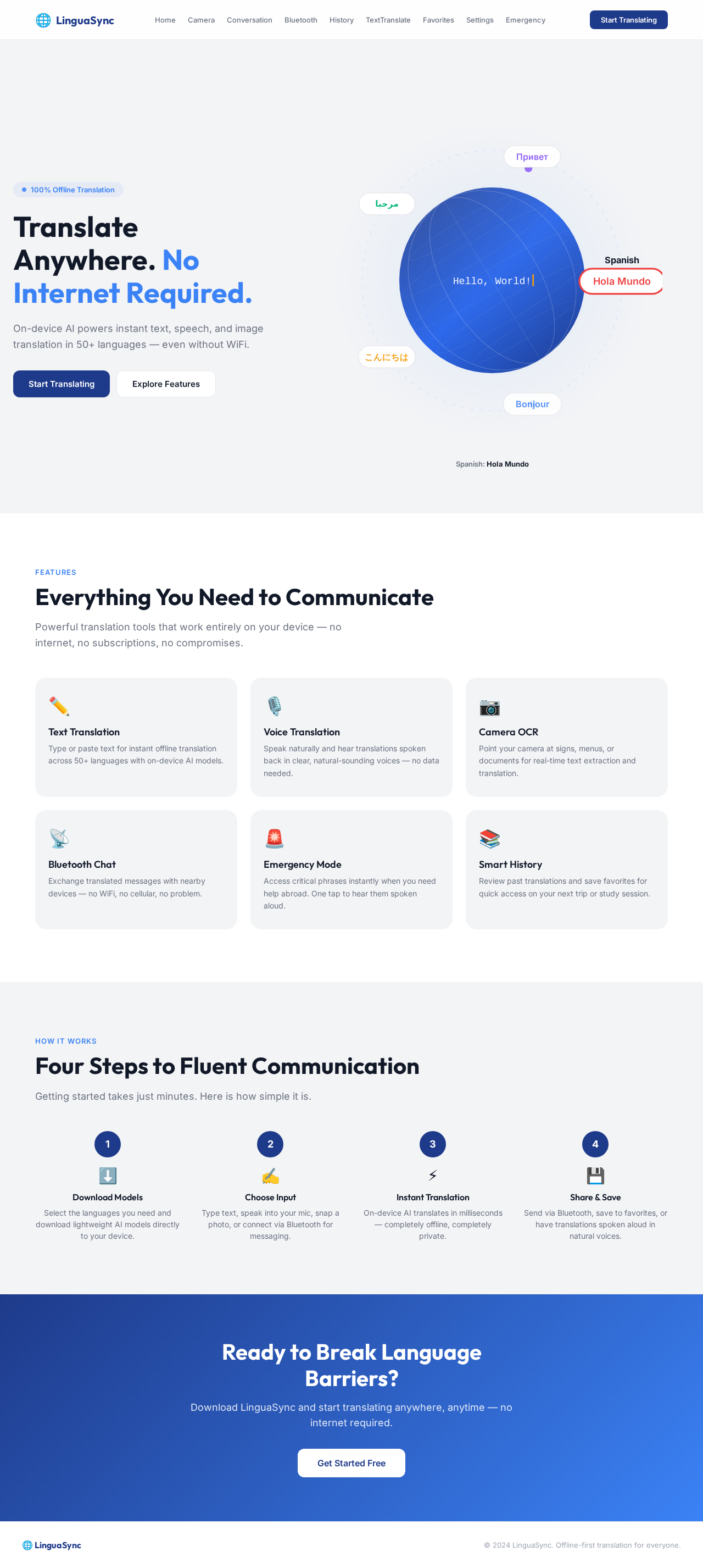
Translate Anywhere. No Internet Required.
On-device AI powers instant text, speech, and image translation in 50+ languages — even without WiFi.
Spanish: Hola Mundo
Everything You Need to Communicate
Powerful translation tools that work entirely on your device — no internet, no subscriptions, no compromises.
Text Translation
Type or paste text for instant offline translation across 50+ languages with on-device AI models.
Voice Translation
Speak naturally and hear translations spoken back in clear, natural-sounding voices — no data needed.
Camera OCR
Point your camera at signs, menus, or documents for real-time text extraction and translation.
Bluetooth Chat
Exchange translated messages with nearby devices — no WiFi, no cellular, no problem.
Emergency Mode
Access critical phrases instantly when you need help abroad. One tap to hear them spoken aloud.
Smart History
Review past translations and save favorites for quick access on your next trip or study session.
Four Steps to Fluent Communication
Getting started takes just minutes. Here is how simple it is.
Download Models
Select the languages you need and download lightweight AI models directly to your device.
Choose Input
Type text, speak into your mic, snap a photo, or connect via Bluetooth for messaging.
Instant Translation
On-device AI translates in milliseconds — completely offline, completely private.
Share & Save
Send via Bluetooth, save to favorites, or have translations spoken aloud in natural voices.
Ready to Break Language Barriers?
Download LinguaSync and start translating anywhere, anytime — no internet required.
Get Started Free
No comments yet. Be the first!