project-84291e4c
🚀 HACKATHON PROJECT BRIEF: PROJECT LOCALSYNC The Real-Time Field Operations & Command Center Ecosystem (8-Hour Sprint) 📋 1. PROJECT OVERVIEW Your team is tasked with building LocalSync, a cross-platform logistics and coordination ecosystem designed for fast-paced field operations. Due to the aggressive 8-hour timeline, the team must focus strictly on the Core Real-Time Loop: building an API that instantly links a lightweight Mobile tracking interface with a Desktop monitoring dashboard. 🛠️ 2. MINIMAL VIABLE PRODUCT (MVP) REQUIREMENTS A. The Backend API (The Brain) Live Stream: Implement a simple WebSockets or Server-Sent Events (SSE) server to receive and broadcast coordinates.Volatile In-Memory Storage: Skip complex database migrations. Store active user locations in global memory arrays or a simple JSON file for instant speed.Single Dispatch Endpoint: A basic HTTP POST endpoint to assign a task ID to an agent ID.B. The Mobile App (The Field Agent) Coordinate Ping: A single screen with a "Go Online" toggle button that sends simulated or real location updates every 3 seconds via WebSockets.Task Alert: A simple pop-up or layout change that flashes when a task is pushed to them from the desktop command center, with a single button to click "Complete".C. The Desktop App (The Command Center) The Live Map: A layout rendering a map web-view showing the live, moving point of the mobile user.Instant Dispatch Button: Next to the map, a list of available agents with a manual button next to their name that instantly pushes a task to their phone. ⚠️ 3. STRICT 8-HOUR CONSTRAINTS & RULES Code Sharing is Mandatory: The team must use a single language or framework ecosystem across all environments (e.g., Flutter for both apps, or a TypeScript Monorepo for Node/React/Electron) to eliminate context switching.No Advanced Polish: Do not waste time on secure user registration, forgot password loops, cloud media storage, or complex CSS styling. Use raw UI components or a basic component library.The "One-Device" Demo Rule: Because time is short, the mobile app can be run inside an emulator on the exact same computer running the desktop app to simplify deployment and testing. ⏱️ 4. CRITICAL 8-HOUR SPRINT MILESTONES Hour 0–1 (The Blueprint): Initialize your monorepo. Define your shared JSON payload interface (what does a location update look like?). Boot up a skeleton backend server.Hour 1–3 (The Data Bridge): Establish the raw WebSocket connection. Verify that typing mock coordinates into a mobile text-box prints them live in the desktop terminal console.Hour 3–5 (The Visual Loop): Hook up the map library on the Desktop app to show the pin moving visually. Hook up the simple task push button.Hour 5–7 (The Workflow & Integration): Verify the entire end-to-end loop: Dispatch from Desktop ➡️ Alert pops up on Mobile ➡️ Click complete on Mobile ➡️ Desktop updates.Hour 7–8 (The Freeze & Demo prep): Hard code-freeze. Do not touch any core files. Practice the 3-minute live presentation run-through to make sure it functions perfectly for the judges. 📊 5. JUDGING & EVALUATION CRITERIA CriteriaWeightWhat Judges Look ForReal-Time Data Flow40%Does moving the mobile client immediately update the desktop dashboard without refreshing?End-to-End Workflow30%Can you successfully push a task to the mobile app and see it get completed?Speed & Resourcefulness20%How smartly did the team cut scope and reuse code to match the 8-hour limit?Pitch & Demo Stability10%A working, live, crash-free presentation. 📤 6. SUBMISSION TEMPLATE Repository Link:[Insert Code URL here]Tech Stack Used:[Frontend, Backend, Desktop, Mobile]How to run it in under 60 seconds:[Provide exactly 2 or 3 terminal terminal commands to boot the whole stack up for the judges] Good luck, team! Under an 8-hour constraint, a dirty, working prototype is 100 times better than beautiful, broken code.


Comments (0)
Sign in to leave a comment
Architecture
No Services Diagrams Yet
WebSocket-Powered
Field Operations
Coordinate mobile field agents and command center operators in real time with a WebSocket and SSE backend built for zero-latency dispatch.
Everything Your Backend Needs
Four pillars that power real-time field coordination — from connection to verification.
WebSocket Server
Full-duplex, bidirectional communication channel enabling instant data exchange between field agents and command centers with sub-100ms latency.
SSE Broadcast
Server-Sent Events stream live location updates and task status changes to every connected desktop client simultaneously.
Task Dispatch API
REST endpoint for command operators to create and assign tasks instantly. Pushed to the nearest available agent via WebSocket.
Data Flow Verification
End-to-end testing harness validates the full pipeline — from mobile location ping through server processing to desktop map update.
Built for Real-Time
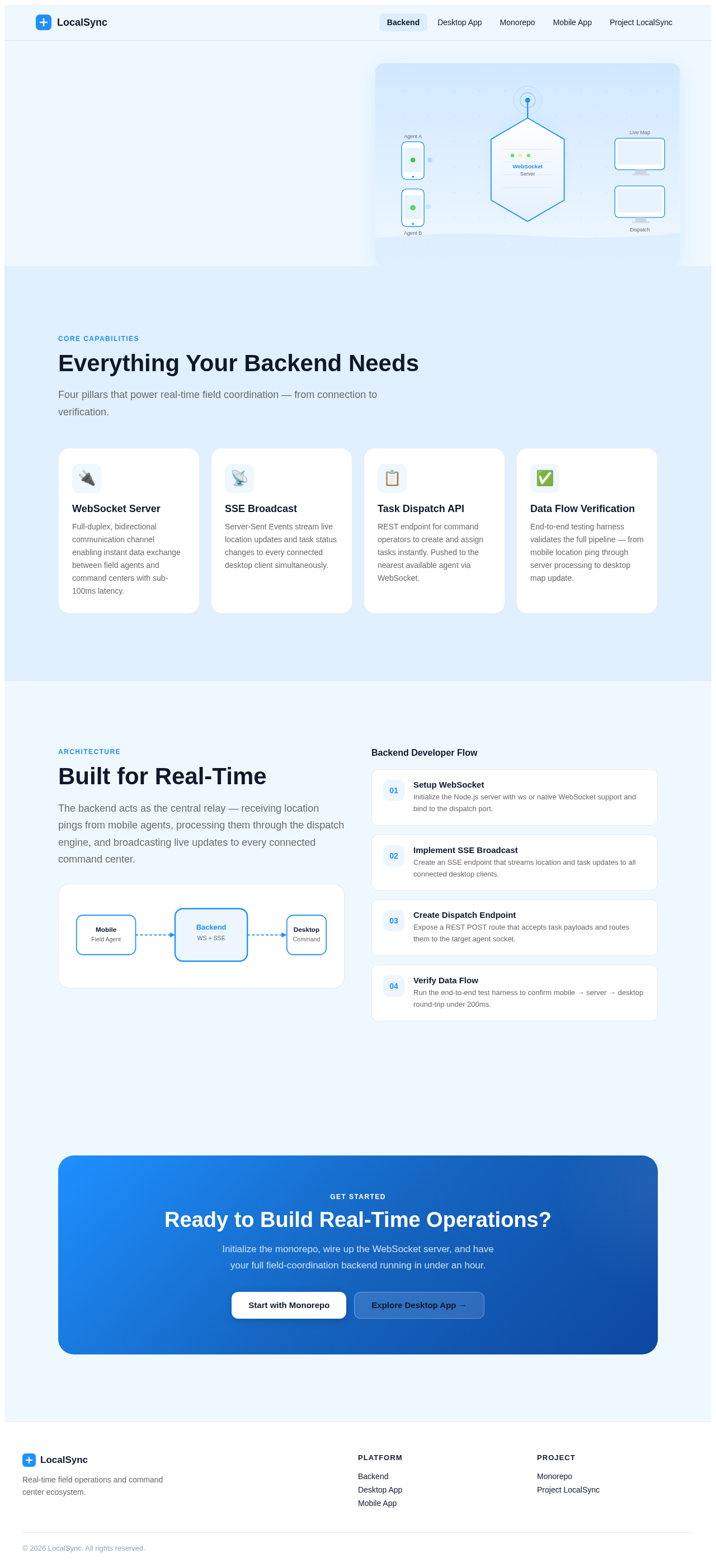
The backend acts as the central relay — receiving location pings from mobile agents, processing them through the dispatch engine, and broadcasting live updates to every connected command center.
Backend Developer Flow
Setup WebSocket
Initialize the Node.js server with ws or native WebSocket support and bind to the dispatch port.
Implement SSE Broadcast
Create an SSE endpoint that streams location and task updates to all connected desktop clients.
Create Dispatch Endpoint
Expose a REST POST route that accepts task payloads and routes them to the target agent socket.
Verify Data Flow
Run the end-to-end test harness to confirm mobile → server → desktop round-trip under 200ms.
Ready to Build Real-Time Operations?
Initialize the monorepo, wire up the WebSocket server, and have your full field-coordination backend running in under an hour.
WebSocket-Powered
Field Operations
Coordinate mobile field agents and command center operators in real time with a WebSocket and SSE backend built for zero-latency dispatch.
Everything Your Backend Needs
Four pillars that power real-time field coordination — from connection to verification.
WebSocket Server
Full-duplex, bidirectional communication channel enabling instant data exchange between field agents and command centers with sub-100ms latency.
SSE Broadcast
Server-Sent Events stream live location updates and task status changes to every connected desktop client simultaneously.
Task Dispatch API
REST endpoint for command operators to create and assign tasks instantly. Pushed to the nearest available agent via WebSocket.
Data Flow Verification
End-to-end testing harness validates the full pipeline — from mobile location ping through server processing to desktop map update.
Built for Real-Time
The backend acts as the central relay — receiving location pings from mobile agents, processing them through the dispatch engine, and broadcasting live updates to every connected command center.
Backend Developer Flow
Setup WebSocket
Initialize the Node.js server with ws or native WebSocket support and bind to the dispatch port.
Implement SSE Broadcast
Create an SSE endpoint that streams location and task updates to all connected desktop clients.
Create Dispatch Endpoint
Expose a REST POST route that accepts task payloads and routes them to the target agent socket.
Verify Data Flow
Run the end-to-end test harness to confirm mobile → server → desktop round-trip under 200ms.
Ready to Build Real-Time Operations?
Initialize the monorepo, wire up the WebSocket server, and have your full field-coordination backend running in under an hour.
No comments yet. Be the first!