project-011f2327
 Diya Trivedi
build a simplesingle page calculator

Comments (0)
Sign in to leave a comment
Project Tasks
4Implement CalculatorApp for Calculator Page
As a frontend developer, implement the CalculatorApp section using React. This section includes a functional calculator with buttons for numbers, operations, and functions. Use state hooks to manage display, expression, previous value, operation, waiting state, and calculation completion. Implement the calc function for arithmetic operations and formatNum for number formatting. Ensure the calculator handles errors like division by zero and supports decimal input. This section is accessible to all User personas. Page access: shared by all personas (User).
Implement Footer for Calculator Page
As a frontend developer, implement the Footer section using React. This section includes a simple footer with a text description of the CalcApp. Ensure the footer is styled according to the provided CSS and is accessible to all User personas. Page access: shared by all personas (User).
Implement HeroSection for Calculator Page
As a frontend developer, implement the HeroSection using React and motion library. This section features animated calculator demos and floating characters. Use useState and useEffect hooks to manage demo transitions and animations. Implement mouse movement effects using useMotionValue, useSpring, and useTransform for interactive animations. This section is accessible to all User personas. Page access: shared by all personas (User).
Implement Navbar for Calculator Page
As a frontend developer, implement the Navbar section using React. This section includes a brand logo and navigation links. Ensure the navbar is styled according to the provided CSS and links to the calculator section are conditionally shown based on user access. This component may already exist from a previous page. Page access: shared by all personas (User).
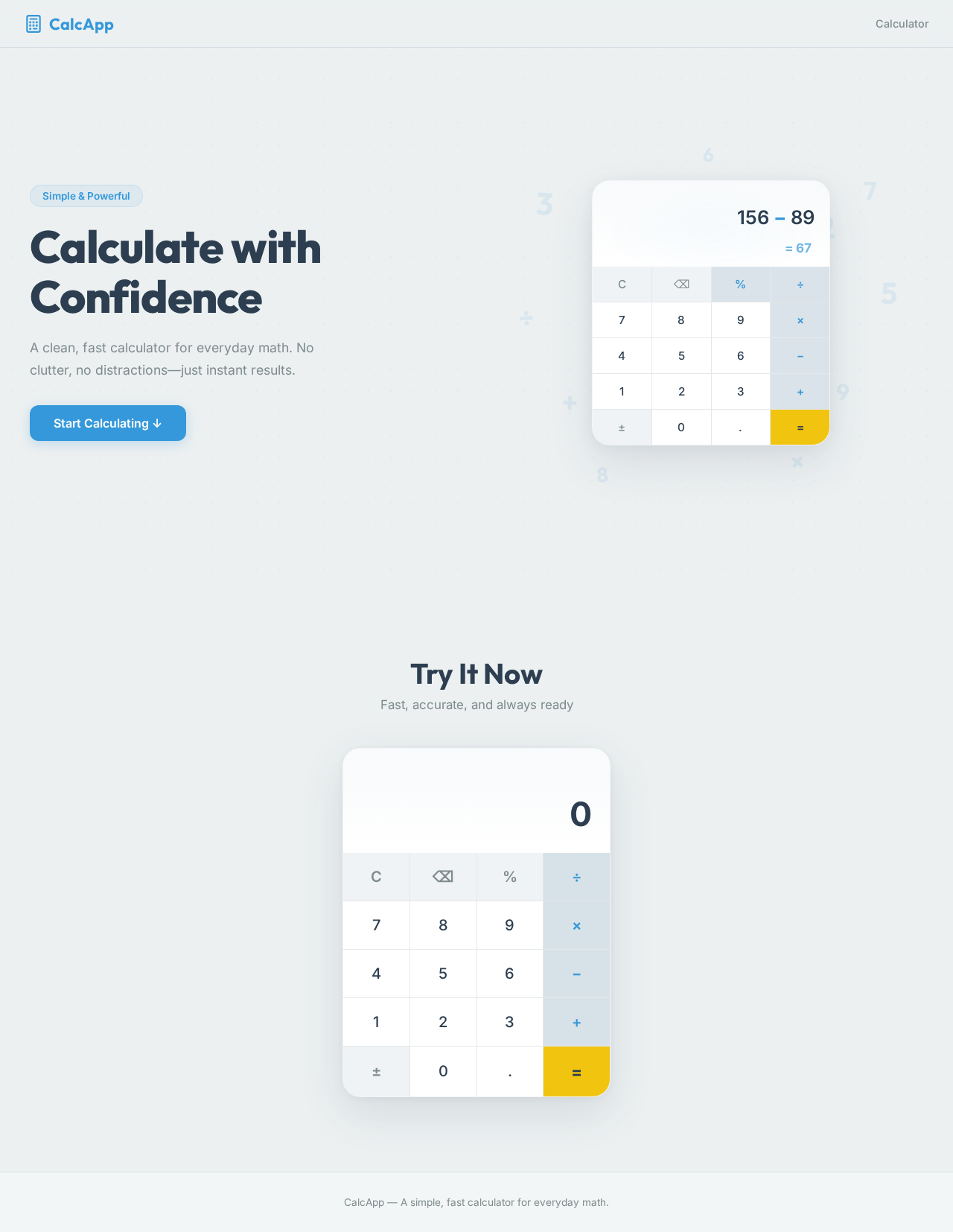
Calculate with Confidence
A clean, fast calculator for everyday math. No clutter, no distractions—just instant results.
Try It Now
Fast, accurate, and always ready
Calculate with Confidence
A clean, fast calculator for everyday math. No clutter, no distractions—just instant results.
Try It Now
Fast, accurate, and always ready
No comments yet. Be the first!