prime-calculator
create a basic calculator with basic arthmetic operations with strictly single page design

Comments (0)
Sign in to leave a comment
System Requirements
Prime-Calculator System Requirements Document
Introduction
The "Prime-Calculator" project aims to develop a simple, user-friendly calculator application that performs basic arithmetic operations. The design will be strictly single-page to ensure simplicity and ease of access for users.
System Overview
The Prime-Calculator is designed to provide users with a straightforward interface for performing basic arithmetic calculations, including addition, subtraction, multiplication, and division. The application will be accessible as a single-page web application, ensuring quick load times and an intuitive user experience.
Functional Requirements
- As a User, I should be able to perform addition, subtraction, multiplication, and division.
- As a User, I should be able to clear the current calculation.
- As a User, I should be able to view the result of my calculation instantly.
User Personas
- User: The primary user of the Prime-Calculator is anyone needing quick access to basic arithmetic calculations. This includes students, professionals, and anyone requiring a simple tool for everyday calculations.
Visuals Colors and Theme
The Prime-Calculator will feature a clean and minimalistic design with the following color palette:
- primary: #4A90E2 (a calm blue for the main interface)
- primary_light: #A6C8F0 (a lighter blue for hover states)
- secondary: #F5A623 (a warm orange for emphasis and highlights)
- accent: #50E3C2 (a vibrant teal for call-to-action buttons)
- highlight: #F8E71C (a bright yellow for active indicators)
- bg: #FFFFFF (a clean white background)
- surface: rgba(255, 255, 255, 0.9) (a subtle white for panels)
- text: #333333 (a dark gray for primary text)
- text_muted: #888888 (a muted gray for secondary text)
- border: rgba(0, 0, 0, 0.1) (a light gray for borders)
Signature Design Concept
The Prime-Calculator will feature an interactive, single-page design where the calculator interface is the focal point. The design concept includes:
- Interactive Button Press: Buttons will have a subtle animation using
framer-motionto simulate a physical press, providing tactile feedback. - Dynamic Display: The calculator's display will use
gsapfor smooth transitions when numbers and results change, enhancing the user experience. - Minimalistic Layout: The layout will be clean with ample spacing, ensuring that users can focus on the calculations without distractions.
Interaction Model & Motion Direction
The interaction model for the Prime-Calculator will be "static" to prioritize clarity and speed. However, interactive elements such as button presses and display updates will incorporate subtle animations to enhance user engagement without overwhelming the simplicity of the design.
Non-Functional Requirements
- The application must load within 2 seconds on a standard broadband connection.
- The calculator should be responsive and function correctly on all modern web browsers.
- The application should handle up to 100 concurrent users without performance degradation.
Tech Stack
- Frontend: React for Web
- Backend: Not applicable (client-side only)
- Database: Not applicable (no persistent storage required)
- Local orchestration: Docker for development environment
Assumptions and Constraints
- The application will be used primarily in India, considering local timezone settings.
- The design will remain simple and minimalistic, focusing solely on arithmetic operations.
- No user authentication or data storage is required.
Glossary
- Arithmetic Operations: Basic mathematical operations including addition, subtraction, multiplication, and division.
- Single-page Application: A web application that interacts with the user by dynamically rewriting the current page rather than loading entire new pages from the server.
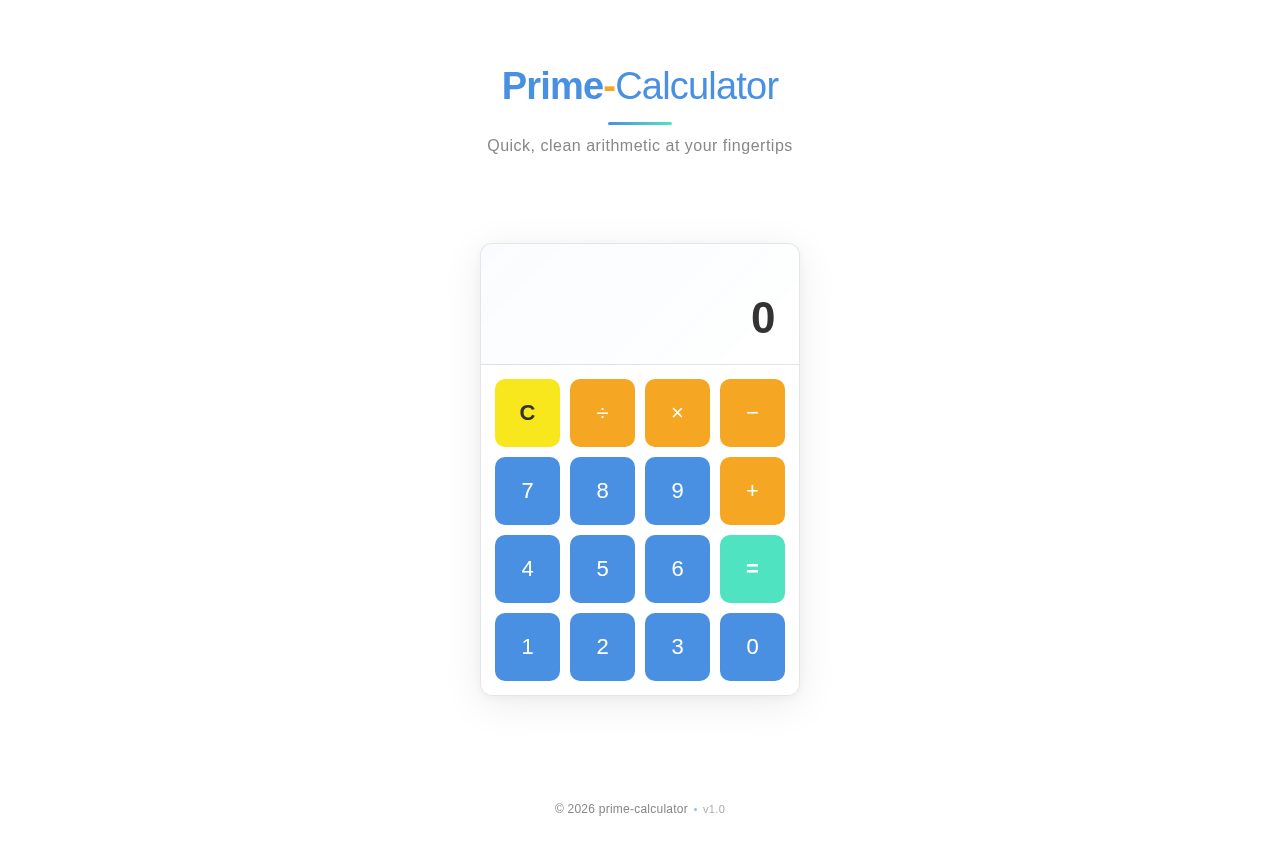
Prime-Calculator
Quick, clean arithmetic at your fingertips
No comments yet. Be the first!