prime-ai
 Janvi S
Scope of Work (SOW) Project: AI-Based Design & Schematic Generation Platform 1. Objective To develop an AI-powered chat-based application that enables users to describe ideas via text, image, or video and receive design schematics, 2D/3D models, and build guidance for real-world product creation. 2. Scope Overview The system will function as an AI Design Assistant, capable of: Understanding user intent through conversational interaction Processing multi-modal inputs (text, image, video) Generating conceptual and semi-technical design outputs Delivering structured outputs such as schematics, models, and step-by-step instructions 3. Input Modes (Core Differentiator) The platform will support three types of user inputs: 1. Text-Based Input (ChatGPT-style) Users describe ideas via text AI interprets and generates design outputs Iterative refinement via conversation 2. Image-Based Input Users upload reference images AI analyzes structure, components, and form Generates similar or improved design schematics 3. Video-Based Input (Phase-wise) Users upload short videos for reference AI extracts frames and key elements Generates structured design outputs based on motion/structure understanding 4. Key Modules & Features 4.1 Chat Interface Conversational UI (ChatGPT-like) Multi-modal input: text, image, video Context-aware interactions Iterative design refinement 4.2 AI Processing Engine LLM integration for reasoning and interaction Prompt orchestration and memory management Multi-step design reasoning workflows 4.3 Vision Processing Module Image and video frame analysis Object detection and feature extraction Reference-based design interpretation 4.4 Design Generation Module Conceptual design generation 2D schematics (diagrams, layouts) Basic 3D model generation (STL/OBJ) System architecture diagrams 4.5 Output & Export Module Export formats: STL / OBJ / PDF / Images Bill of Materials (basic) Step-by-step build instructions Downloadable design reports 4.6 Iteration & Customization Modify designs via prompts Adjust constraints (size, cost, materials) Version history of designs 4.7 Admin Panel User management Usage monitoring File and output tracking Basic analytics 5. Technology Stack (Indicative) Frontend: Web-based application Backend: Python / Node.js AI Models: LLM + Vision models Database: PostgreSQL / NoSQL Storage: Cloud storage Optional: Vector DB for contextual retrieval 6. Deliverables Web-based AI chat platform Text + Image + (Phase-wise) Video input support Design generation (2D + basic 3D outputs) File export (STL/OBJ/PDF) Admin panel Cloud deployment 7. Project Timeline (Refined) Phase 1 – MVP (6–8 Weeks) Chat interface (text-based) Basic AI design generation 2D schematic outputs Initial 3D model generation (basic STL/OBJ) File export (PDF/images) Phase 2 – Vision Integration (4–6 Weeks) Image input processing Reference-based design generation Improved 3D outputs Basic BOM + structured outputs Phase 3 – Advanced Capabilities (6–8 Weeks) Video input processing (frame extraction + interpretation) Enhanced AI reasoning and iteration Improved accuracy and customization Performance optimization Phase 4 – Scaling & Enhancements (Optional | 4–6 Weeks) UI/UX improvements Advanced export formats System optimization and scalability Domain-specific enhancements 8. Assumptions Initial outputs will be conceptual to semi-technical High-precision CAD outputs require advanced integrations (future phase) Third-party AI models/APIs may be used 9. Out of Scope (Initial Phases) Certified engineering-grade schematics Advanced simulations (stress, thermal, etc.) Manufacturing validation 10. Summary Multi-modal AI system (Text + Image + Video) Converts ideas → buildable designs Phased approach for faster launch and scalability

Comments (0)
Sign in to leave a comment
Project Tasks16
Implement Theme & Global Styles
Set up global CSS variables, design tokens, typography, color palette (#1A1A2E bg, #16213E surface, #E5E5E5 text, #FF6F61 accent, #6C757D muted), spacing system, and shared component styles for the prime-ai frontend. Apply blueprint animated background (orthographic grid lines, radial coral bloom) as a global page wrapper. Remove scaffold pages not in the defined user flows. Ensure dark mode is default and all existing scaffold pages inherit the new theme.
Implement Chat AI API
As a user I want to send design prompts and receive AI-generated schematic responses via a backend API. Implement /api/chat POST endpoint using FastAPI: accept user text prompt and conversation history, route to LLM (GPT/Claude) via LiteLLM, apply Langchain prompt orchestration and memory management, return structured response including schematic description/data. Support streaming responses (SSE).
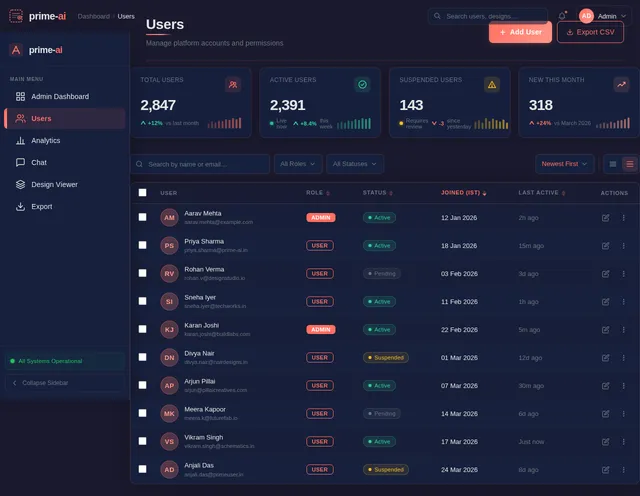
Implement Users Management API
As an admin I want to manage users via backend APIs. Implement /api/admin/users GET (paginated list with filters), /api/admin/users/{id} GET/PUT/DELETE endpoints using FastAPI: role-based access control (admin only), return user records with IST timestamps. Connects to: Users Management page.
Implement Analytics API
As an admin I want to retrieve platform usage analytics via a backend API. Implement /api/admin/analytics GET endpoint: aggregated metrics (designs generated, active users, export counts by format), /api/admin/exports GET for file output tracking (user, file type, size, IST timestamp), report export endpoint (PDF/CSV). Connects to: Analytics page.
Build Landing Page
As a user I want to land on an immersive blueprint-aesthetic homepage. Implement the Landing page based on the existing JSX design (v2): NavBar (frosted glass, coral CTA), Hero (animated SVG blueprint, pulsing 'Start Designing' CTA), BlueprintShowcase (interactive hotspot tooltips), FeatureHighlights (6 cards, coral glow hover), HowItWorks (4-step timeline), CapabilitiesGrid, Testimonials (carousel), Pricing (INR tiers), FAQ (accordion), CallToAction, Footer. Connects to: Signup and Login pages.
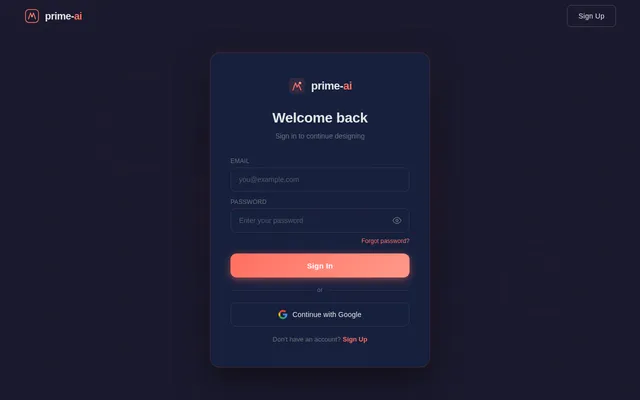
Build Login Page
As a user I want to sign in via a visually consistent login page. Implement the Login page (v2 JSX design): centered card on animated blueprint background, email/password fields with coral accent focus states, 'Sign In' coral button, link to Signup, 'Forgot Password' ghost link. Connects from: Landing NavBar. Connects to: Admin Dashboard (admin role) or Chat page (user role).
Implement Design Generation API
As a user I want the backend to generate 2D schematic outputs and basic 3D models from my described idea. Implement /api/design/generate POST endpoint: receive structured design intent, generate 2D schematic data (SVG/JSON), invoke basic 3D model generation (STL/OBJ), store outputs, return file references and design metadata. Connects to: Design Viewer page.
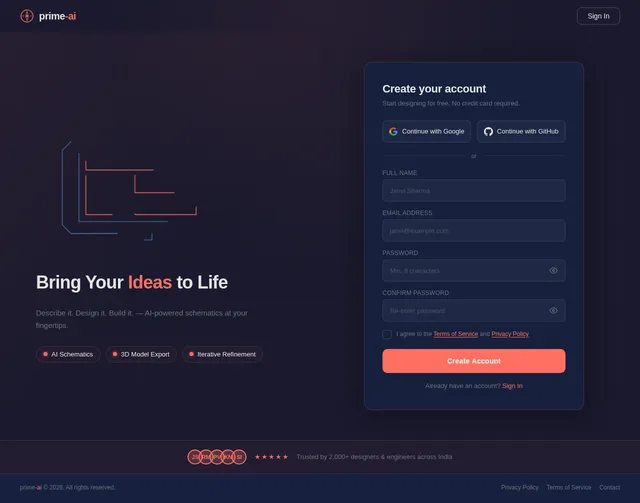
Build Signup Page
As a user I want to create a new prime-ai account from an immersive signup page. Implement the Signup page (v2 JSX design): name/email/password fields with coral accent focus states, 'Create Account' coral CTA, link back to Login, locale-aware copy (INR/IST). Connects from: Landing 'Start Designing' CTA. Connects to: Chat page after successful registration.
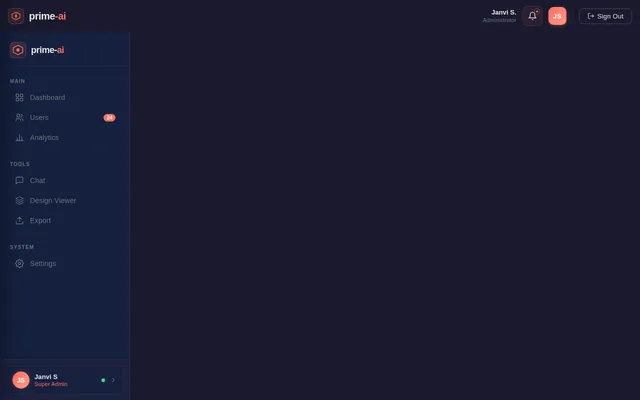
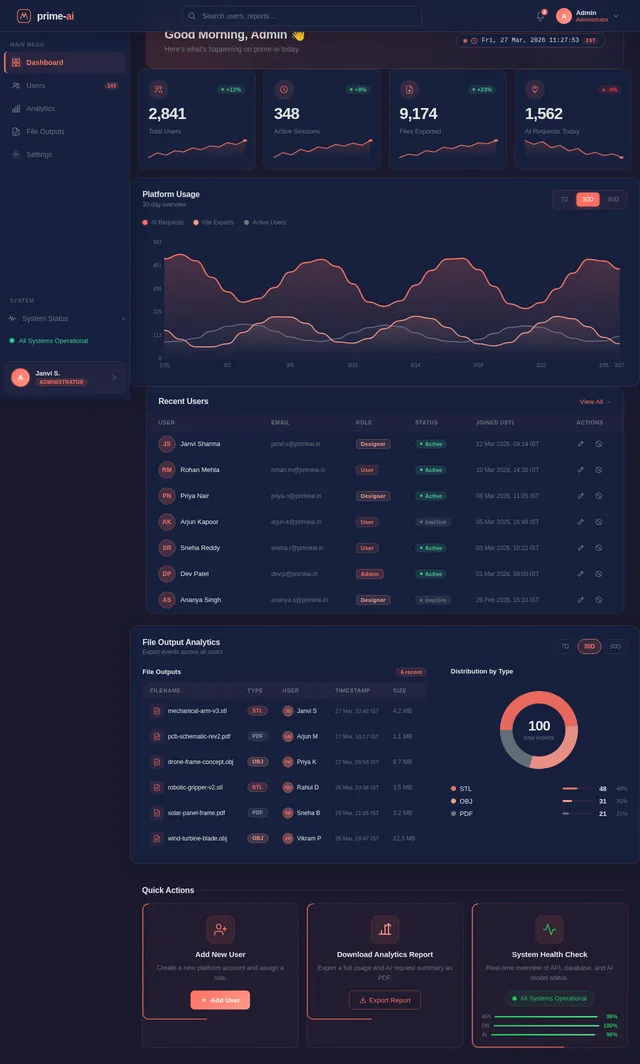
Build Admin Dashboard Page
As an admin I want to see platform usage overview on a dedicated dashboard. Implement the Admin Dashboard page (v2 JSX design): KPI cards (total users, designs generated, active sessions, file exports), usage trend charts, recent activity feed, navigation to Users and Analytics. Blueprint-aesthetic dark surface with coral accent data highlights. Connects from: Login (admin role). Connects to: Users and Analytics pages.
Implement Export API
As a user I want to export my generated designs via a backend API supporting STL, OBJ, and PDF formats. Implement /api/export POST endpoint: accept design ID and desired format, convert stored design data to requested format, generate downloadable signed URL, log export event with IST timestamp and user ID. Connects to: Export page frontend.
Build Chat Page
As a user I want to describe my design ideas conversationally and receive AI-generated schematics in real time. Implement the Chat page (v2 JSX design): conversational message bubbles, text input with coral send button, streaming AI response display, conversation history sidebar, blueprint-aesthetic container, iterative refinement prompt support. Connects from: Signup/Login. Connects to: Design Viewer when schematic is generated.
Build Users Management Page
As an admin I want to view, search, and manage all registered users from a dedicated Users page. Implement the Users page (v2 JSX design): paginated data table (name, email, role, join date, status), search and filter controls, Edit User action (inline or modal), deactivation/deletion, coral accent table highlights, blueprint-themed table borders. Connects from: Admin Dashboard. Connects back to: Admin Dashboard.
Build Analytics Page
As an admin I want to view platform usage reports and track file outputs from an Analytics page. Implement the Analytics page (v2 JSX design): usage trend charts (designs generated, active users, export counts), file output tracking table (file type, user, timestamp IST, size), analytics report download option, KPI stat cards, filters toolbar. Connects from: Admin Dashboard.
Implement AES-256 Data Encryption
As a user I want my design outputs and personal data to be encrypted at rest and in transit using AES-256. Implement encryption layer for all stored design files and user data in MySQL. Enforce HTTPS/TLS for all API communication. Add encryption/decryption middleware in FastAPI for sensitive fields. Document encryption key management strategy. Applied after all core API services are functional.
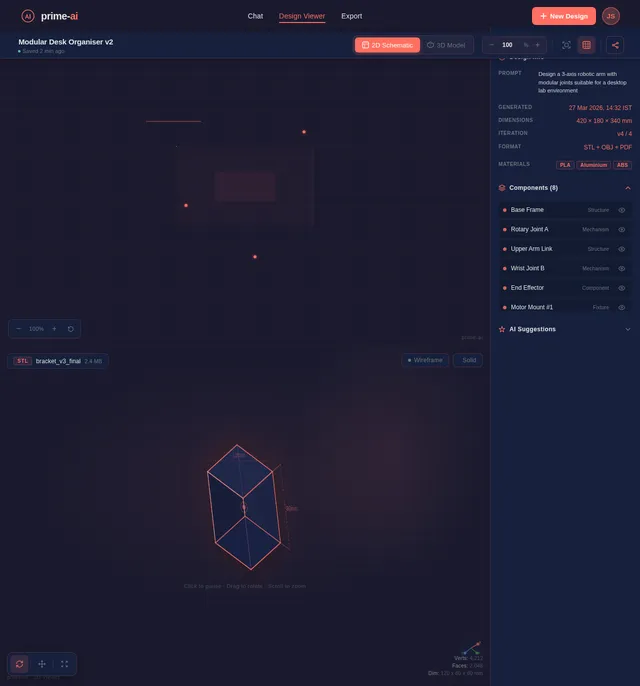
Build Design Viewer Page
As a user I want to view generated 2D schematics and 3D models in an interactive viewer. Implement the Design Viewer page (v2 JSX design): 2D schematic canvas with zoom/pan, pencil-sketch draw animation on load, annotation tooltips, 3D model viewport (Three.js), ViewerToolbar tab switcher, PropertiesPanel accordion, IterationHistory strip, ExportBar. Connects from: Chat page. Connects to: Export page.
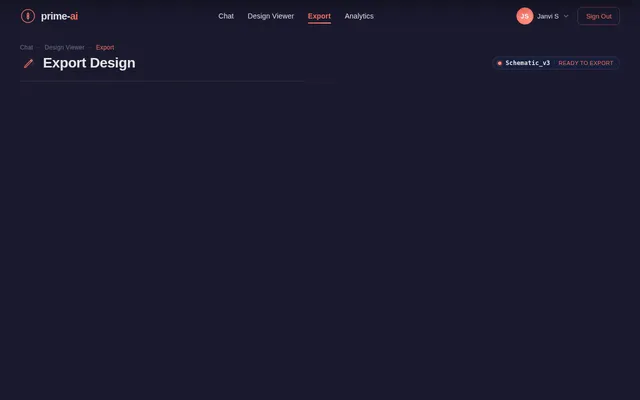
Build Export Page
As a user I want to download my generated designs in multiple formats from a dedicated export page. Implement the Export page (v2 JSX design): format selection panel (STL, OBJ, PDF, Image), download progress indicator, export history list, Bill of Materials preview, coral-accented download buttons, blueprint-bordered file cards. Connects from: Design Viewer. Final step in user flow.

Turn Ideas Into Schematics — Instantly
Describe your vision in plain language. prime-ai transforms your concepts into detailed 2D schematics and 3D models, refining designs iteratively through an intelligent conversational interface.
The Blueprint Experience
Watch your ideas take shape. Our AI progressively renders schematics with annotations, dimension lines, and exportable precision — from concept to production-ready output.
Everything You Need to Design & Build
Text-to-Schematic AI
Describe your idea in plain language and watch our AI transform it into precise, detailed design schematics in seconds.
2D & 3D Model Generation
Generate production-ready 2D layouts with annotations and basic 3D models from a single text conversation.
Iterative Chat Refinement
Refine your designs through natural conversation. Each prompt iteration brings your vision closer to perfection.
Multi-Format Export
Export your finished designs in STL, OBJ, and PDF formats — ready for prototyping, 3D printing, or sharing.
Conversational Design Flow
An intuitive chat-first interface that feels natural. No complex tools to learn, just describe and create.
Secure Encrypted Outputs
All generated designs are protected with AES-256 encryption. Your intellectual property stays yours.
From Concept to Blueprint in 4 Steps
Describe your vision, let AI generate schematics, refine through conversation, and export production-ready files.
Describe Your Idea
Type a natural language description of your product concept. Our AI understands context, dimensions, and design intent.
AI Generates Schematic
Our engine produces detailed 2D schematics with annotations, dimension lines, and technical specifications.
Refine Iteratively
Chat with the AI to tweak materials, adjust dimensions, or explore design variations until it is perfect.
Export Your Design
Download production-ready files in STL, OBJ, or PDF formats. Share with your team or send directly to fabrication.
Everything You Need to Design
From natural language input to exportable 3D models, prime-ai covers the full design workflow in three powerful capabilities.
AI Chat Interface
Describe your design ideas in plain, natural language. Our conversational AI understands context, intent, and technical nuance to translate your vision into actionable design outputs.
- Conversational prompts with context retention across sessions
- Iterative refinement through follow-up instructions
- Supports technical specifications and freeform descriptions
- Real-time AI responses with schematic previews
Design Schematic Output
Receive precise 2D layouts complete with dimension annotations, component labels, and structured design hierarchy — ready for review or further refinement.
- Annotated 2D layouts with dimension lines and labels
- Component-level breakdowns with part identifiers
- PDF and image export for documentation and sharing
- Blueprint-grade precision in every generated schematic
3D Model Generation
Go beyond flat schematics. Generate basic 3D models from your designs and export them in industry-standard STL and OBJ formats for prototyping and fabrication.
- Automatic 3D extrusion from 2D schematic inputs
- STL and OBJ format export for 3D printing and CAD tools
- Interactive isometric preview before download
- Iterative model adjustments through conversational prompts
Trusted by Creators & Engineers
prime-ai completely transformed our product development workflow. We went from napkin sketches to production-ready schematics in hours instead of weeks.
The iterative chat refinement is a game-changer. I describe tweaks in plain English and watch the AI update the 3D model in real-time. It feels like having a senior CAD engineer on call 24/7.
We exported STL files directly from prime-ai to our 3D printers. The precision of the generated schematics saved us three rounds of prototyping revisions.
As a solo hardware creator, I never had the budget for professional CAD tools. prime-ai gives me enterprise-level design output at a fraction of the cost.
The multi-format export support is incredible. PDF schematics for documentation, OBJ for visualization, STL for printing — all from a single conversation thread.
Security was our top concern. With AES-256 encryption on all outputs and SOC-2 compliance, prime-ai met every requirement our enterprise security team set.
Choose the Plan That Fits Your Vision
Start for free, upgrade when you need more. All prices in INR. No hidden charges.
- 5 design generations / month
- Text-to-schematic AI
- 2D schematic output
- PDF export
- 3D model generation
- STL / OBJ export
- Priority support
- 100 design generations / month
- Text-to-schematic AI
- 2D & 3D model generation
- All export formats (PDF, STL, OBJ)
- Iterative chat refinement
- Design version history
- Priority support
- Unlimited design generations
- All Pro features included
- Custom AI model fine-tuning
- Team collaboration workspace
- Dedicated account manager
- SSO & advanced security (AES-256)
- SLA guarantee & audit logs
Frequently Asked Questions
Everything you need to know about prime-ai, from features and security to getting started with your first design.
Still have questions? Start a conversation with prime-ai and we'll help you out.
Ready to Build Something Amazing?
Describe your idea, and our AI transforms it into professional schematics and 3D models in seconds. Start designing for free — no credit card required.
No comments yet. Be the first!