pitchtrack-drs
 Muneeb Ahmad
Build a production-grade Android Cricket DRS (Decision Review System) & 3D Hawk-Eye Coaching app named "PitchTrack DRS" using Kotlin, Jetpack Compose (Material Design 3), CameraX, Firebase, and Clean MVVM architecture. 1. Visual Design, Theme & Hero Art - Palette ("Clean Light Coaching Studio"): Studio Alabaster background (#F7F9F8), crisp white surfaces (#FFFFFF), soft borders (#DCE5E0), Pitch Emerald primary (#0F6B46), Hawk-Eye Indigo accent (#4F46E5), Ball Crimson (#DC2626), and Stump Gold/Amber (#F5B700 / #D97706). - Support adaptive Edge-to-Edge layouts using WindowInsets.safeDrawing, with a bottom NavigationBar on compact phones (<600dp) and a side NavigationRail on tablets/foldables (>=600dp). - Navigation destinations: Dashboard, Track & Record (Capture & Calibration), Sessions, and full-screen 3D Hawk-Eye Review. - Custom adaptive launcher icon and a 16:9 photorealistic stadium hero banner (displayed unclipped at 16:9 aspectRatio on the sign-in screen and empty dashboard) showing a fast bowler releasing a red cricket ball from a raised hand, a smooth single-bounce crimson Hawk-Eye trajectory down the pitch, and the ball smashing cleanly into the striker's stumps with wooden bails flying into the air. 2. Authentication & Cloud Persistence (Firebase) - Gate access behind Google Sign-In using Jetpack CredentialManager + Firebase Auth (no anonymous sign-in). - Configure Firebase App Check before Compose initialization. - Store BowlingSessions and DeliveryRecords in Cloud Firestore scoped per authenticated userId, with real-time snapshot listeners, create/delete/refine operations, and strict field validation. - Include offline/empty-state handling and a snackbar feedback host. 3. Pitch Calibration & 4-Corner Perspective Mapping (Behind-Bowler View) - Support both live stationary camera recording (CameraX VideoCapture with a manual Record/Stop button per individual delivery) and gallery video upload (Android Photo Picker / PickVisualMedia). - Pitch presets: 22 yards (20.12 m regulation), 16 yards (indoor/nets), or custom 10–30 yards, plus selectable bowler/batsman target objects (Wickets, Bricks, Blocks, Chairs) with real-world dimensions, bowler style (Pace/Seam or Spin), and ball color (Red Leather, White Ball, Tape/Tennis). - AI Auto-Detect Stumps & Pitch: Run Gemini multimodal vision/image auto-detection on a captured frame or uploaded video frame to detect the near (bowler) and far (striker) targets and return normalized coordinates. - Interactive 4-Corner Calibration Overlay & Zoom Loupe: Render draggable 4-corner pitch pins (BL Bowler Left, BR Bowler Right, SL Striker Left, SR Striker Right), top height handles, and a 22-yard perspective pitch grid. Dragging any corner displays a live zoomed magnifier loupe for pixel-accurate alignment, plus a "Lock Pitch" toggle so calibration persists across consecutive deliveries when the camera is mounted in one spot. - Compute a true 3x3 perspective Homography (screenToPitchGround, pitchGroundToScreen, and height projection) from the 4 calibrated pitch corners to map normalized screen pixels (u, v) accurately to real-world lateral meters (x) and pitch distance yards (z). 4. High-Precision Ball Tracking, Physics & Speed Calculation - Frame-by-frame video ball tracker (ProBallTracker): - Sample video frames with exact MediaMetadataRetriever timestamps and restrict search within the calibrated homography corridor. - Combine motion-delta foreground masking (suppressing stationary background, bowler arm clutter, and batsman stance) with HSV/color filtering tuned to the selected ball type (Red Leather, White Ball, Tape/Tennis). - Run RANSAC parabolic trajectory fitting in calibrated 3D coordinates to identify Release Point -> Bounce Point (Pitching) -> Pad/Bat Impact Point -> Projected Stump Path. - Strict Real-World Speed Calculation: - Derive speed (both km/h and mph side by side) strictly from calibrated 3D world distance between release/bounce/crease divided by exact elapsed video frame timestamps (never NaN, 0, or pixel-guesswork). - Compute bounce distance (yards from bowler end), lateral pitching/impact offsets, spin angle (degrees) + spin RPM, swing factor, and tracking confidence. - Manual Frame-by-Frame Scrubber Correction: - In the Hawk-Eye Review screen, provide a frame-by-frame video scrubber with Previous Frame / Next Frame buttons and Release / Bounce / Impact keypoint selectors so the user can tap directly on any frame to correct the ball position and recalculate trajectory, speed, and LBW verdict from the calibrated homography and timestamps. - Also provide a Calibrated 3D LBW Simulator mode for testing deliveries directly from calibrated telemetry. 5. Interactive 360-Degree 3D Hawk-Eye Viewer & Broadcast LBW UI - Build a responsive Jetpack Compose 3D Canvas stadium/pitch renderer (HawkEye3DCanvas) supporting: - Smooth 360-degree touch orbit rotation (yaw & pitch drag), pinch-to-zoom, and double-tap camera reset. - One-tap preset camera angles: Bowler's End, Striker's End, Side-On, and Top-Down, plus an optional Transparent AR Video Overlay mode projected onto the recorded delivery clip via the calibrated Homography3D. - 3D stadium turf, pitch strip, popping/bowling/return creases, 3D wickets/targets with bails, translucent blue/red wicket-hitting zone box, ball animation replay slider/replay button, solid trajectory curve up to impact, and glowing dotted predicted path from impact into the stumps. - Display a crisp TV-broadcast style DRS overlay card showing: - PITCHING: In Line / Outside Off / Outside Leg - IMPACT: In Line / Outside Off / Outside Leg / Umpire's Call - WICKETS: Hitting / Umpire's Call / Missing - FINAL VERDICT badge: OUT / NOT OUT / UMPIRE'S CALL - SPEED: exact km/h and mph side by side, plus spin (° / RPM) and swing metrics. 6. Dashboard, Sessions & Gemini AI Coaching - Dashboard: Overview KPI cards (Avg Speed in km/h & mph, Avg Spin RPM, Avg Swing, LBW Out %), visual Pitch Map (bounce length & line heatmap), Stump Beehive impact chart, filter chips (All, LBW Out, Fast >=70 mph, Spin), and tappable delivery history cards. - Sessions Screen: Create, switch, and delete bowling sessions with custom pitch yardage, target types, and bowler style, plus session-wide statistics. - AI Bowling Coach (Firebase AI Logic — Gemini): Stream concise delivery-level coaching (analyzing telemetry + up to 3 extracted delivery keyframes for line, length, execution, and next-ball tactical adjustment) and full-session 3-bullet coaching summaries.


Comments (0)
Sign in to leave a comment
System Requirements
System Requirements Document for PitchTrack DRS
1. Introduction
PitchTrack DRS is a production-grade Android Cricket DRS (Decision Review System) and 3D Hawk-Eye coaching application built with Kotlin, Jetpack Compose (Material Design 3), CameraX, Firebase, and Clean MVVM architecture. It turns a phone mounted behind the bowler into a calibrated broadcast-grade analysis instrument: the user records or uploads a single delivery, aligns a four-corner perspective calibration of the pitch, and receives a tracked ball trajectory, real-world speed in km/h and mph, spin and swing metrics, an interactive 360-degree 3D Hawk-Eye replay, and a TV-broadcast-style LBW verdict card. Gemini-powered coaching then converts that telemetry into delivery-level and session-level tactical advice.
The audience is cricket bowlers and their coaches working at the nets, in indoor facilities, or on club grounds. They need precise, repeatable measurement of line, length, pace, and spin, and a clear LBW read they can trust and act on — not a toy. The product therefore pairs a real video frame with a calibrated 3D model of the same delivery, and presents numbers with broadcast-instrument clarity.
This document is the System Requirements Document requested by Muneeb Ahmad for the PitchTrack DRS project.
Success Criteria and KPIs
- A signed-in user can record or upload one delivery, calibrate the pitch, and reach a 3D Hawk-Eye Review with a DRS verdict card without leaving the app.
- Every displayed speed is derived from calibrated 3D world distance divided by exact elapsed video frame timestamps — never NaN, 0, or pixel guesswork — and is shown in km/h and mph side by side.
- Calibration persists across consecutive deliveries when "Lock Pitch" is enabled, so a mounted camera does not require re-alignment per ball.
- Manual keypoint correction on the frame scrubber recalculates trajectory, speed, and LBW verdict from the calibrated homography and timestamps.
- Dashboard KPIs, pitch map, and stump beehive reflect the user's stored deliveries in real time, with offline and empty states handled.
- Gemini coaching streams delivery-level advice from telemetry plus up to 3 extracted keyframes, and produces a 3-bullet session summary.
2. System Overview
PitchTrack DRS is a single Android application (Kotlin, Jetpack Compose, Material Design 3) organized with Clean MVVM. It uses CameraX for live stationary recording, the Android Photo Picker for gallery video, Firebase Auth with Google Sign-In via Jetpack CredentialManager for identity, Firebase App Check initialized before Compose, Cloud Firestore for per-user persistence with real-time snapshot listeners, Firebase AI Logic (Gemini) for vision auto-detection and coaching, and a Compose 3D Canvas renderer (HawkEye3DCanvas) for the interactive Hawk-Eye viewer.
The app is delivered alongside a shared backend service (FastAPI) that hosts application APIs and domain modules, a MariaDB database for application-owned persistent data, a React frontend, and a LiteLLM gateway backed by PostgreSQL for model-provider calls. The provisioned infrastructure is authoritative for deployment; it does not add product capabilities beyond those specified.
Actors are the Bowler (records deliveries, reviews Hawk-Eye telemetry, corrects keypoints, uses AI coaching to plan the next ball) and the Coach (reviews session statistics, pitch map, and stump beehive across many deliveries, and uses session coaching summaries to set tactical adjustments). Both are active human personas; both authenticate with Google Sign-In.
Removed from scope
- Anonymous sign-in (also: no-anonymous-auth).
2a. Product Interpretation and Delivery Boundary
PitchTrack DRS is an Android-first, first-party application. All product surfaces — Landing, Sign In, Dashboard, Track & Record, Capture & Calibration, Sessions, 3D Hawk-Eye Review, and AI Bowling Coach — are owned and rendered by the application itself. Access is gated behind Google Sign-In using Jetpack CredentialManager and Firebase Auth; anonymous sign-in is not permitted. Landing and Sign In are anonymously reachable entry surfaces; every other destination requires an authenticated session. Firebase App Check is configured before Compose initialization so that backend and AI calls are attested.
All user data — BowlingSessions and DeliveryRecords — is stored in Cloud Firestore scoped per authenticated userId, with real-time snapshot listeners, create/delete/refine operations, and strict field validation. Offline and empty states are handled throughout, with a snackbar feedback host for transient results and errors.
The shared FastAPI backend, MariaDB, React frontend, LiteLLM gateway, and PostgreSQL are provisioned infrastructure supporting the application's APIs and model-provider calls. They do not introduce additional product behavior, destinations, or access rules. Gemini vision auto-detection and Gemini coaching are invoked through Firebase AI Logic as specified; the LiteLLM gateway supports the backend's model-provider calls.
Current scope covers the full delivery lifecycle: capture or upload, calibration, tracking, physics and speed, 3D review with LBW verdict, dashboard analytics, session management, and AI coaching. No future-horizon features are specified in the authoritative requirements.
2c. Page Content and Component Coverage
Landing
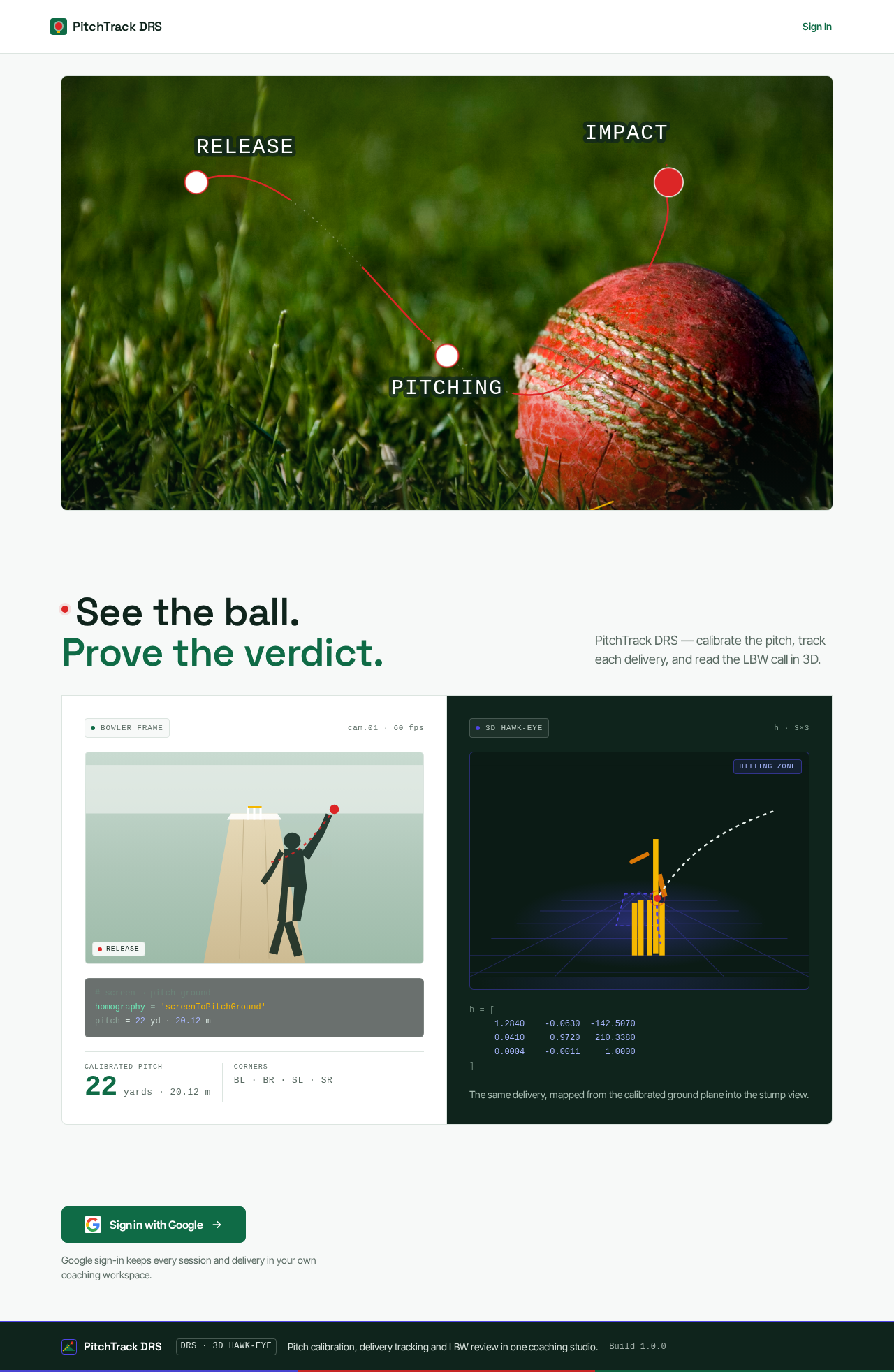
- Information/state: Anonymous public entry. Product name "PitchTrack DRS", headline "See the ball. Prove the verdict.", subline "Calibrate the pitch, track each delivery, and read the LBW call in 3D.", and the 16:9 photorealistic stadium hero banner displayed unclipped at
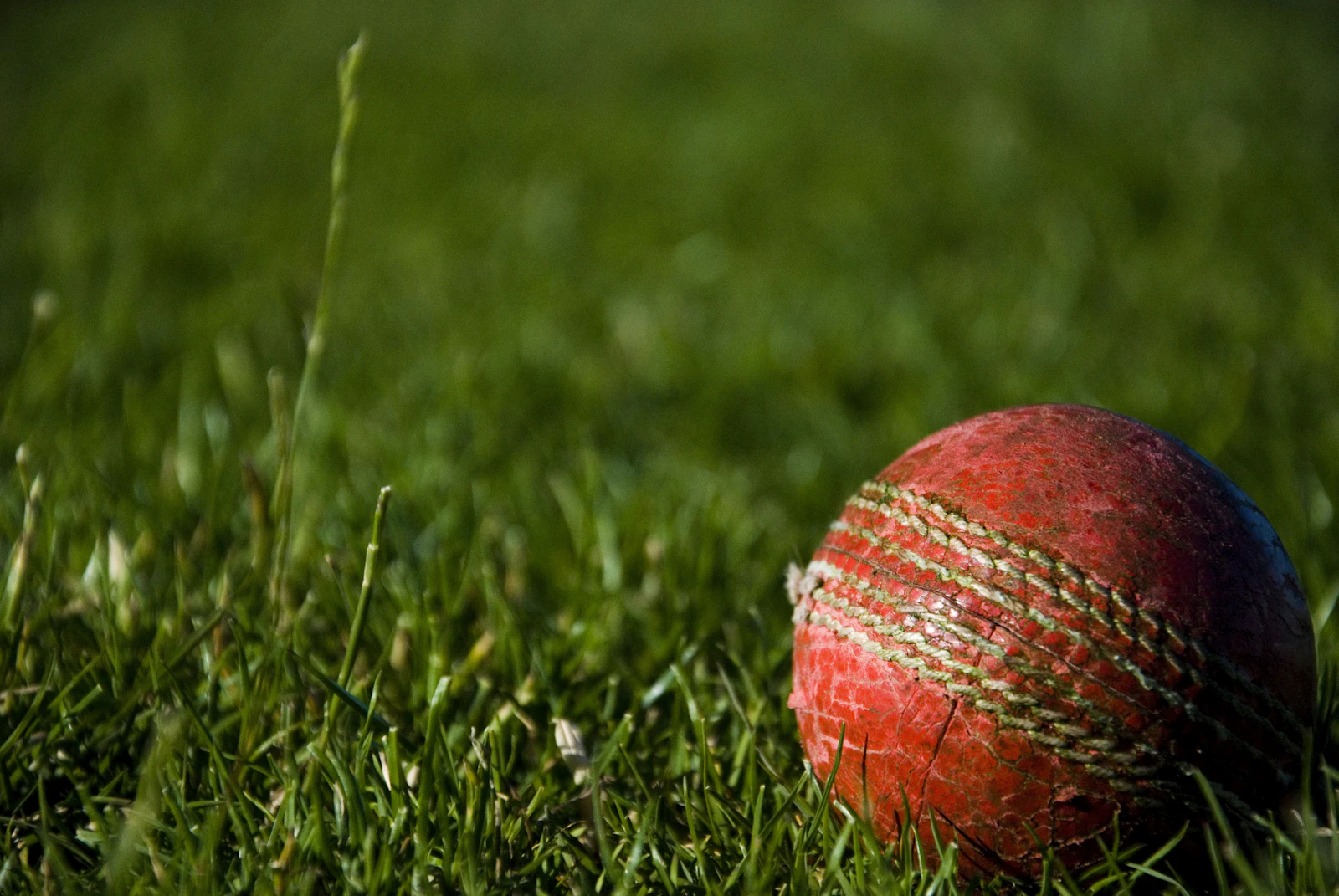
aspectRatio(16/9)showing a fast bowler releasing a red cricket ball from a raised hand, a smooth single-bounce crimson Hawk-Eye trajectory down the pitch, and the ball smashing cleanly into the striker's stumps with wooden bails flying into the air. - Primary action: "Sign in with Google" call to action leading to Sign In.
- Supporting actions: None beyond entry to Sign In.
- Domain entities: None persisted.
- Component responsibilities: Hero banner composable (unclipped 16:9), headline/subline typography in Space Grotesk, primary CTA button in Pitch Emerald, split hero treatment (light video frame left, dark ink 3D panel right) per the creative direction.
- States: Loading (hero asset), success (rendered), error (hero asset fallback with text preserved), recovery (retry asset load). No empty state applies.
Sign In
- Information/state: Anonymous identity-access surface. Explains Google Sign-In requirement; no anonymous sign-in offered.
- Primary action: Google Sign-In via Jetpack CredentialManager + Firebase Auth.
- Supporting actions: Retry on failure; return to Landing.
- Domain entities: Firebase Auth user (uid).
- Component responsibilities: CredentialManager launcher, Firebase Auth handler, App Check attestation already initialized before Compose, snackbar feedback host for sign-in errors.
- States: Loading (sign-in in progress), success (navigate to Dashboard), error (credential or network failure with snackbar and retry), recovery (re-attempt sign-in). Empty state not applicable.
Dashboard
- Information/state: Authenticated. Overview KPI cards (Avg Speed in km/h & mph, Avg Spin RPM, Avg Swing, LBW Out %), visual Pitch Map (bounce length & line heatmap), Stump Beehive impact chart, filter chips (All, LBW Out, Fast >=70 mph, Spin), and tappable delivery history cards. On empty dashboard, the 16:9 stadium hero banner is displayed unclipped at
aspectRatio(16/9). - Primary action: Tap a delivery history card to open 3D Hawk-Eye Review.
- Supporting actions: Apply filter chips; navigate to Track & Record, Sessions, AI Bowling Coach.
- Domain entities: BowlingSession, DeliveryRecord (read via real-time snapshot listeners).
- Component responsibilities: KPI card row, pitch map heatmap composable, stump beehive chart composable, filter chip row, delivery card list (mini wireframe pitch left, video thumbnail right), snackbar feedback host, offline banner.
- States: Loading (snapshot pending), empty (hero banner + prompt to record first delivery), success (populated KPIs and charts), error (Firestore read failure with snackbar and retry), offline (cached data with offline indicator), recovery (reconnect and refresh).
Track & Record
- Information/state: Authenticated. Live stationary camera preview (CameraX VideoCapture) with a manual Record/Stop button per individual delivery; gallery video upload via Android Photo Picker / PickVisualMedia.
- Primary action: Record a single delivery (Record → Stop) or pick a gallery video.
- Supporting actions: Proceed to Capture & Calibration with the captured or uploaded video.
- Domain entities: DeliveryRecord (draft), video file reference.
- Component responsibilities: CameraX preview and VideoCapture controller, Record/Stop control, Photo Picker launcher, snackbar feedback host.
- States: Loading (camera initialization), empty (no capture yet), recording (active capture), success (video ready, navigate to calibration), error (camera permission or capture failure with snackbar and retry), recovery (re-record or re-pick).
Capture & Calibration
- Information/state: Authenticated. Pitch presets (22 yards / 20.12 m regulation, 16 yards indoor/nets, custom 10–30 yards), selectable bowler/batsman target objects (Wickets, Bricks, Blocks, Chairs) with real-world dimensions, bowler style (Pace/Seam or Spin), ball color (Red Leather, White Ball, Tape/Tennis). Interactive 4-corner calibration overlay with draggable pins (BL Bowler Left, BR Bowler Right, SL Striker Left, SR Striker Right), top height handles, and a 22-yard perspective pitch grid. Live zoomed magnifier loupe while dragging. "Lock Pitch" toggle. AI Auto-Detect Stumps & Pitch via Gemini multimodal vision returning normalized coordinates.
- Primary action: Align the four corners and lock the pitch; compute the 3x3 perspective homography.
- Supporting actions: Choose preset or custom yardage; select targets, bowler style, ball color; run AI auto-detect; toggle Lock Pitch; proceed to tracking/review.
- Domain entities: Calibration (corners, height handles, homography matrix), BowlingSession settings.
- Component responsibilities: Preset selector, target selector with dimensions, style and ball-color selectors, calibration overlay canvas with draggable pins and height handles, perspective grid renderer, zoom loupe composable, Lock Pitch toggle, Gemini auto-detect invoker, homography calculator (
screenToPitchGround,pitchGroundToScreen, height projection), snackbar feedback host. - States: Loading (auto-detect in progress), empty (no corners placed), success (homography computed and locked), error (auto-detect failure or invalid corner geometry with snackbar and retry), recovery (re-align corners or re-run detection).
Sessions
- Information/state: Authenticated. List of bowling sessions with custom pitch yardage, target types, and bowler style; session-wide statistics.
- Primary action: Create a new session.
- Supporting actions: Switch active session; delete a session; view session-wide statistics.
- Domain entities: BowlingSession (create/delete/switch), session statistics.
- Component responsibilities: Session list, create-session form (yardage, targets, style), switch control, delete confirmation, session statistics panel, snackbar feedback host.
- States: Loading (snapshot pending), empty (prompt to create first session), success (sessions listed with stats), error (write failure with snackbar and retry), offline (cached sessions with indicator), recovery (reconnect and retry).
3D Hawk-Eye Review
- Information/state: Authenticated, full-screen.
HawkEye3DCanvaswith 3D stadium turf, pitch strip, popping/bowling/return creases, 3D wickets/targets with bails, translucent blue/red wicket-hitting zone box, ball animation replay slider/replay button, solid trajectory curve up to impact, and glowing dotted predicted path from impact into the stumps. 360-degree touch orbit (yaw & pitch drag), pinch-to-zoom, double-tap camera reset, preset angles (Bowler's End, Striker's End, Side-On, Top-Down), optional Transparent AR Video Overlay mode projected onto the recorded clip via the calibrated Homography3D. Frame-by-frame video scrubber with Previous Frame / Next Frame buttons and Release / Bounce / Impact keypoint selectors. Calibrated 3D LBW Simulator mode. TV-broadcast DRS overlay card: PITCHING (In Line / Outside Off / Outside Leg), IMPACT (In Line / Outside Off / Outside Leg / Umpire's Call), WICKETS (Hitting / Umpire's Call / Missing), FINAL VERDICT badge (OUT / NOT OUT / UMPIRE'S CALL), SPEED (km/h and mph side by side), spin (° / RPM), and swing metrics. - Primary action: Review the delivery in 3D and read the DRS verdict.
- Supporting actions: Orbit/zoom/reset camera; select preset angles; toggle AR overlay; scrub frames; select keypoint and tap to correct ball position; replay; run LBW Simulator; refine and persist the DeliveryRecord.
- Domain entities: DeliveryRecord (trajectory, keypoints, speed, spin, swing, confidence, verdict), Calibration/homography.
- Component responsibilities: HawkEye3DCanvas renderer, camera controller, preset angle buttons, AR overlay composable, frame scrubber with Previous/Next, keypoint selector, tap-to-correct handler, recalculation pipeline (trajectory, speed, LBW verdict), replay slider/button, DRS overlay card, LBW Simulator panel, snackbar feedback host.
- States: Loading (tracking/recalculation in progress), empty (no delivery selected), success (trajectory and verdict rendered), error (tracking failure or insufficient confidence with snackbar and recovery via manual correction), recovery (manual keypoint correction and recalculation).
AI Bowling Coach
- Information/state: Authenticated. Streamed delivery-level coaching analyzing telemetry plus up to 3 extracted delivery keyframes for line, length, execution, and next-ball tactical adjustment; full-session 3-bullet coaching summaries.
- Primary action: Request delivery-level coaching or a session summary.
- Supporting actions: Read streamed coaching output; navigate from a delivery or session context.
- Domain entities: DeliveryRecord telemetry, extracted keyframes, session aggregates, coaching output.
- Component responsibilities: Gemini (Firebase AI Logic) streaming client, keyframe extractor (up to 3), telemetry payload builder, streaming text renderer, 3-bullet session summary renderer, snackbar feedback host.
- States: Loading (stream starting), streaming (incremental text), empty (no delivery or session selected), success (complete coaching), error (model or network failure with snackbar and retry), recovery (re-request).
3. Functional Requirements
FR-1 — Android app foundation. As a Bowler, I should use PitchTrack DRS as a production-grade Android app built with Kotlin, Jetpack Compose (Material Design 3), CameraX, Firebase, and Clean MVVM architecture, so that the product is delivered on the specified platform and stack. Provenance: explicit. Acceptance: app builds and runs on Android with Compose Material 3 UI and Clean MVVM layering.
FR-2 — Clean Light Coaching Studio palette. As a Bowler, I should see the Studio Alabaster background (#F7F9F8), white surfaces (#FFFFFF), soft borders (#DCE5E0), Pitch Emerald primary (#0F6B46), Hawk-Eye Indigo accent (#4F46E5), Ball Crimson (#DC2626), and Stump Gold/Amber (#F5B700 / #D97706) applied consistently, so that the interface reads as a precise coaching instrument. Provenance: explicit. Acceptance: tokens applied across all surfaces.
FR-3 — Adaptive edge-to-edge navigation. As a Bowler, I should get edge-to-edge layouts using WindowInsets.safeDrawing, with a bottom NavigationBar on compact phones (<600dp) and a side NavigationRail on tablets/foldables (>=600dp), so that navigation adapts to my device. Provenance: explicit. Acceptance: breakpoint at 600dp switches navigation component; insets respected.
FR-4 — Navigation destinations. As a Bowler, I should navigate to Dashboard, Track & Record (Capture & Calibration), Sessions, and full-screen 3D Hawk-Eye Review, so that I can reach every core workflow. Provenance: explicit. Acceptance: all four destinations reachable from the adaptive navigation.
FR-5 — Launcher icon and hero banner. As a Bowler, I should see a custom adaptive launcher icon and a 16:9 photorealistic stadium hero banner displayed unclipped at aspectRatio(16/9) on the sign-in screen and empty dashboard, showing a fast bowler releasing a red cricket ball from a raised hand, a smooth single-bounce crimson Hawk-Eye trajectory down the pitch, and the ball smashing cleanly into the striker's stumps with wooden bails flying into the air. Provenance: explicit. Acceptance: banner rendered unclipped at 16:9 on both surfaces; adaptive icon present.
FR-6 — Google Sign-In gate. As a Bowler, I should sign in with Google via Jetpack CredentialManager and Firebase Auth, with no anonymous sign-in, so that my data is protected. Provenance: explicit. Acceptance: unauthenticated users cannot reach protected destinations; anonymous sign-in unavailable.
FR-7 — App Check before Compose. As a Bowler, I should have Firebase App Check configured before Compose initialization, so that requests are attested. Provenance: explicit. Acceptance: App Check initialized in Application startup prior to Compose content.
FR-8 — Firestore persistence. As a Bowler, I should have BowlingSessions and DeliveryRecords stored in Cloud Firestore scoped per authenticated userId, with real-time snapshot listeners, create/delete/refine operations, and strict field validation, so that my data is durable and live. Provenance: explicit. Acceptance: records scoped to uid; listeners update UI; invalid fields rejected.
FR-9 — Offline, empty, and snackbar handling. As a Bowler, I should see offline and empty-state handling plus a snackbar feedback host, so that I understand system state. Provenance: explicit. Acceptance: offline indicator, empty states, and snackbar messages appear appropriately.
FR-10 — Live and gallery capture. As a Bowler, I should record live stationary video with CameraX VideoCapture using a manual Record/Stop button per individual delivery, or upload gallery video via the Android Photo Picker / PickVisualMedia, so that I can capture any delivery. Provenance: explicit. Acceptance: both paths produce a video for calibration.
FR-11 — Pitch and delivery settings. As a Bowler, I should choose pitch presets of 22 yards (20.12 m regulation), 16 yards (indoor/nets), or custom 10–30 yards, select bowler/batsman target objects (Wickets, Bricks, Blocks, Chairs) with real-world dimensions, bowler style (Pace/Seam or Spin), and ball color (Red Leather, White Ball, Tape/Tennis), so that calibration matches my setup. Provenance: explicit. Acceptance: custom yardage constrained to 10–30 yards; all options selectable.
FR-12 — Gemini auto-detect. As a Bowler, I should run Gemini multimodal vision auto-detection on a captured frame or uploaded video frame to detect the near (bowler) and far (striker) targets and return normalized coordinates, so that calibration starts from a good guess. Provenance: explicit. Acceptance: normalized coordinates returned and applied to pins.
FR-13 — 4-corner calibration overlay and loupe. As a Bowler, I should drag four corner pins (BL Bowler Left, BR Bowler Right, SL Striker Left, SR Striker Right), top height handles, and a 22-yard perspective pitch grid, with a live zoomed magnifier loupe while dragging and a "Lock Pitch" toggle that persists calibration across consecutive deliveries, so that alignment is pixel-accurate and repeatable. Provenance: explicit. Acceptance: loupe appears on drag; Lock Pitch retains calibration.
FR-14 — Homography computation. As a Bowler, I should have a true 3x3 perspective homography (screenToPitchGround, pitchGroundToScreen, height projection) computed from the four calibrated corners, mapping normalized pixels (u, v) to lateral meters (x) and pitch distance yards (z). Provenance: explicit. Acceptance: both directions and height projection available to tracking and 3D.
FR-15 — Frame-by-frame ball tracking. As a Bowler, I should have ProBallTracker sample video frames with exact MediaMetadataRetriever timestamps, restrict search within the calibrated homography corridor, and combine motion-delta foreground masking (suppressing stationary background, bowler arm clutter, batsman stance) with HSV/color filtering tuned to the selected ball type. Provenance: explicit. Acceptance: tracking confined to corridor; ball type affects filter.
FR-16 — RANSAC trajectory fitting. As a Bowler, I should have RANSAC parabolic trajectory fitting in calibrated 3D coordinates identify Release Point → Bounce Point (Pitching) → Pad/Bat Impact Point → Projected Stump Path. Provenance: explicit. Acceptance: all four stages identified.
FR-17 — Strict speed and metrics. As a Bowler, I should see speed in km/h and mph side by side derived strictly from calibrated 3D world distance between release/bounce/crease divided by exact elapsed video frame timestamps (never NaN, 0, or pixel guesswork), plus bounce distance (yards from bowler end), lateral pitching/impact offsets, spin angle (degrees) + spin RPM, swing factor, and tracking confidence. Provenance: explicit. Acceptance: no NaN/0 speeds; all metrics displayed.
FR-18 — Frame scrubber correction. As a Bowler, I should use a frame-by-frame video scrubber with Previous Frame / Next Frame buttons and Release / Bounce / Impact keypoint selectors to tap directly on any frame to correct ball position and recalculate trajectory, speed, and LBW verdict from the calibrated homography and timestamps. Provenance: explicit. Acceptance: correction triggers recalculation.
FR-19 — LBW Simulator. As a Bowler, I should use a Calibrated 3D LBW Simulator mode to test deliveries directly from calibrated telemetry. Provenance: explicit. Acceptance: simulator runs from calibrated telemetry.
FR-20 — 3D viewer interaction. As a Bowler, I should use HawkEye3DCanvas with smooth 360-degree touch orbit (yaw & pitch drag), pinch-to-zoom, double-tap camera reset, and one-tap preset angles (Bowler's End, Striker's End, Side-On, Top-Down). Provenance: explicit. Acceptance: all gestures and presets work.
FR-21 — AR video overlay. As a Bowler, I should optionally enable a Transparent AR Video Overlay mode projected onto the recorded delivery clip via the calibrated Homography3D. Provenance: explicit. Acceptance: overlay aligns with clip.
FR-22 — 3D scene contents. As a Bowler, I should see 3D stadium turf, pitch strip, popping/bowling/return creases, 3D wickets/targets with bails, a translucent blue/red wicket-hitting zone box, a ball animation replay slider/replay button, a solid trajectory curve up to impact, and a glowing dotted predicted path from impact into the stumps. Provenance: explicit. Acceptance: all elements render.
FR-23 — Broadcast DRS overlay card. As a Bowler, I should see a TV-broadcast style DRS overlay card with PITCHING (In Line / Outside Off / Outside Leg), IMPACT (In Line / Outside Off / Outside Leg / Umpire's Call), WICKETS (Hitting / Umpire's Call / Missing), FINAL VERDICT badge (OUT / NOT OUT / UMPIRE'S CALL), SPEED (km/h and mph side by side), spin (° / RPM), and swing metrics. Provenance: explicit. Acceptance: all rows and badge present.
FR-24 — Dashboard analytics. As a Coach, I should see KPI cards (Avg Speed km/h & mph, Avg Spin RPM, Avg Swing, LBW Out %), a visual Pitch Map (bounce length & line heatmap), a Stump Beehive impact chart, filter chips (All, LBW Out, Fast >=70 mph, Spin), and tappable delivery history cards. Provenance: explicit. Acceptance: KPIs, charts, filters, and cards render and filter correctly.
FR-25 — Session management. As a Coach, I should create, switch, and delete bowling sessions with custom pitch yardage, target types, and bowler style, plus session-wide statistics. Provenance: explicit. Acceptance: create/switch/delete work; stats shown.
FR-26 — Gemini coaching. As a Bowler, I should receive streamed delivery-level coaching from Firebase AI Logic — Gemini analyzing telemetry plus up to 3 extracted delivery keyframes for line, length, execution, and next-ball tactical adjustment, and full-session 3-bullet coaching summaries. Provenance: explicit. Acceptance: streaming output; up to 3 keyframes; 3-bullet summary.
FR-27 — Identity continuity. As a Bowler, I should complete Google Sign-In before protected pages open, so that my sessions and deliveries remain bound to me. Provenance: required_inference. Acceptance: protected destinations require authenticated session.
FR-28 — User-scoped records. As a Bowler, I should have Firestore records scoped to my authenticated userId, so that my data is isolated. Provenance: required_inference. Acceptance: queries and writes scoped to uid.
4. User Personas
Bowler
The Bowler is the primary operator of PitchTrack DRS at the nets or in an indoor facility. They mount a phone behind the bowling crease, record each delivery, and use the calibrated Hawk-Eye analysis to understand exactly what the ball did: release point, bounce length, lateral line, pace in km/h and mph, spin angle and RPM, swing, and whether the delivery would have hit the stumps. Their primary goal is to correct line, length, and speed ball by ball and to plan the next delivery with tactical intent.
Distinct responsibilities: capturing live or gallery video per delivery; choosing pitch presets, targets, bowler style, and ball color; running Gemini auto-detect and aligning the four-corner calibration with the zoom loupe; locking the pitch across consecutive deliveries; reviewing the 3D Hawk-Eye scene and DRS verdict card; scrubbing frames and correcting Release/Bounce/Impact keypoints to recalculate trajectory, speed, and LBW verdict; running the LBW Simulator; and requesting delivery-level coaching.
Inputs and decisions: which delivery to record, which calibration corners are correct, whether to lock the pitch, whether a keypoint correction is needed, and which coaching advice to act on. They interact with the Coach through shared sessions and session statistics. Observable success: a trustworthy speed reading, a clear verdict, and coaching that names a concrete next-ball adjustment.
Coach
The Coach works across many deliveries and sessions rather than a single ball. They use the Dashboard's KPI cards, pitch map heatmap, and stump beehive to see patterns in a bowler's line, length, pace, and spin over a session, and they use the AI Bowling Coach's 3-bullet session summaries to set tactical adjustments.
Distinct responsibilities: reviewing session-wide statistics; interpreting the pitch map and stump beehive across deliveries; creating, switching, and deleting sessions with the right pitch yardage, target types, and bowler style; applying filter chips (All, LBW Out, Fast >=70 mph, Spin) to isolate the deliveries that matter; and requesting full-session coaching summaries.
Inputs and decisions: which session to review, which filter to apply, and which tactical change to recommend. They interact with the Bowler through the shared session record and coaching output. Observable success: a session summary that identifies the dominant pattern and a concrete tactical recommendation the Bowler can execute.
5. Core User Flows
Flow A — First use and sign-in (Bowler or Coach)
- The user opens PitchTrack DRS and lands on Landing, which shows the 16:9 stadium hero banner unclipped at
aspectRatio(16/9), the headline "See the ball. Prove the verdict.", and the subline "Calibrate the pitch, track each delivery, and read the LBW call in 3D." - The user taps Sign in with Google and arrives at Sign In.
- The user completes Google Sign-In via Jetpack CredentialManager; Firebase Auth establishes the session (App Check was already configured before Compose initialization).
- On success, the app navigates to Dashboard. On failure, a snackbar reports the error and the user retries.
Flow B — Record a delivery and calibrate the pitch (Bowler)
- From Dashboard, the Bowler opens Track & Record.
- The Bowler mounts the phone behind the bowler and taps Record, bowls one delivery, and taps Stop — or taps the gallery picker (PickVisualMedia) to upload a video.
- The Bowler proceeds to Capture & Calibration and selects a pitch preset (22 yards / 20.12 m, 16 yards, or custom 10–30 yards), target objects (Wickets, Bricks, Blocks, Chairs) with real-world dimensions, bowler style (Pace/Seam or Spin), and ball color (Red Leather, White Ball, Tape/Tennis).
- The Bowler optionally runs AI Auto-Detect Stumps & Pitch; Gemini returns normalized coordinates for the near and far targets and the pins move accordingly.
- The Bowler drags the four corner pins (BL Bowler Left, BR Bowler Right, SL Striker Left, SR Striker Right) and top height handles, using the live zoom loupe for pixel-accurate alignment against the 22-yard perspective grid.
- The Bowler enables Lock Pitch so calibration persists across consecutive deliveries, and the app computes the 3x3 homography (
screenToPitchGround,pitchGroundToScreen, height projection). - If auto-detect fails or corner geometry is invalid, a snackbar reports it and the Bowler re-aligns or re-runs detection.
Flow C — Track, review, and correct a delivery (Bowler)
- With calibration locked, ProBallTracker samples frames with exact MediaMetadataRetriever timestamps, restricts search to the homography corridor, and combines motion-delta masking with HSV filtering for the selected ball type.
- RANSAC fits a parabolic trajectory in calibrated 3D, identifying Release → Bounce → Impact → Projected Stump Path.
- The app computes speed in km/h and mph from calibrated 3D distance divided by exact elapsed timestamps, plus bounce distance, lateral offsets, spin (° / RPM), swing, and confidence, and opens 3D Hawk-Eye Review.
- The Bowler orbits the
HawkEye3DCanvaswith yaw/pitch drag, pinches to zoom, double-taps to reset, and taps preset angles (Bowler's End, Striker's End, Side-On, Top-Down); they optionally enable the Transparent AR Video Overlay. - The Bowler reads the DRS overlay card: PITCHING, IMPACT, WICKETS, FINAL VERDICT badge, SPEED, spin, and swing.
- If a keypoint looks wrong, the Bowler uses the frame scrubber with Previous Frame / Next Frame, selects Release, Bounce, or Impact, and taps the correct ball position on the frame; the app recalculates trajectory, speed, and LBW verdict from the homography and timestamps.
- The Bowler may open the Calibrated 3D LBW Simulator to test deliveries from calibrated telemetry.
- The refined DeliveryRecord is persisted to Firestore under the authenticated userId.
Flow D — Delivery-level coaching (Bowler)
- From 3D Hawk-Eye Review or a delivery card, the Bowler opens AI Bowling Coach.
- The app sends telemetry plus up to 3 extracted delivery keyframes to Gemini via Firebase AI Logic.
- Coaching streams into the view, covering line, length, execution, and a next-ball tactical adjustment.
- On model or network failure, a snackbar reports it and the Bowler retries.
Flow E — Session review and coaching (Coach)
- The Coach opens Sessions, creates a session with custom pitch yardage, target types, and bowler style, or switches to an existing one, and reviews session-wide statistics.
- The Coach opens Dashboard, applies filter chips (All, LBW Out, Fast >=70 mph, Spin), and reads KPI cards, the pitch map heatmap, and the stump beehive.
- The Coach taps a delivery history card to open 3D Hawk-Eye Review for that delivery.
- The Coach opens AI Bowling Coach and requests a full-session summary, receiving 3 coaching bullets to set tactical adjustments.
- The Coach may delete a session from Sessions after confirmation.
6. Visuals Colors and Theme
The creative direction is Split craft after Adham Dannaway: a precise broadcast instrument, not a toy, pairing a real video frame with a calibrated 3D model of the same delivery.
- Mode: Light.
- Background: Studio Alabaster
#F7F9F8. - Surface:
#FFFFFFfor every card. - Text:
#0F241C. - Primary: Pitch Emerald
#0F6B46— primary actions and verdict OUT. - Accent: Hawk-Eye Indigo
#4F46E5— the 3D and code half only. - Muted/border:
#DCE5E0. - Ball Crimson:
#DC2626— the ball and NOT OUT. - Stump Gold/Amber:
#F5B700and#D97706— bails, stump zones, and UMPIRE'S CALL. - Headings: Space Grotesk, 600 weight, tight -2% tracking, sentence case.
- Body: Inter Tight.
- Numerals: tabular figures for speed and RPM.
- Mono data: JetBrains Mono.
- Type scale: 1.333 modular — 56/40/28/18/16/14; mobile 36/28/22/16/14.
- Shape: sharp 8px corners on data cards, 4px on chips; one dark ink panel per screen marks the technical half.
- Layout: split columns on wide screens (video frame left, 3D canvas right); one column on phones; 8pt spacing scale.
- Imagery: real delivery frames on the left; wireframe or 3D render of the same pitch on the right; schematic pitch diagrams and code-panel inserts.
7. Signature Design Concept
The public entry is a vertical split hero: a full-width 16:9 stadium photo sits unclipped at the top. The left half shows the bowler frame in light; the right half is a dark ink panel with the 3D stump render, separated by a hairline seam. The headline "See the ball. Prove the verdict." spans both halves in Space Grotesk at 56px desktop and 36px mobile, with the subline "Calibrate the pitch, track each delivery, and read the LBW call in 3D." beneath it. The "Sign in with Google" button sits under the headline on the left in Pitch Emerald. A dark code-style panel shows the homography matrix and live speed in JetBrains Mono beside the 3D viewer, and the DRS verdict card uses three stacked ruled rows with tabular numerals and one colour-coded badge. The concept recomposes only accepted content and controls.
8. Interaction Model & Motion Direction
Interaction Model: Animated Motion Tempo: restrained Hero Dimensionality: layered_2d
Landing Hero Motion Brief
- Focal subject: the 16:9 stadium hero banner — a fast bowler releasing a red cricket ball from a raised hand, a smooth single-bounce crimson Hawk-Eye trajectory down the pitch, and the ball smashing cleanly into the striker's stumps with wooden bails flying into the air.
- Input → transformation → outcome thesis: on load, the split hero settles — the light video frame on the left and the dark ink 3D panel on the right resolve into place with a hairline seam; the crimson trajectory draws along the banner and the bails lift as the ball strikes the stumps; the headline and "Sign in with Google" control remain fully readable throughout.
- Motion vocabulary: fast 120–200ms state changes; the split halves swap on hover; no bounce and no decorative loops.
- Composed first frame: banner unclipped at 16:9, headline spanning both halves, sign-in button under the headline on the left.
- Reduced-motion state: the hero renders as a static composed frame with the trajectory and bails at rest; all text and controls remain whole and readable.
9. Non-Functional Requirements
- NFR-1 (explicit): Access is gated behind Google Sign-In; anonymous sign-in is not allowed.
- NFR-2 (explicit): Firebase App Check must be configured before Compose initialization.
- NFR-3 (explicit): Firestore data is scoped per authenticated userId.
- NFR-4 (explicit): Speed must come from calibrated 3D world distance divided by exact elapsed video frame timestamps; never NaN, 0, or pixel guesswork.
- NFR-5 (explicit): Custom pitch length is limited to 10–30 yards.
- NFR-6 (explicit): The hero banner must display unclipped at 16:9
aspectRatio. - NFR-7 (explicit): Edge-to-edge layouts use
WindowInsets.safeDrawing; navigation adapts at the 600dp breakpoint. - NFR-8 (explicit): Strict field validation on Firestore writes; offline and empty states handled with a snackbar feedback host.
- NFR-9 (required_inference): Readable text and controls stay whole at 375px, 768px, and 1280px, wrapping or scaling to fit; imagery and decoration may crop or bleed per the creative direction.
10. Tech Stack
- Android app: Kotlin, Jetpack Compose (Material Design 3), Clean MVVM.
- Camera: CameraX VideoCapture; Android Photo Picker / PickVisualMedia.
- Identity: Jetpack CredentialManager + Firebase Auth (Google Sign-In); Firebase App Check initialized before Compose.
- Persistence: Cloud Firestore (BowlingSessions, DeliveryRecords) scoped per userId, real-time snapshot listeners.
- AI: Firebase AI Logic — Gemini (multimodal vision auto-detection; streamed coaching).
- Video/frames: MediaMetadataRetriever for exact frame timestamps.
- 3D: Jetpack Compose 3D Canvas renderer (
HawkEye3DCanvas). - Backend: shared FastAPI process for application APIs and domain modules.
- Database: MariaDB for application-owned persistent data.
- Frontend: React application UI.
- Model gateway: LiteLLM gateway for the backend's model-provider calls, backed by PostgreSQL (separate from application-owned storage).
- Deployment: Docker/docker-compose for the provisioned services.
11. Assumptions and Constraints
- The app is Android-only; no iOS or web client is specified.
- Google Sign-In is the only identity method; anonymous sign-in is prohibited.
- Firebase App Check is initialized in Application startup before Compose content.
- Firestore is the system of record for BowlingSessions and DeliveryRecords, scoped per userId.
- Gemini auto-detection and coaching are invoked through Firebase AI Logic; the LiteLLM gateway supports backend model-provider calls.
- The provisioned FastAPI backend, MariaDB, React frontend, LiteLLM, and PostgreSQL are infrastructure and do not add product behavior, destinations, or access rules.
- Custom pitch length is constrained to 10–30 yards.
- The hero banner is displayed unclipped at 16:9 on Landing/Sign In and the empty Dashboard.
- Speed is never NaN, 0, or pixel-derived; it always comes from calibrated 3D distance and exact timestamps.
12. Glossary
- DRS: Decision Review System — the LBW review presentation with PITCHING, IMPACT, WICKETS, and a FINAL VERDICT.
- Hawk-Eye: The ball-tracking and 3D trajectory visualization system.
- Homography: The 3x3 perspective transform (
screenToPitchGround,pitchGroundToScreen, height projection) mapping normalized pixels to real-world lateral meters and pitch yards. - ProBallTracker: The frame-by-frame ball tracker using MediaMetadataRetriever timestamps, corridor restriction, motion-delta masking, and HSV filtering.
- RANSAC: Robust parabolic trajectory fitting in calibrated 3D coordinates.
- HawkEye3DCanvas: The Compose 3D Canvas stadium/pitch renderer.
- BowlingSession: A Firestore record grouping deliveries with pitch yardage, targets, and bowler style.
- DeliveryRecord: A Firestore record for one delivery's trajectory, keypoints, speed, spin, swing, confidence, and verdict.
- Lock Pitch: A toggle that persists calibration across consecutive deliveries.
- LBW Simulator: A calibrated 3D mode for testing deliveries from telemetry.
- Umpire's Call: A verdict state for IMPACT, WICKETS, and FINAL VERDICT.
PitchTrack DRS stadium delivery frame
See the ball.Prove the verdict.
PitchTrack DRS — calibrate the pitch, track each delivery, and read the LBW call in 3D.
# screen → pitch ground
homography = 'screenToPitchGround'
pitch = 22 yd · 20.12 m
h = [
     1.2840    -0.0630  -142.5070
     0.0410     0.9720   210.3380
     0.0004    -0.0011     1.0000
]
Google sign-in keeps every session and delivery in your own coaching workspace.
PitchTrack DRS stadium delivery frame
See the ball.Prove the verdict.
PitchTrack DRS — calibrate the pitch, track each delivery, and read the LBW call in 3D.
# screen → pitch ground
homography = 'screenToPitchGround'
pitch = 22 yd · 20.12 m
h = [
     1.2840    -0.0630  -142.5070
     0.0410     0.9720   210.3380
     0.0004    -0.0011     1.0000
]
Google sign-in keeps every session and delivery in your own coaching workspace.
No comments yet. Be the first!