personal-finance-finnote
 azis 01
Build a production-ready personal finance SaaS web app called **FinNote**. ## Objective Create a fully functional personal finance app for individual users to manage: - Income - Expenses - Transfers - Accounts/wallets - Monthly budgets - Savings goals - Recurring bills - Reports Do NOT build only a static UI. Implement real CRUD, calculations, authentication, database, validation, responsive UI, and secure user data isolation. ## Default - Language: Indonesian - Currency: IDR (Rp) - Locale: id-ID - Date: DD MMM YYYY - Timezone: user local timezone - Currency can be changed in Settings ## Preferred Stack Use the platform's best supported stack. Prefer: - Next.js + TypeScript + React - Tailwind CSS + shadcn/ui + Lucide - Supabase PostgreSQL + Auth + Row Level Security - Recharts Use reusable components, clean architecture, strict typing, no hardcoded production data, proper loading/empty/error states. ## Authentication Implement: - Register - Login - Logout - Forgot/reset password - Persistent session - Protected routes Every user's data must be isolated. Users must never access another user's accounts, transactions, budgets, categories, goals, bills, or settings. Use RLS when available. ## Main Navigation Desktop: left sidebar + top header. Mobile: compact header + bottom navigation. Pages: - Dashboard - Transaksi - Akun - Anggaran - Target Tabungan - Tagihan - Laporan - Kategori - Pengaturan ## Dashboard Show selected period: Hari Ini / Minggu Ini / Bulan Ini / Tahun Ini / Custom Range Summary cards: - Total Saldo - Pemasukan - Pengeluaran - Sisa Anggaran - Comparison vs previous period Charts: - Income vs Expense - Expense by Category - Monthly Cash Flow - Balance Trend Sections: - Transaksi Terbaru - Pengeluaran Terbesar - Progress Anggaran - Target Tabungan - Tagihan Mendatang Quick actions: + Pemasukan + Pengeluaran + Transfer ## Transactions Types: - Income - Expense - Transfer Fields: - Type - Amount - Account - Destination account for transfer - Category - Date/time - Note - Tags - Optional receipt attachment - Recurring toggle Support: - Create - Edit - Delete - Duplicate - Search - Filter - Sort - Pagination Filters: - Date range - Type - Category - Account - Amount - Tag Financial rule: Never use floating-point arithmetic for money. Use database NUMERIC/DECIMAL or integer smallest units. Transfers must: - decrease source balance - increase destination balance - NOT count as income or expense ## Accounts Account types: - Cash - Bank - E-Wallet - Credit Card - Savings Fields: - Name - Type - Initial balance - Current balance - Currency - Icon Balances must update automatically from transactions. ## Categories Default expense: Makanan, Transportasi, Belanja, Tagihan, Hiburan, Kesehatan, Pendidikan, Rumah, Travel, Lainnya. Default income: Gaji, Bonus, Bisnis, Freelance, Investasi, Hadiah, Lainnya. Users can create, rename, delete, and select icons. Prevent category deletion if linked transactions are not handled safely. ## Budgets Monthly category budgets. Show: - Limit - Amount used - Remaining - Percentage - Progress bar Statuses: - Normal - Hampir Habis - Melebihi Anggaran Warn at 80% and 100%. Budget usage must be calculated automatically from expense transactions. ## Savings Goals Fields: - Goal name - Target amount - Current amount - Target date - Notes Show progress %, remaining amount, and remaining time. Allow goal contributions. ## Recurring Bills Support recurring income/expense: - Daily - Weekly - Monthly - Yearly Bill statuses: - Upcoming - Due Soon - Paid - Overdue Prevent duplicate recurring transaction generation. ## Reports Filters: - Month - Year - Custom range - Account - Category Reports: - Income - Expenses - Net Cash Flow - Expense by Category - Income by Category - Monthly Trend - Account Balances Charts: - Bar - Line - Donut/Pie Comparison: - This month vs last month - This year vs last year ## Import / Export Export transactions to CSV with: Date, Type, Category, Account, Amount, Description. CSV import must: - Validate data - Preview rows - Detect invalid rows - Reduce duplicate imports - Show success/error summary ## Database Create normalized tables similar to: profiles accounts categories transactions tags transaction_tags budgets savings_goals goal_contributions recurring_transactions attachments user_preferences transactions should include: id user_id type amount account_id destination_account_id nullable category_id nullable transaction_date description created_at updated_at Use: - foreign keys - constraints - indexes - timestamps - user ownership Index important columns: user_id, transaction_date, category_id, account_id. ## Validation Client + server validation. Rules: - amount > 0 - account required - category required for income/expense - destination required for transfer - source and destination cannot be same - reject invalid dates - reject missing required fields Use confirmation dialogs before destructive actions. ## UI / UX Style: - Premium fintech - Minimal - Modern - Professional - Clean - Natural - Not visually AI-generated Use: - strong visual hierarchy - readable typography - subtle borders - soft shadows - rounded cards - balanced spacing - meaningful icons Avoid: - excessive gradients - excessive animation - oversized cards - decorative elements with no function Support: - Light - Dark - System theme Use semantic styling: - Income = positive - Expense = negative - Transfer = neutral ## Responsive Must work well at: 320, 375, 768, 1024, 1440, 1920 px. No normal-page horizontal scrolling. Make tables mobile-friendly. ## Settings Provide: - Profile - Name - Password - Currency - Language - Date format - Theme - Delete account Require confirmation for destructive actions. ## Onboarding After registration: 1. Welcome 2. Select currency (default IDR) 3. Create first account 4. Optional monthly budget 5. Go to Dashboard ## UX States Use: - Skeleton loading - Empty states - Toast notifications - Clear validation errors - Network/database error handling - Session expired handling Example empty state: "Belum ada transaksi" Button: "+ Tambah Transaksi" Do not show fake financial data in production when the user has no data. ## Security Implement: - Authentication - Authorization - RLS - Protected APIs/routes - Input validation/sanitization - Secure sessions Never expose: - secrets - service keys - stack traces - database credentials Never store online banking credentials. ## Performance Optimize: - dashboard queries - financial aggregation - transaction pagination - search - charts - React rendering Use database/server aggregation when appropriate. ## Final QA Before completion, test and fix: - Auth - CRUD - Financial calculations - Account balances - Transfers - Budgets - Savings goals - Recurring bills - Reports - Import/export - User data isolation - Responsive UI - Form validation - Empty/loading/error states - TypeScript errors - Broken imports - Runtime errors - Database errors Preserve a consistent design system and deliver a polished, usable production application, not a mockup.


Comments (0)
Sign in to leave a comment
Project Tasks
89 planning tasksGenerate system requirement document
Generate personas & user flows
Create flow for Individual Finance User
Landing
Repair Landing JSX
Repair Landing JSX
Landing / Navigation
Landing / Balance Plate
Landing / Capability Register
Landing / Entry Actions
Landing / Footer
Navigation
Footer
Sign Up
Repair Sign Up JSX
Sign Up / Navigation Slot
Sign Up / Registration Form
Sign Up / Privacy Note
Sign Up / Footer Slot
Login
Login / Navigation Slot
Login / Credential Sheet
Login / Privacy Note
Login / Footer Slot
Onboarding
Onboarding / Header Slot
Onboarding / Step Sequence
Onboarding / Footer Slot
Account Recovery
Account Recovery / Header
Account Recovery / Form
Account Recovery / Privacy Note
Account Recovery / Footer
Dashboard
Transaksi
Repair Transaksi JSX
Transaksi / Navigation
Transaksi / Header
Transaksi / Ledger Register
Transaksi / Form Sheet
Transaksi / Import Export
Transaksi / Footer
Akun
Akun / Navigation Slot
Akun / Register
Akun / Balance Note
Akun / Footer Slot
Anggaran
Anggaran / Navigation Slot
Anggaran / Page Band
Anggaran / Budget Register
Anggaran / Threshold Note
Anggaran / Footer Slot
Target Tabungan
Target Tabungan / Navigation
Target Tabungan / Page Band
Target Tabungan / Goal Register
Target Tabungan / Goal Note
Target Tabungan / Footer
Tagihan
Tagihan / Navigation Slot
Tagihan / Page Band
Tagihan / Bill Register
Tagihan / Recurrence Note
Tagihan / Footer Slot
Laporan
Laporan / Navigation Slot
Laporan / Page Band
Laporan / Report Workspace
Laporan / Export Sheet
Laporan / Report Note
Laporan / Footer Slot
Kategori
Kategori / Navigation Slot
Kategori / Page Band
Kategori / Register
Kategori / Note
Kategori / Footer Slot
Pengaturan
Pengaturan / Navigation Slot
Pengaturan / Page Band
Pengaturan / Profile Panel
Pengaturan / Password Panel
Pengaturan / Preferences Panel
Pengaturan / Delete Account Panel
Pengaturan / Settings Note
Pengaturan / Footer Slot
Architecture
Workspace task plan
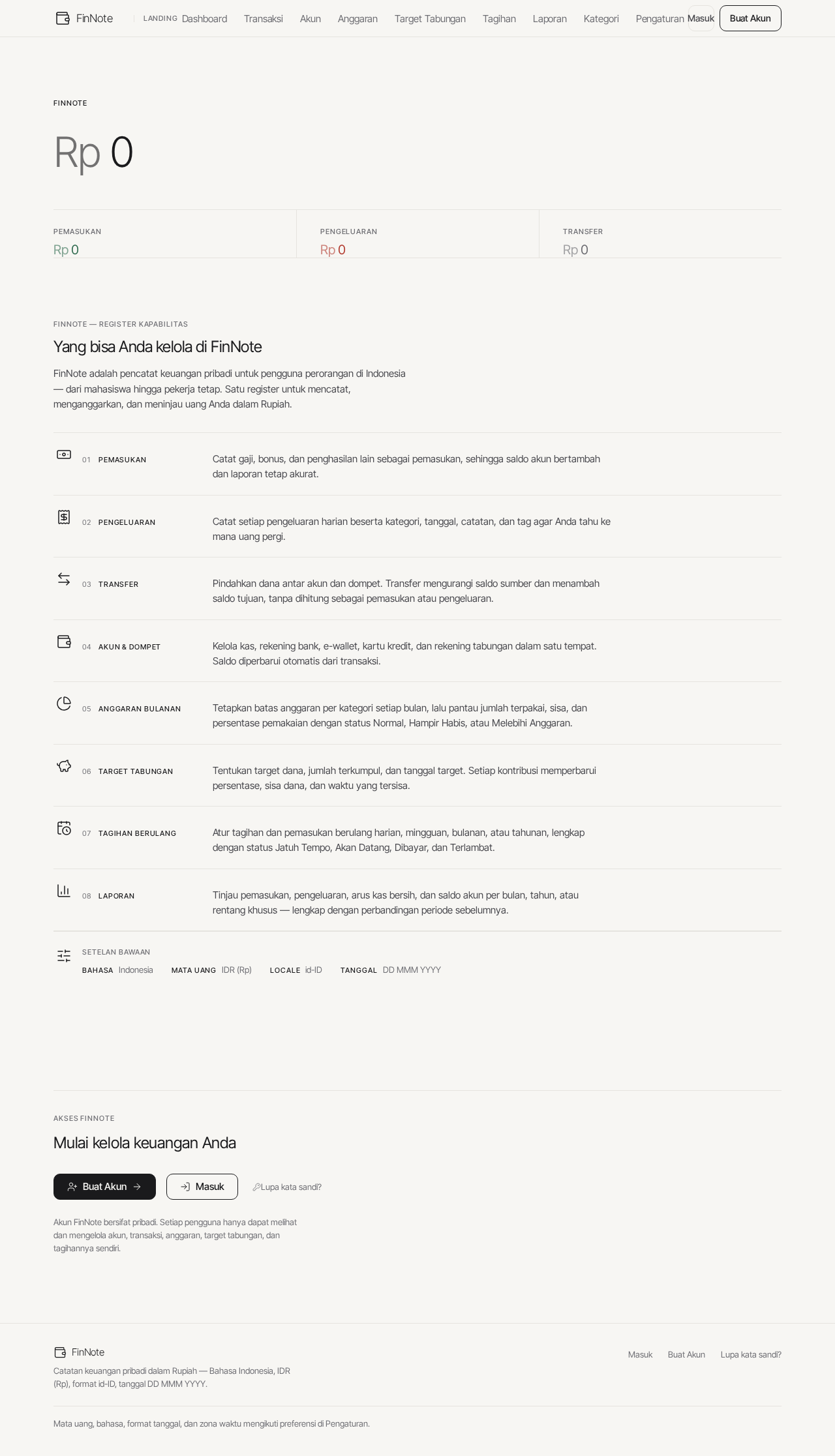
0total saldo saat ini
FinNote — Register Kapabilitas
Yang bisa Anda kelola di FinNote
FinNote adalah pencatat keuangan pribadi untuk pengguna perorangan di Indonesia — dari mahasiswa hingga pekerja tetap. Satu register untuk mencatat, menganggarkan, dan meninjau uang Anda dalam Rupiah.
Setelan bawaan
- BahasaIndonesia
- Mata UangIDR (Rp)
- Localeid-ID
- TanggalDD MMM YYYY
Mulai kelola keuangan Anda
Akun FinNote bersifat pribadi. Setiap pengguna hanya dapat melihat dan mengelola akun, transaksi, anggaran, target tabungan, dan tagihannya sendiri.
0total saldo saat ini
FinNote — Register Kapabilitas
Yang bisa Anda kelola di FinNote
FinNote adalah pencatat keuangan pribadi untuk pengguna perorangan di Indonesia — dari mahasiswa hingga pekerja tetap. Satu register untuk mencatat, menganggarkan, dan meninjau uang Anda dalam Rupiah.
Setelan bawaan
- BahasaIndonesia
- Mata UangIDR (Rp)
- Localeid-ID
- TanggalDD MMM YYYY
Mulai kelola keuangan Anda
Akun FinNote bersifat pribadi. Setiap pengguna hanya dapat melihat dan mengelola akun, transaksi, anggaran, target tabungan, dan tagihannya sendiri.
No comments yet. Be the first!