onyx-design
 Dev Kalyani
create a single design page calculator app

Comments (0)
Sign in to leave a comment
Project Tasks3
Implement CalculatorContainer for Calculator
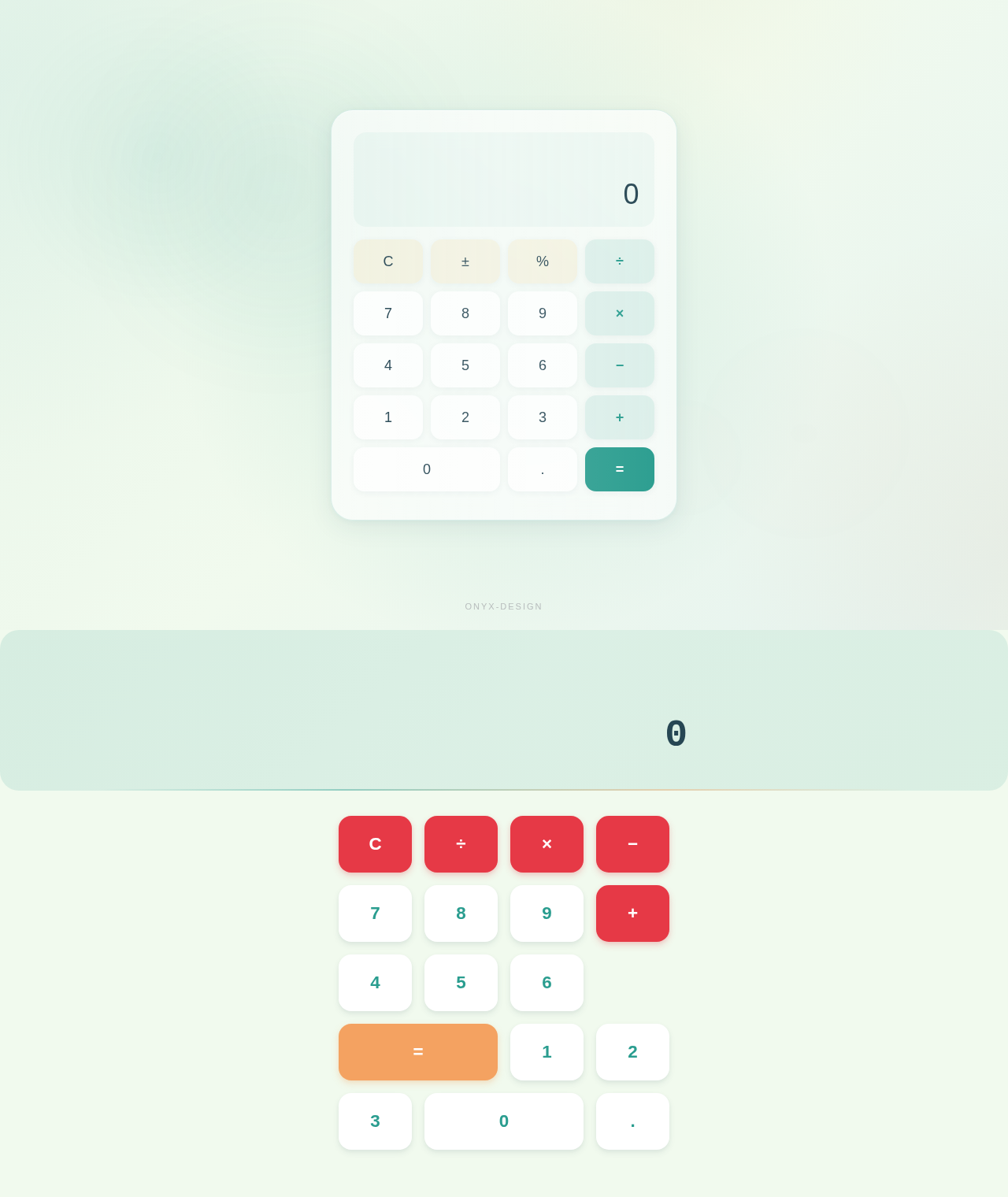
As a frontend developer, implement the CalculatorContainer section for the Calculator page. This is the root wrapper component that provides the animated background environment for the entire calculator. Implement mouse-tracking interactivity using useMotionValue, useSpring, and useTransform from framer-motion to create a dynamic HSL gradient background that shifts hue (base 174) based on cursor position within the wrapper (wrapperRef). Add three animated ambient orbs (cc-orb--teal, cc-orb--coral, cc-orb--gold) that scale and change opacity on hover using framer-motion animate. Track isHovering state to trigger orb animations. On mouseLeave, animate gradientHue back to 174 over 1.2 seconds. Apply CSS custom properties --cc-mouse-x and --cc-mouse-y via wrapperRef.current.style.setProperty on every mouse move. Entry animation: opacity 0 to 1 over 0.8s easeOut. Import and apply CalculatorContainer.css.
Implement CalculatorDisplay for Calculator
As a frontend developer, implement the CalculatorDisplay section for the Calculator page. This component manages the full calculator state and arithmetic logic. Implement useState hooks for: display (string, init '0'), prevValue, operation, resultFlash, isNewNumber (bool, init true), storedValue (null), hasError. Implement formatNumber to format integers with commas and preserve decimals. Implement calculate(a, b, op) for +, -, ×, ÷ with divide-by-zero returning 'Error'. Implement handleKeyPress for keyboard support: digits 0-9, decimal, +, -, * (maps to ×), / (maps to ÷, preventDefault), Enter/= for equals, Escape for clear, Backspace. Implement handleDigit (12 digit max), handleDecimal (no duplicate dot), handleOperation (chained calculations), handleEquals (trigger resultFlash), handleClear, handleBackspace. Use AnimatePresence from framer-motion for display value transitions. Import OPERATIONS map for operation labels. Import and apply CalculatorDisplay.css.
Implement CalculatorKeypad for Calculator
As a frontend developer, implement the CalculatorKeypad section for the Calculator page. Render a grid of 17 calculator keys defined in the keys array: C (clear), ÷, ×, −, +, =, digits 0-9, and decimal. Each key is a motion.button with whileHover (y: -6, type-specific boxShadow — coral red for operators/clear, sandy orange for equals, teal-dark for numbers) and whileTap (y: 1, scale: 0.95) using springConfig (stiffness: 300, damping: 20). Track pressedKey state and reset after 150ms timeout via handlePress. Apply dynamic classNames via getClassName: ck-key--operator, ck-key--equals, ck-key--clear, ck-key--zero. Each button includes an aria-label and a span.ck-key-label child. The '0' key uses ck-key--zero for wide grid span. Import and apply CalculatorKeypad.css.
No comments yet. Be the first!