onyx-design
 Dev Kalyani
create a single design page calculator app

Comments (0)
Sign in to leave a comment
System Requirements
Onyx-Design System Requirements Document
Introduction
The Onyx-Design project aims to create a simple, user-friendly calculator app. This document outlines the system requirements for the Onyx-Design project, focusing on delivering a clean, single-page design that emphasizes core functionalities such as addition, subtraction, multiplication, and division.
System Overview
The Onyx-Design project is a web-based calculator application designed to provide users with a straightforward and efficient tool for performing basic arithmetic operations. The application will be accessible via web browsers, ensuring compatibility across various devices and platforms. The primary goal is to maintain simplicity and ease of use, making it an ideal choice for users seeking a no-frills calculator experience.
Functional Requirements
- As a User, I should be able to perform addition.
- As a User, I should be able to perform subtraction.
- As a User, I should be able to perform multiplication.
- As a User, I should be able to perform division.
User Personas
- User: Individuals seeking a simple and efficient tool for basic arithmetic calculations. They value ease of use and quick access to essential calculator functions.
Visuals Colors and Theme
- primary: #2A9D8F (Teal)
- primary_light: #A8DADC (Light Teal)
- secondary: #E63946 (Coral Red)
- accent: #F4A261 (Sandy Orange)
- highlight: #E9C46A (Golden Yellow)
- bg: #F1FAEE (Off White)
- surface: rgba(42, 157, 143, 0.8) (Teal with transparency)
- text: #264653 (Dark Slate)
- text_muted: #6D6875 (Muted Gray)
- border: rgba(233, 69, 96, 0.2) (Coral Red with transparency)
Signature Design Concept
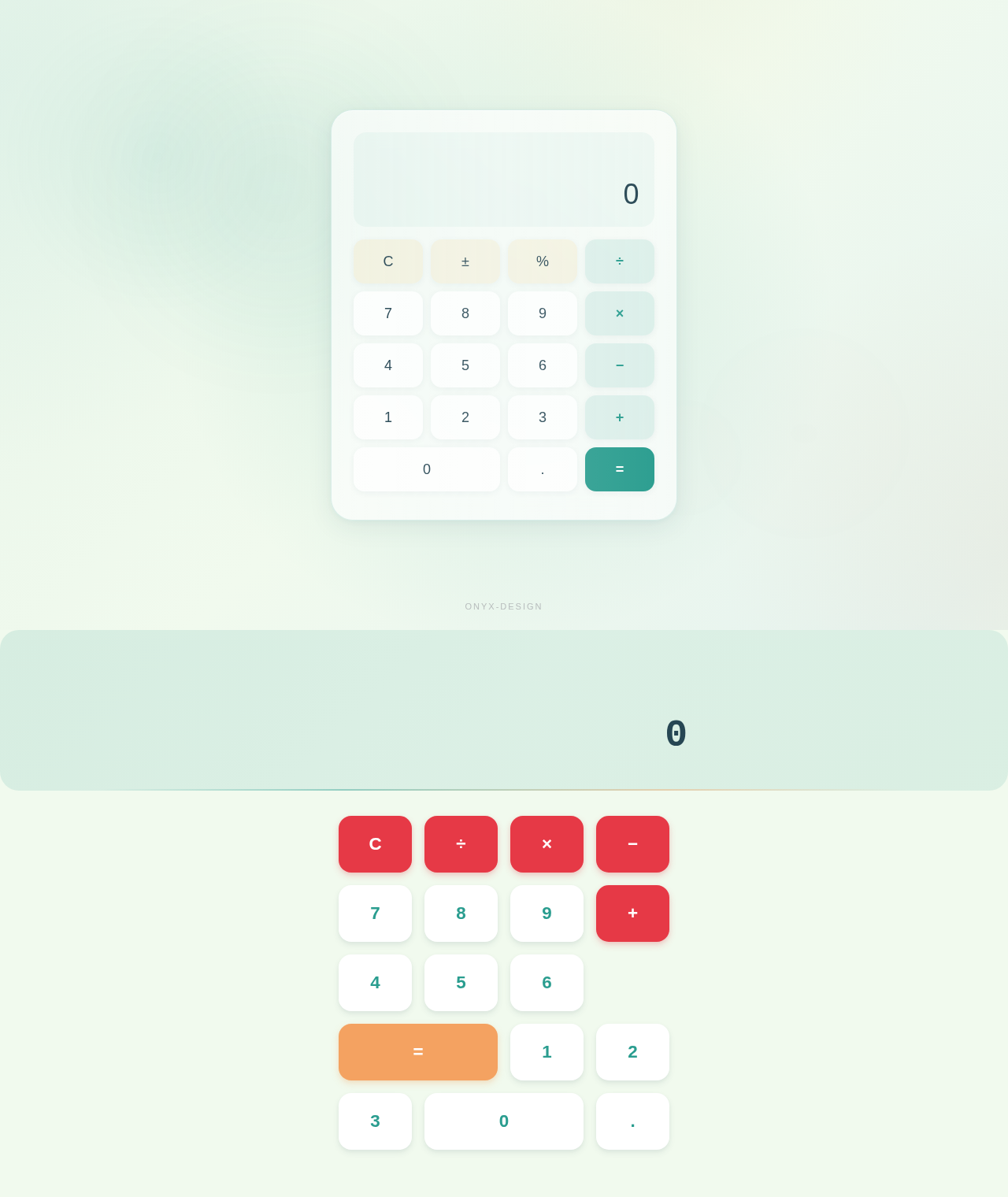
The Onyx-Design calculator app will feature a unique interactive design concept called "Floating Keypad." The homepage will present a minimalist interface where the calculator keys appear to float above the background. As users hover over each key, it will gently rise and cast a subtle shadow, creating a tactile and engaging experience. The keys will respond to clicks with a smooth, spring-like animation using framer-motion, enhancing the interactive feel. The background will feature a soft gradient that shifts subtly with user interactions, providing a dynamic yet calming visual experience.
Interaction Model & Motion Direction
The landing page will adopt an "animated" interaction model, featuring moderate scroll-triggered reveals and hover transitions. The calculator keys will utilize spring physics for interactive elements, ensuring a polished and responsive user experience. Internal pages, if any, will maintain a "static" layout to prioritize clarity and speed for data-heavy interactions.
Non-Functional Requirements
- The application must load within 2 seconds on standard broadband connections.
- The interface should be responsive and accessible on devices with varying screen sizes.
- The application should handle up to 100 concurrent users without performance degradation.
Tech Stack
- Frontend: React for Web
- Backend: FastAPI
- Database: Not applicable for this project as it is a simple calculator app without data persistence.
- Local orchestration: Docker
- Server-side orchestration: Kubernetes
Assumptions and Constraints
- The application will not require user authentication or data storage.
- The design will prioritize simplicity and ease of use over advanced features.
- The application will be developed and tested primarily for modern web browsers.
Glossary
- API: Application Programming Interface
- UI: User Interface
- UX: User Experience
- RDBMS: Relational Database Management System
- NoSQL: Non-relational Database
- VectorDB: Vector Database
This document provides a comprehensive overview of the Onyx-Design project's system requirements, ensuring a clear and focused approach to developing a simple and effective calculator application.
No comments yet. Be the first!