omega-application
 Muhammad Sarmad Nadeem
hey i want to build application in flutter application will todo app now what will you create for me
Comments (0)
Sign in to leave a comment
System Requirements
System Requirements Document (SRD) for Omega-Application
1. Introduction
The Omega-Application is a Flutter-based todo application designed to help users efficiently manage their tasks and stay organized. This document outlines the system requirements for the Omega-Application, ensuring clarity and alignment as we proceed with the development phase. The application will feature a clean, modern, and user-friendly interface, leveraging Flutter's cross-platform capabilities to deliver a seamless experience on both Android and iOS devices.
This document has been prepared for Muhammad Sarmad Nadeem in Pakistan (PK), with locale-specific considerations such as timezone (PKT) and language preferences.
2. System Overview
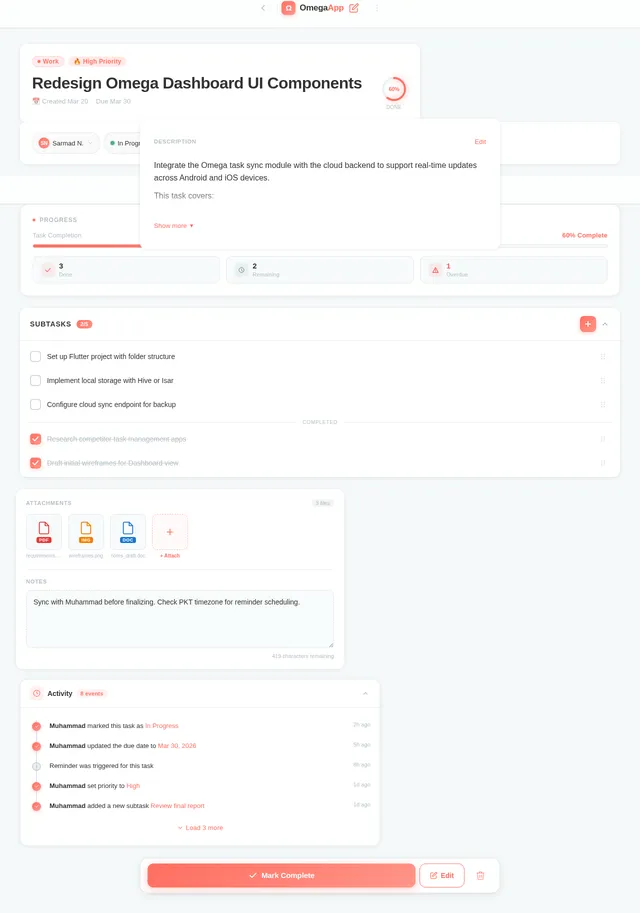
The Omega-Application is a task management tool that allows users to create, edit, delete, and categorize tasks. The app aims to provide an intuitive and minimalistic interface, ensuring ease of use for all users. Optional features like reminders, task prioritization, and completion tracking will enhance the user experience. The application will support both offline functionality and optional cloud synchronization for data backup and accessibility across devices.
Key highlights of the system:
- Platform: Flutter for cross-platform compatibility (Android and iOS).
- Backend: Optional backend for cloud sync, with local storage as the default.
- Design: Modern, minimalistic, and user-centric.
3. Functional Requirements
The functional requirements for the Omega-Application are as follows:
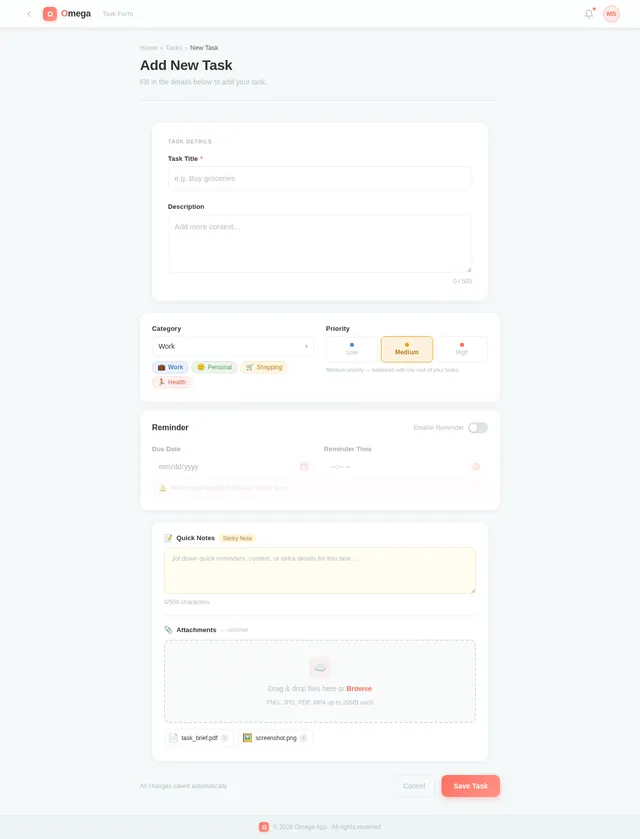
- As a User, I should be able to create new tasks.
- As a User, I should be able to edit existing tasks.
- As a User, I should be able to delete tasks.
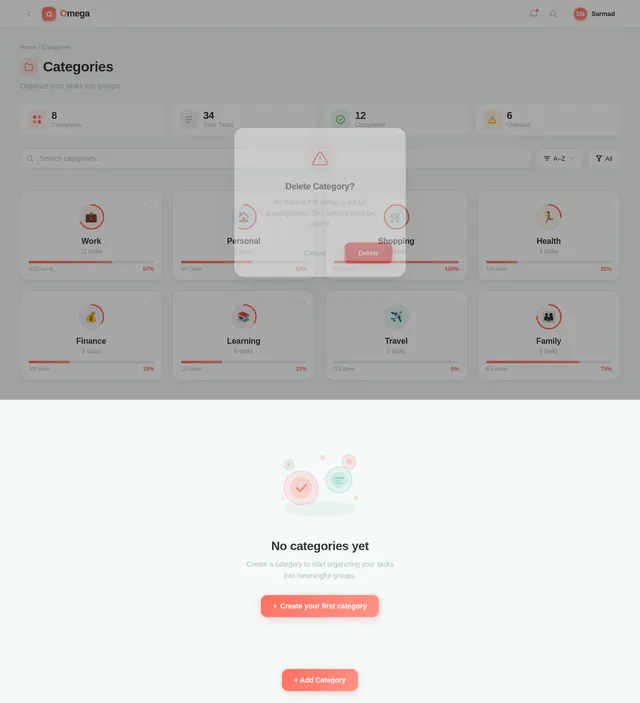
- As a User, I should be able to categorize tasks for better organization.
- As a User, I should be able to set reminders for tasks (optional).
- As a User, I should be able to assign priorities to tasks (optional).
- As a User, I should be able to track task completion status.
4. User Personas
The Omega-Application will cater to the following user personas:
-
General User:
- Primary user of the application.
- Needs a simple and effective way to manage daily tasks.
- May require optional features like reminders and task prioritization.
-
Admin (Optional):
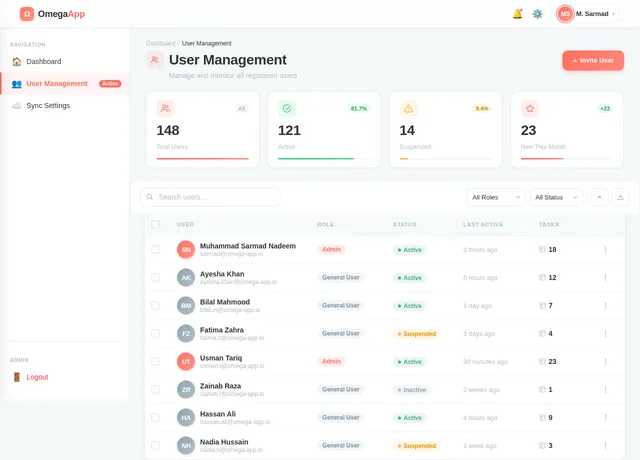
- Responsible for managing backend configurations (if cloud sync is implemented).
- Handles user data and ensures system reliability.
5. Visuals Colors and Theme
The Omega-Application will feature a unique and vibrant color palette to create a visually appealing and engaging user experience. Below is the proposed color scheme:
- Background: #F4F9F9 (soft mint green for a calming effect)
- Surface: #FFFFFF (pure white for clean and minimalistic surfaces)
- Text: #333333 (dark gray for high readability)
- Accent: #FF6F61 (vivid coral for actionable elements like buttons)
- Muted Tones: #B0BEC5 (light steel blue for secondary information)
This palette ensures a balance between functionality and aesthetics, providing a professional yet approachable look.
6. Signature Design Concept
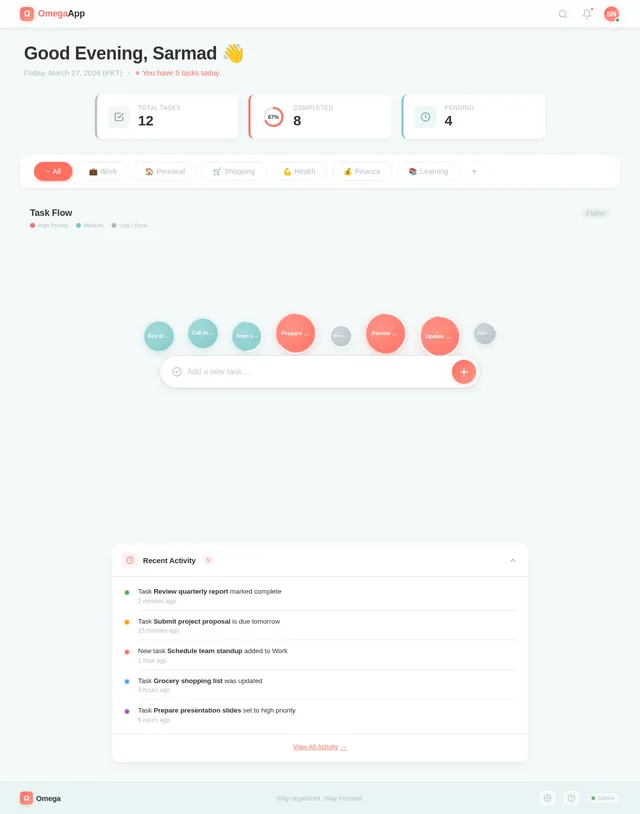
The Omega-Application will feature a "Dynamic Task Flow Dashboard" as its signature design concept.
Concept Details:
- Interactive Task Bubbles: The homepage will display tasks as interactive, floating bubbles. Each bubble represents a task, with its size and color indicating priority and completion status (e.g., larger, brighter bubbles for high-priority tasks).
- Drag-and-Drop Functionality: Users can drag and drop task bubbles into categories or reorder them based on priority.
- Subtle Animations: Task bubbles will gently pulse or expand when hovered over, creating a sense of interactivity and engagement.
- Progress Visualization: A circular progress bar around the task bubbles will show completion status, providing a quick visual summary of the user's productivity.
- Background Animation: A soft gradient background that shifts colors based on the time of day (e.g., warm tones in the morning, cool tones at night).
This concept will make the Omega-Application stand out as a visually captivating and highly interactive todo app.
7. Non-Functional Requirements
- Performance: The app should load within 2 seconds on standard devices.
- Scalability: The system should support up to 10,000 tasks per user without performance degradation.
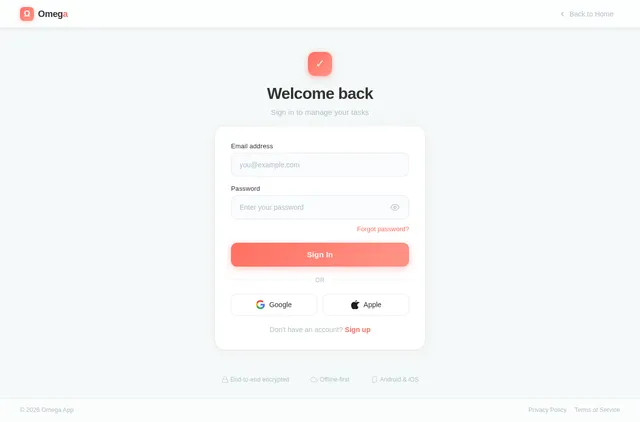
- Security: User data must be encrypted both in transit and at rest.
- Usability: The app should be intuitive and require minimal onboarding for new users.
- Localization: Support for English with potential for future localization into Urdu or other regional languages.
- Offline Access: The app should function offline, with data syncing when connectivity is restored.
8. Tech Stack
The following technologies will be used for the Omega-Application:
Frontend:
- Flutter: For cross-platform mobile app development.
Backend (Optional for Cloud Sync):
- Python: For backend logic.
- FastAPI: For building RESTful APIs.
Database:
- Local Storage: SQLite for offline functionality.
- Cloud Storage (Optional):
- MySQL: For relational data storage.
- Alembic: For database migrations.
AI Tools (Optional for Future Enhancements):
- GPT 5.2: For user-friendly responses in task suggestions or reminders.
Orchestration:
- Docker: For local development and deployment.
- Kubernetes: For server-side orchestration (if backend is implemented).
9. Assumptions and Constraints
Assumptions:
- Users will primarily access the app on mobile devices.
- The app will initially target English-speaking users in Pakistan.
- Cloud sync is optional and can be added in future iterations.
Constraints:
- Development will focus on mobile platforms (Android and iOS) only.
- The app must adhere to Flutter's design and performance guidelines.
10. Glossary
- Task Bubble: A visual representation of a task in the form of an interactive bubble.
- Cloud Sync: The ability to store and retrieve data from a remote server.
- SQLite: A lightweight database for local storage.
- Flutter: An open-source UI software development kit by Google.
- FastAPI: A modern web framework for building APIs with Python.
This document serves as the foundation for the development of the Omega-Application. With these requirements in place, we are ready to proceed with the design and development phases.
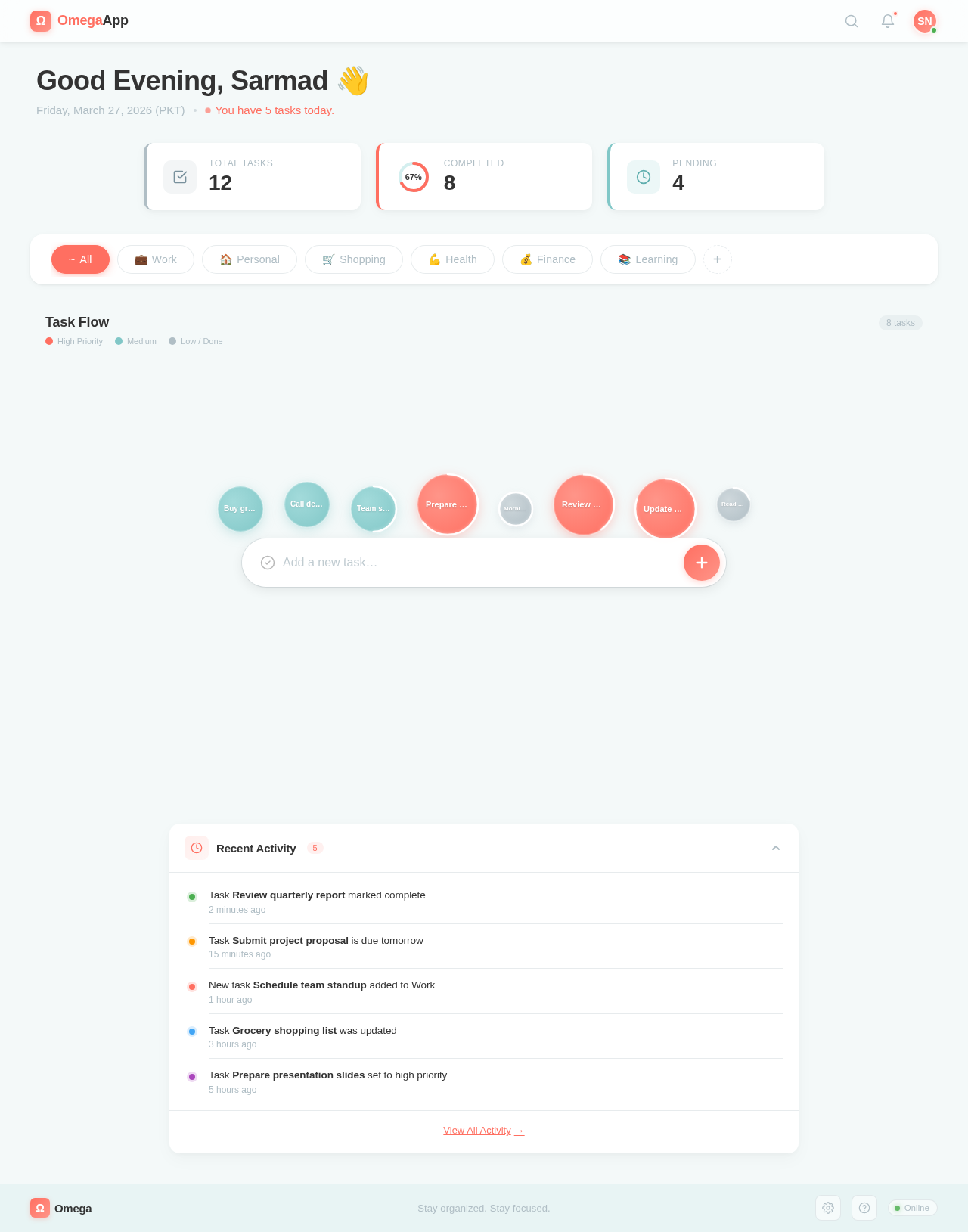
Good Afternoon, Sarmad 👋
Saturday, July 11, 2026 (PKT)
You have 5 tasks today.
No comments yet. Be the first!