nova-system
build simple single page design of calcultor

Comments (0)
Sign in to leave a comment
System Requirements
nova-system System Requirements Document
Introduction
The nova-system project is focused on developing a simple, single-page design for a calculator application. This document outlines the system requirements to guide the development process.
System Overview
The nova-system is a straightforward calculator application designed to perform basic arithmetic operations. The application will be a single-page web application, ensuring ease of use and accessibility.
Functional Requirements
- As a User, I should be able to perform basic arithmetic operations such as addition, subtraction, multiplication, and division.
- As a User, I should be able to clear the current input to start a new calculation.
- As a User, I should be able to view the result of my calculations immediately after pressing the equals button.
- As a User, I should be able to input numbers using an on-screen keypad.
User Personas
- User: An individual looking to perform basic arithmetic calculations quickly and efficiently using a web-based calculator.
Core User Flows
- User opens the calculator application -> User inputs numbers and selects operations -> User presses equals to view the result -> User clears input to start a new calculation.
Visuals Colors and Theme
- primary: #4A90E2 (a calming blue for the main interface)
- primary_light: #A6C8FF (a lighter blue for hover states)
- secondary: #F5A623 (a vibrant orange for emphasis and active states)
- accent: #50E3C2 (a contrasting green for call-to-action buttons)
- highlight: #F8E71C (a bright yellow for notifications and alerts)
- bg: #FFFFFF (a clean white for the background)
- surface: rgba(255, 255, 255, 0.9) (a subtle white for panels)
- text: #333333 (a dark grey for primary text)
- text_muted: #777777 (a softer grey for secondary text)
- border: rgba(0, 0, 0, 0.1) (a light grey for borders)
Signature Design Concept
The homepage of the nova-system calculator will feature an interactive, minimalist design where the calculator keypad and display are the focal points. The design will include a subtle animation where buttons gently expand when hovered over, providing a tactile feel. The background will have a soft gradient that shifts slightly as the user interacts with the calculator, creating a dynamic yet unobtrusive experience. This will be implemented using framer-motion for smooth animations and transitions.
Interaction Model & Motion Direction
The interaction model for the nova-system calculator will be "animated". The single-page design will feature hover transitions and smooth animations for button presses, enhancing the user experience without overwhelming the simplicity of the application.
Non-Functional Requirements
- The application should load quickly and be responsive on all modern web browsers.
- The design should be intuitive and require no learning curve for users.
- The application should be accessible and usable on both desktop and mobile devices.
Tech Stack
- Frontend: React for Web
- Backend: Not applicable (single-page application)
- Database: Not applicable (single-page application)
Assumptions and Constraints
- The application will not store any user data or history.
- The calculator will only perform basic arithmetic operations.
- The design will remain simple and uncluttered, focusing on usability.
Glossary
- Single-page application: A web application that interacts with the user by dynamically rewriting the current page rather than loading entire new pages from the server.
- Arithmetic operations: Basic mathematical operations including addition, subtraction, multiplication, and division.
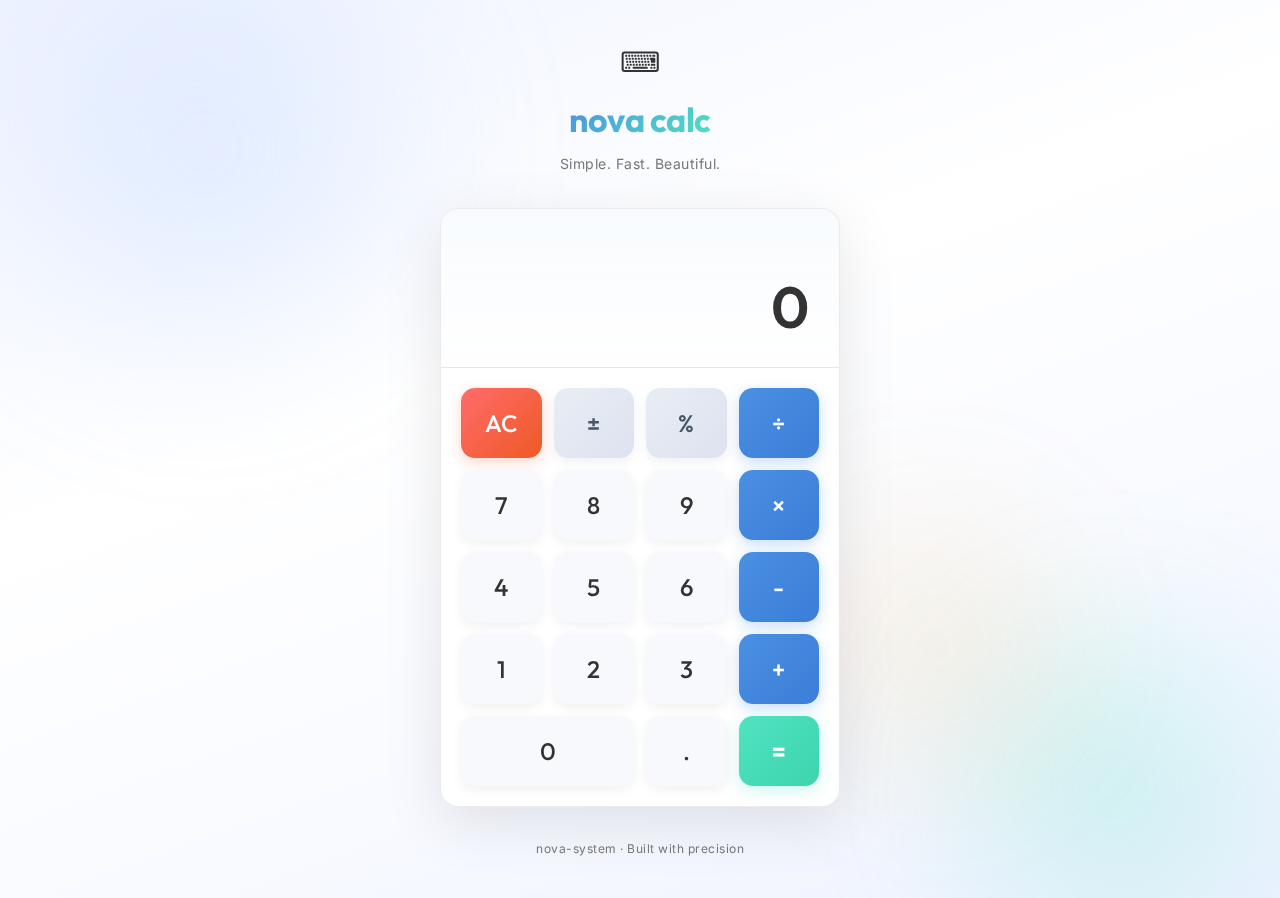
nova calc
Simple. Fast. Beautiful.
No comments yet. Be the first!