noble-banner
 Sitaraman Ramasamy
Put banner as signboard on gate


Comments (0)
Sign in to leave a comment
Project Tasks12
Implement Theme & Global Styles
As a user, I want the app to reflect the noble-banner brand theme so that all pages feel visually consistent. Implement the global color palette (Deep Navy #001F54, Metallic Silver #C0C0C0, Warm Gold #FFD700, Crisp White #FFFFFF), typography (Inter font family), CSS custom properties/design tokens, and shared layout structure across the scaffold. Remove any pages not in scope (login, signup, welcome, dashboard variants). This task must be completed before any page-specific implementation begins.
Implement Banner Design API
As a user, I want the backend to save and retrieve my banner design configurations so that my font, color, text, and layout choices persist across sessions. Implement FastAPI endpoints: POST /api/designs (create), GET /api/designs/{id} (retrieve), PUT /api/designs/{id} (update). Store banner text, font family, text color, background color, dimensions, and material selection in MySQL. Include Alembic migration for the designs table.
Implement Materials Catalog API
As a user, I want the backend to provide a catalog of available banner materials so that I can select the right weather-resistant option. Implement FastAPI endpoints: GET /api/materials (list all), GET /api/materials/{id} (detail). Each material includes name, description, UV resistance rating, waterproof rating, weight per sqm, mounting compatibility, texture image URL, and price per sqm. Seed database with PVC Flex, Aluminium Composite, and Vinyl Mesh entries.
Build Home Page
As a user, I want to visit the Home page and see an interactive 3D gate preview so that I can visualize my banner on a virtual gate. Implement the Home page based on the existing JSX design (v2). Includes: NavBar, interactive gate preview tool, gate dimensions input (width/height), live banner drag-and-drop, weather simulation toggle, and micro-interactions (soft glow, text embossing). Entry point for the primary user flow: Home → Design. Reference the existing Home (v2) design.
Build Design Page
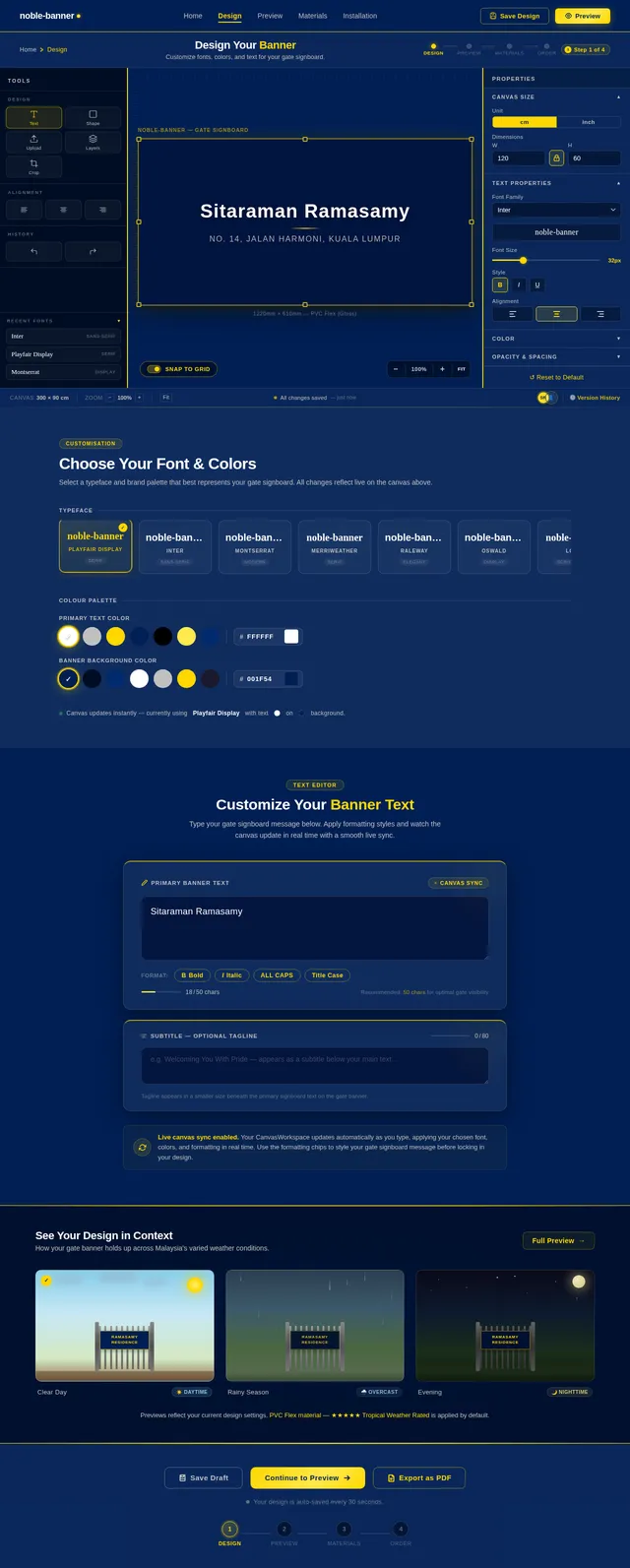
As a user, I want to use the Design page to choose fonts, colors, and customize my banner text so that I can create a personalized signboard. Implement the Design page based on the existing JSX design (v2). Includes: font picker (with live preview), color palette selector for text and background, banner text input with real-time preview, and navigation from Home and to Preview. User flow: Design ← Home → Design → Preview.
Build Materials Page
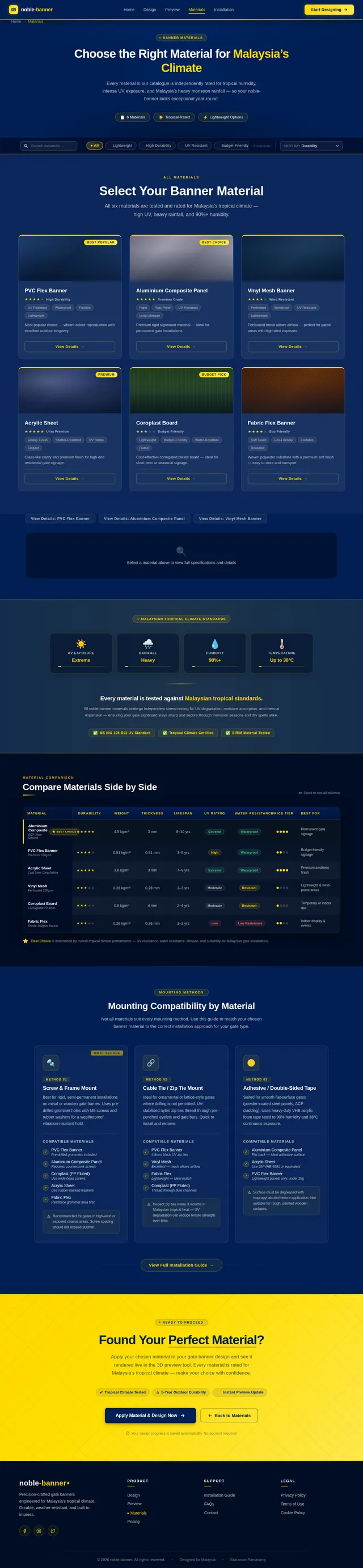
As a user, I want to browse and select weather-resistant materials for my banner on the Materials page so that I can ensure durability in Malaysian tropical conditions. Implement the Materials page based on the existing JSX design (v2). Includes: material cards (PVC Flex, Aluminium Composite, Vinyl Mesh) with texture thumbnails, durability ratings, UV/waterproof specs, tropical climate badges, and navigation from Preview to Order. User flow: Materials ← Preview → Materials → Order.
Build Installation Page
As an installer, I want to use the Installation page to view banner specs, review the mounting method, check the material guide, and confirm installation completion so that I can correctly mount the gate banner. Implement the Installation page based on the existing JSX design (v2). Includes: banner specifications display, mounting method guide (pre-drilled holes, cable tie mounts, adhesive strips), material handling instructions, and a completion confirmation step. User flow: Installation ← Home → Installation (Installer persona flow).
Implement Order & Pricing API
As a user, I want the backend to calculate my order pricing and save my order so that I can review itemized costs and place a final order. Implement FastAPI endpoints: POST /api/orders (create order with line items), GET /api/orders/{id} (retrieve), POST /api/orders/{id}/confirm (place order). Calculate: banner printing cost, material surcharge, mounting hardware, delivery fee, SST 8%, and grand total. Store delivery details and mounting method.
Implement AI Design Suggestions
As a user, I want the AI assistant to suggest fonts, colors, and banner text based on my gate type and preferences so that I can get personalized design recommendations. Integrate Langchain with Litellm to build a design suggestion chain: accept gate dimensions, material, and user preferences as input; return font recommendations, color palette suggestions, and sample banner text. Expose via POST /api/ai/suggest-design endpoint.
Build Preview Page
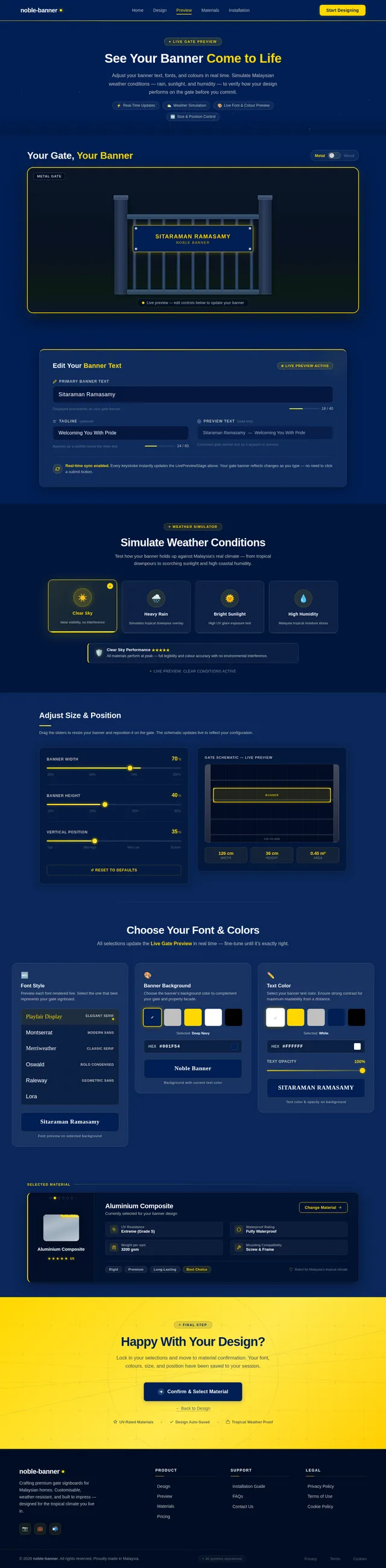
As a user, I want to use the Preview page to simulate weather effects and adjust my banner's size and position on the gate so that I can confirm the final look before ordering. Implement the Preview page based on the existing JSX design (v2). Includes: LivePreviewStage with gate environment, weather simulation controls (rain, sunlight, humidity), SizePositionAdjuster with range sliders and live schematic, font/color adjustments, and navigation from Design to Materials. User flow: Preview ← Design → Preview → Materials.
Build Order Page
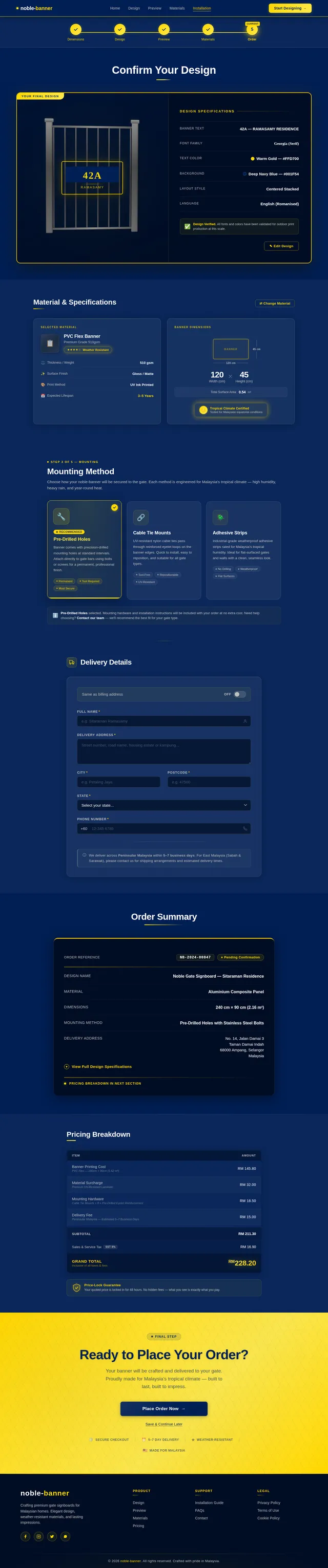
As a user, I want to use the Order page to confirm my banner design, review pricing, fill in delivery details, and place my order so that my custom gate banner can be produced and delivered. Implement the Order page based on the existing JSX design (v2). Includes: OrderProgressBar, DesignConfirmationPanel, MaterialAndSpecsSummary, MountingMethodSelector, DeliveryDetailsForm, OrderSummaryPanel, PricingBreakdown (with itemized costs, SST 8%, grand total in gold, Price-Lock Guarantee badge), and ConfirmationCTA. User flow: Order ← Materials → Order (end of primary user flow).
Integrate Frontend with Backend APIs
As a user, I want all frontend pages to communicate with the backend so that my design choices, material selections, and orders are persisted and retrieved correctly. Wire up: Home page gate dimensions → Design API, Design page → save/load design, Materials page → materials catalog API, Order page → order creation and pricing API, AI suggestions on Design page → AI suggest-design endpoint. Implement React Query or fetch-based API layer with loading and error states.

Design Your Perfect Gate Banner
Experience an immersive 3D gate preview with real-time customization. Choose weather-resistant materials built to withstand Malaysia’s tropical climate — rain, humidity, and sunlight.
Visualize Your Banner on a Real Gate
Drag, drop, resize, and edit your banner design on an interactive 3D gate model in real time.
Start With Your Gate Dimensions
Measure your gate’s opening width and height for a perfect fit.
Everything You Need to Design with Confidence
Powerful tools that let you visualize, test, and perfect your gate banner before it’s made.
Live Font & Color Preview
See your chosen fonts and colors rendered directly on the gate in real time. Experiment freely — every change updates the 3D preview instantly.
Weather Simulation
Visualize how your banner looks under rain, direct sunlight, and high humidity. Ensure your design stays vibrant through Malaysia’s tropical seasons.
Material Selector
Choose from premium weather-resistant materials — PVC Flex, Aluminium Composite, and Vinyl Mesh — each rated for Malaysia’s tropical climate.
Built to Withstand Malaysia’s Climate
Our banners are engineered to endure Malaysia’s demanding tropical conditions — intense UV rays, heavy monsoon rains, and persistent humidity. Each material is rigorously tested to maintain vivid colours, structural integrity, and a pristine appearance through every season.
From Vision to Gate in 4 Simple Steps
Design, preview, and order your custom gate banner in minutes.
Enter Gate Dimensions
Input your gate width and height so the banner fits perfectly to scale.
Choose Font, Colors & Text
Pick from elegant fonts, set your color palette, and type your message.
Preview with Weather Effects
See your banner on a 3D gate under rain, sunlight, and humidity simulations.
Select Material & Confirm
Choose a weather-resistant material rated for tropical climates and place your order.
Choose Your Material
Every material is rated for tropical climate durability — engineered to withstand high humidity, UV exposure, and heavy rainfall in Malaysia.
PVC Flex
Lightweight and versatile PVC flex material with high-resolution print quality. Ideal for vibrant gate signboards that withstand Malaysia’s tropical rain and humidity.
Aluminium Composite
Rigid aluminium composite panel offering a sleek metallic finish. Superior structural strength and corrosion resistance for long-lasting gate installations.
Vinyl Mesh
Perforated vinyl mesh that allows airflow, reducing wind load on your gate. Perfect for exposed locations while maintaining excellent print visibility.
Installing a Noble Banner?
Access detailed banner specifications, step-by-step mounting guides, and material handling instructions. Everything you need for a seamless gate installation — from pre-drilled hole templates to recommended hardware.
Ready to Design Your Gate Banner?
Experience our interactive 3D gate preview, choose from weather-resistant materials, and bring your vision to life — all in minutes.
No comments yet. Be the first!