noble-banner
 Sitaraman Ramasamy
Put banner as signboard on gate


Comments (0)
Sign in to leave a comment
System Requirements
System Requirements Document (SRD)
noble-banner
1. Introduction
The noble-banner project aims to design and implement a banner styled as a signboard to be displayed on a gate. This project is tailored to meet the specific needs of Sitaraman Ramasamy in Malaysia, ensuring that the design aligns with local aesthetics, cultural preferences, and environmental considerations. The banner will serve as a visually appealing and functional element, enhancing the overall appearance of the gate while delivering its intended message effectively.
2. System Overview
The noble-banner system will provide a customizable, durable, and visually striking banner that can be mounted on a gate as a signboard. The system will focus on:
- Aesthetic appeal to complement the gate's design.
- Durability to withstand weather conditions in Malaysia (tropical climate with high humidity and frequent rain).
- Easy installation and maintenance.
- Clear and legible messaging for viewers.
The project will incorporate modern design principles and materials to ensure both functionality and longevity.
3. Functional Requirements
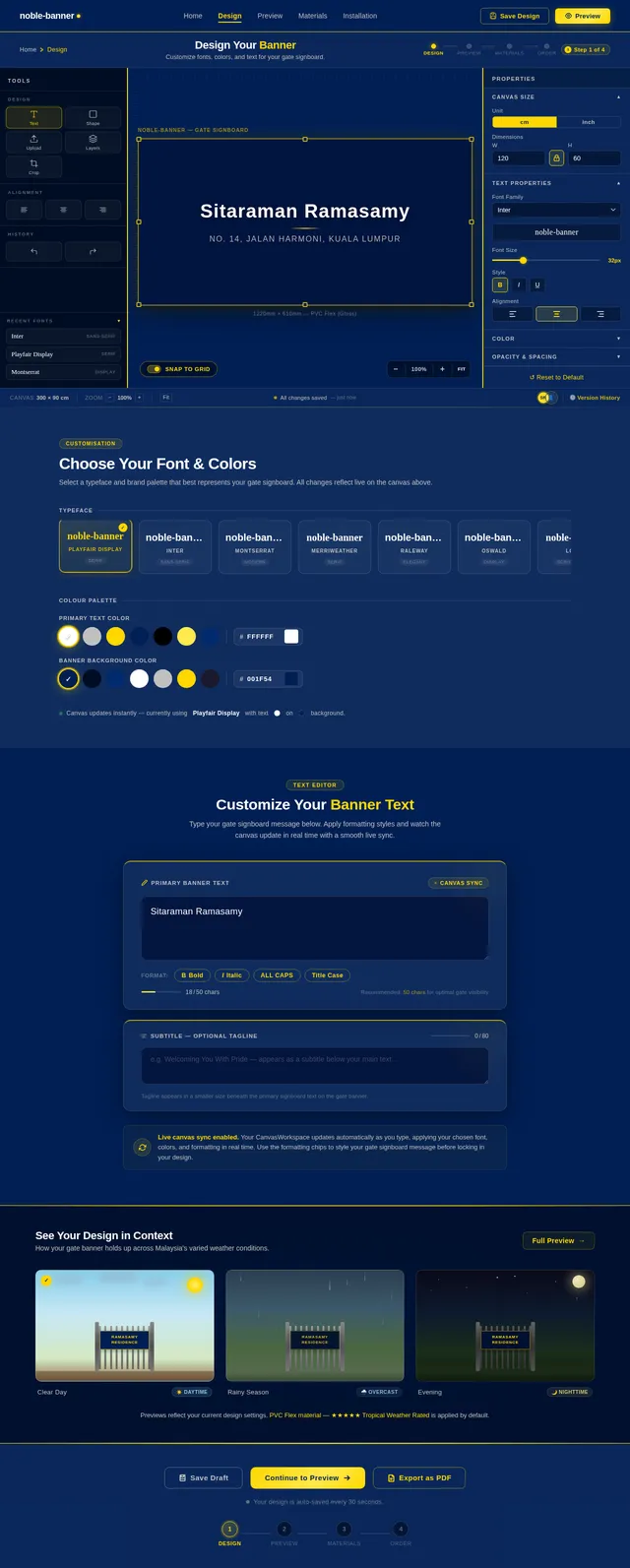
- As a User, I should be able to design a banner that fits the dimensions of the gate.
- As a User, I should be able to choose from a variety of fonts, colors, and styles for the banner text.
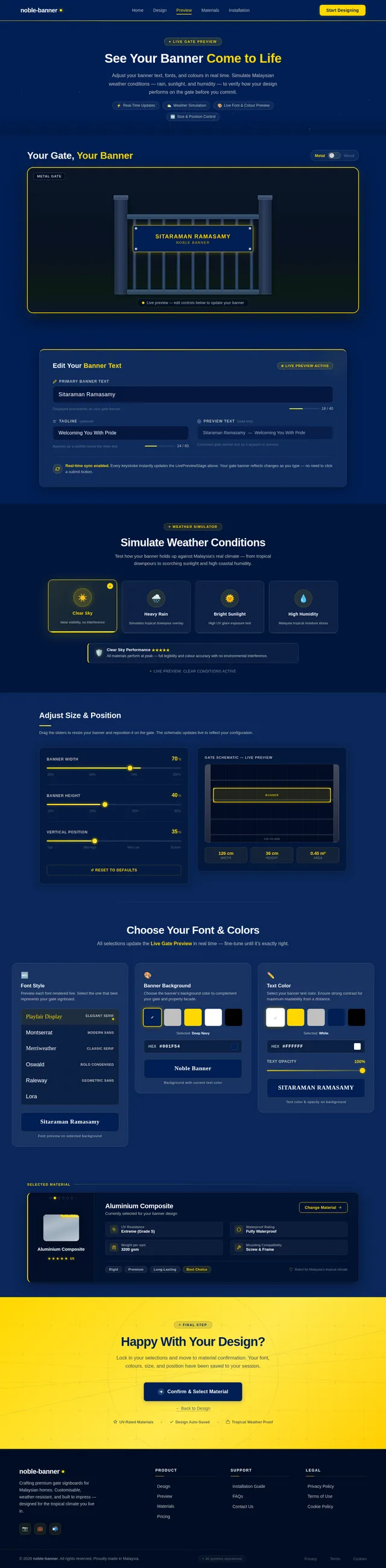
- As a User, I should be able to preview the banner design in a virtual gate environment.
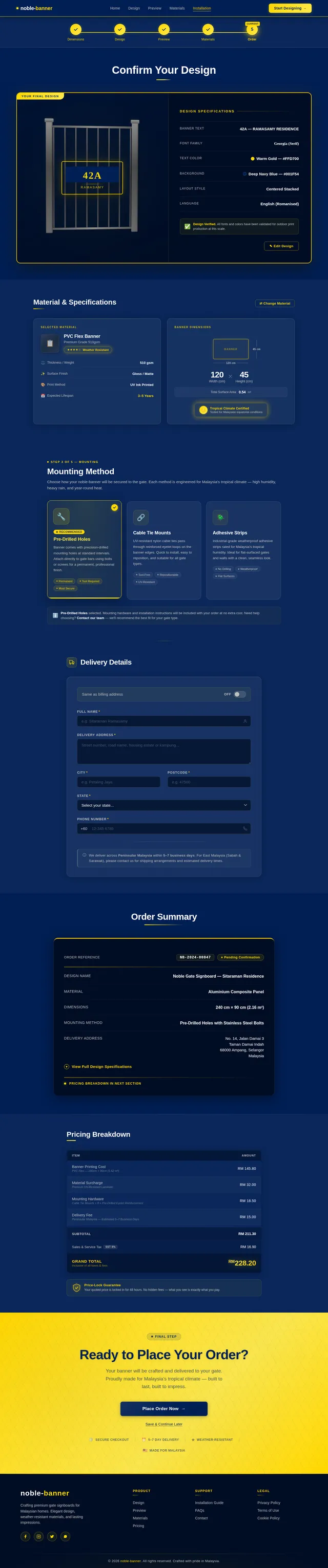
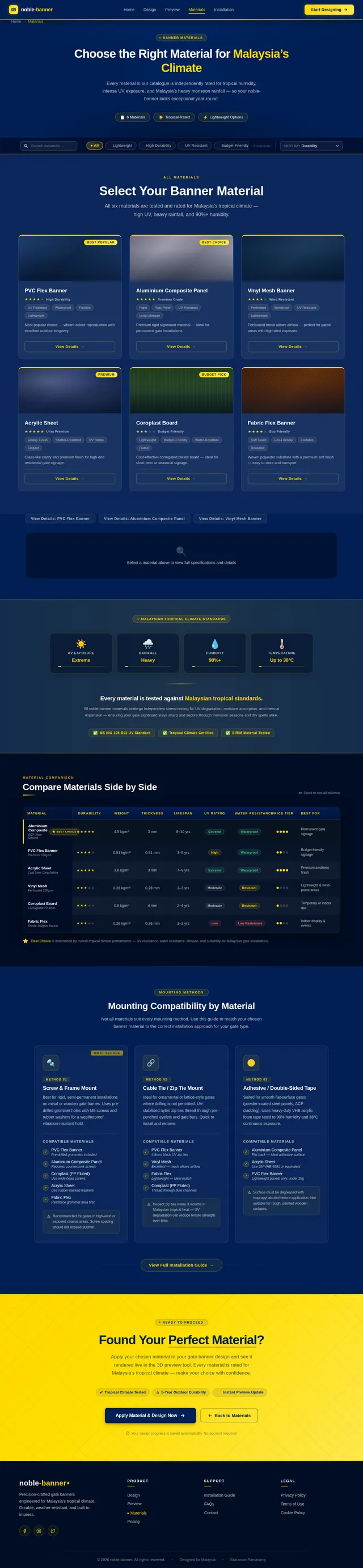
- As a User, I should be able to select weather-resistant materials for the banner.
- As a User, I should be able to specify the mounting method for the banner on the gate.
4. User Personas
-
Primary User (Sitaraman Ramasamy)
- Role: Owner of the gate where the banner will be installed.
- Goals: To have a visually appealing and durable signboard that enhances the gate's appearance.
- Needs: Customization options, weather resistance, and easy installation.
-
Installer
- Role: Responsible for mounting the banner on the gate.
- Goals: To have clear instructions and tools for installation.
- Needs: Lightweight materials, pre-drilled holes, or mounting accessories.
5. Visuals Colors and Theme
The banner design will incorporate a modern and elegant theme with the following color palette:
- Primary Colors:
- Deep Navy Blue (#001F54) for a professional and bold look.
- Metallic Silver (#C0C0C0) for accents and text.
- Secondary Colors:
- Warm Gold (#FFD700) for a luxurious touch.
- Crisp White (#FFFFFF) for high contrast and readability.
The theme will focus on clean lines, minimalistic design, and high contrast to ensure visibility from a distance.
6. Signature Design Concept
The noble-banner will feature a dynamic, interactive gate preview tool on the homepage.
Concept Details:
- The homepage will simulate a 3D interactive gate environment where users can drag and drop their banner design onto a virtual gate.
- Users can adjust the banner's size, position, and text in real-time, with smooth animations that mimic the actual installation process.
- The gate will have weather simulation effects (e.g., rain, sunlight) to showcase the durability of the selected materials.
- The banner text will have a live font preview feature, where users can see how different fonts and colors look on the gate.
- Micro-interactions: Hovering over the banner will show subtle animations like a soft glow or text embossing effect.
This immersive experience will make the design process engaging and memorable, ensuring users feel confident in their choices.
7. Non-Functional Requirements
- The system must support high-resolution visuals for accurate previews.
- The system must be responsive and work seamlessly on both desktop and mobile devices.
- The system must load the interactive gate preview within 3 seconds.
- The banner materials must comply with Malaysian weather standards for durability.
- The system must support English as the primary language, with potential for multilingual support in the future.
8. Tech Stack
- Frontend: React for Web
- Backend: Python with FastAPI
- Database: MySQL with Alembic for migrations
- AI Tools: Litellm for LLM routing, Langchain for interactive design suggestions
- Local Orchestration: Docker, docker-compose
9. Assumptions and Constraints
- The gate dimensions will be provided by the user before the design process begins.
- The banner will be mounted on a standard gate structure (metal or wood).
- The system will not handle the physical production of the banner; it will focus on design and visualization.
- The project will adhere to a timeline that accommodates design, testing, and user feedback phases.
10. Glossary
- Banner: A large piece of material displaying a message or design, intended for mounting on a gate.
- Signboard: A board displaying information or advertising, often used interchangeably with "banner" in this context.
- Interactive Gate Preview: A virtual tool that allows users to visualize their banner design on a simulated gate.
- Weather Simulation Effects: Visual effects that mimic environmental conditions like rain or sunlight.
This document outlines the updated requirements for the noble-banner project. If you have any additional inputs or changes, feel free to share, Sitaraman!

Design Your Perfect Gate Banner
Experience an immersive 3D gate preview with real-time customization. Choose weather-resistant materials built to withstand Malaysia’s tropical climate — rain, humidity, and sunlight.
Visualize Your Banner on a Real Gate
Drag, drop, resize, and edit your banner design on an interactive 3D gate model in real time.
Start With Your Gate Dimensions
Measure your gate’s opening width and height for a perfect fit.
Everything You Need to Design with Confidence
Powerful tools that let you visualize, test, and perfect your gate banner before it’s made.
Live Font & Color Preview
See your chosen fonts and colors rendered directly on the gate in real time. Experiment freely — every change updates the 3D preview instantly.
Weather Simulation
Visualize how your banner looks under rain, direct sunlight, and high humidity. Ensure your design stays vibrant through Malaysia’s tropical seasons.
Material Selector
Choose from premium weather-resistant materials — PVC Flex, Aluminium Composite, and Vinyl Mesh — each rated for Malaysia’s tropical climate.
Built to Withstand Malaysia’s Climate
Our banners are engineered to endure Malaysia’s demanding tropical conditions — intense UV rays, heavy monsoon rains, and persistent humidity. Each material is rigorously tested to maintain vivid colours, structural integrity, and a pristine appearance through every season.
From Vision to Gate in 4 Simple Steps
Design, preview, and order your custom gate banner in minutes.
Enter Gate Dimensions
Input your gate width and height so the banner fits perfectly to scale.
Choose Font, Colors & Text
Pick from elegant fonts, set your color palette, and type your message.
Preview with Weather Effects
See your banner on a 3D gate under rain, sunlight, and humidity simulations.
Select Material & Confirm
Choose a weather-resistant material rated for tropical climates and place your order.
Choose Your Material
Every material is rated for tropical climate durability — engineered to withstand high humidity, UV exposure, and heavy rainfall in Malaysia.
PVC Flex
Lightweight and versatile PVC flex material with high-resolution print quality. Ideal for vibrant gate signboards that withstand Malaysia’s tropical rain and humidity.
Aluminium Composite
Rigid aluminium composite panel offering a sleek metallic finish. Superior structural strength and corrosion resistance for long-lasting gate installations.
Vinyl Mesh
Perforated vinyl mesh that allows airflow, reducing wind load on your gate. Perfect for exposed locations while maintaining excellent print visibility.
Installing a Noble Banner?
Access detailed banner specifications, step-by-step mounting guides, and material handling instructions. Everything you need for a seamless gate installation — from pre-drilled hole templates to recommended hardware.
Ready to Design Your Gate Banner?
Experience our interactive 3D gate preview, choose from weather-resistant materials, and bring your vision to life — all in minutes.
No comments yet. Be the first!