170+
Target languages
Choose the language your audience speaks.
 Aryan Jadhav
Build a professional AI-powered video dubbing application called **LingoDub Studio**. ### Core Features 1. Allow users to upload **MP4 and other common video formats**. 2. Automatically detect the video's **source language**. 3. Let users select a **target language** from 170+ supported languages. 4. Transcribe the entire video from beginning to end with accurate **timestamps and speaker identification**. 5. Detect speaker changes and support **20+ different speakers/characters**. 6. Translate every dialogue naturally while preserving the original meaning, context, emotion, and timing. 7. Generate natural-sounding dubbed voices with different **male/female voices, accents, emotions, and speaking styles**. 8. Allow optional **voice cloning from an uploaded voice sample**, where supported. 9. Preserve the original **background music, sound effects, ambience, and cinematic audio**. 10. Separate dialogue from background audio before dubbing, then mix the new dialogue with the original background. 11. Synchronize dubbed speech with the original video's timing as closely as possible. 12. Keep the original video quality and resolution. 13. Provide **subtitles/captions** with the option to enable, disable, or edit them. 14. Provide an **audio/voice editor** where users can change speaker voices, volume, timing, emotion, pitch, and speed. 15. Process the **entire uploaded video**, not just a short sample. 16. Show processing progress and clear error messages. 17. When dubbing is complete, provide a separate **Dubbed Video** output that users can preview and save. 18. Make sure the final video has both **working video and audible dubbed audio**. ### UI Create a clean, modern, professional interface with: * Upload Video button * Video preview/player * Source Language * Target Language * Speaker Detection * Voice Selection * Voice Cloning * Subtitle Settings * Audio Mixing * Voice Editor * Start Dubbing button * Processing progress bar * Original Video and Dubbed Video sections * Download/Save output button Use a scalable architecture so additional AI models, languages, voices, and video-processing features can be added later. Use reliable speech-to-text, translation, text-to-speech/voice-generation, speaker-detection, audio-separation, and FFmpeg-based video/audio processing services. Handle long videos efficiently and never silently drop the original video or dubbed audio.

Sign in to leave a comment
LingoDub Studio · AI dubbing for full-length video
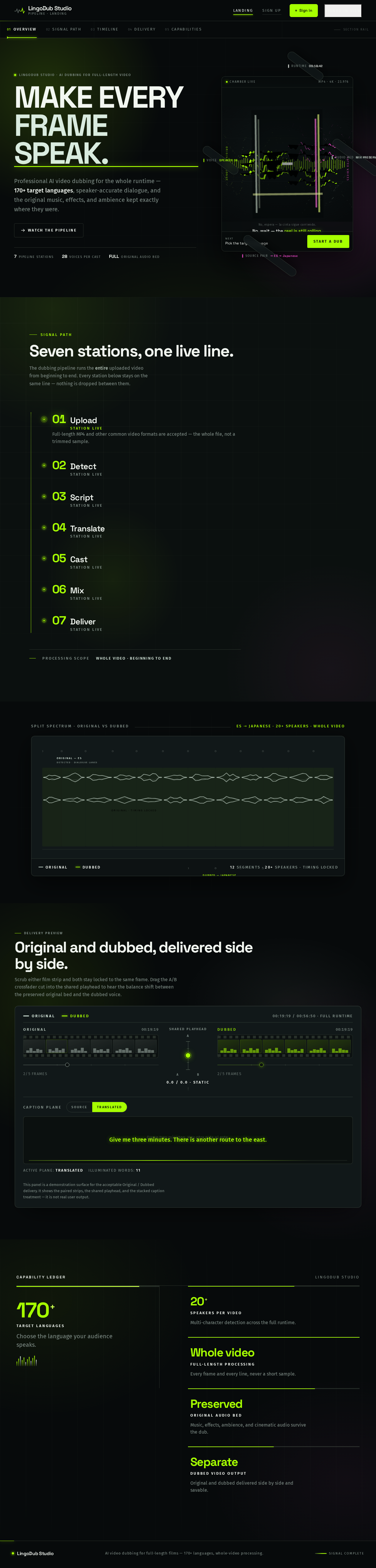
Professional AI video dubbing for the whole runtime — 170+ target languages, speaker-accurate dialogue, and the original music, effects, and ambience kept exactly where they were.
Signal Path
The dubbing pipeline runs the entire uploaded video from beginning to end. Every station below stays on the same line — nothing is dropped between them.
Scrub either film strip and both stay locked to the same frame. Drag the A/B crossfader cut into the shared playhead to hear the balance shift between the preserved original bed and the dubbed voice.
This panel is a demonstration surface for the acceptable Original / Dubbed delivery. It shows the paired strips, the shared playhead, and the stacked caption treatment — it is not real user output.
170+
Target languages
Choose the language your audience speaks.
20+
Speakers per video
Multi-character detection across the full runtime.
Whole video
Full-length processing
Every frame and every line, never a short sample.
Preserved
Original audio bed
Music, effects, ambience, and cinematic audio survive the dub.
Separate
Dubbed video output
Original and dubbed delivered side by side and savable.
LingoDub Studio · AI dubbing for full-length video
Professional AI video dubbing for the whole runtime — 170+ target languages, speaker-accurate dialogue, and the original music, effects, and ambience kept exactly where they were.
Signal Path
The dubbing pipeline runs the entire uploaded video from beginning to end. Every station below stays on the same line — nothing is dropped between them.
Scrub either film strip and both stay locked to the same frame. Drag the A/B crossfader cut into the shared playhead to hear the balance shift between the preserved original bed and the dubbed voice.
This panel is a demonstration surface for the acceptable Original / Dubbed delivery. It shows the paired strips, the shared playhead, and the stacked caption treatment — it is not real user output.
170+
Target languages
Choose the language your audience speaks.
20+
Speakers per video
Multi-character detection across the full runtime.
Whole video
Full-length processing
Every frame and every line, never a short sample.
Preserved
Original audio bed
Music, effects, ambience, and cinematic audio survive the dub.
Separate
Dubbed video output
Original and dubbed delivered side by side and savable.
No comments yet. Be the first!