moon-todo
by Diya Trivedi
Diya Trivedicreate a simple single page design of the todo application

Comments (0)
Sign in to leave a comment
Project Tasks
23 tasks#1
Generate system requirement document
0m 52s0.2 cr used
Done#2
Generate personas & user flows
0m 5s0.2 cr used
Done#7
Create flow for Todo User
0m 4sCredits in parent
Done#8
Todo
2m 16sCredits in subtasks
Done#11
Fix Todo review findings: The desktop wordmark wraps despite ample viewport width… (+1 more)
0m 12s0.4 cr used
Done#9
Todo / Hero
0m 13s1.6 cr used
Done#10
Todo / Workspace
0m 41s1.6 cr used
Done#4
Design remaining pages
Not recorded0.2 cr needed
Done#5
Architecture
0m 19s0.2 cr used
Done#12
Create frontend_modules diagram
0m 19sCredits in parent
Done#6
Workspace task plan
2m 8s0.2 cr used
Done#13
Show the live todo list, progress, and per-task removal
120 cr estimated
To Do#14
Add, complete, and clear tasks with live counts
120 cr estimated
To Do#15
Render task rows, remove items, and clear the finished batch
100 cr estimated
To Do#16
Review the current list with a matching progress arc
80 cr estimated
To Do#17
Keep the meta row and progress arc in step with the list
120 cr estimated
To Do#18
Show list status, progress arc, and empty state
100 cr estimated
To Do#19
Capture and remove tasks in the local list
100 cr estimated
To Do#20
Display the ordered list, toggle completion, and show the empty state
100 cr estimated
To Do#21
Todo list operations: add, complete, remove, and clear done
100 cr estimated
To Do#22
Completion ritual, progress arc, and task removal behavior
120 cr estimated
To Do#23
Task capture, local persistence, and completion summary
100 cr estimated
To Do#24
Wire the Todo page to live task behavior
120 cr estimated
To Do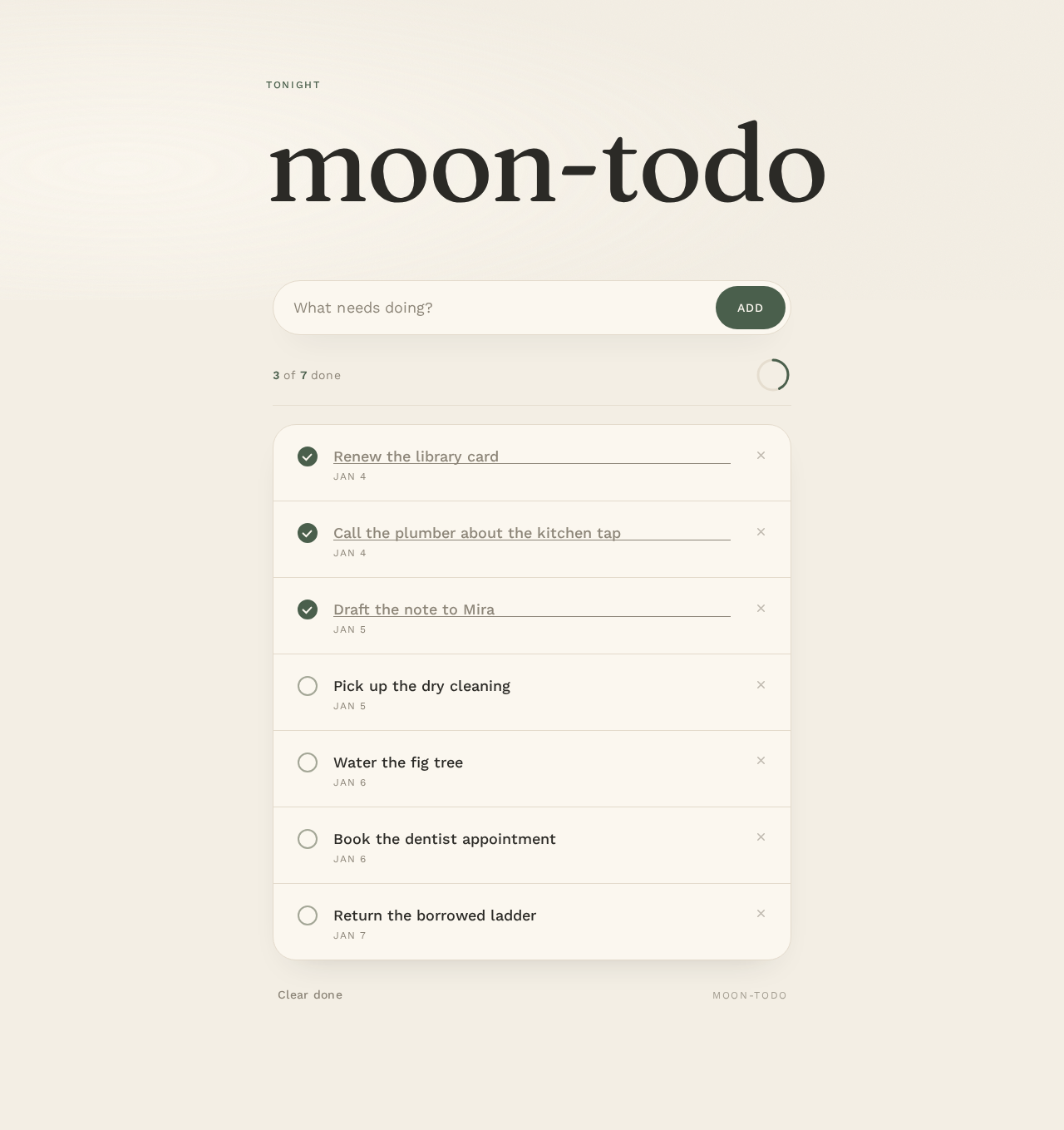
Tonight
moon-todo
Your tasks
- Renew the library cardJan 4
- Call the plumber about the kitchen tapJan 4
- Draft the note to MiraJan 5
- Pick up the dry cleaningJan 5
- Water the fig treeJan 6
- Book the dentist appointmentJan 6
- Return the borrowed ladderJan 7
Tonight
moon-todo
Your tasks
- Renew the library cardJan 4
- Call the plumber about the kitchen tapJan 4
- Draft the note to MiraJan 5
- Pick up the dry cleaningJan 5
- Water the fig treeJan 6
- Book the dentist appointmentJan 6
- Return the borrowed ladderJan 7
No comments yet. Be the first!