misty-design
creaet a project to build single page design for calculator

Comments (0)
Sign in to leave a comment
System Requirements
misty-design
Introduction
The "misty-design" project aims to create a single-page design for a calculator application. This document outlines the system requirements, user personas, core user flows, visual themes, and other relevant details to guide the development process.
System Overview
The misty-design project focuses on developing a user-friendly, visually appealing single-page calculator application. The design will prioritize ease of use, aesthetic appeal, and responsiveness across devices. The project will cater to users in India, considering locale-specific defaults such as currency and timezone.
Functional Requirements
- As a User, I should be able to perform basic arithmetic operations such as addition, subtraction, multiplication, and division.
- As a User, I should be able to clear the current input or result.
- As a User, I should be able to view the current input and result on the screen.
- As a User, I should be able to use the calculator on both desktop and mobile devices.
User Personas
- User: An individual who uses the calculator for basic arithmetic operations. This persona values simplicity and efficiency in the design.
Core User Flows
- User opens the calculator -> Inputs numbers and operations -> Views the result -> Clears input if needed -> Continues with further calculations.
Visuals Colors and Theme
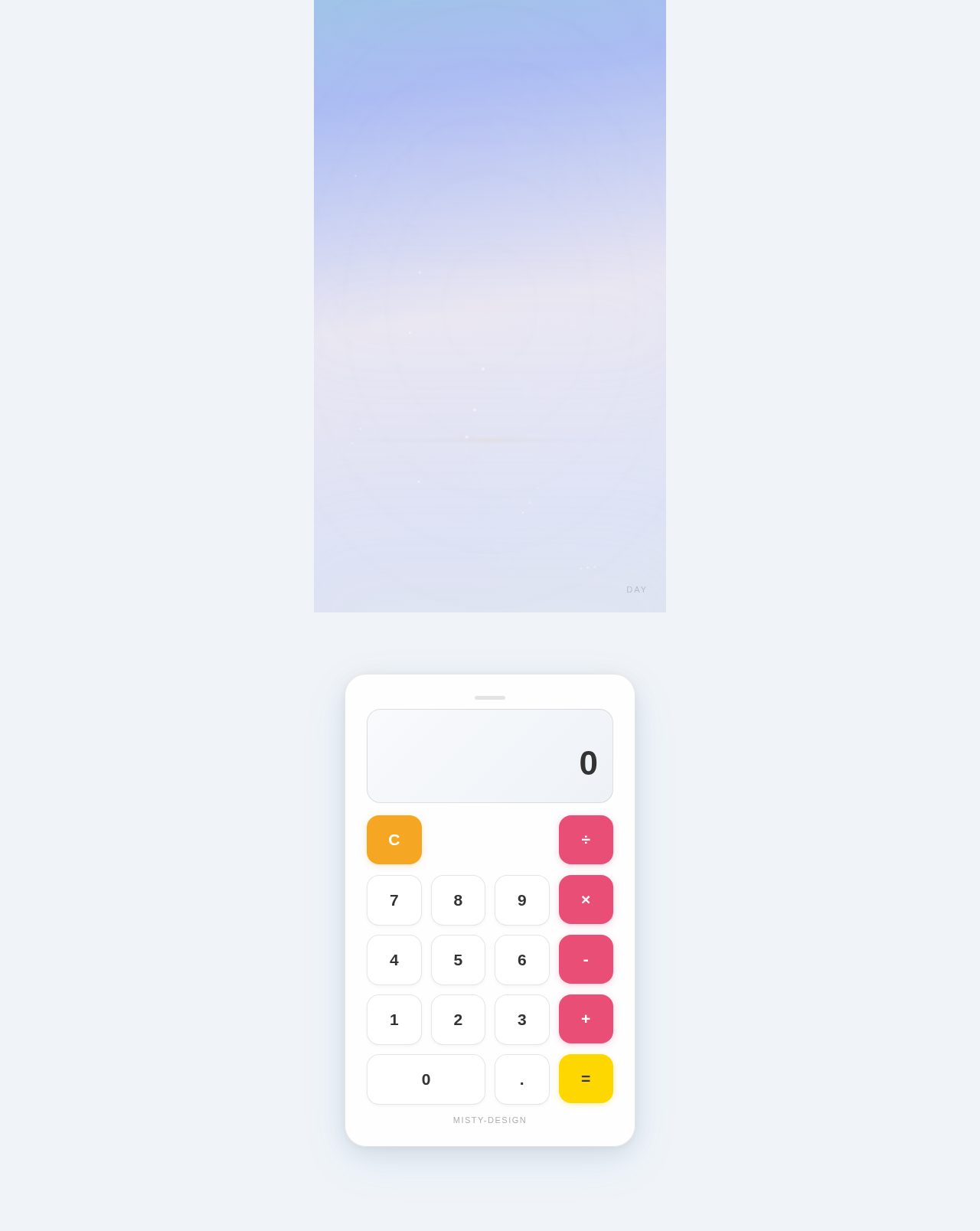
- primary: #4A90E2 (a calming blue for the main interface)
- primary_light: #A6C8FF (a lighter blue for hover states and secondary UI elements)
- secondary: #F5A623 (a warm orange for headlines and emphasis)
- accent: #E94E77 (a vibrant pink for call-to-action buttons and active states)
- highlight: #FFD700 (a bright gold for hover states and notifications)
- bg: #F0F4F8 (a soft gray for the background)
- surface: rgba(255, 255, 255, 0.9) (a white with slight transparency for cards/panels)
- text: #333333 (a dark gray for primary text)
- text_muted: #777777 (a lighter gray for secondary text)
- border: rgba(0, 0, 0, 0.1) (a subtle black for borders)
Signature Design Concept
The homepage of the misty-design calculator will feature an interactive "floating calculator" concept. The calculator interface will appear to float above a serene, misty landscape background that subtly shifts colors based on the time of day. Users can interact with the calculator by clicking and dragging it around the screen, creating a dynamic and engaging experience. The use of framer-motion will enable smooth transitions and animations, enhancing the interactive feel of the application.
Interaction Model & Motion Direction
The landing page will employ a "parallax" interaction model, providing a layered depth effect as users scroll. The calculator interface will remain in the normal flow, while the misty background will move at a different speed, creating a visually rich first impression. Internal pages, if any, will maintain a "static" interaction model for clarity and ease of use.
Non-Functional Requirements
- The application should load within 2 seconds on a standard internet connection.
- The design should be responsive and function seamlessly on both desktop and mobile devices.
- The application should be accessible, adhering to WCAG 2.1 AA standards.
Tech Stack
- Frontend: React for Web
- Backend: Not applicable (single-page design)
- Database: Not applicable (single-page design)
- AI Models: Not applicable
- AI Tools: Not applicable
- Local Orchestration: Docker
- Server-side Orchestration: Not applicable
Assumptions and Constraints
- The project is limited to a single-page design and does not include backend functionality.
- The design will prioritize simplicity and ease of use.
- The application will be optimized for performance and accessibility.
Glossary
- WCAG: Web Content Accessibility Guidelines
- Responsive Design: A design approach that ensures a website looks good on all devices (desktops, tablets, and phones).
- Parallax: A scrolling technique where background images move slower than foreground images, creating an illusion of depth.
No comments yet. Be the first!