
metro-booking

byDev Kalyani

make me a metro booking app make 8 pages

LandingLoginTicketsSearchBookingBookingsServicesReviews
Landing

Comments (0)

No comments yet. Be the first!

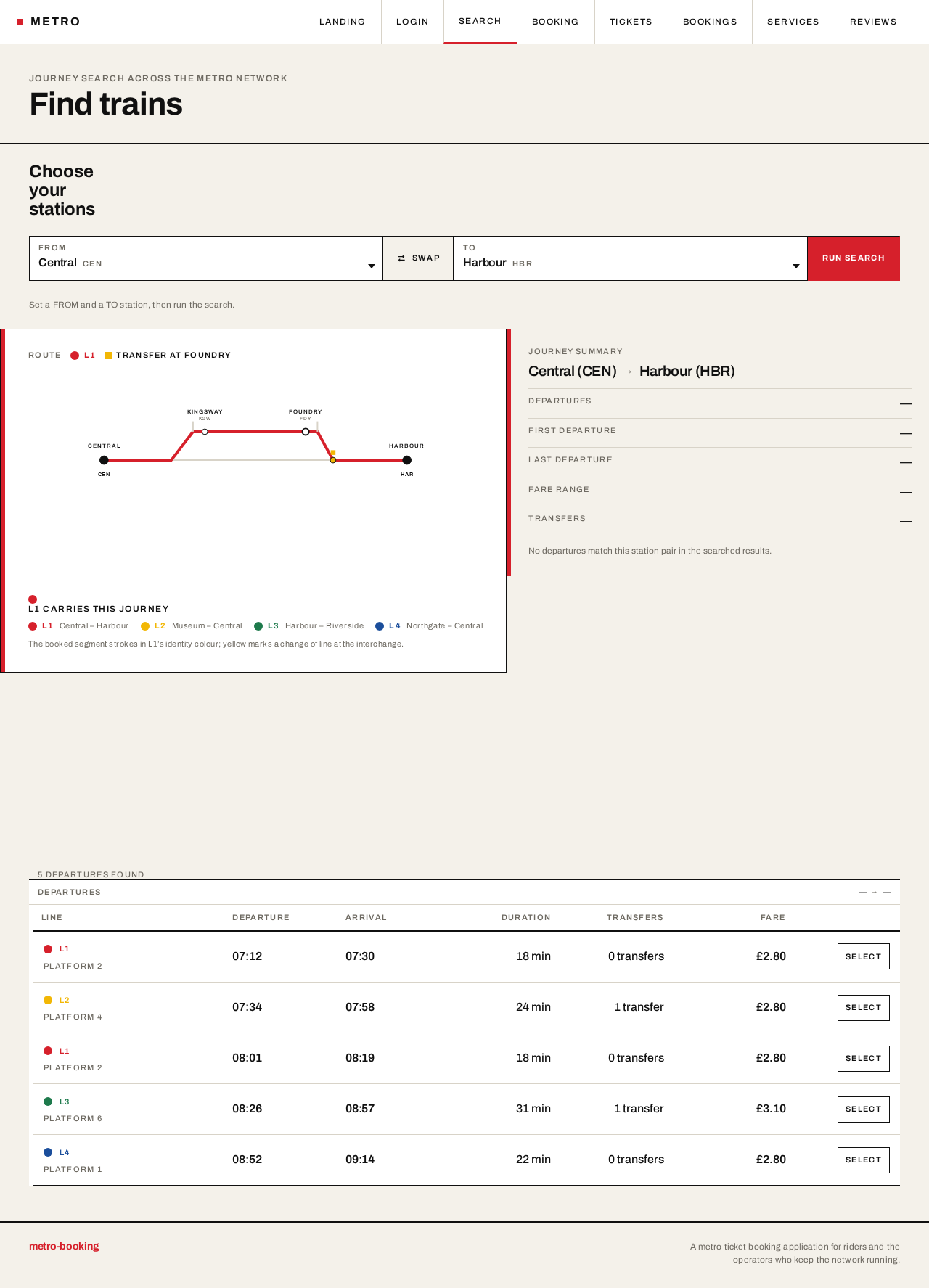
Search design preview
Landing: Enter anonymously, read network diagram
Landing: Read operator explanation
Login: Select Sign in
Login: 1. Submit provisioned credentials
Login: 2. Correct invalid credentials and resubmit
Login: 3. Read operator-provisioning note after access denied
Services: 1. Switch to Stations collection
Services: 2. Add or edit a station
Services: 3. Correct station validation failure and resave
Services: 4. Switch to Routes collection
Services: 5. Add or edit route with ordered station sequence
Services: 6. Correct route referencing unknown station
Services: 7. Switch to Schedules collection
Services: 8. Add or edit schedule with times and platforms
Services: 9. Correct schedule validation failure and resave
Services: 10. Switch to Fares collection
Services: 11. Add or edit fare for route or station pair
Services: 12. Correct fare with no route and resave
Services: 13. Deactivate a catalog entry
Services: 14. Retry failed deactivation
Reviews: 15. Review issued bookings and tickets
Reviews: 16. Retry failed reviews load
Reviews: 17. Filter record by date, line or status
Reviews: 18. Select row to open booking detail
Reviews: 19. Trace bad booking back to catalog entry
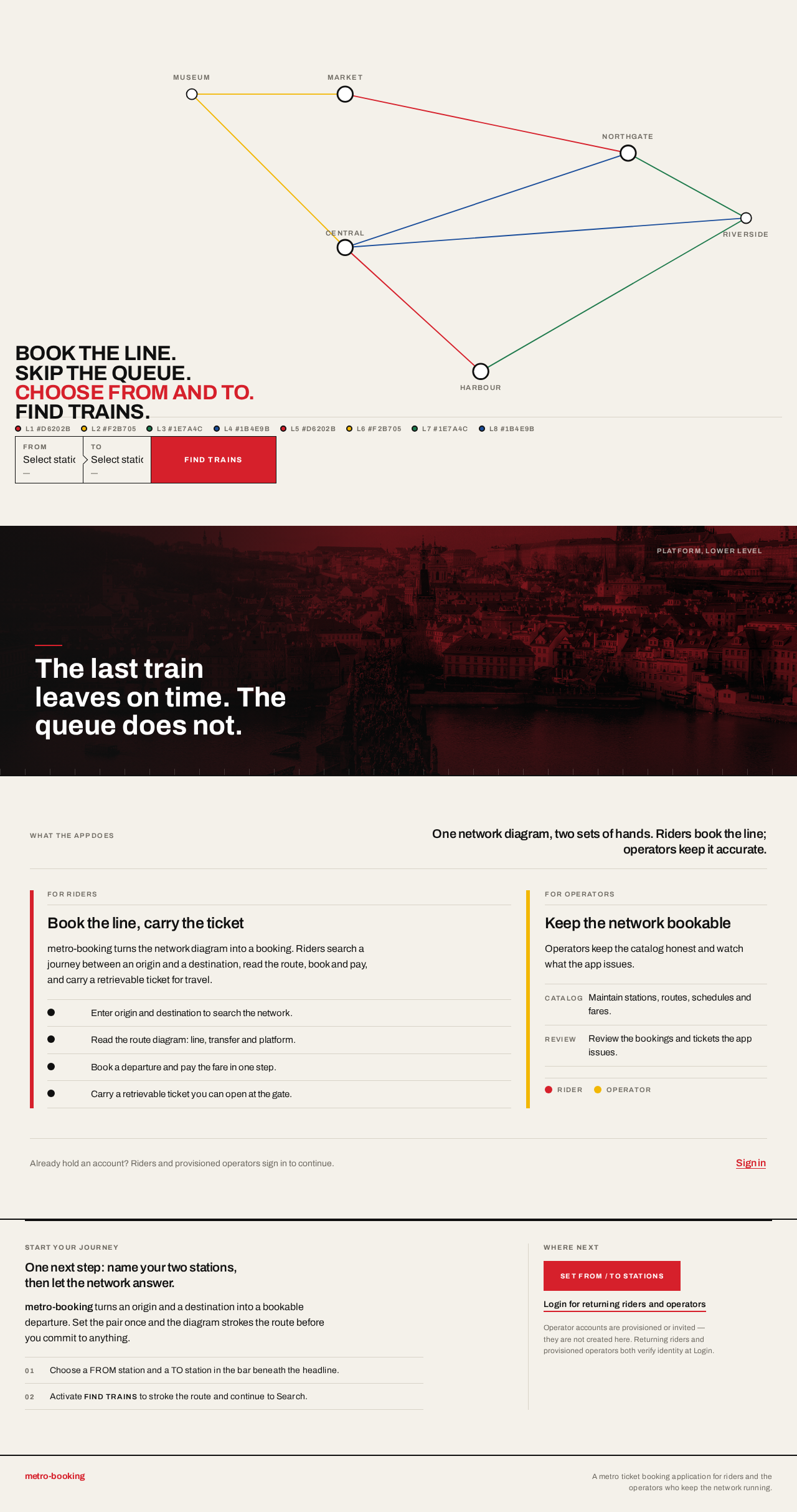
Landing design preview
Landing: Enter anonymously, read network diagram
Landing: Read operator explanation
Login: Select Sign in
Login: 1. Submit provisioned credentials
Login: 2. Correct invalid credentials and resubmit
Login: 3. Read operator-provisioning note after access denied
Services: 1. Switch to Stations collection
Services: 2. Add or edit a station
Services: 3. Correct station validation failure and resave
Services: 4. Switch to Routes collection
Services: 5. Add or edit route with ordered station sequence
Services: 6. Correct route referencing unknown station
Services: 7. Switch to Schedules collection
Services: 8. Add or edit schedule with times and platforms
Services: 9. Correct schedule validation failure and resave
Services: 10. Switch to Fares collection
Services: 11. Add or edit fare for route or station pair
Services: 12. Correct fare with no route and resave
Services: 13. Deactivate a catalog entry
Services: 14. Retry failed deactivation
Reviews: 15. Review issued bookings and tickets
Reviews: 16. Retry failed reviews load
Reviews: 17. Filter record by date, line or status
Reviews: 18. Select row to open booking detail
Reviews: 19. Trace bad booking back to catalog entry