meteor-simple
by Milan Ajudiya
Milan Ajudiyabuild a simple to do list


Comments (0)
Sign in to leave a comment
Project Tasks
57 tasks#1
Generate system requirement document
1m 52s0.05 cr used
Done#2
Generate personas & user flows
0m 7s0.05 cr used
Done#5
Architecture
0m 19s0.05 cr used
Done#6
Workspace task plan
3m 49s0.05 cr used
Done#7
Create flow for Task owner
0m 6sCredits in parent
Done#8
Landing
3m 30sCredits in subtasks
Done#9
Sign Up
4m 44sCredits in subtasks
Done#10
Tasks
10m 1sCredits in subtasks
Done#11
Login
7m 46sCredits in subtasks
Done#12
Landing / Wordmark
0m 51s0.85 cr used
Done#13
Landing / Hero
1m 1s0.85 cr used
Done#14
Landing / Entry Links
0m 54s0.85 cr used
Done#15
Landing / Footer
0m 0s0.85 cr used
Done#16
Footer
0m 50sCredits in parent
Done#17
Sign Up / Navigation
0m 0s0.85 cr used
Done#18
Sign Up / Wordmark
0m 27s0.85 cr used
Done#19
Sign Up / Enrollment Form
1m 21s0.85 cr used
Done#20
Sign Up / Footer
0m 0s0.85 cr used
Done#21
Navigation
0m 23sCredits in parent
Done#22
Tasks / Navigation
0m 0s0.85 cr used
Done#23
Tasks / Identity Header
0m 20s0.85 cr used
Done#24
Tasks / Add Line
1m 4s0.85 cr used
Done#25
Tasks / List Workspace
1m 12s0.85 cr used
Done#26
Tasks / Footer
0m 0s0.85 cr used
Done#27
Login / Navigation
0m 1s0.85 cr used
Done#28
Login / Wordmark
0m 18s0.85 cr used
Done#29
Login / Sign In Form
1m 9s0.85 cr used
Done#30
Login / Footer
0m 1s0.85 cr used
Done#31
Fix Tasks: The add row is never disabled during the list load, contradicting the SRD loading state…
1m 29sCredits unavailable
Done#32
Fix Tasks: The corner status mark is computed from a second independent read, when no session owner…
2m 13sCredits unavailable
Done#33
Fix Tasks review findings: frontend/src/components/Tasks Add Line.jsx: the add row is… (+1 more)
1m 17s0.02 cr used
Done#34
Create backend_modules diagram
0m 13sCredits in parent
Done#35
Create er_diagram diagram
0m 13sCredits in parent
Done#36
Create frontend_modules diagram
0m 13sCredits in parent
Done#37
Create sequence diagram
0m 13sCredits in parent
Done#38
Create service_network diagram
0m 12sCredits in parent
Done#39
Persist and manage the owner's task list
120 cr estimated
To Do#40
Let a visitor create their own account
100 cr estimated
To Do#41
Verify returning owners and open their saved list
100 cr estimated
To Do#42
Add, complete, and delete tasks with retry on failure
120 cr estimated
To Do#43
Serve the owner's workspace and task completion
120 cr estimated
To Do#44
Load the list and keep additions and deletions in sync
120 cr estimated
To Do#45
Keep the list accurate and end the owner's session
120 cr estimated
To Do#46
Enforce owner isolation and sign-out
120 cr estimated
To Do#47
Add tasks and recover from failed saves in the Tasks workspace
120 cr estimated
To Do#48
Keep each owner's list private, durable, and restorable
120 cr estimated
To Do#49
End sessions and route signed-in visitors from Landing
60 cr estimated
To Do#50
Scope task reads, completion, and deletion to the signed-in owner
120 cr estimated
To Do#51
Verify returning owners at Login and recover from failures
120 cr estimated
To Do#52
Persist task completion and restore lists across sessions
100 cr estimated
To Do#53
Load, add, and complete tasks from durable owner-scoped state
120 cr estimated
To Do#54
Enroll owners on Sign Up and land them on an empty list
100 cr estimated
To Do#55
Application-owned sign-up, login, and session authentication
120 cr estimated
To Do#56
Landing entry links route visitors to Sign Up, Login, or Tasks
60 cr estimated
To Do#57
Tasks workspace: view, add, complete, delete, and sign out
120 cr estimated
To Do#58
Login verifies returning owners and loads their saved list
80 cr estimated
To Do#59
Sign Up enrolls the owner and opens their empty list
80 cr estimated
To Do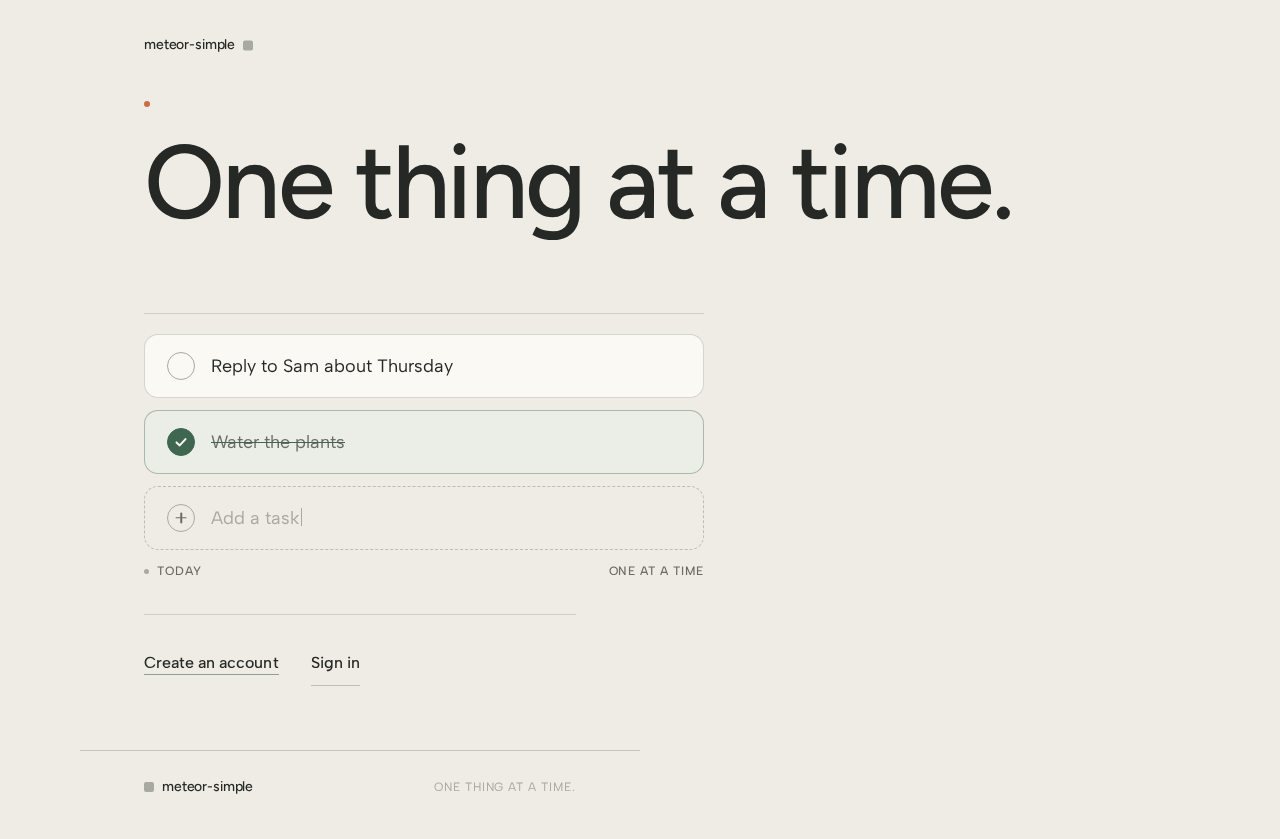
No comments yet. Be the first!