Design
The Principles of Minimal Design in Modern Web Interfaces
Exploring how flat, minimal aesthetics with soft colors and clean typography create authentic and timeless user experiences that stand out.
 Nirmal Panchal
create a unique minimal rich design blog card.

Sign in to leave a comment
As a frontend developer, I want to implement the global theme and structural layout from the mock-design pages so that all pages (Home, Login, Dashboard, Blog Post, Card Editor) look identical to the designed JSX mockups. This includes setting up CSS custom properties for the color palette (#F9F9F9, #EDEDED, #333333, #666666, #4A90E2, #6ABF69, #DADADA), Roboto/Open Sans typography, flat design tokens, shared NavBar and Footer components, and removing any scaffold pages not present in the design (welcome page, dashboard/ai-assistant, dashboard/settings). This task must be completed before all other page implementation tasks.
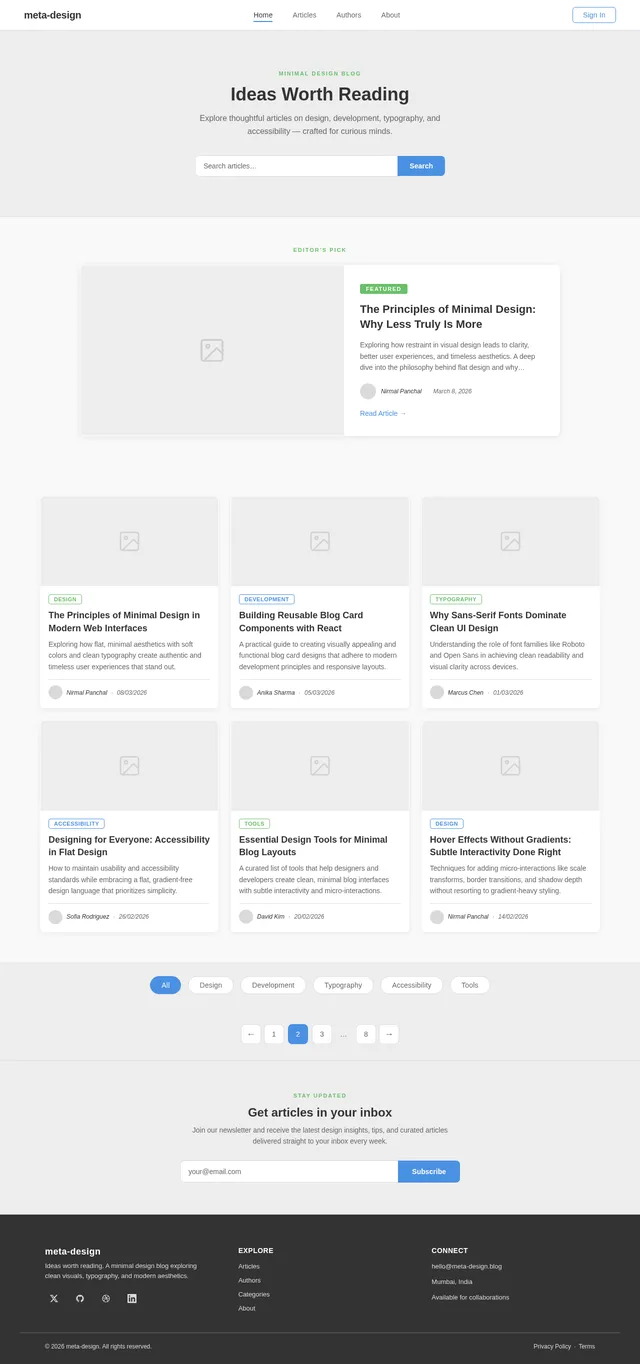
As a user, I want to use the Home page to view a responsive blog card grid so that I can browse, hover, and click through to blog posts. Implement the Home page based on the existing JSX design (v2), including: NavBar, HeroBanner with search bar, FeaturedPost card (horizontal two-column layout), BlogGrid (3/2/1 column responsive grid) with hover micro-interactions (scale 1.05, #4A90E2 border, author tooltip), CategoryFilter pill bar, PaginationControls, NewsletterSignup section, and Footer. Clicking a card triggers fade-out/slide-in transition to the Blog Post page.
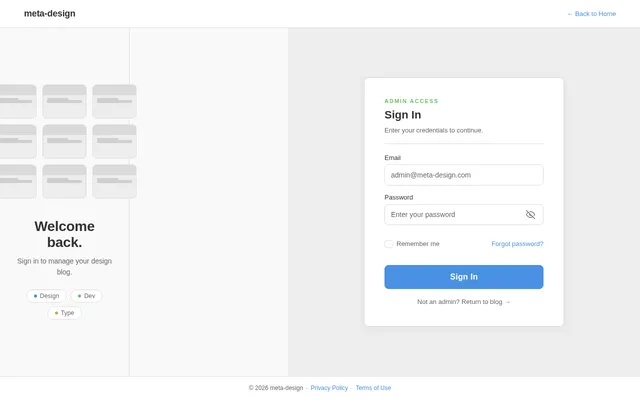
As a user, I want to use the Login page to sign in so that I can access the admin dashboard to manage blog cards. Implement the Login page based on the existing JSX design (v2), matching the flat minimal theme: centered card on #F9F9F9, 'meta-design' logo, email and password inputs with #DADADA borders, flat #4A90E2 Sign In button, and a link to Sign Up. On successful login, redirect admin to the Dashboard page.
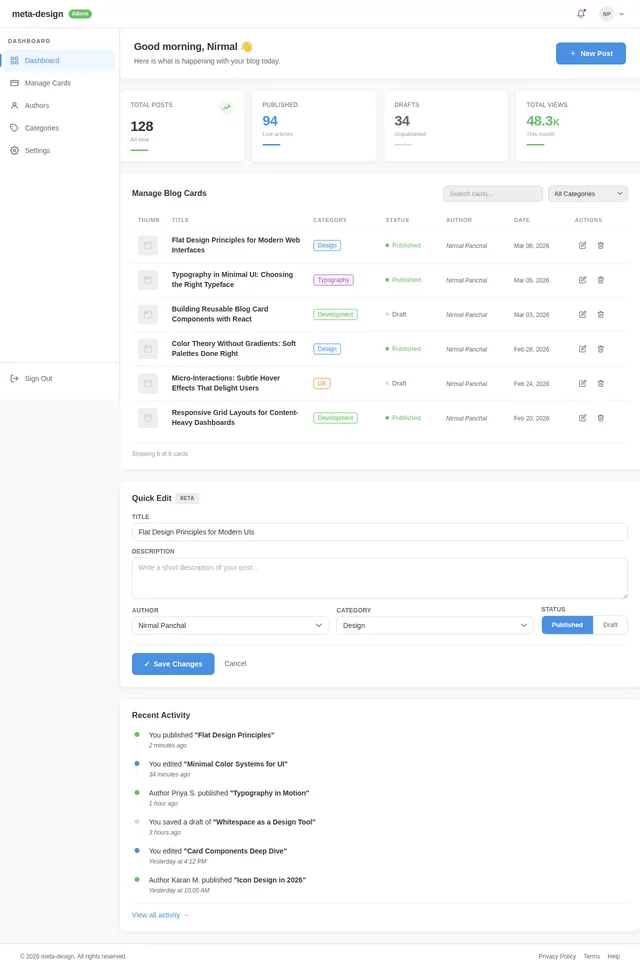
As an admin, I want to use the Dashboard page to view and manage all blog cards so that I can oversee content at a glance. Implement the Dashboard page based on the existing JSX design (v2), including: sticky NavBar, a cards overview grid listing all blog cards with title, author, date, and status, action buttons (Edit, Delete) per card, and a Create New Card CTA that navigates to the Card Editor. Follows the flat minimal theme with #FFFFFF card surfaces, #DADADA borders, and #4A90E2 accents.
As a user, I want to use the Blog Post page to read a full article and view author details so that I can engage with blog content after clicking a card on the Home page. Implement the Blog Post page based on the existing JSX design (v2), including: NavBar, PostHero (breadcrumb, category chip, title, subtitle, author row, hero image), a two-column layout with PostBody (rich article typography — H2/H3 styles, blockquotes, inline code, links), TagsAndShare row, AuthorCard, CommentsSection, a sticky Sidebar (About widget, Popular Articles, Categories), RelatedPosts grid, and Footer.
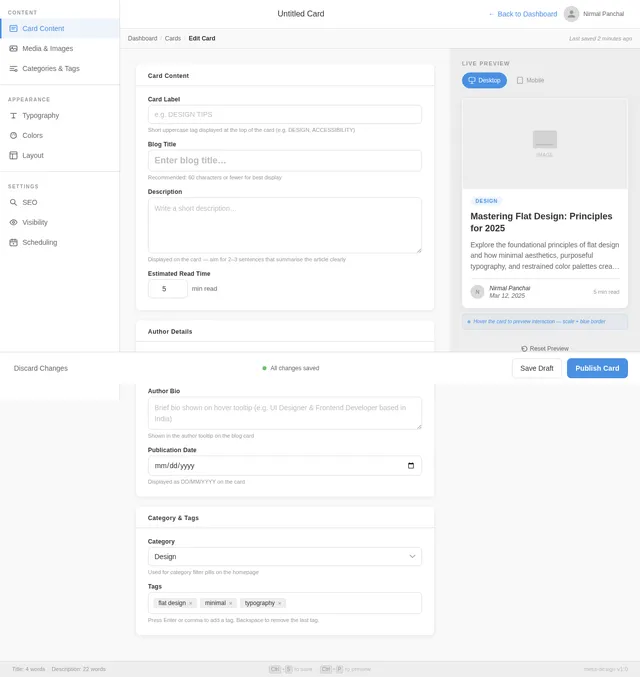
As an admin, I want to use the Card Editor page to create and edit blog card content so that I can dynamically update titles, descriptions, author details, and publication dates. Implement the Card Editor page based on the existing JSX design (v2), including: form fields for blog title, description, author name, publication date, category, and image upload placeholder; a live preview panel showing the blog card as it will appear on the Home page; a flat Save Changes button in #4A90E2; and a Cancel/Back link to return to the Dashboard.
As a user, I want to use a backend API for blog posts so that the Home page and Blog Post page can fetch real blog content dynamically. Implement FastAPI endpoints: GET /posts (paginated list with title, description, author, date, category, image), GET /posts/{id} (full post detail), GET /posts/featured (single featured post for HeroBanner), and GET /posts/related/{id} (related posts). Include MySQL/MariaDB models via Alembic migrations and return JSON responses matching the frontend data contract.
As an admin, I want to use a backend API for card management so that the Dashboard and Card Editor pages can create, update, and delete blog cards. Implement FastAPI endpoints: POST /posts (create new blog card), PUT /posts/{id} (update existing card), DELETE /posts/{id} (delete card), and GET /posts/admin (admin list view with status). Secure endpoints with JWT authentication middleware. Include input validation and error handling.
As a user, I want to use a backend API for comments so that I can post and view comments on the Blog Post page. Implement FastAPI endpoints: GET /posts/{id}/comments (list comments with nested replies), POST /posts/{id}/comments (submit a comment), and POST /comments/{id}/reply (submit a nested reply). Store comments in MySQL with author name, text, timestamp, and parent_id for threading.
As a user, I want the frontend pages to fetch live data from the backend APIs so that blog cards, post content, comments, and admin operations all use real data instead of static placeholders. Wire up React data-fetching (fetch/axios) across: Home page BlogGrid and FeaturedPost (GET /posts, /posts/featured), Blog Post page PostBody and CommentsSection (GET /posts/{id}, GET /posts/{id}/comments, POST comments), Dashboard page card list (GET /posts/admin), and Card Editor save (POST/PUT /posts). Handle loading states and error feedback in the flat UI style.
Explore thoughtful articles on design, development, typography, and accessibility — crafted for curious minds.
Editor’s Pick
Exploring how restraint in visual design leads to clarity, better user experiences, and timeless aesthetics. A deep dive into the philosophy behind flat design and why stripping away excess creates more meaningful interfaces.
Exploring how flat, minimal aesthetics with soft colors and clean typography create authentic and timeless user experiences that stand out.
A practical guide to creating visually appealing and functional blog card designs that adhere to modern development principles and responsive layouts.
Understanding the role of font families like Roboto and Open Sans in achieving clean readability and visual clarity across devices.
How to maintain usability and accessibility standards while embracing a flat, gradient-free design language that prioritizes simplicity.
A curated list of tools that help designers and developers create clean, minimal blog interfaces with subtle interactivity and micro-interactions.
Techniques for adding micro-interactions like scale transforms, border transitions, and shadow depth without resorting to gradient-heavy styling.
STAY UPDATED
Join our newsletter and receive the latest design insights, tips, and curated articles delivered straight to your inbox every week.
No comments yet. Be the first!