marine-page
create a project to build a simple single page design of calculator

Comments (0)
Sign in to leave a comment
System Requirements
Marine-Page System Requirements Document
Introduction
The "Marine-Page" project aims to develop a simple, single-page calculator application. This document outlines the system requirements, user personas, core user flows, design concepts, and technical specifications for the project.
System Overview
Marine-Page is designed to be a straightforward, user-friendly calculator application. The primary goal is to provide basic arithmetic operations in a single-page layout without any advanced features. The application will be accessible via web browsers and optimized for both desktop and mobile devices.
Functional Requirements
- As a User, I should be able to perform basic arithmetic operations such as addition, subtraction, multiplication, and division.
- As a User, I should be able to clear the current calculation to start a new one.
- As a User, I should be able to view the result of my calculation immediately after entering the operation.
User Personas
- User: A general user who needs to perform basic arithmetic calculations quickly and efficiently.
Core User Flows
- User opens the application -> User inputs numbers and selects an operation -> User views the result -> User clears the calculation to start a new one.
Visuals Colors and Theme
- primary: #1E90FF (Dodger Blue)
- primary_light: #63B8FF (Light Sky Blue)
- secondary: #FF6347 (Tomato)
- accent: #32CD32 (Lime Green)
- highlight: #FFD700 (Gold)
- bg: #F0F8FF (Alice Blue)
- surface: rgba(255, 255, 255, 0.9)
- text: #000000 (Black)
- text_muted: #696969 (Dim Gray)
- border: rgba(0, 0, 0, 0.1)
Signature Design Concept
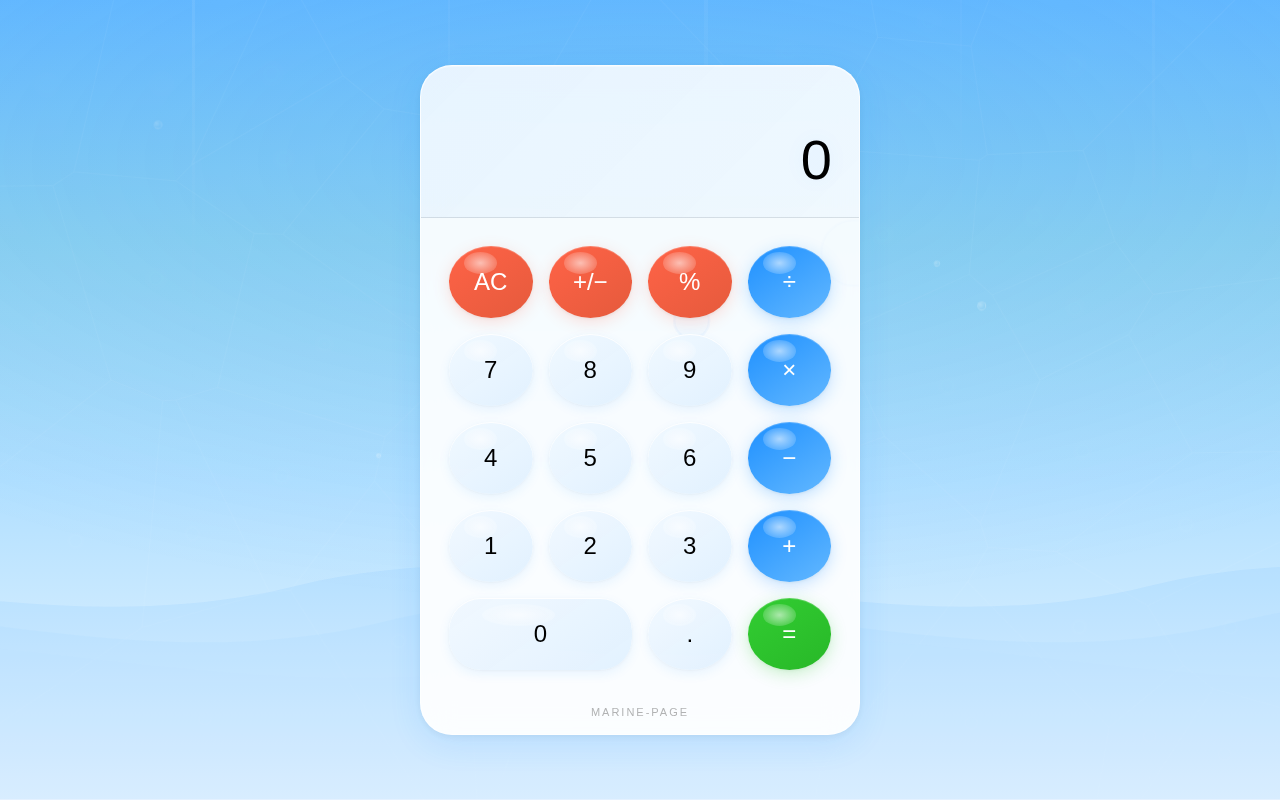
The Marine-Page calculator will feature an interactive, ocean-themed design. The background will resemble a serene ocean surface with gentle wave animations created using framer-motion. The calculator buttons will appear as floating bubbles that slightly expand when hovered over, providing a tactile feel. The result display will mimic a digital screen with a subtle glow effect, enhancing the overall marine aesthetic. Users can interact with the bubbles, which will have a slight buoyancy effect, making the experience playful and engaging.
Interaction Model & Motion Direction
The interaction model for Marine-Page will be "animated." The application will feature hover transitions and spring physics on interactive elements, such as the floating bubble buttons. This approach will provide a polished and engaging user experience while maintaining simplicity.
Non-Functional Requirements
- The application should load quickly and perform calculations with minimal latency.
- The design should be responsive and function well on both desktop and mobile devices.
- The application should be accessible and easy to use for all users.
Tech Stack
- Frontend: React for Web
- Backend: None required for this simple application
- Database: None required
Assumptions and Constraints
- The application will only support basic arithmetic operations.
- No user authentication or data storage is necessary.
- The design will prioritize simplicity and ease of use.
Glossary
- Arithmetic Operations: Basic mathematical operations including addition, subtraction, multiplication, and division.
- Responsive Design: An approach to web design that makes web pages render well on a variety of devices and window or screen sizes.
This document serves as a comprehensive guide for the development of the Marine-Page project, ensuring that all stakeholders have a clear understanding of the project's scope and requirements.
No comments yet. Be the first!