mango-create
Create simple calculator

Comments (0)
Sign in to leave a comment
System Requirements
mango-create System Requirements Document
Introduction
The purpose of this document is to outline the system requirements for the "mango-create" project, which involves developing a simple calculator application. This document will serve as a guide for the development and design of the application, ensuring that all necessary functionalities and features are included.
System Overview
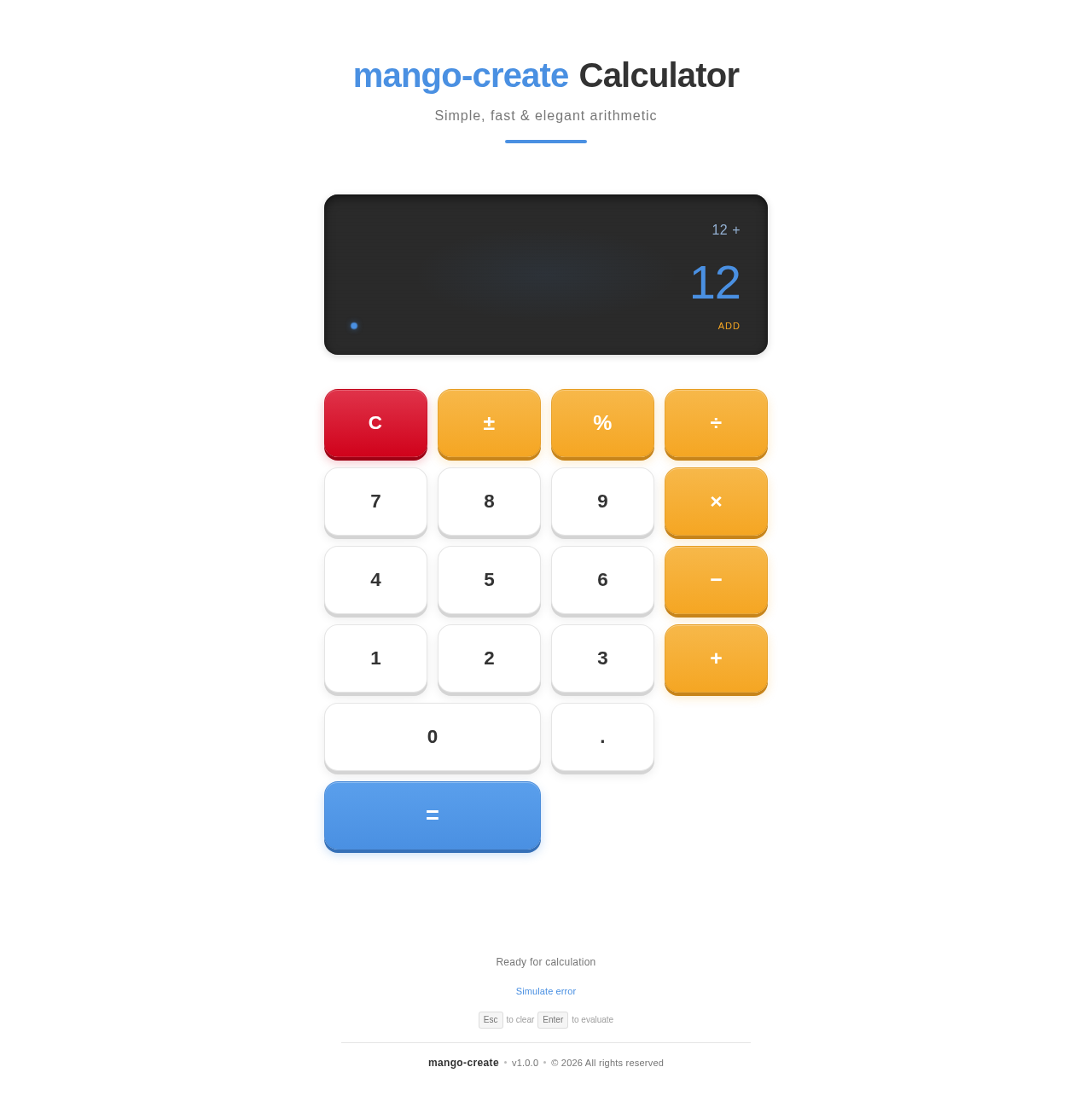
The "mango-create" project aims to develop a basic calculator application that performs standard arithmetic operations such as addition, subtraction, multiplication, and division. The application will feature a clean and responsive user interface, making it easy for users to perform calculations efficiently.
Functional Requirements
- As a User, I should be able to perform addition.
- As a User, I should be able to perform subtraction.
- As a User, I should be able to perform multiplication.
- As a User, I should be able to perform division.
User Personas
- User: The primary user of the calculator application who will perform basic arithmetic operations.
Visuals Colors and Theme
The color palette for the "mango-create" project is designed to be fresh and vibrant, reflecting the simplicity and functionality of the calculator.
- primary: #4A90E2 (a calming blue)
- primary_light: #A6C8F0 (a lighter tint of the primary blue)
- secondary: #F5A623 (a warm amber for emphasis)
- accent: #D0021B (a vibrant red for CTAs and active states)
- highlight: #F8E71C (a bright yellow for hover states and notifications)
- bg: #FFFFFF (a clean white background)
- surface: rgba(255, 255, 255, 0.9) (a slightly opaque white for panels)
- text: #333333 (a dark grey for primary text)
- text_muted: #777777 (a softer grey for secondary text)
- border: rgba(0, 0, 0, 0.1) (a subtle grey for borders)
Signature Design Concept
For the "mango-create" project, the signature design concept will feature an interactive calculator interface that mimics a physical calculator. The calculator buttons will have a 3D effect, giving users the sensation of pressing real buttons. When a button is clicked, it will animate with a slight depression and shadow change using framer-motion for realistic feedback. The display screen will have a digital look, with numbers and operations appearing in a smooth, scrolling animation. This interactive design will make the calculator engaging and enjoyable to use.
Interaction Model & Motion Direction
The interaction model for the "mango-create" landing page will be "animated." The calculator interface will feature smooth transitions and animations for button presses and display updates. This approach will enhance user engagement while maintaining a focus on functionality and ease of use.
Non-Functional Requirements
- The application should load quickly and perform calculations with minimal latency.
- The user interface should be responsive and accessible on various devices and screen sizes.
- The application should handle errors gracefully, providing clear feedback to the user.
Tech Stack
- Frontend: React for Web
- Backend: Python with FastAPI
- Database: Not applicable for this project
- AI Models: Not applicable for this project
- Local orchestration: Docker
- Server-side orchestration: Kubernetes
Assumptions and Constraints
- The application will be developed for web platforms only.
- The calculator will not include advanced scientific functions or memory storage.
- The project will adhere to standard web accessibility guidelines.
Glossary
- UI: User Interface
- CTA: Call to Action
- 3D effect: A visual design that gives the illusion of depth and dimension
- Responsive: The ability of a web application to adapt to different screen sizes and devices
This document outlines the requirements and design concepts for the "mango-create" project, ensuring a clear and structured approach to developing a simple yet effective calculator application.
Simple, fast & elegant arithmetic
No comments yet. Be the first!