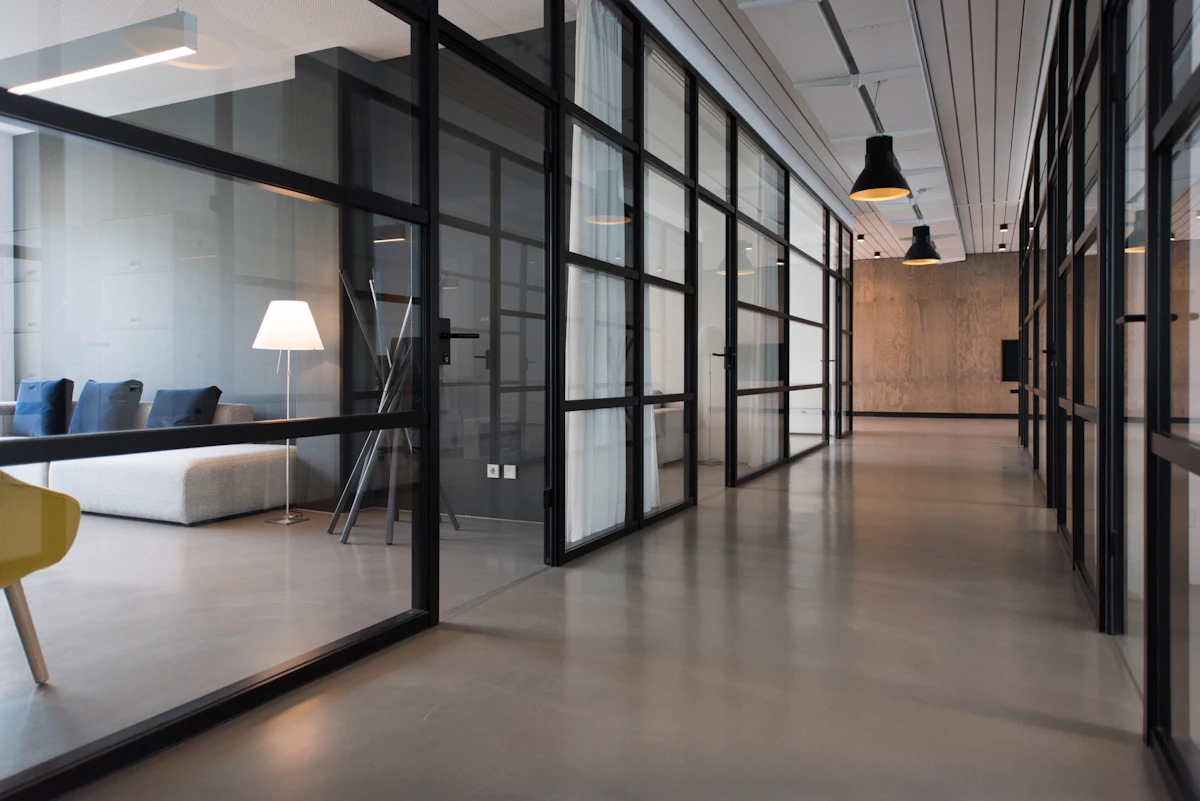
Workplaces ready for the day
Cleaning planned around access, teams and the rhythm of the office.
 Atul Thorat
Use this figma prototype link to view the design and develop this website. I have attached the pdf file of the Home Page frame and the .MD specification files. Build Phase 1: the responsive homepage matching the Figma design, with the main sections and contact CTAs. Prototype Link : https://www.figma.com/proto/aCLdmXudlNAWz0oEk7VEl0/Manasvi-Facility-Services?node-id=20-29&t=3D82hsTyBNn06n6X-1&scaling=min-zoom&content-scaling=fixed&page-id=6%3A16&starting-point-node-id=20%3A29

Sign in to leave a comment

Your trusted partner in cleaning & facility management
Professional housekeeping, cleaning and manpower support for offices, clinics, societies and homes across Pune & PCMC
Services
01Choose a service to start the conversation. We’ll understand the space, frequency and support you need before recommending a plan.
Routine workplace care that keeps teams comfortable and spaces presentation-ready.
Explore serviceDetail-focused cleaning for consultation rooms, receptions and shared areas.
Explore serviceReliable upkeep for lobbies, staircases, lifts and common spaces.
Explore serviceA thorough reset for high-use areas, handovers, move-ins and seasonal needs.
Explore serviceRespectful home cleaning planned around your rooms, routines and priorities.
Explore servicePractical housekeeping and facility manpower support for ongoing operations.
Explore servicePractical plans shaped around the work.
Careful delivery with clear expectations.
Dependable scheduling and coordination.
People prepared for real facility needs.
Clear briefs. Respectful teams. Work done with care.
Manasvi Facility Services supports everyday spaces with practical planning, responsive communication and dependable work.
ProprietorManju Waghmare
We value respectful service and a well-understood brief.
We align scope, schedule and contact points before work begins.
We serve Pune and Pimpri-Chinchwad from Viman Nagar.
From opening-hour office routines to society common areas and careful clinic upkeep, every plan starts with context.
Cleaning planned around access, teams and the rhythm of the office.

Detail-focused attention for receptions, rooms and frequently touched areas.

Routine upkeep for entrances, staircases, lifts and shared spaces.

Practical support for flats, homes, move-ins and deep-cleaning moments.
No confusing packages. We begin with your need, agree the plan and keep coordination straightforward.
Share the location, service and preferred timing.
We align the scope and practical details with you.
Choose a suitable date or recurring routine.
Reach our local team for ongoing coordination.
Coverage
Local reach, direct coordination.
Tell us where your space is and what support you need. We serve offices, clinics, societies and homes across Pune and Pimpri-Chinchwad.
Google rating · 6 reviews
Manasvi Facility Services
Cleaners
Monday–Saturday · 09:00–18:00
Share your locality and we confirm whether we currently serve it.
Every space has a different routine. Our visual language focuses on the people, preparation and details behind the result.


Share a few details and we’ll connect during business hours to understand the space and next step.
Working hours
Monday–Saturday, 09:00–18:00
Sunday · Closed
Fields marked * are required.
Call, WhatsApp or request a quote. We'll help you choose the right next step.
Clean Spaces · Healthy Living
Professional cleaning, housekeeping and manpower support for Pune and Pimpri-Chinchwad.
Your trusted partner in cleaning & facility management
Professional housekeeping, cleaning and manpower support for offices, clinics, societies and homes across Pune & PCMC
Services
01Choose a service to start the conversation. We’ll understand the space, frequency and support you need before recommending a plan.
Routine workplace care that keeps teams comfortable and spaces presentation-ready.
Explore serviceDetail-focused cleaning for consultation rooms, receptions and shared areas.
Explore serviceReliable upkeep for lobbies, staircases, lifts and common spaces.
Explore serviceA thorough reset for high-use areas, handovers, move-ins and seasonal needs.
Explore serviceRespectful home cleaning planned around your rooms, routines and priorities.
Explore servicePractical housekeeping and facility manpower support for ongoing operations.
Explore servicePractical plans shaped around the work.
Careful delivery with clear expectations.
Dependable scheduling and coordination.
People prepared for real facility needs.
Clear briefs. Respectful teams. Work done with care.
Manasvi Facility Services supports everyday spaces with practical planning, responsive communication and dependable work.
ProprietorManju Waghmare
We value respectful service and a well-understood brief.
We align scope, schedule and contact points before work begins.
We serve Pune and Pimpri-Chinchwad from Viman Nagar.
From opening-hour office routines to society common areas and careful clinic upkeep, every plan starts with context.
Cleaning planned around access, teams and the rhythm of the office.
Detail-focused attention for receptions, rooms and frequently touched areas.
Routine upkeep for entrances, staircases, lifts and shared spaces.
Practical support for flats, homes, move-ins and deep-cleaning moments.
No confusing packages. We begin with your need, agree the plan and keep coordination straightforward.
Share the location, service and preferred timing.
We align the scope and practical details with you.
Choose a suitable date or recurring routine.
Reach our local team for ongoing coordination.
Coverage
Local reach, direct coordination.
Tell us where your space is and what support you need. We serve offices, clinics, societies and homes across Pune and Pimpri-Chinchwad.
Google rating · 6 reviews
Manasvi Facility Services
Cleaners
Monday–Saturday · 09:00–18:00
Share your locality and we confirm whether we currently serve it.
Every space has a different routine. Our visual language focuses on the people, preparation and details behind the result.
Share a few details and we’ll connect during business hours to understand the space and next step.
Working hours
Monday–Saturday, 09:00–18:00
Sunday · Closed
Fields marked * are required.
Call, WhatsApp or request a quote. We'll help you choose the right next step.
Clean Spaces · Healthy Living
Professional cleaning, housekeeping and manpower support for Pune and Pimpri-Chinchwad.
No comments yet. Be the first!