manasvi-facility-services

byAtul Thorat

Use this figma prototype link to view the design and develop this website. I have attached the pdf file of the Home Page frame and the .MD specification files. Build Phase 1: the responsive homepage matching the Figma design, with the main sections and contact CTAs. Prototype Link : https://www.figma.com/proto/aCLdmXudlNAWz0oEk7VEl0/Manasvi-Facility-Services?node-id=20-29&t=3D82hsTyBNn06n6X-1&scaling=min-zoom&content-scaling=fixed&page-id=6%3A16&starting-point-node-id=20%3A29

Landing
Landing

Comments (0)

No comments yet. Be the first!

System Requirements

Page 1 of 14

System Requirements Document

1. Introduction

This System Requirements Document (SRD) defines the requirements for Phase 1 of the Manasvi Facility Services website, a responsive marketing homepage developed to match the provided Figma prototype. The homepage presents Manasvi Facility Services — a professional housekeeping, cleaning, and manpower support provider serving Pune and Pimpri-Chinchwad (PCMC) — and its primary role is to communicate the service offering, establish local trust, and route prospective clients to contact CTAs (Request a Free Quote, WhatsApp, and Call).

The design and layout are governed by the Figma prototype linked by the client: https://www.figma.com/proto/aCLdmXudlNAWz0oEk7VEl0/Manasvi-Facility-Services (Home Page frame).

This SRD captures the homepage content, structure, and behavior derived from the Figma home page frame and the client's explicit Phase 1 scope.

Page 2 of 14

2. System Overview

The system is a single responsive marketing homepage for Manasvi Facility Services. It is a public-facing, content-driven site whose functional purpose is to:

  • Present the brand promise and service value proposition ("Clean spaces. Reliable people. Better workplaces.").
  • Detail the six core services offered.
  • Explain the working process in four steps.
  • Communicate service coverage across Pune and Pimpri-Chinchwad, including Viman Nagar.
  • Surface social proof (4.7 Google rating, 6 reviews).
  • Drive conversion through a Request a Free Quote form, WhatsApp, and call CTAs.

The homepage is composed of the following sections, in order: Header/Navigation bar, Hero, Services, Trust badges, About ("People first" / About Manasvi), Service in action, How it works, Coverage, A closer look (visual gallery), Request a quote (lead form), Final CTA, and Footer.

There is no authenticated area, no user accounts, and no administrative panel in Phase 1. The homepage's only transactional behavior is capturing lead submissions from the Request a Free Quote form and routing visitors to WhatsApp or telephone contact.

3. Functional Requirements

Page 3 of 14

3.1 Header / Navigation

  • As a visitor, I want a top navigation bar containing the brand identifier and the sections Services, About, How it works, Coverage, and Contact so that I can jump to the section I care about.
  • As a visitor, I want the header to display the business hours "Monday–Saturday · 09:00–18:00" so that I know when the business is reachable.
  • As a visitor, I want a click-to-call phone link (+91 7387902344) in the header so that I can call directly from the homepage.
  • As a visitor, I want a clickable email link (manasvifacilityservices01@gmail.com) in the header so that I can email the business.
  • As a visitor, I want a prominent "Request a Free Quote" CTA in the header so that I can reach the lead form at any point on the page.
  • As a mobile visitor, I want the header to remain usable and responsive on small screens so that navigation and CTAs are accessible on any device.

3.2 Hero Section

  • As a visitor, I want the hero to display the tagline "YOUR TRUSTED PARTNER IN CLEANING & FACILITY MANAGEMENT" so that I immediately understand the business category.
  • As a visitor, I want the headline "Clean spaces. Reliable people. Better workplaces." so that I grasp the value proposition at a glance.
  • As a visitor, I want the supporting subheadline "Professional housekeeping, cleaning and manpower support for offices, clinics, societies and homes across Pune & PCMC" so that I understand what is offered and where.
  • As a visitor, I want a "Request a Free Quote" button in the hero so that I can start a lead submission.
  • As a visitor, I want a "WhatsApp Us" button in the hero so that I can start a WhatsApp conversation.
  • As a visitor, I want a "Call Now" button in the hero so that I can initiate a phone call.
  • As a visitor, I want the hero to show the trust indicators "Clear service plan", "Flexible scheduling", and "Local support" so that I understand the service guarantees.
  • As a visitor, I want the hero to show the coverage indicator "Serving Pune + PCMC" with the note "Local teams. Direct coordination." so that I know the service area.
  • As a visitor, I want the hero to display the Google rating (4.7) and review count (6 reviews) so that I can gauge credibility.
Page 4 of 14

3.3 Services Section

  • As a visitor, I want the Services section with the heading "The right care for every kind of space." and the explanatory note "Choose a service to start the conversation. We'll understand the space, frequency and support you need before recommending a plan." so that I understand how to begin.
  • As a visitor, I want an Office Cleaning service card ("Routine workplace care that keeps teams comfortable and spaces presentation-ready.") so that I can evaluate it as an option.
  • As a visitor, I want a Clinic Cleaning service card ("Detail-focused cleaning for consultation rooms, receptions and shared areas.") so that I can evaluate it as an option.
  • As a visitor, I want a Society Cleaning service card ("Reliable upkeep for lobbies, staircases, lifts and common spaces.") so that I can evaluate it as an option.
  • As a visitor, I want a Deep Cleaning service card ("A thorough reset for high-use areas, handovers, move-ins and seasonal needs.") so that I can evaluate it as an option.
  • As a visitor, I want a Flat / Home Cleaning service card ("Respectful home cleaning planned around your rooms, routines and priorities.") so that I can evaluate it as an option.
  • As a visitor, I want a Manpower Supply service card ("Practical housekeeping and facility manpower support for ongoing operations.") so that I can evaluate it as an option.
  • As a visitor, I want each service card to include an "Explore service" link so that I can drill into the service I am interested in.

3.4 Trust Badges

  • As a visitor, I want a trust badge for Affordable Rates ("Practical plans shaped around the work.") so that I understand pricing is practical.
  • As a visitor, I want a trust badge for Quality Service ("Careful delivery with clear expectations.") so that I understand quality standards.
  • As a visitor, I want a trust badge for On Time Work ("Dependable scheduling and coordination.") so that I understand reliability.
  • As a visitor, I want a trust badge for Experienced Staff ("People prepared for real facility needs.") so that I understand staffing quality.

3.5 About Manasvi ("People first")

  • As a visitor, I want the "People first" block with "Clear briefs. Respectful teams. Work done with care." so that I understand the company's values.
  • As a visitor, I want an "About Manasvi" section headed by "Local coordination you can reach." and "People you can rely on." so that I learn about the company.
  • As a visitor, I want the company description stating Manasvi Facility Services is led by proprietor Manju Waghmare and supports everyday spaces with practical planning, responsive communication and dependable work.
  • As a visitor, I want a People pillar ("We value respectful service and a well-understood brief.") so that I understand how staff are engaged.
  • As a visitor, I want a Process pillar ("We align scope, schedule and contact points before work begins.") so that I understand how engagements are set up.
  • As a visitor, I want a Locality pillar ("We serve Pune and Pimpri-Chinchwad from Viman Nagar.") so that I understand the operating base.
  • As a visitor, I want a "Meet Manasvi" CTA in the About section so that I can learn more.
Page 5 of 14

3.6 Service in Action

  • As a visitor, I want a "Service in action" section with the heading "Built around the way your space actually works." and the supporting line "From opening-hour office routines to society common areas and careful clinic upkeep, every plan starts with context."
  • As a visitor, I want the panel "Workplaces ready for the day" ("Cleaning planned around access, teams and the rhythm of the office.") so that I can visualize office cleaning delivery.
  • As a visitor, I want the panel "Careful cleaning for clinics" ("Detail-focused attention for receptions, rooms and frequently touched areas.") so that I can visualize clinic cleaning delivery.
  • As a visitor, I want the panel "Common areas that feel cared for" ("Routine upkeep for entrances, staircases, lifts and shared spaces.") so that I can visualize society cleaning delivery.
  • As a visitor, I want the panel "A thorough home reset" ("Practical support for flats, homes, move-ins and deep-cleaning moments.") so that I can visualize home/deep cleaning delivery.

3.7 How It Works

  • As a visitor, I want a "How it works" section with the heading "A clear path from first call to ready space." and the note "No confusing packages. We begin with your need, agree the plan and keep coordination straightforward."
  • As a visitor, I want Step 01 – Tell us about the space ("Share the location, service and preferred timing.") so that I know how to begin.
  • As a visitor, I want Step 02 – Get a clear service plan ("We align the scope and practical details with you.") so that I know what happens next.
  • As a visitor, I want Step 03 – Schedule the work ("Choose a suitable date or recurring routine.") so that I know scheduling options.
  • As a visitor, I want Step 04 – Stay connected ("Reach our local team for ongoing coordination.") so that I know support continues after scheduling.

3.8 Coverage

  • As a visitor, I want a Coverage section headed "Pune + PCMC" with "Local reach, direct coordination." and the note "Tell us where your space is and what support you need. We serve offices, clinics, societies and homes across Pune and Pimpri-Chinchwad."
  • As a visitor, I want a visual coverage/map element highlighting Pune, Pimpri, Chinchwad, and Viman Nagar so that I can confirm my area is served.
  • As a visitor, I want a "Nearby service areas" list so that I can see adjacent served localities.
  • As a visitor, I want an embedded Google reviews element showing "4.7", "Manasvi Facility Services", and the "Cleaners" category, with an "Expand" control, so that I can read reviews without leaving the page.
  • As a visitor, I want a business availability indicator ("Open") so that I can tell whether the business is currently operating.
  • As a visitor, I want a "Check service availability" action so that I can confirm coverage for my location.

3.9 A Closer Look (Visual Gallery)

  • As a visitor, I want an "A closer look" section with the heading "Work that respects the space." and the note "Every space has a different routine. Our visual language focuses on the people, preparation and details behind the result." so that I can see the company's work visually.
  • As a visitor, I want a "Request a quote" CTA within this section so that I can convert directly from the gallery.
Page 6 of 14

3.10 Request a Quote (Lead Form)

  • As a visitor, I want a "Request a quote" form section headed "Tell us what needs care." with the note "Share a few details and we'll connect during business hours to understand the space and next step."
  • As a visitor, I want the form section to display the contact numbers "+91 7387902344 / +91 7378749191" and "WhatsApp: +91 9270808483".
  • As a visitor, I want the form section to display the working hours "Monday–Saturday, 09:00–18:00".
  • As a visitor, I want a form titled "Get your free quote" with the note "Fields marked * are required."
  • As a visitor, I want a required Your name field with the placeholder "Enter your name".
  • As a visitor, I want a required Phone number field with a "+91" prefix.
  • As a visitor, I want a required Service needed dropdown with a "Select a service" prompt.
  • As a visitor, I want a required Area / locality field with the placeholder "e.g. Viman Nagar".
  • As a visitor, I want an optional Tell us about the space text area ("Type of space, preferred date or any useful details").
  • As a visitor, I want the consent statement "By submitting, you agree to be contacted about your service request." to be shown with the form.
  • As a visitor, I want the form to enforce required-field validation before submission so that incomplete inquiries are not sent.
  • As a visitor, I want a "Request a Free Quote" submit button so that I can send my inquiry.

3.11 Final CTA Band

  • As a visitor, I want a closing CTA section headed "Ready for a cleaner, better-run space?" with the note "Call, WhatsApp or request a quote. We'll help you choose the right next step."
  • As a visitor, I want "WhatsApp Us" and "Call Now" buttons in the final CTA so that I can make immediate contact.
  • As a visitor, I want the closing tagline "Clean Spaces · Healthy Living" and the line "Professional cleaning, housekeeping and manpower support for Pune and Pimpri-Chinchwad." so that the value proposition is reinforced.

3.12 Footer

  • As a visitor, I want the footer to display the proprietor attribution "Proprietor · Manju Waghmare".
  • As a visitor, I want a Services column listing Office Cleaning, Clinic Cleaning, Society Cleaning, Deep Cleaning, Flat / Home Cleaning, and Manpower Supply.
  • As a visitor, I want a Company column listing About Manasvi, How it works, Coverage, Request a quote, and Contact.
  • As a visitor, I want a Contact column with the phone numbers "+91 7387902344 / +91 7378749191", "+91 9270808483", the email "manasvifacilityservices01@gmail.com", the address "Lane No. 13, SRA Building C Wing, Ground Floor, Viman Nagar, Pune 411014", and the hours "Monday–Saturday, 09:00–18:00".
  • As a visitor, I want the footer to show "© Manasvi Facility Services. All rights reserved." and the locality line "Pune · Pimpri-Chinchwad".
Page 7 of 14

3.13 Global Behavior

  • As a visitor, I want the homepage to be fully responsive across desktop, tablet, and mobile breakpoints, matching the Figma layout.
  • As a visitor, I want all phone links to be tap-to-call and all WhatsApp links to open a WhatsApp chat with the business number.
  • As a visitor, I want the homepage to load as a single-scroll experience with anchored navigation between sections.

4. User Personas

Prospective Commercial Client An office manager, clinic owner/administrator, or society representative in Pune or PCMC who needs recurring or one-off housekeeping, cleaning, or manpower support. They scan the services, verify local coverage, assess credibility via ratings and process clarity, and then submit a quote request or contact via WhatsApp/call.

Prospective Residential Client A homeowner or flat resident requiring flat/home cleaning or deep cleaning (including move-ins and seasonal resets). They are focused on trust and respectful handling of their home, review the service descriptions and process, and convert through the quote form, WhatsApp, or phone.

(The business owner/coordinator is the recipient of leads and is not an active user of this Phase 1 homepage.)

Page 8 of 14

5. Core User Flows

Flow A — Explore Services and Request a Quote (Commercial or Residential)

  1. Visitor lands on the homepage and reads the hero tagline, headline, and trust points.
  2. Visitor reviews the Google rating and "Serving Pune + PCMC" coverage indicator.
  3. Visitor scrolls to the Services section and reads the six service cards.
  4. Visitor clicks "Explore service" on the relevant service.
  5. Visitor confirms local coverage in the Coverage section ("Check service availability").
  6. Visitor reaches the Request a quote form and fills required fields: name, phone, service needed, area/locality.
  7. Visitor optionally adds details in "Tell us about the space."
  8. Visitor submits via "Request a Free Quote."

Flow B — Immediate Contact via WhatsApp or Call

  1. Visitor identifies the need from the hero or final CTA.
  2. Visitor clicks "WhatsApp Us" to open a WhatsApp chat, or "Call Now" to dial +91 7387902344.
  3. Visitor and business coordinate details directly.

Flow C — Evaluate the Company and Process

  1. Visitor reads the "People first" and "About Manasvi" sections.
  2. Visitor reviews the People, Process, and Locality pillars.
  3. Visitor reads "How it works" (four steps) to understand the engagement path.
  4. Visitor browses "Service in action" and "A closer look" for visual confidence.
  5. Visitor converts via the "Request a quote" CTA in the section.

Flow D — Verify Coverage Before Contacting

  1. Visitor opens the Coverage section.
  2. Visitor confirms their locality (Pune, Pimpri, Chinchwad, Viman Nagar) on the coverage visual.
  3. Visitor checks the "Nearby service areas" list.
  4. Visitor clicks "Check service availability" or proceeds to contact.
Page 9 of 14

6. Visuals, Colors and Theme

The Figma prototype is the authoritative source for layout, spacing, typography, imagery, and color. Where the Figma frame does not explicitly constrain a token, the following restrained defaults align with the brand's "Clean Spaces · Healthy Living" positioning and its audience (offices, clinics, societies, and homes):

  • Palette direction: A clean, trustworthy base of whites and soft neutrals with a single confident brand accent used for CTAs (Request a Free Quote, WhatsApp, Call). A secondary green-family tone may support the "healthy living / clean" theme. Text in deep neutral tones for readability.
  • Typography: Modern, legible sans-serif pairing — a slightly heavier display weight for headings ("Clean spaces. Reliable people. Better workplaces.") and a regular weight for body copy.
  • Imagery: Authentic, people-focused photography representing offices, clinics, societies, and homes, echoing the brand line "Our visual language focuses on the people, preparation and details behind the result."
  • Imagery treatment: Consistent rounding, soft shadows, and generous whitespace to convey care and clarity.
  • Color usage: Accent colors reserved for CTAs and interactive elements; neutral surfaces for content sections to keep the reading experience calm.
Page 10 of 14

6.1 Applied Design Language (Creative Direction)

The project-wide creative direction is typographic infrastructure for a facility services brand — wayfinding clarity, humanist warmth, and signal colour used like transit lines. The muse is Erik Spiekermann; the register is reassurance, order, and human reliability — not luxury, not hype, not playfulness. The brand should read as civic infrastructure rather than a generic SaaS marketing page.

Palette (light mode):

  • Background (warm paper): #F4F1EA
  • Surface (cards, lead form): #FFFFFF
  • Text (ink): #1C1B18
  • Primary (deep teal): #0F5F5C
  • Accent (vermilion signal): #D6451F
  • Muted (metadata, hours, captions): #6E6A61

Deep teal #0F5F5C is the primary — it carries the header band, section rules and primary buttons; it reads as "clean, institutional, calm". Vermilion #D6451F is the single signal accent, reserved exclusively for wayfinding marks: step numbers (Step 01–04), the coverage map pins, the "Open" availability dot, required-field asterisks, and the one link per section. Muted #6E6A61 is used for metadata, business hours, and captions. Proportion: ~70% warm paper, ~20% white surfaces, ~7% teal, ~3% vermilion. No blue anywhere in the system.

Typography:

  • Headings: Fira Sans at 700 for headlines with tight -0.02em tracking, sentence case, generous line-height on long headlines (1.05 for display, 1.25 for section headings).
  • Section eyebrows and step labels: 600 weight, 12–13px, uppercase, +0.14em tracking, in teal or vermilion.
  • Data and numbers (Step 01, 4.7, +91 7387902344): Fira Sans 600 with tabular numerals.
  • Body: Fira Sans.
  • No display serif, no condensed face — the character comes from weight contrast and the wayfinding eyebrow system, not from a novelty family.
  • Scale: 1.250 modular. Display 40px mobile → 88px desktop (clamp(2.5rem, 6.5vw, 5.5rem)); H2 30px → 52px; H3 22px → 30px; lead 18px → 22px; body 16px → 17px; small/meta 13px → 14px; eyebrow 12px → 13px uppercase. Line-height 1.05 display, 1.15 H2, 1.6 body.

Shape language: Rectilinear and honest. 2px radius on buttons and inputs — nearly square, like signage panels. Full-bleed horizontal rules (1px, #1C1B18 at 12% opacity, or solid teal for section dividers) act as the primary structural device, echoing timetable rules. No blobs, no soft 24px card radii, no pill buttons. Service cards are white panels with a 1px hairline border and a 4px teal left edge that turns vermilion on hover. The coverage map is a flat schematic — thin outlines, numbered pins, no photographic satellite imagery.

Layout: A 12-column grid with a visible rhythm: every section opens with a ruled header row — eyebrow on the left, section number on the right (01 / 02 / 03 …) — then the heading, then content. Header is a two-tier bar: top tier is a thin teal strip carrying business hours, phone and email in small caps; bottom tier is the brand wordmark, nav, and the vermilion "Request a Free Quote" button. Hero is asymmetric: 7 columns of type on the left, 5 columns of a stacked information panel on the right. Services run as a 3×2 grid on desktop, 2×3 at 768px, single column at 375px. How it works is a four-column ruled row with large vermilion step numbers. Coverage splits map left, list and reviews card right. The lead form is a two-column layout: contact details and hours on the left, the form on the right, in a white surface with a teal top rule.

Motion: Functional and short. Section headers reveal with a 200ms opacity + 8px rise as they enter. Step numbers count up once when the How it works row enters view. The coverage pins drop in sequence at 80ms intervals. Hover on service cards moves the left edge from teal to vermilion in 120ms. No parallax, no scroll-scrubbed camera, no bounce. Under prefers-reduced-motion everything resolves instantly to its final state.

Motion tempo: restrained; hero dimensionality: flat; hero drama: composed.

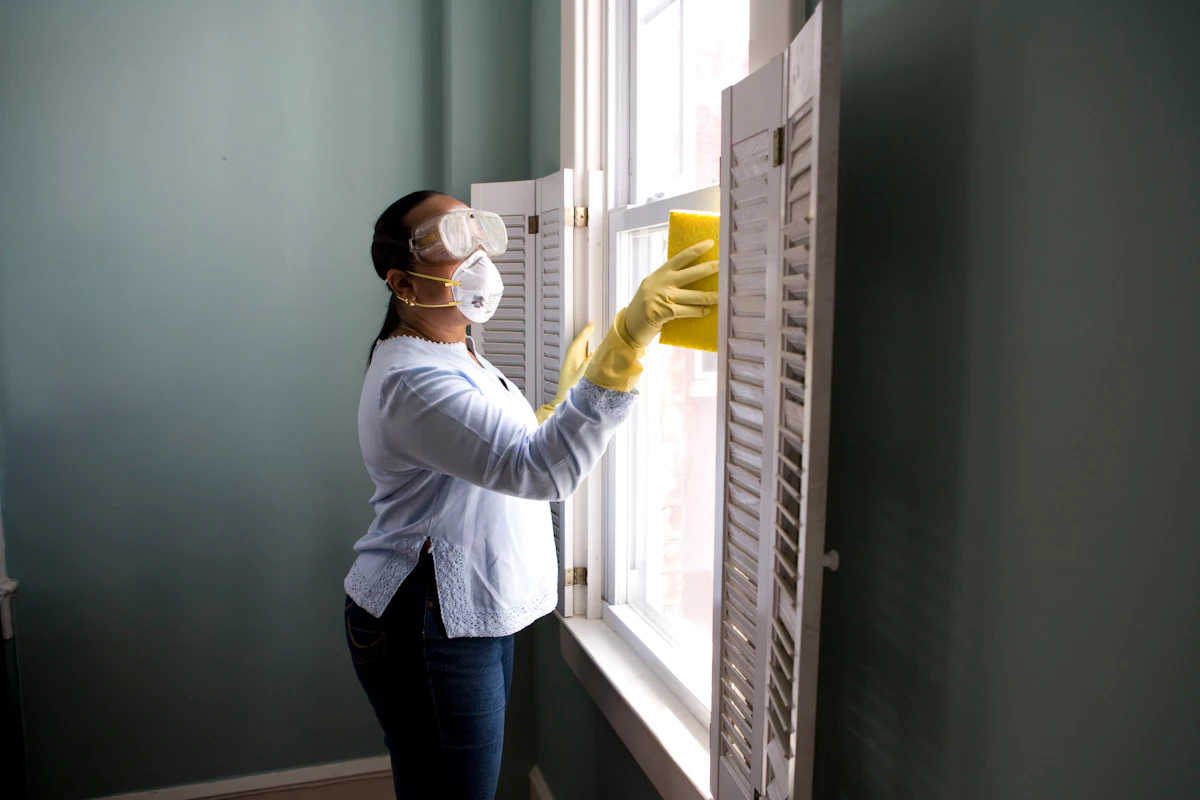
Imagery: Documentary, unstaged, natural light — a cleaner wiping a glass partition in a Pune office at morning; a hospital corridor mid-mop with a yellow wet-floor sign; a society staircase being swept; a kitchen counter reset. Photographs are cropped to the grid, never full-bleed hero wallpaper, always paired with a caption in small caps naming the setting ("Viman Nagar · office", "Pimpri · clinic"). Where a photograph is unavailable, use flat schematic line diagrams — a floor plan, a checklist, a mop — drawn in 1.5px teal strokes on paper ground. No stock smiling teams, no gradient overlays.

Hero direction: Split hero on warm paper #F4F1EA. Left 7 columns: eyebrow "YOUR TRUSTED PARTNER IN CLEANING & FACILITY MANAGEMENT" in 13px uppercase teal with +0.14em tracking, sitting above a 40px→88px Fira Sans 700 headline "Clean spaces. Reliable people. Better workplaces." broken across three ruled lines (a 1px ink rule under each line, so the headline reads as a timetable of three statements). Below it a 22px lead, then a row of three buttons — filled teal "Request a Free Quote", outlined ink "WhatsApp Us", text-with-arrow "Call Now" — then a row of three trust chips separated by thin vertical rules. Right 5 columns: a white panel with a 3px teal top rule containing the coverage indicator "Serving Pune + PCMC" in 30px Fira Sans 700, the note "Local teams. Direct coordination.", a 4.7 star row with "Google rating · 6 reviews", and a small schematic map fragment with three vermilion pins labelled Pune, Pimpri, Chinchwad. The panel is the only white surface in the hero — everything else is paper. No centred stack, no gradient, no floating cards.

Signature moves:

  • Ruled section headers: every section opens with a full-width 1px rule, then a row with the eyebrow in uppercase teal on the left and a large tabular section number (01–09) in vermilion on the right, so the homepage reads like a wayfinding system rather than a scrolling marketing page.
  • Three-line ruled hero headline: "Clean spaces." / "Reliable people." / "Better workplaces." stacked with a hairline ink rule beneath each line, so the headline is literally ruled like a timetable.
  • Service cards with a 4px teal left edge that flips to vermilion on hover, plus a numbered "01–06" index in the top-right corner of each card — the six services read as a coded category list, not as identical hover-lift tiles.
  • Coverage as a flat schematic map: thin teal outlines of Pune and PCMC boundaries, numbered vermilion pins for Pune, Pimpri, Chinchwad and Viman Nagar, and a ruled "Nearby service areas" list beneath — no satellite imagery, no glow, no gradient blob.
  • How it works as a four-column ruled row with oversized vermilion step numerals (Step 01–04) that count up once on entry, and a continuous 1px rule running behind all four columns like a transit line connecting the stops.

Avoid:

  • Any blue or indigo in the palette — no #0057FF, #2563EB, #4F46E5 or neighbours; the system is warm paper, teal and vermilion only.
  • Inter, Roboto, Poppins, Montserrat, Open Sans, Lato or system-ui for headings or body — Fira Sans only.
  • Gradient-blob heroes, mesh gradients, glassmorphism panels or frosted overlays.
  • A grid of identical hover-lift cards with 20px+ radii and soft drop shadows.
  • Centred hero composition with headline, subtext and a single blue button stacked in the middle.
  • Photographic satellite map imagery or glowing location pins.
  • Playful illustration, mascots, sticker shapes or emoji in copy.
  • Motion beyond the one-time reveals described — no parallax scrolling, no scroll-scrubbed 3D, no bouncing easings.

The generic indigo/blue-on-white SaaS template is forbidden for this project.

Readable text and controls stay whole at every viewport: headlines, wordmarks, labels, numbers, cards' text and controls stay entirely inside the viewport and their container at 375px, 768px and 1280px, wrapping or scaling (for example font-size: clamp(...) with its mobile size) to fit, and no other element covers any part of them. Imagery, decoration and motion follow the creative direction: a photograph, artwork, shape, texture or animation may be cropped, bled off an edge, rotated, overlapped or cut exactly as the direction asks, as long as it covers no readable text or control. Moving and scrollable content (marquees, tickers, carousels, horizontally scrollable rows) may cross the viewport or container edge by design: judge it by whether it actually moves or scrolls and whether every item becomes fully readable as it passes, never by the item cut at the edge in a still frame. With prefers-reduced-motion it stops and shows whole items: they wrap into rows, or sit in a horizontally scrollable row (overflow-x: auto) whose further items are reached by scrolling. Where a direction, requirement, brief or finding asks readable text or a control to be cropped, clipped, covered or run off an edge, keep it whole and carry the gesture with imagery or decoration instead; for readable text and controls this rule takes precedence.

Page 11 of 14

6.2 Landing Hero Motion Brief

  • Tempo: restrained (per the creative direction's Motion Tempo: line).
  • Thesis (input → transformation → outcome): the visitor's three-part promise ("Clean spaces. Reliable people. Better workplaces.") enters as three ruled lines; each hairline ink rule draws left-to-right beneath its line, and the three trust chips settle into place — outcome: the headline reads as a timetable of three statements, establishing order and reliability before any scrolling.
  • Focal subject: the three-line ruled hero headline on warm paper #F4F1EA.
  • Visible layers (back to front): warm paper ground; the 1px ink rules beneath each headline line; the headline type in Fira Sans 700; the eyebrow in uppercase teal above it; the lead paragraph; the three-button row (filled teal "Request a Free Quote", outlined ink "WhatsApp Us", text-with-arrow "Call Now"); the three trust chips separated by thin vertical rules; the right-hand white panel with its 3px teal top rule, "Serving Pune + PCMC", the note, the 4.7 star row, and the schematic map fragment with three vermilion pins.
  • Loop: one contained, non-repeating entrance on load — rules draw, headline and lead fade up 8px, buttons and chips settle; no continuous loop, no parallax.
  • Composed first frame: eyebrow, headline lines and rules already legible; the right-hand panel present with its teal top rule and pins; nothing cropped or covered.
  • Optional interaction: hovering a service card or button moves the 4px left edge from teal to vermilion in 120ms; anchor links scroll smoothly to their section.
  • Responsive behavior: at 375px the hero stacks to a single column — type scales via clamp() to its mobile size, the three buttons wrap into a readable row or stack, the trust chips wrap, and the white panel moves below the type; at 768px the split begins to separate; at 1280px the 7/5 asymmetric split is fully expressed. No readable text or control is ever cropped or covered.
  • Reduced-motion fallback: under prefers-reduced-motion the rules, headline, lead, buttons, chips and pins resolve instantly to their final state; no drawing, no rise, no count-up.

6.3 Landing Hero 3D Scene Brief — DIRECTION-DERIVED

Not applicable. The creative direction specifies hero dimensionality: flat; the hero is a 2D DOM/SVG/CSS composition and no Canvas/R3F/Drei layer is required.

7. Signature Design Concept

"Care made visible." The homepage treats cleanliness as a feeling, not just a task. The signature concept is a calm, airy, editorial layout in which each section reads as a clear promise — clean hero, well-spaced service cards, an ordered four-step process, and a confidence-building coverage block — reinforcing the brand line "Clean Spaces · Healthy Living." Local credibility is the emotional anchor: the coverage visual (Pune · Pimpri · Chinchwad · Viman Nagar) and the "Local teams. Direct coordination." message make the service feel close and dependable rather than faceless.

Page 12 of 14

8. Interaction Model & Motion Direction

  • Single-scroll homepage with anchored section navigation from the header (Services, About, How it works, Coverage, Contact).
  • CTA-first interaction: "Request a Free Quote", "WhatsApp Us", and "Call Now" are present at key decision points (header, hero, closer look, and final CTA band).
  • Motion direction (restrained): Subtle fade/slide-in on scroll for section headings and cards; gentle hover elevation on service cards and buttons; smooth anchor scrolling.
  • Form interaction: Inline validation on required fields (name, phone, service, area) before submit, with clear state feedback on success and error.
  • Tap-to-call and WhatsApp deep links on mobile for one-tap contact.
  • Fully responsive layout mirroring the Figma frame across desktop, tablet, and mobile.

9. Non-Functional Requirements

  • Responsiveness: Homepage must render correctly and match the Figma design at desktop, tablet, and mobile breakpoints.
  • Performance: Fast initial load; images optimized and lazy-loaded below the fold.
  • Accessibility: Semantic markup, sufficient color contrast, accessible form labels and required-field indicators, keyboard-navigable CTAs.
  • SEO: Descriptive title, meta description, and structured section headings reflecting Manasvi Facility Services and its Pune/PCMC coverage.
  • Reliability: Quote form submissions must be reliably captured or transmitted to the business (email/lead channel).
  • Privacy/Consent: The consent statement "By submitting, you agree to be contacted about your service request." is displayed with the form.
  • Cross-browser: Consistent behavior on modern desktop and mobile browsers.
Page 13 of 14

10. Tech Stack

The delivery shape for Phase 1 is a single responsive marketing homepage with no authenticated area, no database, and no admin panel. Layers required:

  • Front-end markup and styling: HTML5 and CSS3, implemented to match the Figma prototype; responsive grid/flex layout.
  • Client-side interactivity: Lightweight JavaScript for navigation, scroll anchoring, form validation, and section reveal animations.
  • Lead form handling: A form submission endpoint/service to receive quote requests (email or form-handling service), since no backend application is specified.
  • Third-party embeds: Google reviews / map embed for the coverage and reviews elements.
  • Media assets: Optimized images exported from the Figma frames.

No authentication, database, admin, or application-server layer is required for Phase 1.

11. Assumptions and Constraints

  • Phase 1 scope is limited to the responsive homepage matching the Figma design; other pages (service detail pages, About page, etc.) are out of scope for this phase.
  • "Explore service" links may resolve to placeholder or in-page anchors in Phase 1, since service detail pages are not in scope.
  • The Figma prototype is the visual source of truth; where it does not specify a token, the defaults in Section 6 apply.
  • Contact details, business hours, and coverage localities are as stated in the source: phones +91 7387902344 / +91 7378749191 / WhatsApp +91 9270808483; hours Monday–Saturday 09:00–18:00; coverage Pune, Pimpri, Chinchwad, Viman Nagar.
  • The proprietor is Manju Waghmare; the business address is Lane No. 13, SRA Building C Wing, Ground Floor, Viman Nagar, Pune 411014.
  • The Google rating (4.7, 6 reviews) is displayed via an embedded reviews element as captured from the home page frame.
Page 14 of 14

12. Glossary

  • SRD — System Requirements Document.
  • PCMC — Pimpri-Chinchwad Municipal Corporation (the Pimpri-Chinchwad area served).
  • CTA — Call to Action (e.g., Request a Free Quote, WhatsApp Us, Call Now).
  • Figma Prototype — The linked interactive design reference governing the homepage layout and styling.
  • Lead Form — The "Request a Quote" form capturing name, phone, service needed, area/locality, and optional space details.
  • Service in Action — The homepage section illustrating delivery across offices, clinics, societies, and homes.
  • How It Works — The four-step explanation of the engagement path.
  • Coverage — The homepage section communicating served localities across Pune and PCMC.
  • A Closer Look — The visual gallery section showcasing the company's work.
Landing design preview
Landing: Read hero promise and trust chips
Landing: Scan six service cards
Landing: Explore service
Landing: Check service availability
Landing: 1. Fill required form fields
Landing: Add optional space details
Landing: Submit quote request
Landing: 2. Fix validation errors
Landing: Read About and pillars
Landing: Review How it works steps
Landing: Browse Service in action
Landing: View A closer look gallery
Landing: Request a quote from gallery
Landing: Tap WhatsApp Us
Landing: Tap Call Now
Landing: Call and WhatsApp from final CTA
Landing design preview
Landing: Read hero promise and trust chips
Landing: Scan six service cards
Landing: Explore service
Landing: Check service availability
Landing: 1. Fill required form fields
Landing: Add optional space details
Landing: Submit quote request
Landing: 2. Fix validation errors
Landing: Read About and pillars
Landing: Review How it works steps
Landing: Browse Service in action
Landing: View A closer look gallery
Landing: Request a quote from gallery
Landing: Tap WhatsApp Us
Landing: Tap Call Now
Landing: Call and WhatsApp from final CTA