magma-design
start a project to build a to-do application with single page design and minimal design


Comments (0)
Sign in to leave a comment
System Requirements
magma-design
Introduction
The "magma-design" project aims to develop a personal to-do application with a single-page layout and a minimal design. This application will focus on simplicity, allowing users to manage their tasks efficiently without any distractions or additional features.
System Overview
The design is constrained to a single-page layout with no additional features. The magma-design project is a personal to-do application designed to provide users with a straightforward interface for managing tasks. The application will be developed as a single-page application (SPA) to ensure a seamless user experience. The minimalistic design will focus on essential functionalities such as task creation, updating, and deletion.
Functional Requirements
- As a User, I should be able to create tasks.
- As a User, I should be able to update tasks.
- As a User, I should be able to delete tasks.
User Personas
- User: An individual looking to manage personal tasks efficiently using a simple and minimalistic to-do application.
Visuals Colors and Theme
The color palette for the magma-design project will reflect its minimalistic and focused nature:
- primary: #2C3E50 (a deep slate blue for a calm, focused interface)
- primary_light: #34495E (a lighter tint of primary for hover states)
- secondary: #E74C3C (a vibrant coral for emphasis and alerts)
- accent: #F39C12 (a bright orange for call-to-action buttons)
- highlight: #F1C40F (a warm gold for active indicators and notifications)
- bg: #ECF0F1 (a light grey for the page background)
- surface: rgba(255, 255, 255, 0.9) (a soft white for card/panel backgrounds)
- text: #2C3E50 (the primary text color)
- text_muted: #95A5A6 (a muted grey for secondary text)
- border: rgba(44, 62, 80, 0.2) (a subtle border color)
Signature Design Concept
The homepage of the magma-design to-do application will feature an interactive "Task Canvas" concept. This canvas will allow users to visually manage their tasks in a dynamic and engaging way. Users can drag and drop tasks within the canvas to reorder them, providing a tactile and intuitive interaction model. The canvas will have smooth animations using framer-motion to enhance the user experience, with tasks gently snapping into place as they are moved. Hovering over a task will highlight it with a subtle glow, and clicking on a task will open a modal for editing or deleting the task. This interactive approach will make task management feel more like a creative process, aligning with the minimalistic and focused design ethos.
Interaction Model & Motion Direction
The intended interaction model for the magma-design landing page is "animated." The single-page application will feature moderate scroll-triggered reveals and hover transitions to maintain a clean and engaging user experience. The "Task Canvas" will be the core mechanic, providing a unique and interactive way to manage tasks. Internal pages, if any, will follow a "static" model to ensure clarity and speed in task management.
Non-Functional Requirements
- The application should load quickly and perform efficiently on all modern web browsers.
- The user interface must be responsive and accessible on both desktop and mobile devices.
- The design should adhere to minimalistic principles, avoiding unnecessary elements or features.
Tech Stack
- Frontend: React for Web
- Backend: Python with FastAPI
- Database: MySQL or MariaDB, using Alembic for migrations
- Local Orchestration: Docker, docker-compose
Assumptions and Constraints
- The application will be used primarily for personal task management.
- The design will remain minimalistic, with no additional features beyond task creation, updating, and deletion.
- The application will be developed as a single-page application to ensure a seamless user experience.
Glossary
- SPA: Single-Page Application
- UI: User Interface
- UX: User Experience
- Modal: A dialog box/popup window that is displayed on top of the current page.
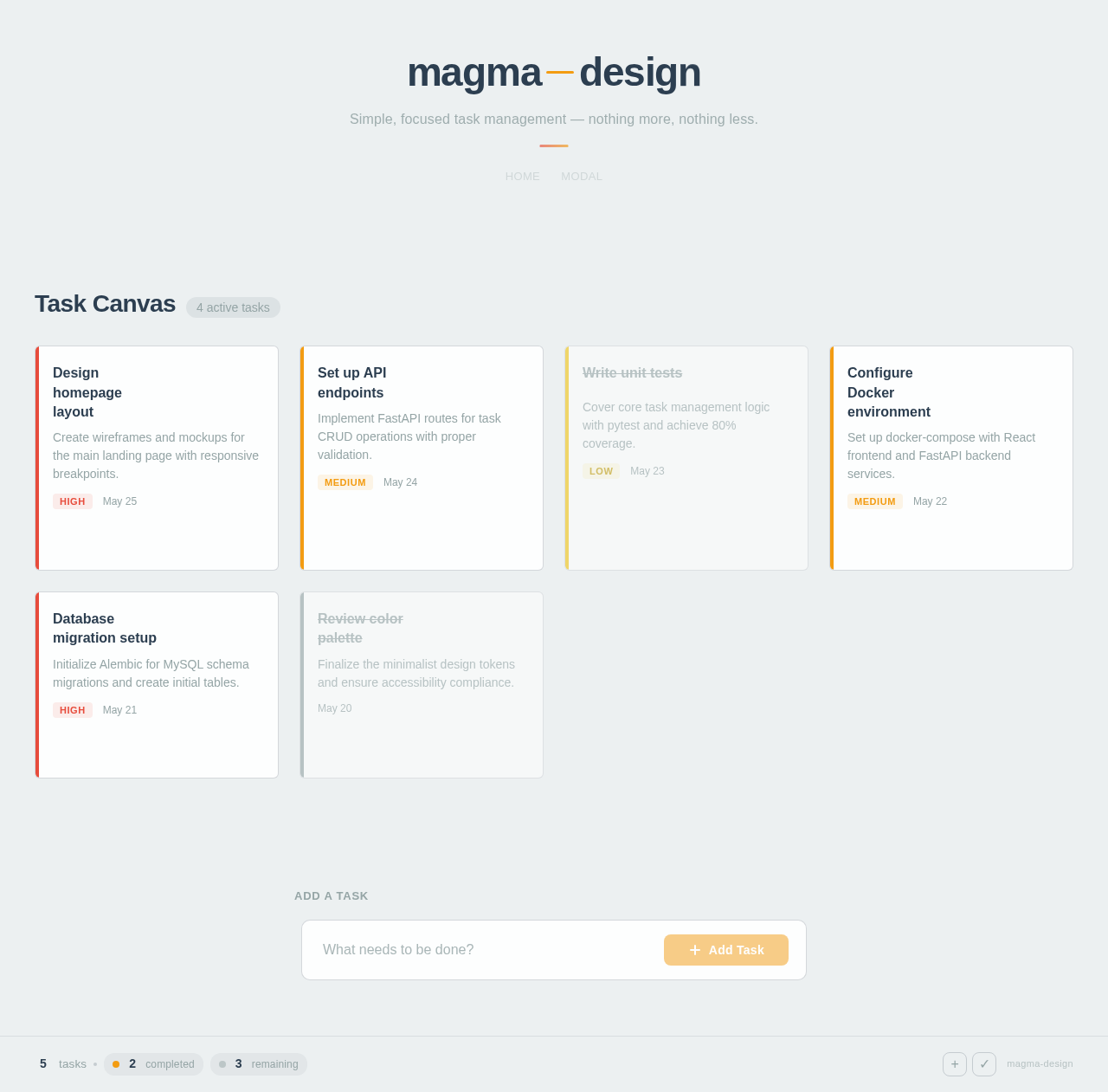
Simple, focused task management — nothing more, nothing less.
Task Canvas
4 active tasksDesign homepage layout
Create wireframes and mockups for the main landing page with responsive breakpoints.
Set up API endpoints
Implement FastAPI routes for task CRUD operations with proper validation.
Write unit tests
Cover core task management logic with pytest and achieve 80% coverage.
Configure Docker environment
Set up docker-compose with React frontend and FastAPI backend services.
Database migration setup
Initialize Alembic for MySQL schema migrations and create initial tables.
Review color palette
Finalize the minimalist design tokens and ensure accessibility compliance.
No comments yet. Be the first!