magic-calculator
by Diya Trivedi
start a project to build a simpe single page of dsign of calculator

Comments (0)
Sign in to leave a comment
Project Tasks
21 planning tasks#3
Architecture
0.05 cr needed
Backlog#4
Workspace task plan
0.05 cr needed
Backlog#5
Generate system requirement document
1m 16s0.05 cr needed
Done#6
Generate personas & user flows
0m 5s0.05 cr needed
Done#7
Create flow for Calculator User
Not recordedCredits in parent
Done#8
Landing
5m 11sCredits in subtasks
Done#9
Calculator
Credits in subtasks
Backlog#10
Landing / Poster Masthead
0m 26s0.85 cr used
Done#11
Landing / Calculator Plate
0m 57s0.85 cr used
Done#12
Landing / Operation Legend
0m 26s0.85 cr used
Done#13
Landing / Navigation
0m 0s0.85 cr used
Done#14
Landing / Footer
0m 0s0.85 cr used
Done#15
Navigation
0m 25sCredits in parent
Done#16
Footer
0m 16sCredits in parent
Done#17
Fix Landing: The calculator plate collapses into a narrow vertical strip at desktop width. The…
2m 0sCredits unavailable
Done#18
Fix Landing: The keypad is not the SRD's strict 4-column × 5-row grid of 20 keys. It renders 21…
2m 42sCredits unavailable
Error#19
Fix Landing: The decimal key is not the single black Vignelli dot required by FR-3 and the signature…
2m 14sCredits unavailable
Done#20
Fix Landing: The equals rule does not draw after a calculation. calls which runs and then immediately…
2m 0sCredits unavailable
Done#21
Fix Landing: The readout shows for division by zero but the error copy is hardcoded for every invalid…
2m 15sCredits unavailable
Done#22
Fix Landing review findings: The calculator plate collapses into a narrow vertical… (+4 more)
1m 38s0 cr used
Done#23
Fix Landing review finding: frontend/src/components/Landing Calculator Plate.jsx: the…
0m 32s0 cr used
Paused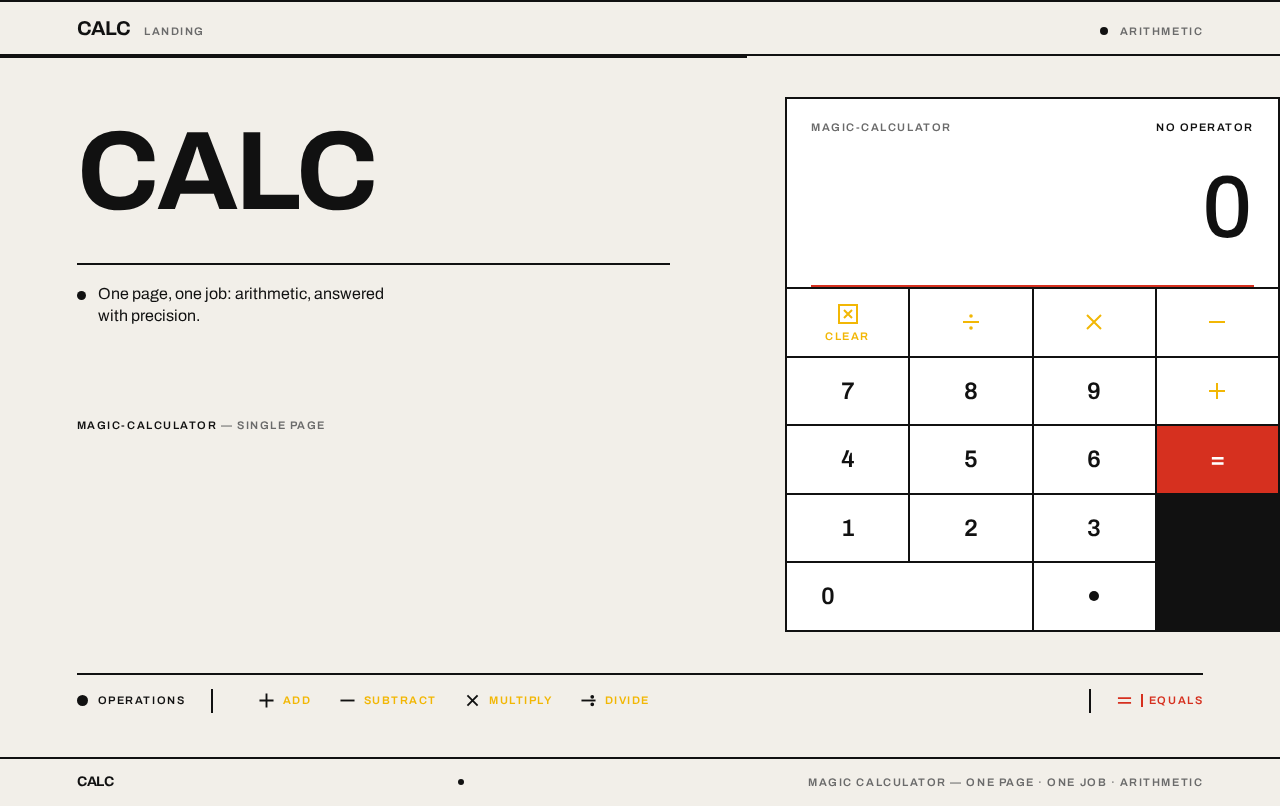
CALC
One page, one job: arithmetic, answered with precision.
magic-calculatorSingle page
0
Operations
- Add
- Subtract
- Multiply
- Divide
Equals
CALC
One page, one job: arithmetic, answered with precision.
magic-calculatorSingle page
0
Operations
- Add
- Subtract
- Multiply
- Divide
Equals
No comments yet. Be the first!