lime-tool
Ai tool

Comments (0)
Sign in to leave a comment
Project Tasks23
Implement Theme & Design System
As a frontend developer, I want to implement the global color theme, typography, design tokens, and shared CSS variables from the mock-design pages so that all pages inherit a consistent visual identity. Apply the lime-tool palette: Primary #32CD32, Secondary #191970, Accent #FFD700, Background #F5F5F5. Set up Inter font, spacing scale, border-radius tokens, glassmorphism utility classes, and the time-aware sky gradient background strategy. Remove any scaffold pages not present in the design (welcome page). This task must be completed before any page-specific implementation begins.
Build Landing Page
As a user, I want to explore lime-tool's features on the Landing page so that I can understand the product before signing up or logging in. Implement the Landing page based on the existing JSX design (v2), including: sticky frosted-glass NavBar, full-viewport Hero with time-aware sky gradient and 3D lime tree teaser, InteractiveLimeGrove section with clickable animated lime fruits, FeatureHighlights 6-card grid, HowItWorks 3-step section, AIModelsShowcase (GPT 5.2 / Claude 4 / DALL-E 4), UseCasesShowcase tabbed panel, Testimonials carousel, TrustAndSecurity bar, CallToAction section, and Footer. Navigation links lead to Login and Signup pages.
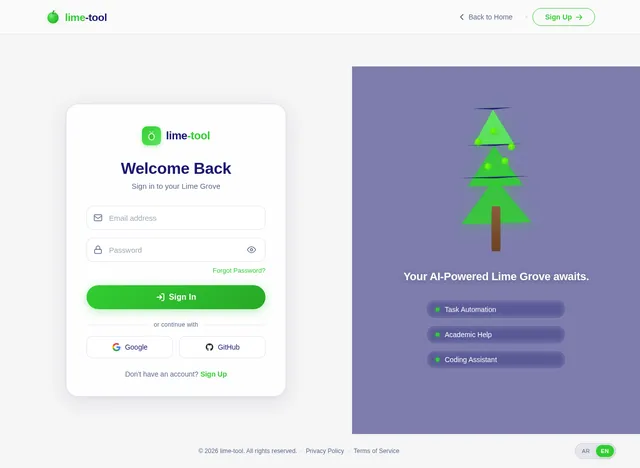
Build Login Page
As a user, I want to sign in to lime-tool via the Login page so that I can access my dashboard or admin panel. Implement the Login page based on the existing JSX design (v2), including: minimal LoginNavBar with back-to-home link, split-panel LoginMain (frosted glass form card + decorative animated lime tree panel with floating feature chips), email/password inputs with show/hide toggle, Google and GitHub social login buttons, forgot password link, and sign-up redirect. LoginFooter with privacy/terms links and language toggle. Connects from Landing, redirects to Dashboard (User) or Admin Dashboard (Admin) on success.
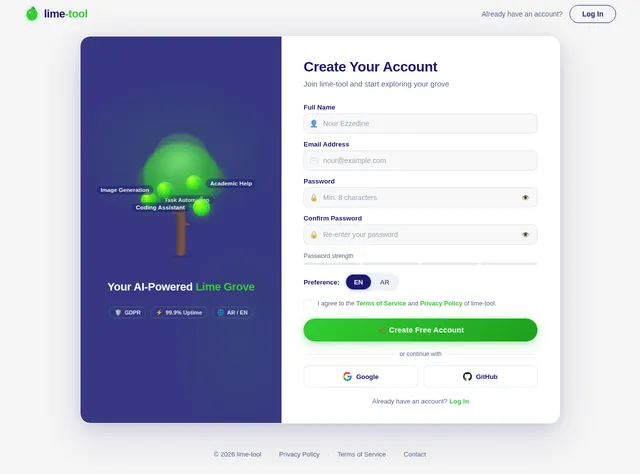
Build Signup Page
As a new user, I want to create an account on the Signup page so that I can start using lime-tool. Implement the Signup page based on the existing JSX design (v2), including: full name, email, password, and confirm-password fields, language preference toggle (AR/EN), terms acceptance checkbox, lime-green filled sign-up CTA button, and a redirect to Login on success. Decorative right panel with animated lime grove motif. Form validation with inline error states. Connects from Landing; redirects to Login after successful registration.
Build User Dashboard Page
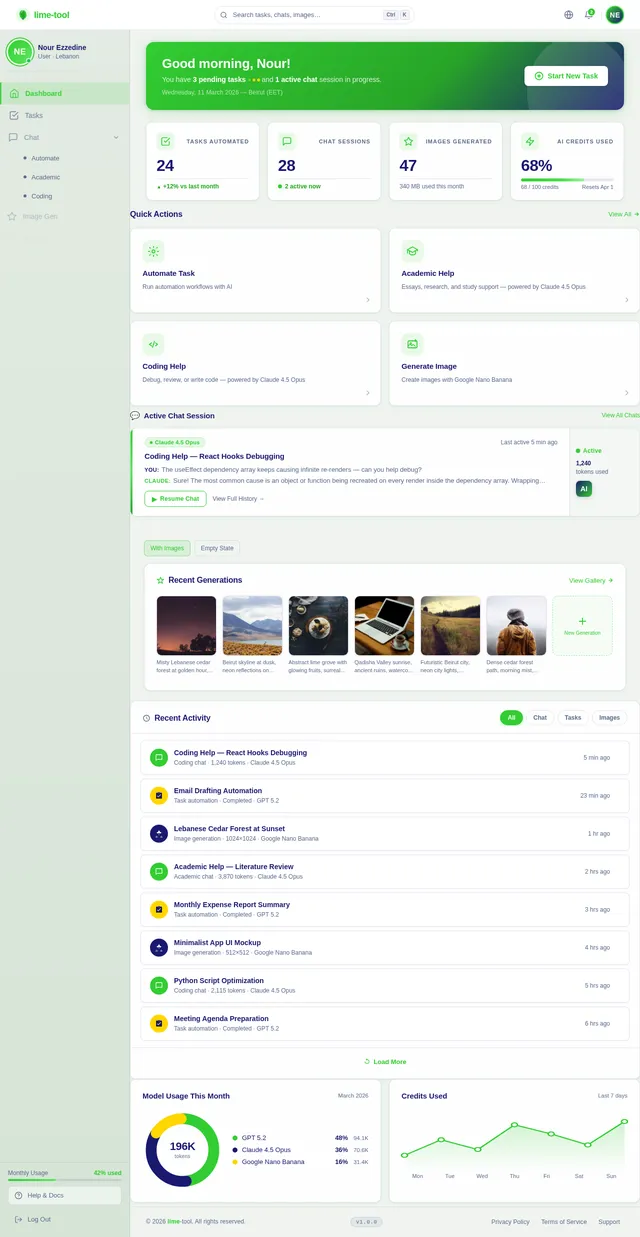
As a user, I want to choose and launch AI tasks from the Dashboard page so that I can access task automation, academic help, coding assistance, and image generation. Implement the Dashboard page based on the existing JSX design (v2), including: top navigation bar, task-selection card grid (Task Automation, Academic Help, Coding Help, Image Generation), recent activity feed, quick-stats bar (sessions, interactions), and greeting header with user name. Each task card navigates to the Chat or Image Gen page. Connects from Login; links out to Chat and Image Gen pages.
Build Admin Dashboard Page
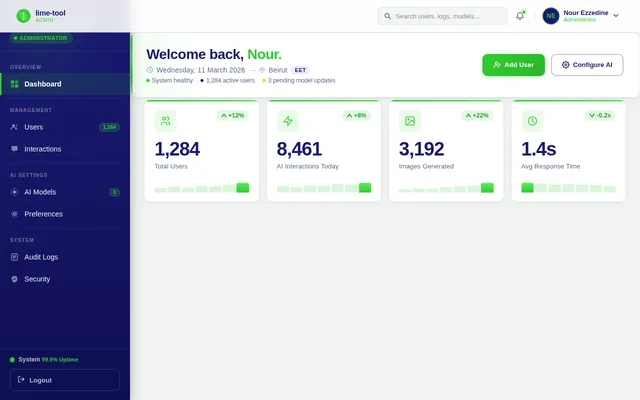
As an admin, I want to view a platform overview on the Admin Dashboard page so that I can monitor system health and user activity. Implement the Admin Dashboard page based on the existing JSX design (v2), including: Midnight Blue sidebar with navigation (Dashboard, Users, AI Settings, Logs, Reports), TopBar with global search and admin profile dropdown, StatsCards (total users, active sessions, interactions today, system uptime), activity charts, recent interactions feed, and quick-action buttons. Connects from Login (admin role); links to Users and AI Settings pages.
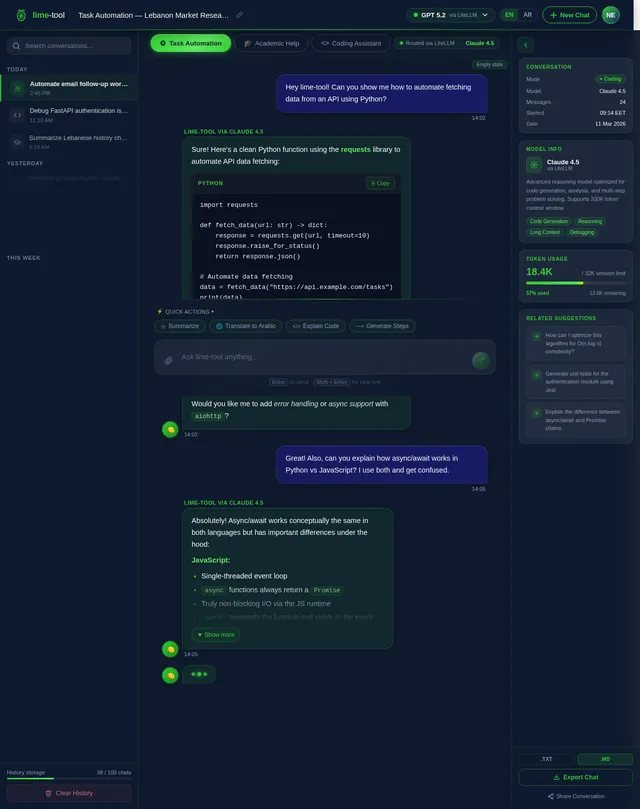
Build Chat Page
As a user, I want to interact with the AI via the Chat page so that I can automate tasks, get academic help, and receive coding assistance. Implement the Chat page based on the existing JSX design (v2), including: conversation thread display with user and AI message bubbles, AI model indicator (GPT 5.2 or Claude 4 based on task type), message input with send button and keyboard shortcut, code block rendering with syntax highlighting, streaming response animation, session history sidebar, and a back-to-dashboard link. Supports Task Automation, Academic Help, and Coding Help modes.
Build Image Generation Page
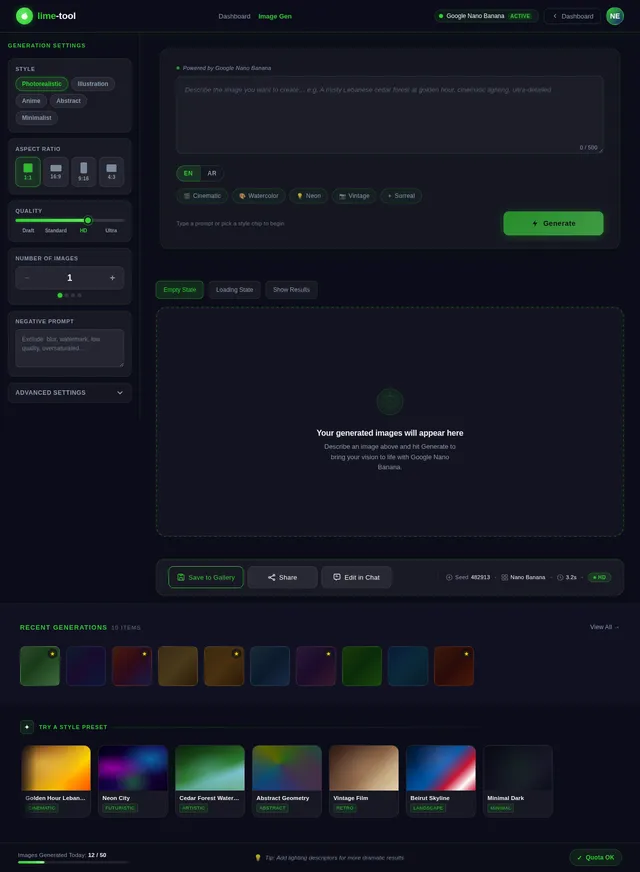
As a user, I want to generate images on the Image Gen page so that I can create visual content using AI. Implement the Image Gen page based on the existing JSX design (v2), including: prompt input textarea, style/size selector controls, generate button with loading state, image result display grid, download and share actions, prompt history sidebar, and a back-to-dashboard link. Uses DALL-E 4 model. Connects from Dashboard; returns to Dashboard after session.
Build Users Management Page
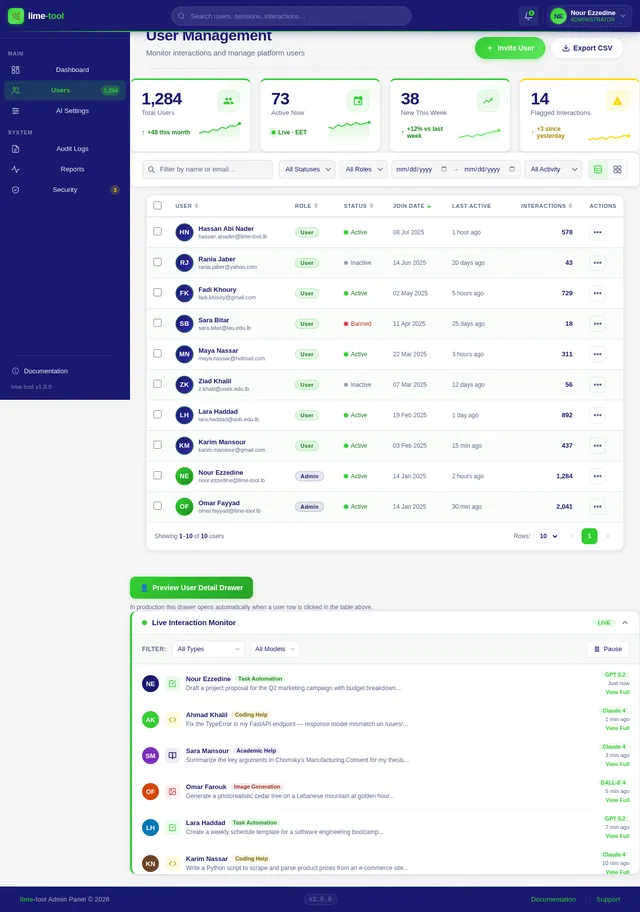
As an admin, I want to monitor and manage users on the Users page so that I can oversee platform activity and enforce policies. Implement the Users page based on the existing JSX design (v2), including: PageHeader with breadcrumb and Invite User / Export CSV actions, UserStatsBar (4 stat cards), UserFiltersToolbar with search and filter chips, full UserTable with sortable columns (name, role, status, join date, last active, interaction count) and pagination, UserDetailDrawer slide-in panel (Overview / Interactions / Settings tabs), and the InteractionMonitorPanel collapsible live feed with pause/resume and type/model filters. Connects from Admin Dashboard.
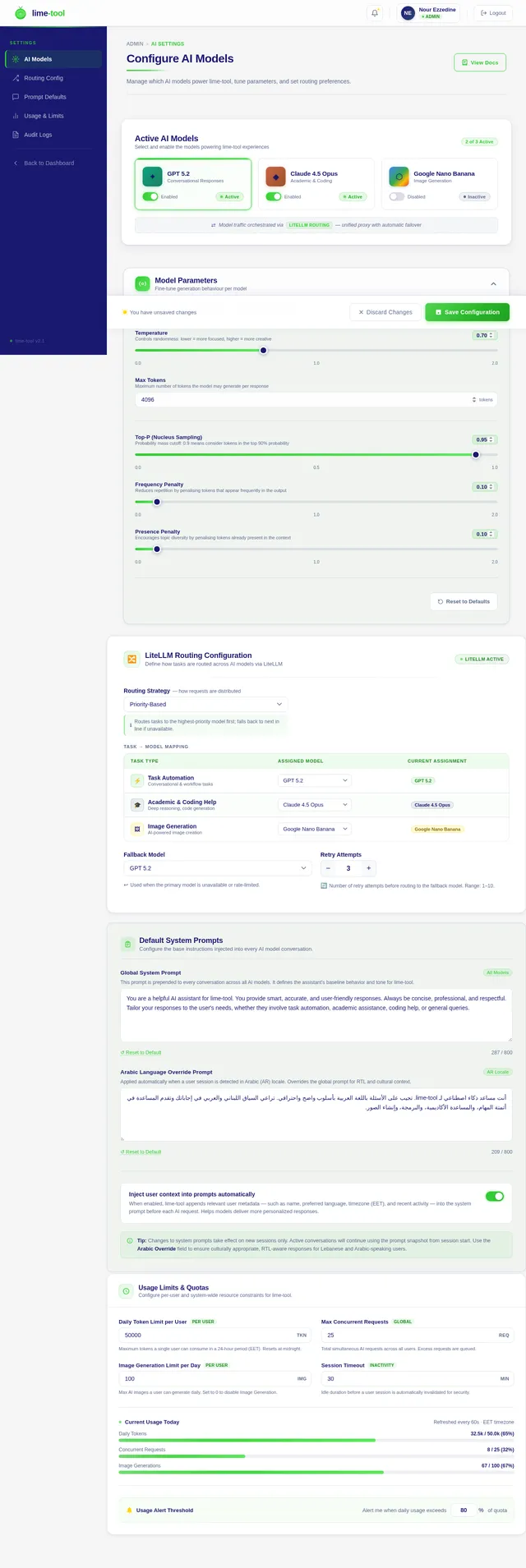
Build AI Settings Page
As an admin, I want to configure AI model preferences on the AI Settings page so that I can control which models handle which task types. Implement the AI Settings page based on the existing JSX design (v2), including: model assignment matrix (Task Automation → GPT 5.2, Academic/Coding → Claude 4, Image Gen → DALL-E 4), LiteLLM routing configuration toggles, per-model parameter sliders (temperature, max tokens), model enable/disable switches, API key management section, and a Save Preferences button with success/error feedback toast. Connects from Admin Dashboard.
Implement Chat API Backend
As a user, I want to use the backend API for AI chat interactions so that my messages are routed to the correct AI model (GPT 5.2 for task automation, Claude 4 for academic/coding) via LiteLLM and responses are streamed back. Implement FastAPI endpoints: POST /api/chat/message (send message, receive streamed response), GET /api/chat/sessions (list user sessions), GET /api/chat/sessions/{id}/history (fetch message history), DELETE /api/chat/sessions/{id}. Integrate LiteLLM routing logic based on task type. Store interactions in MySQL.
Implement Image Generation API
As a user, I want to use the backend API for image generation so that my text prompts are sent to DALL-E 4 and generated images are returned and stored. Implement FastAPI endpoints: POST /api/images/generate (submit prompt, style, size — returns image URL), GET /api/images/history (list user's generated images), DELETE /api/images/{id}. Integrate with DALL-E 4 via LiteLLM. Store prompt history and image references in MySQL.
Implement Users Management API
As an admin, I want to use the backend API for user management so that I can list, filter, update roles/status, and delete users. Implement FastAPI endpoints: GET /api/admin/users (paginated, filterable by role/status/date), GET /api/admin/users/{id} (user detail with interaction stats), PATCH /api/admin/users/{id} (update role/status), DELETE /api/admin/users/{id}, POST /api/admin/users/invite, GET /api/admin/users/export (CSV). Enforce admin-only JWT authorization.
Implement AR/EN Localization
As a user, I want to switch between Arabic and English so that I can use lime-tool in my preferred language. Implement i18n in the React frontend using react-i18next with locale files for AR and EN. Add RTL layout support for Arabic (flip flex directions, text alignment, sidebar position). Wire the language toggle in the NavBar, Login, Signup, and Footer sections. Store language preference in localStorage and user profile. Backend responses should respect Accept-Language header for error messages.
Implement Live Interactions Monitor API
As an admin, I want to use the backend API for the live interaction monitor so that I can see a real-time feed of user interactions across all users. Implement: GET /api/admin/interactions (paginated feed, filterable by type and AI model), WebSocket endpoint /ws/admin/interactions (push new interaction events to connected admin clients in real time). Each event includes user info, interaction type, AI model used, message snippet, and EET timestamp.
Implement AI Settings API
As an admin, I want to use the backend API for AI settings so that I can configure model assignments, routing rules, and parameters. Implement FastAPI endpoints: GET /api/admin/ai-settings (fetch current config), PUT /api/admin/ai-settings (save model assignments, temperature, max tokens, enable/disable flags), POST /api/admin/ai-settings/test (test a model with a sample prompt). Settings persisted in MySQL. LiteLLM routing config dynamically reloaded on save.
Integrate Chat Frontend with API
As a user, I want the Chat page to communicate with the backend API so that my messages are processed by the correct AI model and responses are streamed in real time. Wire the Chat page React components to the POST /api/chat/message endpoint with streaming support (SSE or WebSocket), load session history via GET /api/chat/sessions/{id}/history, handle loading and error states, and display the active AI model badge dynamically based on task type returned by the API.
Integrate Image Gen Frontend with API
As a user, I want the Image Generation page to communicate with the backend API so that my prompts are submitted and generated images are displayed. Wire the Image Gen page React components to POST /api/images/generate, display loading skeleton during generation, render returned image in the result grid, load prompt history via GET /api/images/history, and handle error/timeout states gracefully.
Setup LiteLLM Routing Service
As an AI engineer, I want to configure the LiteLLM routing layer so that user requests are intelligently dispatched to the correct AI model (GPT 5.2, Claude 4, DALL-E 4) based on task type and admin settings. Configure LiteLLM with model aliases, fallback chains, timeout policies, and cost-tracking. Expose a unified /completions endpoint internally consumed by the FastAPI backend. Wire dynamic routing config reload from the AI Settings API.
Implement Admin Dashboard API
As an admin, I want to use the backend API for the dashboard overview so that I can see platform stats and recent activity. Implement FastAPI endpoints: GET /api/admin/stats (total users, active sessions, interactions today, uptime), GET /api/admin/activity-feed (recent interactions across all users, last 50), GET /api/admin/charts/interactions (time-series data for the activity chart, by hour/day). Enforce admin JWT authorization on all endpoints.
Integrate Users Page with API
As an admin, I want the Users management page to communicate with the backend API so that user data is fetched, filtered, and updated in real time. Wire UserTable to GET /api/admin/users with pagination and filter params, UserDetailDrawer to GET /api/admin/users/{id} and PATCH /api/admin/users/{id}, the InteractionMonitorPanel to the WebSocket /ws/admin/interactions feed, and the Export CSV button to GET /api/admin/users/export.
Integrate AI Settings Page with API
As an admin, I want the AI Settings page to communicate with the backend API so that model configurations are loaded and saved correctly. Wire all settings controls to GET /api/admin/ai-settings on mount, PUT /api/admin/ai-settings on save, and POST /api/admin/ai-settings/test for the test-model action. Show success/error toast feedback and optimistic UI updates.
Integrate Admin Dashboard with API
As an admin, I want the Admin Dashboard page to display live platform statistics and activity so that I can monitor system health at a glance. Wire StatsCards to GET /api/admin/stats with auto-refresh every 30 seconds, wire the activity chart to GET /api/admin/charts/interactions, and wire the recent activity feed to GET /api/admin/activity-feed. Show skeleton loaders during data fetching and error banners on failure.

Your AI-Powered Lime Grove
Automate tasks, get academic and coding assistance, generate images, and manage it all from one intelligent platform — built for Lebanon, in Arabic and English.
Explore What lime-tool Can Do
Click on each lime to discover powerful AI features designed to boost your productivity.
Task Automation
Automate repetitive tasks with smart AI workflows that save you hours.
Academic Help
Get expert assistance with research, essays, and academic writing.
Coding Assistant
Write, debug, and optimize code across multiple programming languages.
Image Generation
Create stunning visuals from text prompts using advanced AI models.
Admin Panel
Monitor usage, manage users, and configure AI settings with ease.
Multilingual Support
Seamlessly switch between Arabic and English for all interactions.
Task Automation
Automate repetitive tasks with smart AI workflows that save you hours.
Try it →Academic Help
Get expert assistance with research, essays, and academic writing.
Try it →Coding Assistant
Write, debug, and optimize code across multiple programming languages.
Try it →Image Generation
Create stunning visuals from text prompts using advanced AI models.
Try it →Admin Panel
Monitor usage, manage users, and configure AI settings with ease.
Try it →Multilingual Support
Seamlessly switch between Arabic and English for all interactions.
Try it →Everything You Need, Powered by AI
Discover a complete suite of AI-driven tools built for productivity, creativity, and seamless collaboration.
Task Automation
Automate repetitive tasks with intelligent AI workflows. Save hours and focus on what truly matters.
Academic Assistance
Get expert help with research, writing, and problem-solving. Your personal AI-powered study companion.
Coding Help
Debug, refactor, and write code faster with AI-assisted development. Supports multiple languages and frameworks.
Image Generation
Create stunning visuals from text descriptions. Generate artwork, mockups, and graphics in seconds.
Admin Dashboard
Monitor usage, manage users, and configure AI models from a powerful centralized control panel.
Multilingual (AR/EN)
Seamlessly switch between Arabic and English. Full RTL support designed for users in Lebanon and the region.
Get Started in 3 Simple Steps
From sign-up to AI-powered results in under a minute. Here is how lime-tool works for you.
Sign Up / Log In
Create your free account or log in securely. Your data stays protected with end-to-end encryption.
Choose Your Task
Pick from task automation, academic help, coding assistance, or image generation from the lime grove.
Let AI Handle It
Our AI models process your request instantly, delivering accurate results in Arabic or English.
Powered by Best-in-Class AI Models
GPT 5.2
Conversational ResponsesHandles natural dialogue, task planning, and nuanced user queries with human-like precision.
Claude 4
Academic & Coding AssistanceExcels at structured reasoning, code generation, and in-depth academic research tasks.
DALL-E 4
Image GenerationCreates stunning, high-fidelity images from text prompts for creative and professional use.
Routed intelligently by LiteLLM for optimal speed and accuracy
See lime-tool in Action
Discover how our AI-powered platform handles real-world tasks across multiple domains.
Automate Repetitive Tasks with AI Precision
Let lime-tool handle the grunt work. From scheduling to data processing, our AI-powered automation frees you to focus on what truly matters.
- Smart Scheduling — Automate meeting setups, reminders, and follow-ups with natural language commands.
- Data Processing — Parse, transform, and organize large datasets in seconds, not hours.
- Workflow Integration — Connect with your existing tools and automate multi-step workflows effortlessly.
Loved by Users in Lebanon and Beyond
See how lime-tool is making a difference for students, creators, and teams.
“lime-tool has completely transformed how I handle my coursework. The academic assistance and coding help saved me countless hours. The Arabic support makes it feel like it was built just for us!”
“The image generation feature is incredible. I use it daily for client mockups and creative exploration. The AI understands context so well, and the results are stunning every single time.”
“As someone managing a remote team, lime-tool's task automation is a game-changer. The admin dashboard gives me full visibility, and the multilingual support bridges our Arabic-English workflow perfectly.”
Built for Trust
Start Exploring Your Lime Grove Today
Unlock the power of AI for task automation, academic assistance, coding help, and image generation — all in one beautifully crafted tool built for Lebanon and beyond.
No comments yet. Be the first!