laser-design
 JIjesh Rajan
Generate Design House Exterior
Comments (0)
Sign in to leave a comment
Project Tasks16
Implement Theme & Color System
As a user I want to see a consistent visual theme across all pages. Implement the Laser-Design color palette (#F5F5F5 background, #FFFFFF surface, #333333 text, #FF6F61 accent, #B0BEC5 muted) as CSS custom properties and global styles. Remove any unused scaffold pages not part of the defined user flows. Ensure typography uses Inter font family with correct weights. This task must be completed before all other frontend tasks.
Build Landing Page
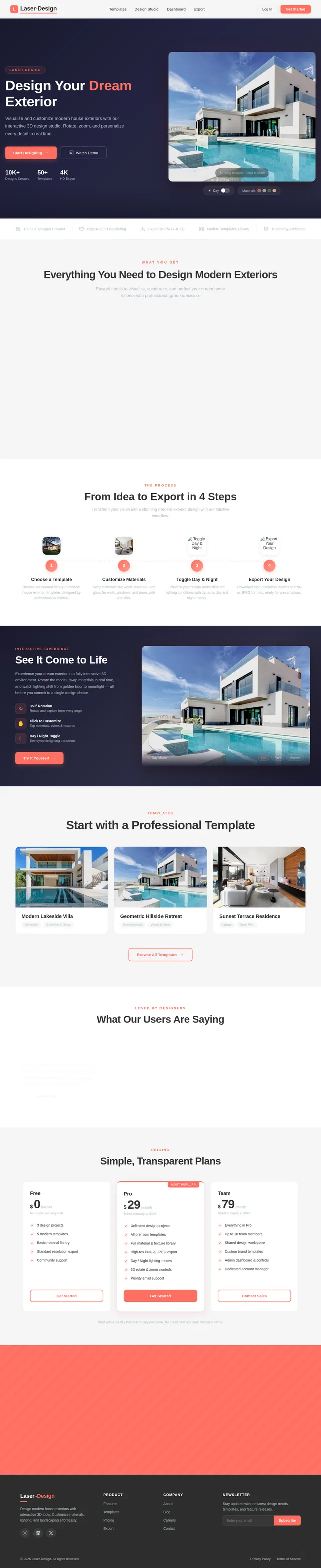
As a user I want to experience the interactive 3D showcase landing page. Implement the Landing page based on the existing JSX design (Landing v2). Includes: NavBar with logo and CTA buttons, Hero3DShowcase with interactive 3D house model (rotate/zoom), TrustBadges band, FeatureHighlights 3-column grid, HowItWorks stepper, InteractivePreview dark section, DesignTemplatesTeaser horizontal gallery, Testimonials, PricingTeaser, CallToAction coral banner, and Footer. Links to Login and Signup pages.
Build Login Page
As a user I want to sign in to my Laser-Design account. Implement the Login page with email and password fields, form validation, error messaging, a 'Log In' CTA button in coral (#FF6F61), and a link to the Signup page. On successful login, redirect Users to Dashboard and Admins to Admin Dashboard. Follows theme established in t1.
Build Signup Page
As a user I want to create a new Laser-Design account. Implement the Signup page with name, email, password, and confirm-password fields, client-side validation, terms acceptance checkbox, and a coral 'Get Started' CTA. On success, redirect to Dashboard. Includes a link back to Login. Follows theme established in t1.
Implement Templates API
As a user I want to use a backend API to browse and retrieve design templates. Implement FastAPI endpoints: GET /templates (list all with filters), GET /templates/{id} (detail), POST /templates (admin create), PUT /templates/{id} (admin update), DELETE /templates/{id} (admin delete). Include MySQL models via Alembic migration for templates table (id, name, thumbnail_url, tags, model_file_url, created_at).
Build Dashboard Page
As a user I want to browse and select design templates from my dashboard. Implement the Dashboard page with a template gallery grid showing predefined house exterior templates. Each template card shows a thumbnail, name, tags, and a 'Use Template' CTA. Includes search/filter controls and links to Design Studio when a template is selected. Follows user flow: Login → Dashboard → Design Studio.
Build Admin Dashboard Page
As an admin I want to view a system overview and navigate to template management. Implement the Admin Dashboard page with summary stats (total templates, total users, recent activity), quick-access cards linking to Templates management and Settings pages. Role-based access ensuring only admins can reach this page. Follows admin flow: Login → Admin Dashboard.
Implement Design Customization API
As a user I want to use a backend API to save and retrieve my design customizations. Implement FastAPI endpoints: POST /designs (create new design session), GET /designs/{id}, PUT /designs/{id} (update materials, landscaping, lighting settings), supporting JSON payloads for material selections, landscape config, and lighting mode (day/night). Persists design state in MySQL.
Build Design Studio Page
As a user I want to customize my selected house exterior design in an interactive studio. Implement the Design Studio page with: 3D model viewer (rotate/zoom), material selector panel (wood, concrete, glass for walls/windows/doors), landscaping controls (lawns, trees, pathways), day/night lighting toggle with real-time preview, and a toolbar with undo/redo and export actions. Follows user flow: Dashboard → Design Studio → Export.
Build Templates Management Page
As an admin I want to manage, add, and edit design templates. Implement the Templates page with a list/grid of all templates, Add Template button opening a form/modal, Edit Template inline or modal form with fields for name, thumbnail, tags, and 3D model file upload, and delete confirmation. Follows admin flow: Admin Dashboard → Templates → Add/Edit Template.
Build Settings Page
As an admin I want to configure system settings. Implement the Settings page with sections for general system configuration (site name, default theme), user management overview, and template default settings. Accessible only by admins. Follows admin flow: Admin Dashboard → Settings.
Implement Export API
As a user I want to use a backend API to export my design as a high-resolution image. Implement FastAPI endpoint POST /designs/{id}/export accepting format (PNG, JPEG) and resolution parameters. Integrates with rendering pipeline to generate and return download URL. Handles async export jobs with status polling endpoint GET /exports/{job_id}.
Connect Dashboard to Templates API
As a user I want to see real template data on the Dashboard page. Wire up the Dashboard frontend template gallery to consume GET /templates from the backend API. Implement loading states, error handling, search/filter query params, and pagination. Replace any mock/static data with live API responses.
Build Export Page
As a user I want to download my finalized house exterior design in high-resolution formats. Implement the Export page with format selection (PNG, JPEG), resolution options, preview of final design, and a download button. Shows export progress and success confirmation. Follows user flow: Design Studio → Export.
Integrate 3D Rendering Engine
As a user I want to interact with a real-time 3D model of a house exterior in the browser. Integrate a WebGL-based 3D rendering library (e.g., Three.js or Babylon.js) into the Design Studio page. Implement rotate, zoom, and pan controls. Support dynamic material swapping on 3D mesh elements, day/night environment lighting toggle, and smooth transition animations. Connect to template model files loaded from the Templates API.
Connect Export Page to Export API
As a user I want to trigger and download my design export from the Export page. Wire up the Export page frontend to call POST /designs/{id}/export and poll GET /exports/{job_id} for status. Show progress indicator during export generation. Trigger browser download when export URL is ready. Handle errors with user-friendly messages.
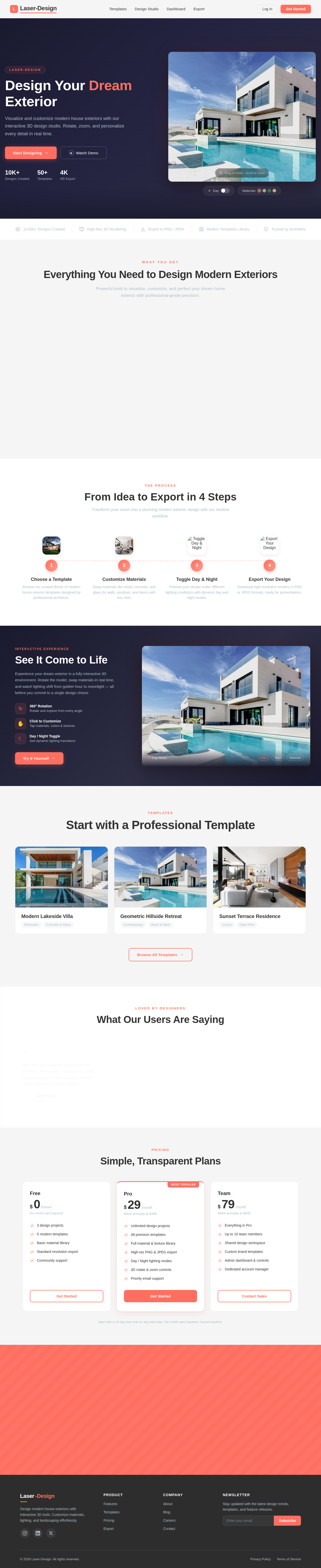
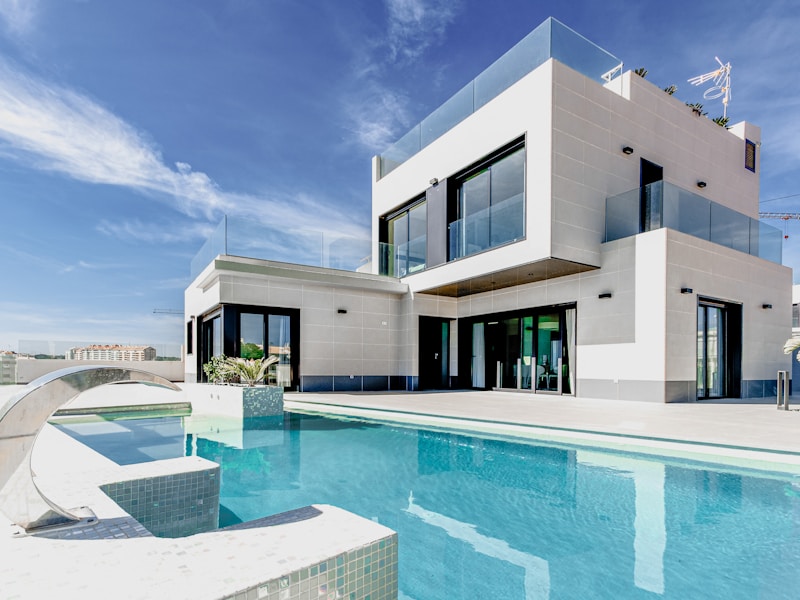
Design Your Dream Exterior
Visualize and customize modern house exteriors with our interactive 3D design studio. Rotate, zoom, and personalize every detail in real time.
10K+
Designs Created
50+
Templates
4K
HD Export
Everything You Need to Design Modern Exteriors
Powerful tools to visualize, customize, and perfect your dream home exterior with professional-grade precision.
Material Swap
Instantly switch between wood, concrete, glass, and stone finishes to visualize your ideal exterior.
3D Rotate & Zoom
Explore every angle of your design with smooth 360-degree rotation and intuitive zoom controls.
Landscaping Tools
Add lawns, trees, pathways, and water features to bring your outdoor environment to life.
Day & Night Lighting
Toggle between day and night modes to see how lighting transforms your exterior design.
High-Res Export
Export your finished designs in PNG or JPEG at full resolution, ready for presentations.
Modern Templates
Start from professionally designed templates featuring minimalist and contemporary styles.
From Idea to Export in 4 Steps
Transform your vision into a stunning modern exterior design with our intuitive workflow.

Choose a Template
Browse our curated library of modern house exterior templates designed by professional architects.

Customize Materials
Swap materials like wood, concrete, and glass for walls, windows, and doors with one click.

Toggle Day & Night
Preview your design under different lighting conditions with dynamic day and night modes.

Export Your Design
Download high-resolution renders in PNG or JPEG formats, ready for presentations.
See It Come to Life
Experience your dream exterior in a fully interactive 3D environment. Rotate the model, swap materials in real time, and watch lighting shift from golden hour to moonlight — all before you commit to a single design choice.
- 360° RotationRotate and explore from every angle
- Click to CustomizeTap materials, colors & textures
- Day / Night ToggleSee dynamic lighting transitions

Start with a Professional Template

Modern Lakeside Villa

Geometric Hillside Retreat

Sunset Terrace Residence
LOVED BY DESIGNERS
What Our Users Are Saying
Laser-Design completely transformed my workflow. I can visualize exterior concepts in minutes instead of hours, and the material customization is incredibly intuitive.

The 3D rendering quality is outstanding. My clients love being able to toggle between day and night views. It has made presentations so much more engaging and professional.

As a homeowner, I never thought I could design my own exterior. The templates made it easy to start, and the export feature gave my contractor exactly what he needed.

Laser-Design completely transformed my workflow. I can visualize exterior concepts in minutes instead of hours, and the material customization is incredibly intuitive.
The 3D rendering quality is outstanding. My clients love being able to toggle between day and night views. It has made presentations so much more engaging and professional.
As a homeowner, I never thought I could design my own exterior. The templates made it easy to start, and the export feature gave my contractor exactly what he needed.
Simple, Transparent Plans
Free
No credit card required
- 3 design projects
- 5 modern templates
- Basic material library
- Standard resolution export
- Community support
Pro
Billed annually at $348
- Unlimited design projects
- All premium templates
- Full material & texture library
- High-res PNG & JPEG export
- Day / Night lighting modes
- 3D rotate & zoom controls
- Priority email support
Team
Billed annually at $948
- Everything in Pro
- Up to 10 team members
- Shared design workspace
- Custom brand templates
- Admin dashboard & controls
- Dedicated account manager
Start with a 14-day free trial on any paid plan. No credit card required. Cancel anytime.
Ready to Design Your Dream Home?
Join thousands of architects, designers, and homeowners who bring their exterior visions to life with Laser-Design. Start with a template, customize materials, and export stunning high-res renders in minutes.
No comments yet. Be the first!