kubisa-ai-forteen-10
 Isam Isam
Build a full-stack, responsive, and ultra-modern web application for "kubisa.ai" powered by the "forteen-10" AI Model architecture. ### 1. APPLICATION OVERVIEW & BRANDING - App Name: kubisa.ai - AI Model Engine Name: forteen-10 (Include an dynamic model version switcher in settings, e.g., forteen-10, forteen-11, forteen-12). - Theme & Aesthetic: Dark Mode by default, cyber/neon dark aesthetic (#0a0a0c background, neon blue #00f0ff, glowing red/pink #ff0055 gradient accents, glassmorphism card UI). - Logo: Icon displaying glowing neon lines, vibrant gradient, dark night theme, with the text "kubisa.ai". ### 2. CORE FEATURES & TABS The app must be a single-page application (SPA) with a modern sidebar or bottom navigation bar with 4 primary tabs: 1. 💬 AI Chat Workspace (forteen-10 Engine): - Real-time chat interface with streaming text responses. - Header showing active model: "Model: forteen-10 (Active)". - Features: Code highlighting, prompt templates, copy text, clear chat, and voice input toggle UI. 2. 🎨 3D Image & Asset Generator: - Input box for prompt entry + style preset selection (e.g., "3D Render", "Octane Render", "Blender Style", "Photorealistic 3D"). - Aspect ratio selector (1:1, 16:9, 9:16). - Interactive preview window for generated 3D image assets with download and "Convert to 3D Model" buttons. - Mock interactive Three.js or Lucide 3D viewport canvas where users can rotate/view a dummy 3D mesh model created from their prompt. 3. 🎬 AI Video Generator: - Text-to-Video generation form (Prompt, Duration slider 3-10s, FPS toggle, Camera Movement selector like Zoom In, Pan Right, Orbit). - Video player preview section showing realistic video generation progress/loading animation, playing sample video outputs, with download controls. 4. 📹 3D Camera Tracking Workspace: - File Upload zone for videos (.mp4, .mov). - "Analyze Camera Motion & Point Cloud" button. - Interactive canvas showing simulated camera tracking points (glowing tracker dots over the video/image preview) and tracked camera path coordinates (X, Y, Z camera position data). - Export Tracking Data button (.JSON / .FBX motion dummy). ### 3. TECHNICAL STACK & UI REQUIREMENTS - Framework: React (Vite) + Tailwind CSS + Lucide Icons. - Components: Use Shadcn UI style components (Tabs, Dialogs, Sliders, Cards, Buttons with smooth hover effects). - State Management: Store user history, prompts, generated items, and selected model version in LocalStorage so data persists. - Mobile First & Responsive: Perfectly optimized for mobile phone screens with touch-friendly buttons and a bottom navigation bar on mobile screens. ### 4. INSTRUCTIONS TO BOLT Please set up the complete file structure, clean component architecture, interactive state logic for all features, mockup responses for the forteen-10 AI engine, and deployable production code in one go.

Comments (0)
Sign in to leave a comment
Architecture
No Services Diagrams Yet
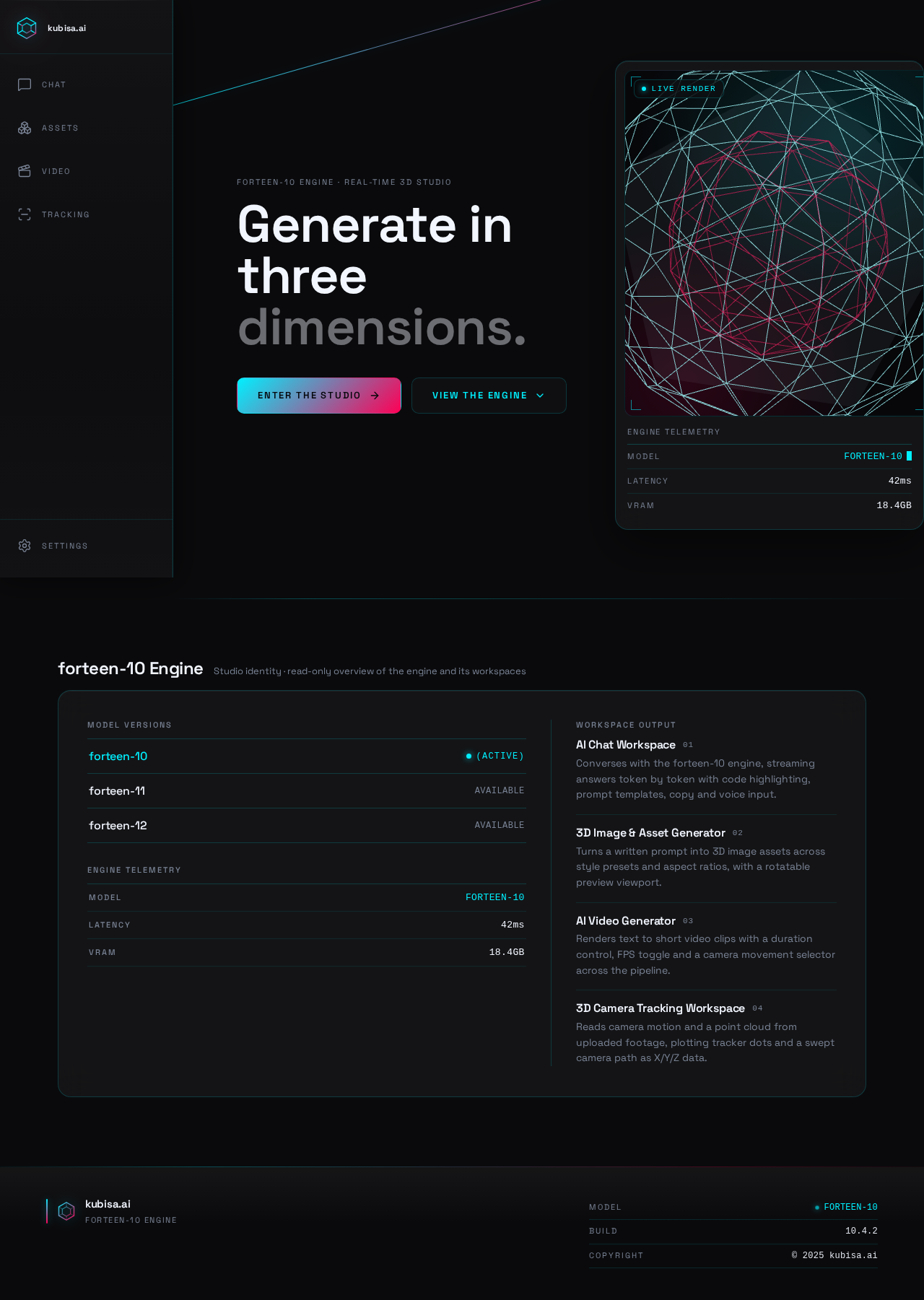
forteen-10 Engine
- forteen-10(Active)
- forteen-11Available
- forteen-12Available
AI Chat Workspace
01Converses with the forteen-10 engine, streaming answers token by token with code highlighting, prompt templates, copy and voice input.
3D Image & Asset Generator
02Turns a written prompt into 3D image assets across style presets and aspect ratios, with a rotatable preview viewport.
AI Video Generator
03Renders text to short video clips with a duration control, FPS toggle and a camera movement selector across the pipeline.
3D Camera Tracking Workspace
04Reads camera motion and a point cloud from uploaded footage, plotting tracker dots and a swept camera path as X/Y/Z data.
forteen-10 Engine
- forteen-10(Active)
- forteen-11Available
- forteen-12Available
AI Chat Workspace
01Converses with the forteen-10 engine, streaming answers token by token with code highlighting, prompt templates, copy and voice input.
3D Image & Asset Generator
02Turns a written prompt into 3D image assets across style presets and aspect ratios, with a rotatable preview viewport.
AI Video Generator
03Renders text to short video clips with a duration control, FPS toggle and a camera movement selector across the pipeline.
3D Camera Tracking Workspace
04Reads camera motion and a point cloud from uploaded footage, plotting tracker dots and a swept camera path as X/Y/Z data.
No comments yet. Be the first!