jade-build
create a project to build a simple calculator and with no advance arthematic operations

Comments (0)
Sign in to leave a comment
System Requirements
jade-build System Requirements Document
Introduction
The purpose of this document is to outline the system requirements for the "jade-build" project, which is focused on developing a simple calculator application. This application will perform basic arithmetic operations and maintain a straightforward, single-page design to ensure ease of use and clarity.
System Overview
The "jade-build" project aims to create a simple calculator application that performs basic arithmetic operations such as addition, subtraction, multiplication, and division. The application will be designed as a single-page interface to provide users with a seamless and efficient experience. The focus will be on delivering a clean and intuitive user interface without any advanced or complex features.
Functional Requirements
- As a User, I should be able to perform addition.
- As a User, I should be able to perform subtraction.
- As a User, I should be able to perform multiplication.
- As a User, I should be able to perform division.
User Personas
- User: A general user who wants to perform basic arithmetic calculations quickly and efficiently.
Visuals Colors and Theme
For the "jade-build" project, the following unique color palette has been created to ensure a simple yet visually appealing design:
- primary: #4A90E2 (a calm blue for the main interface)
- primary_light: #A6C8FF (a lighter blue for hover states)
- secondary: #F5A623 (a warm orange for emphasis and links)
- accent: #50E3C2 (a vibrant teal for call-to-action buttons)
- highlight: #FFD700 (a bright gold for active indicators)
- bg: #FFFFFF (a clean white for the background)
- surface: rgba(74, 144, 226, 0.1) (a subtle blue for card backgrounds)
- text: #333333 (a dark gray for primary text)
- text_muted: #777777 (a lighter gray for secondary text)
- border: rgba(0, 0, 0, 0.1) (a light gray for borders)
Signature Design Concept
The "jade-build" calculator will feature a unique interactive design where the calculator buttons appear to "press down" with a subtle animation when clicked, providing tactile feedback to the user. The single-page layout will have a minimalist aesthetic, with the calculator display prominently at the top and buttons arranged in a grid below. The use of the framer-motion library will enable smooth transitions and animations, enhancing the user experience without adding complexity. The design will be responsive, ensuring usability across different devices.
Interaction Model & Motion Direction
The interaction model for the "jade-build" calculator will be "static" to prioritize layout clarity and ease of use. The focus will be on providing a straightforward interface where users can quickly perform calculations without distractions. While the main page will be static, the use of framer-motion will add subtle animations to button interactions, enhancing the overall user experience.
Non-Functional Requirements
- The application must load quickly and perform calculations without noticeable delay.
- The user interface should be responsive and accessible on various devices and screen sizes.
- The design should be intuitive, allowing users to perform calculations without needing instructions.
Tech Stack
- Frontend: React for Web
- Backend: None required for this simple application
- Database: None required for this simple application
Assumptions and Constraints
- The application will only perform basic arithmetic operations.
- The design will remain a single-page layout with no additional complexity.
- The application will not require user authentication or data storage.
Glossary
- Arithmetic Operations: Basic mathematical operations including addition, subtraction, multiplication, and division.
- Single-Page Design: A web design approach where all content is accessible on a single page without navigating to other pages.
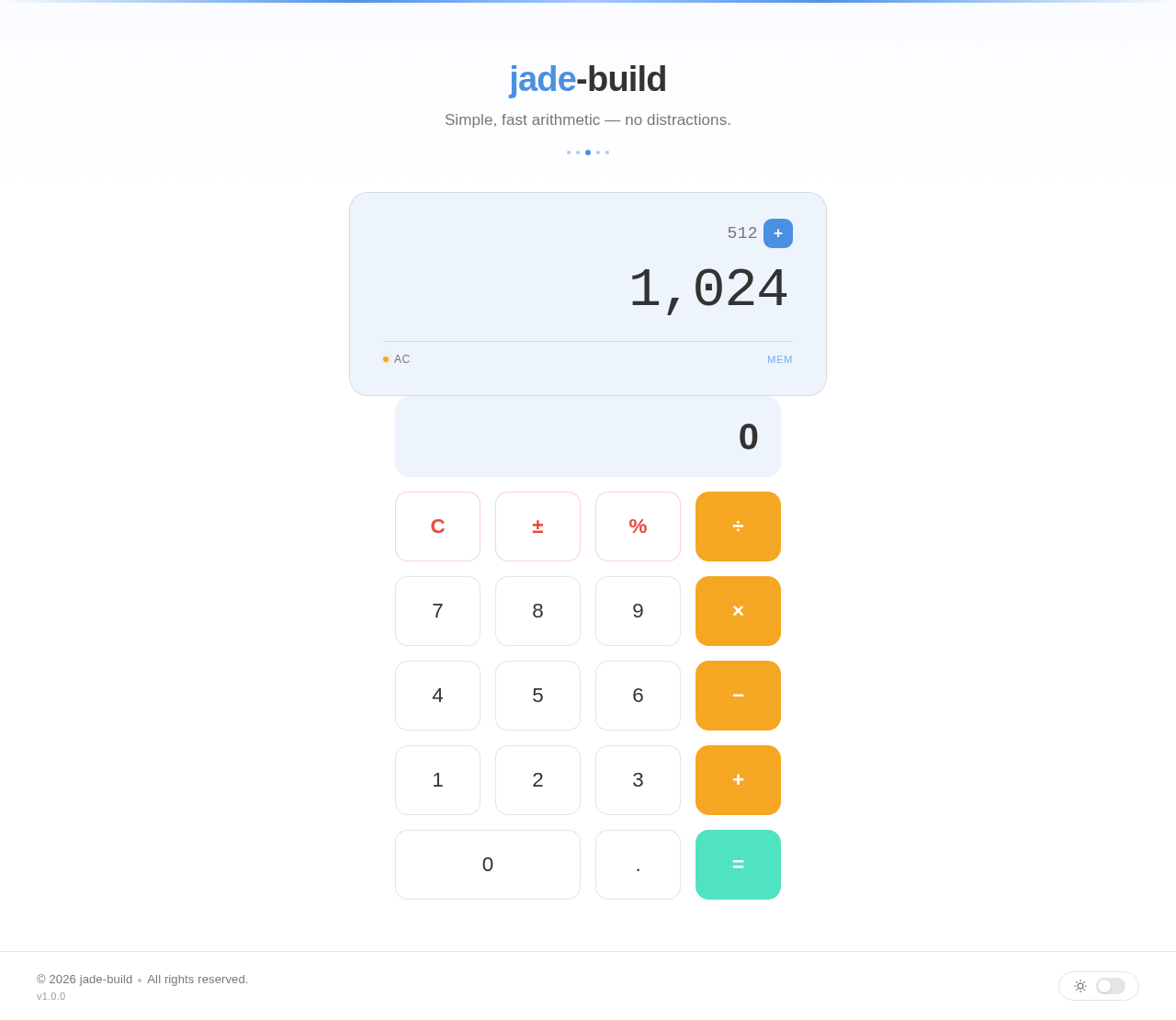
jade-build
Simple, fast arithmetic — no distractions.
No comments yet. Be the first!