invoicing-freelancers
 Pavan Canada
You are an expert SaaS product team consisting of: - Product Manager - UI/UX Designer - Frontend Engineer - Backend Engineer - Database Architect - DevOps Engineer - QA Engineer Build a production-ready Micro SaaS. Idea: ( Simple Invoicing + Payment Reminders for Freelancers Problem: Freelancers lose time chasing late payments and managing invoices. Target audience: Freelancers, consultants, small agencies (US/EU/AU). Existing competitors: Bonsai, Wave, FreshBooks, HoneyBook. Estimated pricing: $9–$29/month. Why customers pay: Faster payments and less admin. Market validation: Freelance billing tools are a recurring paid category. Opportunity score: 7/10. Difficulty: 4/10. AI features: Payment reminder personalization, cash‑flow forecasting, late‑fee suggestions. MVP features: Invoice creation, payment links, reminders, basic reports. Growth channels: Freelancer communities, Upwork/Fiverr groups, LinkedIn. Best niche first: Creative freelancers.) Requirements: Create: - Beautiful landing page - Dashboard - User authentication - Google Login - Email Login - Stripe subscriptions - Pricing page - Admin dashboard - Database - REST APIs - Responsive design - Dark mode - User settings - Billing page - Analytics - SEO - Error handling - Loading states Generate: - Frontend - Backend - Database schema - APIs - Authentication - Deployment configuration - Environment variables - README - Sample data Use a modern design similar to Linear, Notion or Vercel. Everything should be production-ready.

Comments (0)
Sign in to leave a comment
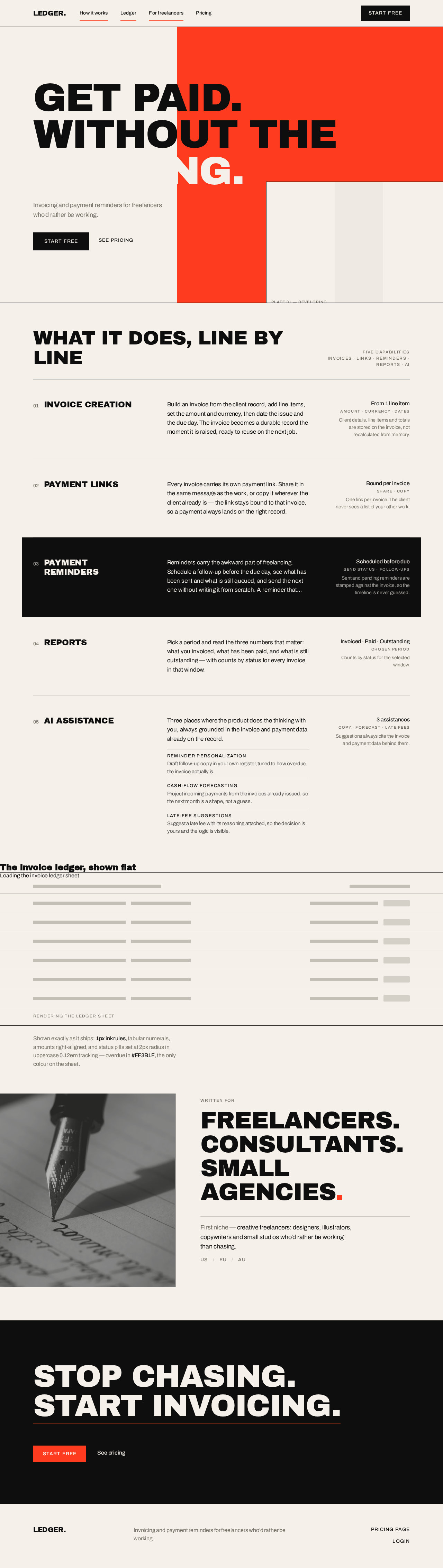
Get paid.Without the
Invoicing and payment reminders for freelancers who’d rather be working.

What it does, line by line
INVOICE CREATION
Build an invoice from the client record, add line items, set the amount and currency, then date the issue and the due day. The invoice becomes a durable record the moment it is raised, ready to reuse on the next job.
PAYMENT LINKS
Every invoice carries its own payment link. Share it in the same message as the work, or copy it wherever the client already is — the link stays bound to that invoice, so a payment always lands on the right record.
PAYMENT REMINDERS
Reminders carry the awkward part of freelancing. Schedule a follow-up before the due day, see what has been sent and what is still queued, and send the next one without writing it from scratch. A reminder that reads like you, sent on time, is worth more than a perfect one sent late.
REPORTS
Pick a period and read the three numbers that matter: what you invoiced, what has been paid, and what is still outstanding — with counts by status for every invoice in that window.
AI ASSISTANCE
Three places where the product does the thinking with you, always grounded in the invoice and payment data already on the record.
- Reminder personalizationDraft follow-up copy in your own register, tuned to how overdue the invoice actually is.
- Cash-flow forecastingProject incoming payments from the invoices already issued, so the next month is a shape, not a guess.
- Late-fee suggestionsSuggest a late fee with its reasoning attached, so the decision is yours and the logic is visible.
The invoice ledger, shown flat
Rendering the ledger sheet
Shown exactly as it ships: 1px ink rules, tabular numerals, amounts right-aligned, and status pills set at 2px radius in uppercase 0.12em tracking — overdue in #FF3B1F, the only colour on the sheet.

Freelancers.Consultants.Small agencies.
First niche — creative freelancers: designers, illustrators, copywriters and small studios who’d rather be working than chasing.
USEUAU
Stop chasing.Start invoicing.
Get paid.Without the
Invoicing and payment reminders for freelancers who’d rather be working.
What it does, line by line
INVOICE CREATION
Build an invoice from the client record, add line items, set the amount and currency, then date the issue and the due day. The invoice becomes a durable record the moment it is raised, ready to reuse on the next job.
PAYMENT LINKS
Every invoice carries its own payment link. Share it in the same message as the work, or copy it wherever the client already is — the link stays bound to that invoice, so a payment always lands on the right record.
PAYMENT REMINDERS
Reminders carry the awkward part of freelancing. Schedule a follow-up before the due day, see what has been sent and what is still queued, and send the next one without writing it from scratch. A reminder that reads like you, sent on time, is worth more than a perfect one sent late.
REPORTS
Pick a period and read the three numbers that matter: what you invoiced, what has been paid, and what is still outstanding — with counts by status for every invoice in that window.
AI ASSISTANCE
Three places where the product does the thinking with you, always grounded in the invoice and payment data already on the record.
- Reminder personalizationDraft follow-up copy in your own register, tuned to how overdue the invoice actually is.
- Cash-flow forecastingProject incoming payments from the invoices already issued, so the next month is a shape, not a guess.
- Late-fee suggestionsSuggest a late fee with its reasoning attached, so the decision is yours and the logic is visible.
The invoice ledger, shown flat
Rendering the ledger sheet
Shown exactly as it ships: 1px ink rules, tabular numerals, amounts right-aligned, and status pills set at 2px radius in uppercase 0.12em tracking — overdue in #FF3B1F, the only colour on the sheet.
Freelancers.Consultants.Small agencies.
First niche — creative freelancers: designers, illustrators, copywriters and small studios who’d rather be working than chasing.
USEUAU
No comments yet. Be the first!