infini-todo
by Diya Trivedi
Diya Trivedistart a project to build a simple single page design of todo

Comments (0)
Sign in to leave a comment
Project Tasks
15 tasks#1
Generate system requirement document
0m 39s0.05 cr used
Done#2
Generate personas & user flows
0m 4s0.05 cr used
Done#7
Create flow for Todo user
0m 2sCredits in parent
Done#8
Todo
2m 31sCredits in subtasks
Done#13
Fix Todo review findings: frontend/src/components/Todo Poster Hero.jsx: the required… (+1 more)
0m 14s0.02 cr used
Done#9
Todo / Poster Hero
0m 45s0.85 cr used
Done#10
Todo / Task Workspace
0m 34s0.85 cr used
Done#11
Fix Todo: The required black spine strip is rendered red with white text; in sets instead of the…
0m 20sCredits unavailable
Done#12
Fix Todo: The required rotated INFINI label and open/done count are not both present in the spine…
0m 20sCredits unavailable
Done#4
Design remaining pages
Not recorded0.05 cr needed
Done#5
Architecture
0m 10s0.05 cr used
Done#14
Create frontend_modules diagram
0m 9sCredits in parent
Done#6
Workspace task plan
1m 1s0.05 cr used
Done#15
In-page task list: add, complete, delete, and live counts
100 cr estimated
To Do#16
Wire the Todo page to live add, complete, delete, and counts
100 cr estimated
To Do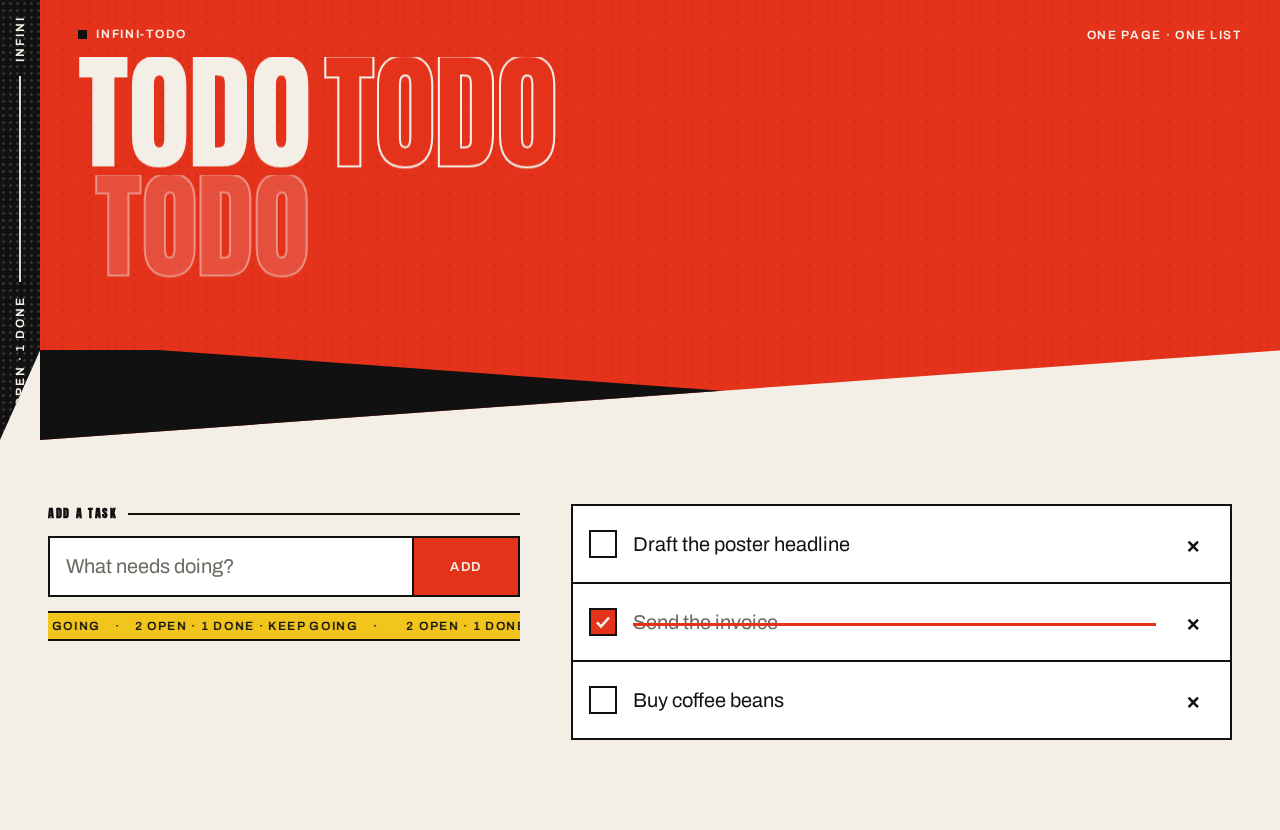
INFINI2 OPEN · 1 DONE
infini-todo
TODO
Add a task
2 OPEN·1 DONE·KEEP GOING
- Draft the poster headline
- Send the invoice
- Buy coffee beans
INFINI2 OPEN · 1 DONE
infini-todo
TODO
Add a task
2 OPEN·1 DONE·KEEP GOING
- Draft the poster headline
- Send the invoice
- Buy coffee beans
No comments yet. Be the first!