infini-solar
 Basavesh SY
Android App Development using GenAI - Surya-Shakti Solar Monitor (Energy) 1. The Problem Statement: Many households in rural and semi-urban area are installing rooftop solar panels. However, users often don't understand how much energy they are generating versus consuming. Without a simple monitoring tool, they can’t optimize usage (like running a pump during peak sun) to maximize savings. 2. Detailed Description (The Vision) Surya-Shakti is a personal energy dashboard for solar-enabled homes. It turns raw electrical data into a "Visual Energy Budget." The app allows a user to input daily generation and battery levels to see their "Green Energy Independence" score. It helps the common citizen transition from being a consumer to a "Prosumer" (Producer + Consumer). 3. App Usage & User Flow ● Generation Log: Manually enter orsimulate the kWh produced by panels today. ● Consumption Tracker: Enter current meter readingsto calculate net usage. ● Peak Suggestion: A notification saying "High Sun: Ideal time for heavy appliances." ● Savings Report: A 30-day view of electricity costs saved. 4. Technical Implementation & Hints ● Visuals: Use a circular Progress Bar to show the ratio of solar vs. grid usage. ● Simulation: Create a function that varies "Daily Generation" based on a mock weather condition (Cloudy/Sunny). ● Storage: Use Room DB for persistent daily energy logs. 5. Impact Goals ● Renewable Transition: Accelerating the adoption of clean energy at the household level. ● Energy Security: Reducing the load on the central power grid. ● Economic Savings: Putting money back into the hands of citizensthrough lower bills. 6. Success Criteria for Students ● The app must accurately calculate "Net Savings" based on a set per-unit rate. ● The UI must be high-contrast (Yellow/Black) for readability in sunlight. ● The logic must handle "Over-generation" scenarios(Export to grid) App name should be ಸೂರ್ಯ ಶಕ್ತಿ (in kannada only) with app icon as Sun image Application should have responsive ui with stunning animations and colorful and beautiful with quick response Android studio kotlin
Comments (0)
Sign in to leave a comment
Project Tasks
27 workspace tasksImplement Theme & Structure
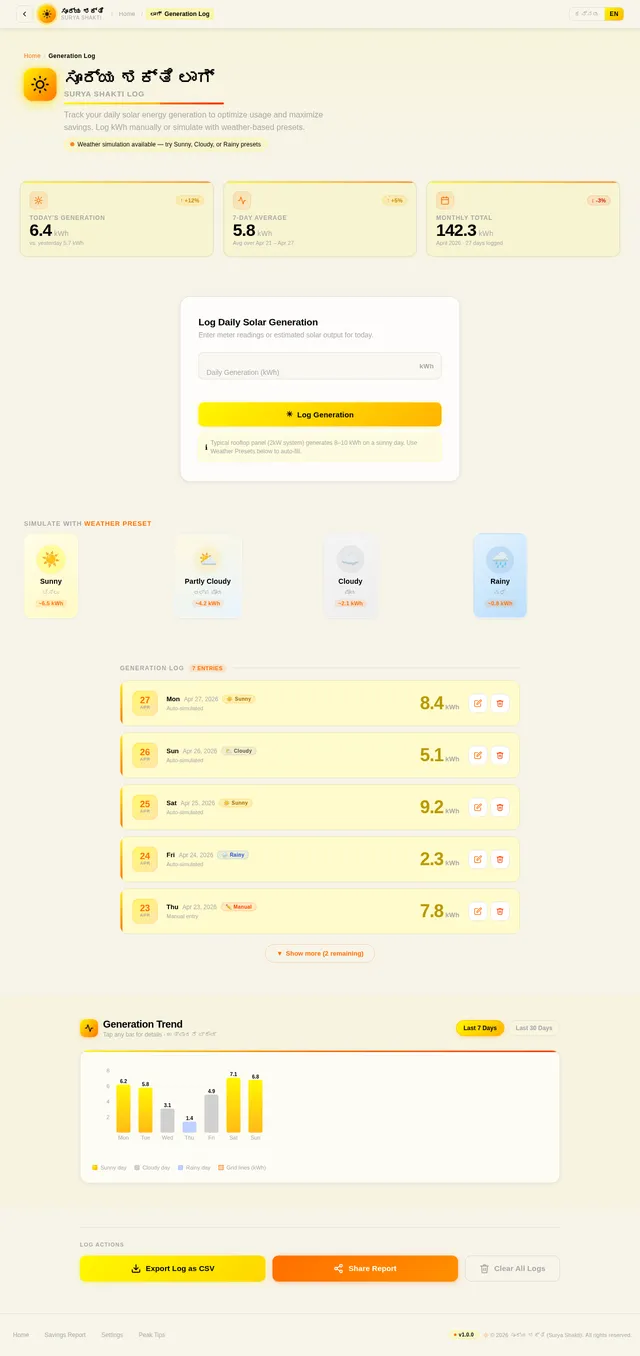
Implement Generation Log API
Implement Consumption Tracker API
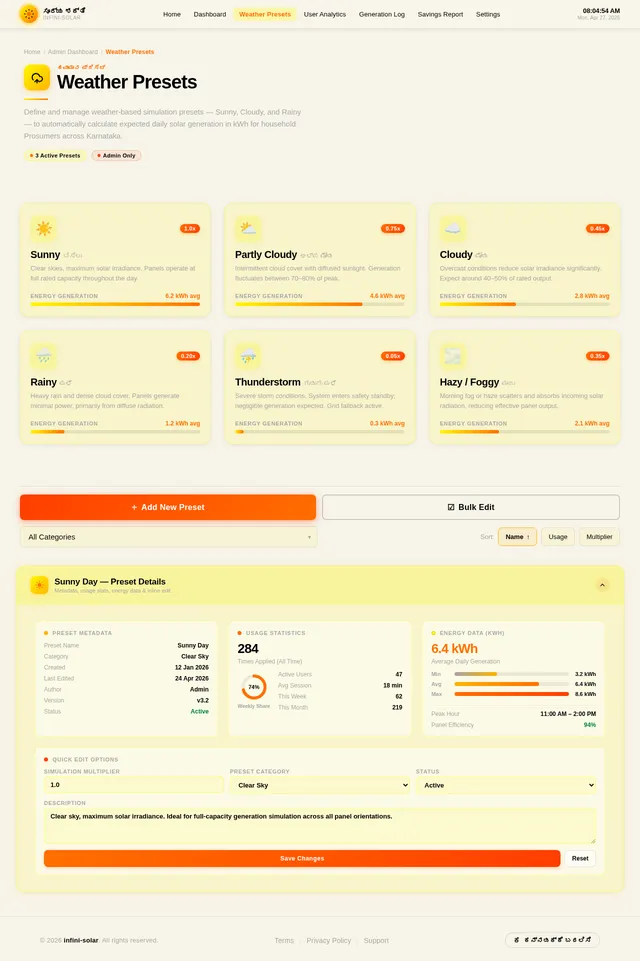
Implement Weather Presets API
Implement User Analytics API
Build Splash Page
Build Onboarding Page
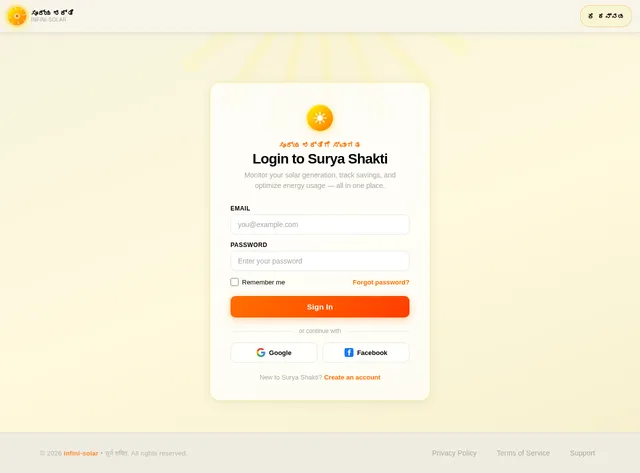
Build Login Page
Build Home Dashboard Page
Build Generation Log Page
Build Consumption Tracker Page
Build Savings Report Page
Build Peak Suggestion Page
Build Settings Page
Implement Savings Report API
Implement Peak Suggestion API
Implement Offline Data Sync
Build Admin Dashboard Page
Integrate Generation Log Frontend-API
Integrate Consumption Tracker Frontend-API
Integrate Savings Report Frontend-API
Implement Bilingual Language Support
Implement AI Weather Background Generation
Build Weather Presets Page
Build User Analytics Page
Integrate Weather Presets Frontend-API
Integrate User Analytics Frontend-API
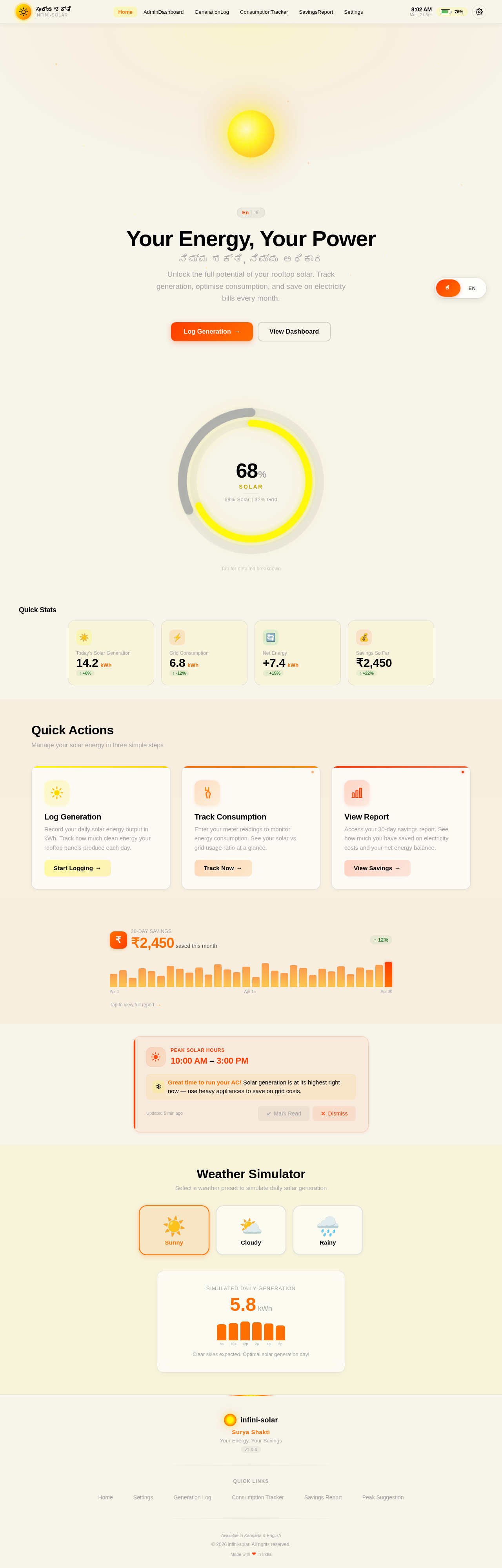
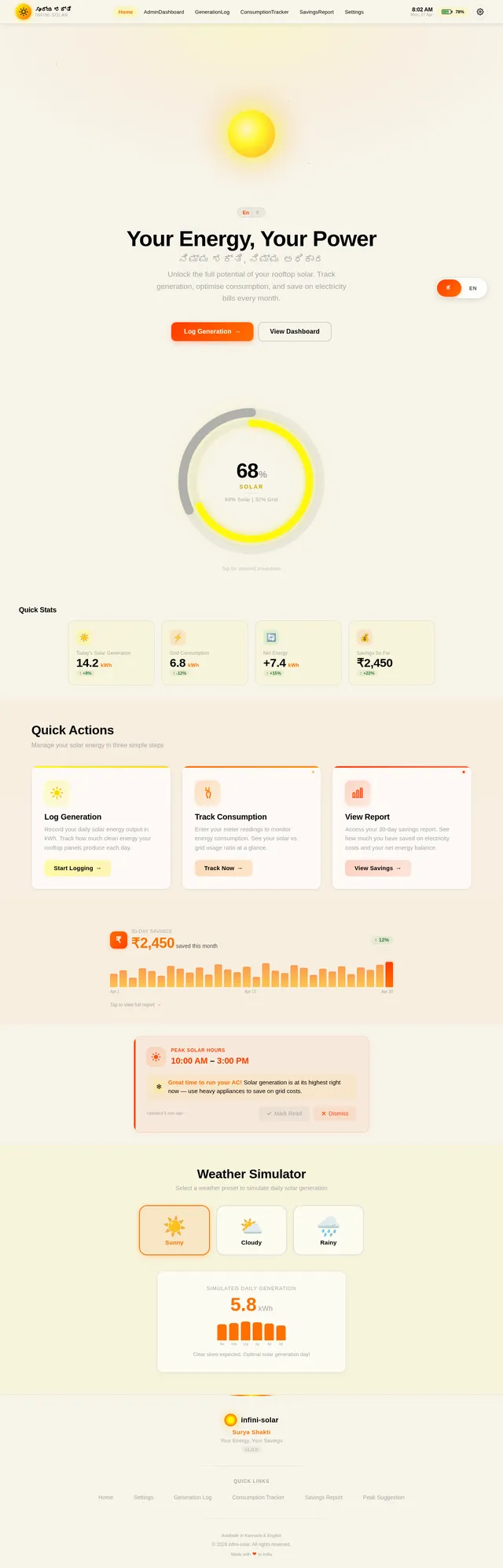
Your Energy, Your Powerನಿಮ್ಮ ಶಕ್ತಿ, ನಿಮ್ಮ ಅಧಿಕಾರ
Unlock the full potential of your rooftop solar. Track generation, optimise consumption, and save on electricity bills every month.
Quick Stats
Quick Actions
Manage your solar energy in three simple steps
Log Generation
Record your daily solar energy output in kWh. Track how much clean energy your rooftop panels produce each day.
Start Logging→Track Consumption
Enter your meter readings to monitor energy consumption. See your solar vs. grid usage ratio at a glance.
Track Now→View Report
Access your 30-day savings report. See how much you have saved on electricity costs and your net energy balance.
View Savings→Peak Solar Hours
10:00 AM – 3:00 PM
Great time to run your AC! Solar generation is at its highest right now — use heavy appliances to save on grid costs.
Weather Simulator
Select a weather preset to simulate daily solar generation
Clear skies expected. Optimal solar generation day!
No comments yet. Be the first!