infini-solar
 Basavesh SY
Android App Development using GenAI - Surya-Shakti Solar Monitor (Energy) 1. The Problem Statement: Many households in rural and semi-urban area are installing rooftop solar panels. However, users often don't understand how much energy they are generating versus consuming. Without a simple monitoring tool, they can’t optimize usage (like running a pump during peak sun) to maximize savings. 2. Detailed Description (The Vision) Surya-Shakti is a personal energy dashboard for solar-enabled homes. It turns raw electrical data into a "Visual Energy Budget." The app allows a user to input daily generation and battery levels to see their "Green Energy Independence" score. It helps the common citizen transition from being a consumer to a "Prosumer" (Producer + Consumer). 3. App Usage & User Flow ● Generation Log: Manually enter orsimulate the kWh produced by panels today. ● Consumption Tracker: Enter current meter readingsto calculate net usage. ● Peak Suggestion: A notification saying "High Sun: Ideal time for heavy appliances." ● Savings Report: A 30-day view of electricity costs saved. 4. Technical Implementation & Hints ● Visuals: Use a circular Progress Bar to show the ratio of solar vs. grid usage. ● Simulation: Create a function that varies "Daily Generation" based on a mock weather condition (Cloudy/Sunny). ● Storage: Use Room DB for persistent daily energy logs. 5. Impact Goals ● Renewable Transition: Accelerating the adoption of clean energy at the household level. ● Energy Security: Reducing the load on the central power grid. ● Economic Savings: Putting money back into the hands of citizensthrough lower bills. 6. Success Criteria for Students ● The app must accurately calculate "Net Savings" based on a set per-unit rate. ● The UI must be high-contrast (Yellow/Black) for readability in sunlight. ● The logic must handle "Over-generation" scenarios(Export to grid) App name should be ಸೂರ್ಯ ಶಕ್ತಿ (in kannada only) with app icon as Sun image Application should have responsive ui with stunning animations and colorful and beautiful with quick response Android studio kotlin
Comments (0)
Sign in to leave a comment
System Requirements
System Requirements Document (SRD)
Project Name: infini-solar
1. Introduction
The infini-solar project is a bilingual (Kannada + English) Android application designed to empower households with rooftop solar panels by providing an intuitive energy monitoring and optimization tool. The app, named ಸೂರ್ಯ ಶಕ್ತಿ (Surya Shakti), focuses on transforming users into "Prosumers" (Producers + Consumers) by enabling them to track solar energy generation and consumption, optimize energy usage, and maximize savings.
This document outlines the system requirements for the infini-solar project, incorporating the latest updates to include Kannada + English language support and automated presets for simulating daily solar energy generation based on weather conditions.
2. System Overview
The infini-solar app is a personal energy dashboard tailored for solar-enabled homes, particularly in rural and semi-urban areas of India. It addresses the challenge of understanding and optimizing solar energy usage by providing a "Visual Energy Budget" that simplifies complex electrical data into actionable insights.
Key features include:
- Manual and simulated logging of solar energy generation.
- Tracking energy consumption to calculate net usage.
- Notifications for optimal appliance usage during peak solar hours.
- A 30-day savings report to highlight financial benefits.
- High-contrast, responsive UI designed for readability in sunlight.
The app will support both Kannada and English languages, ensuring accessibility for local and broader audiences. It will also feature automated presets for simulating daily solar generation based on weather conditions like sunny, cloudy, or rainy days.
3. Functional Requirements
As a User:
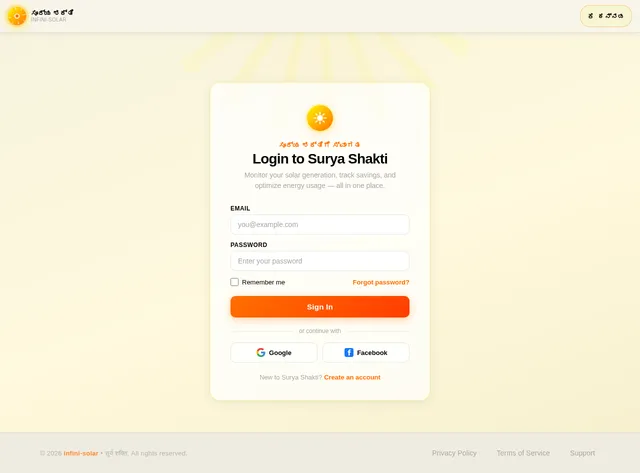
- I should be able to switch between Kannada and English languages seamlessly.
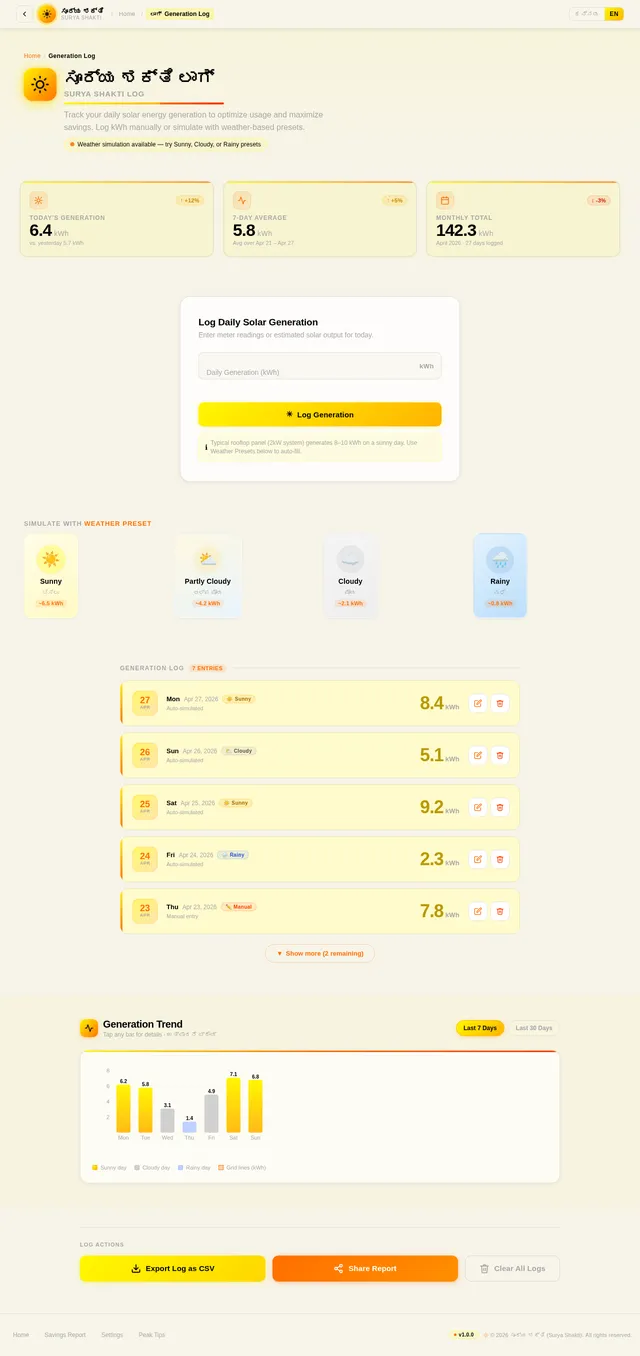
- I should be able to manually log daily solar energy generation in kWh.
- I should be able to track my energy consumption by entering meter readings.
- I should receive notifications suggesting the best time to use heavy appliances during peak solar hours.
- I should be able to view a 30-day savings report showing electricity costs saved.
- I should be able to simulate daily solar energy generation using automated weather-based presets (e.g., Sunny, Cloudy, Rainy).
- I should be able to view a circular progress bar showing the ratio of solar vs. grid energy usage.
As an Admin:
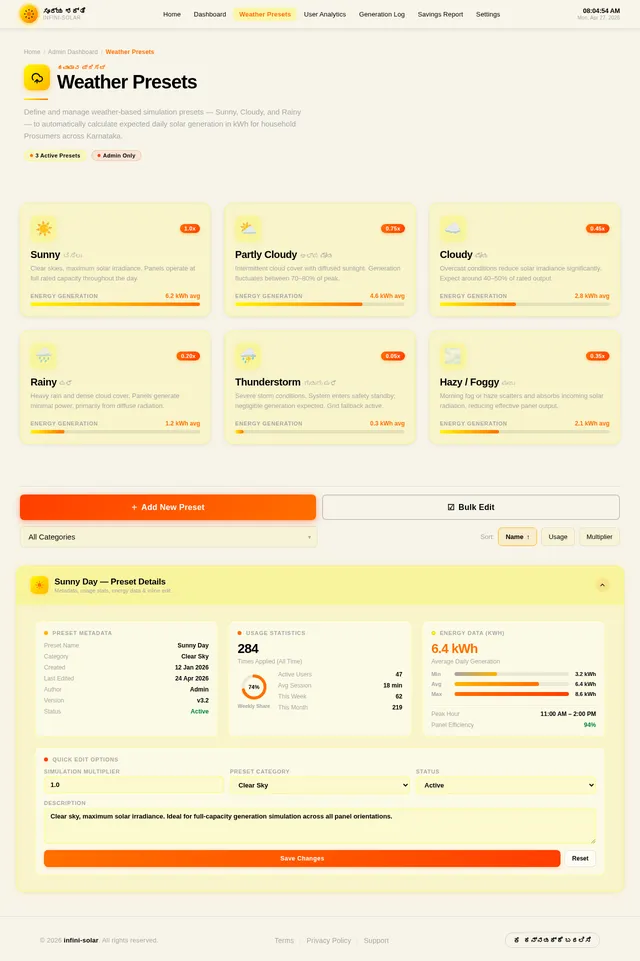
- I should be able to manage and update the weather presets for simulation.
- I should be able to monitor app usage statistics for insights into user behavior.
4. User Personas
1. Household User (Primary User)
- Description: A homeowner with rooftop solar panels, residing in rural or semi-urban India.
- Goals: Optimize energy usage, reduce electricity bills, and maximize solar energy benefits.
- Tech Proficiency: Basic smartphone user.
2. Admin
- Description: A system administrator responsible for maintaining the app and updating weather presets.
- Goals: Ensure app functionality and provide accurate simulation data.
- Tech Proficiency: Advanced user with knowledge of app management tools.
5. Visuals, Colors, and Theme
Color Palette:
The infini-solar app will use a vibrant and high-contrast color scheme for readability in sunlight and to evoke a sense of energy and sustainability.
- Background: #F7F4E9 (Soft Solar Beige)
- Surface: #FFF700 (Solar Yellow)
- Text: #000000 (Deep Black)
- Accent: #FF6F00 (Bright Solar Orange)
- Muted Tones: #A6A6A6 (Neutral Gray)
6. Signature Design Concept
The infini-solar app will feature a "Living Solar Dashboard" as its signature design concept.
Home Page Design:
- Dynamic Sun Animation: The homepage will feature a glowing, animated sun that changes its intensity based on the time of day (e.g., brighter during peak solar hours, dimmer in the evening).
- Interactive Circular Progress Bar: Users will see a circular progress bar that dynamically fills with solar yellow to represent the ratio of solar vs. grid energy usage.
- Weather-Based Backgrounds: The background will subtly change based on the selected weather preset (e.g., sunny skies, cloudy overcast, or rainy drops).
- Micro-Interactions: Buttons and icons will have smooth animations, such as a ripple effect when tapped, to enhance user engagement.
User Experience:
- Language Toggle: A floating language toggle button will allow users to switch between Kannada and English instantly.
- Responsive Design: The UI will adapt seamlessly to different screen sizes, ensuring a consistent experience across devices.
7. Non-Functional Requirements
- The app must support Android devices running Android 8.0 (Oreo) or higher.
- The app must load all screens within 2 seconds.
- The app must store user data securely using encryption.
- The app must support offline functionality for logging and viewing data.
- The app must provide a battery-efficient experience, consuming minimal resources.
8. Tech Stack
Frontend:
- React Native for mobile app development.
Backend:
- Python with FastAPI for handling API requests.
Database:
- MySQL for structured data storage (e.g., user logs).
- MongoDB for unstructured data (e.g., weather presets).
AI Tools:
- Google Nano Banana for generating weather-based background images.
Local Orchestration:
- Docker and docker-compose for containerized development.
9. Assumptions and Constraints
Assumptions:
- Users have basic knowledge of smartphones and can input data manually.
- Internet connectivity is intermittent in rural areas, so offline functionality is critical.
- The app will primarily target Android users in India.
Constraints:
- The app must comply with local data privacy regulations in India.
- The app must be optimized for low-end Android devices.
10. Glossary
- Prosumer: A user who is both a producer and consumer of solar energy.
- kWh: Kilowatt-hour, a unit of energy measurement.
- Visual Energy Budget: A graphical representation of energy generation and consumption.
- Weather Presets: Predefined weather conditions (e.g., Sunny, Cloudy, Rainy) used for simulating solar energy generation.
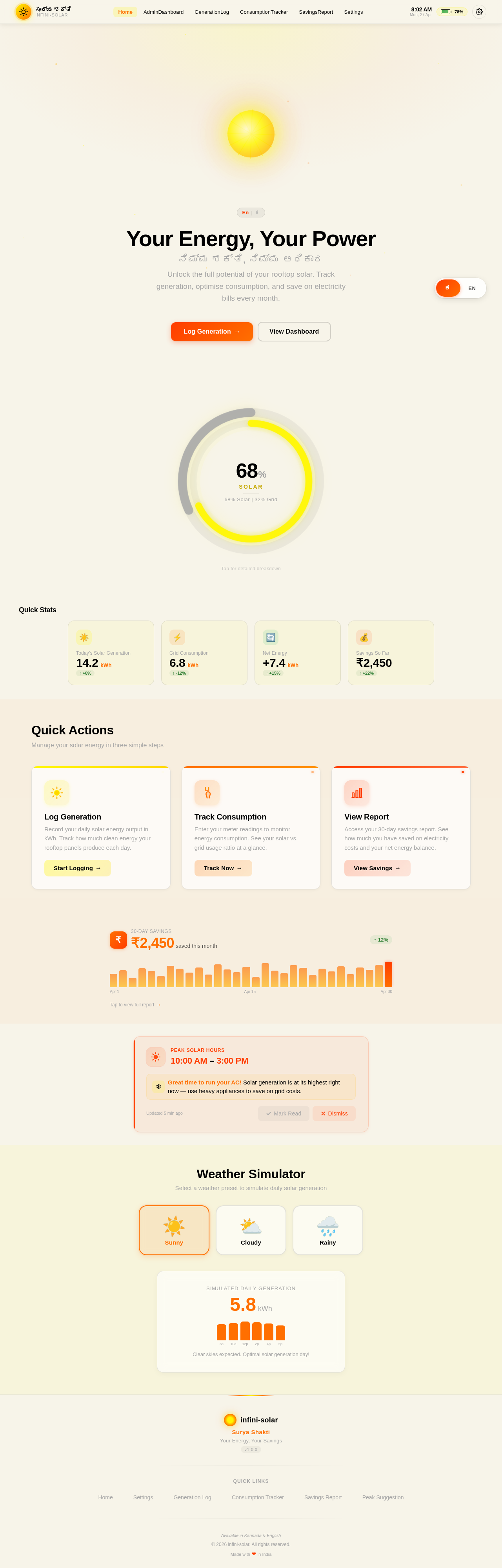
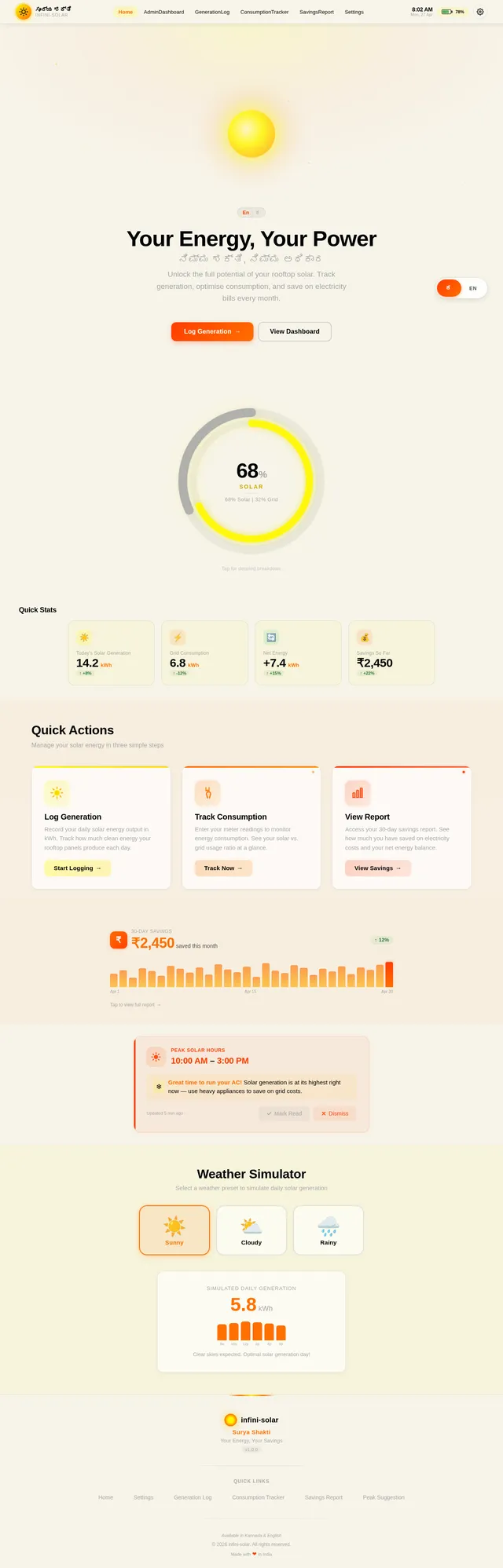
Your Energy, Your Powerನಿಮ್ಮ ಶಕ್ತಿ, ನಿಮ್ಮ ಅಧಿಕಾರ
Unlock the full potential of your rooftop solar. Track generation, optimise consumption, and save on electricity bills every month.
Quick Stats
Quick Actions
Manage your solar energy in three simple steps
Log Generation
Record your daily solar energy output in kWh. Track how much clean energy your rooftop panels produce each day.
Start Logging→Track Consumption
Enter your meter readings to monitor energy consumption. See your solar vs. grid usage ratio at a glance.
Track Now→View Report
Access your 30-day savings report. See how much you have saved on electricity costs and your net energy balance.
View Savings→Peak Solar Hours
10:00 AM – 3:00 PM
Great time to run your AC! Solar generation is at its highest right now — use heavy appliances to save on grid costs.
Weather Simulator
Select a weather preset to simulate daily solar generation
Clear skies expected. Optimal solar generation day!
No comments yet. Be the first!